Codex in Practice: AI-Powered Programming with Natural Language Instructions — No Coding Background Required

Build a gesture-interactive webpage using only natural language prompts in Codex — no coding required.
This article walks through a complete hands-on Codex tutorial: generating origami-style video assets, creating a project, and using Chinese natural language prompts to automatically build a camera gesture-interactive personal portfolio webpage. It also covers prompt engineering principles, how web gesture recognition works, and an honest look at where AI coding tools still fall short.
From Developer-Only to Everyone: How Codex Is Changing the Game
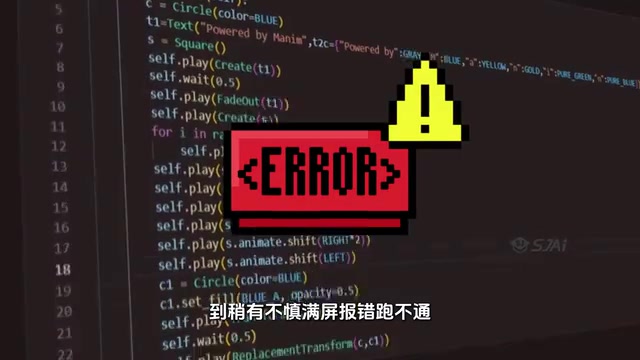
The barrier to entry for AI-powered programming tools is dropping fast. In the past, anyone trying to use code to boost productivity ran into the same three walls: complex syntax, painful environment setup, and cryptic error messages that kept even simple demos from running. Many people spent an entire evening tinkering and gave up before getting anything to work.
Codex's recent updates directly address these pain points. It now ships with a rich library of ready-to-use code templates covering common workflows like bulk data monitoring, short-video pipelines, and batch image generation. The bigger shift, however, is in how users interact with it — instead of wrestling with code, you describe what you want in natural language, and the system handles the rest automatically.
This marks Codex's evolution from a "developer-only tool" to an "AI-powered programming platform accessible to anyone with zero coding experience." The trend aligns with the broader industry push toward natural language programming: humans describe the goal, AI handles the implementation.
Technical Background: What Is Natural Language Programming? Natural language programming refers to a technical paradigm where everyday human language replaces traditional programming languages to describe computational tasks. It relies on the semantic understanding capabilities of large language models (LLMs) to map user intent to executable code. OpenAI's Codex model was originally a code-specialized variant of the GPT series, initially released to developers via GitHub Copilot, and has since expanded toward non-technical users. This evolution reflects a universal pattern in AI infrastructure — the more mature the technology, the lower the barrier to entry.
The Core Workflow: From Assets to a Working Webpage in Three Steps
This article walks through a complete hands-on example: building a personal portfolio website that supports camera-based gesture interaction. The workflow is broken down clearly enough that you can follow along even without any programming background.
Step 1: Generate an Origami-Style Asset Video
Start by preparing the visual assets for the homepage. Upload a source image and process it through an image generation node to produce an origami-style version. The Nano Banana Pro model is recommended here for better results with origami patterns. Once the static origami image is ready, connect a "reference video node" and input the corresponding prompt to transform the static image into a video clip with a compressed motion effect.
Step 2: Create a New Project in Codex and Upload Your Assets
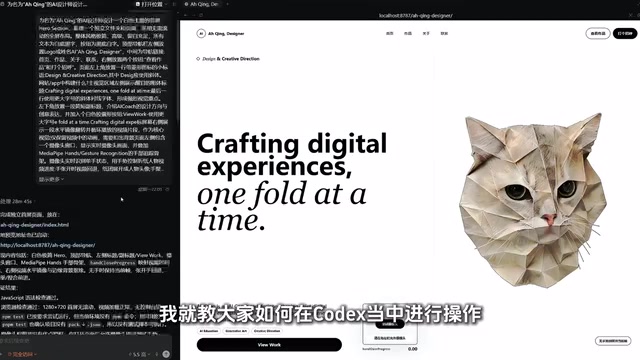
With your video asset in hand, open Codex, start a new conversation, and select or create a project folder. Project folders are Codex's fundamental unit of organization — each independent task gets its own blank project, making future maintenance and reuse straightforward.
Upload your generated video into the project to prepare for the automated webpage generation in the next step. This "assets-first, instruction-driven" approach effectively reduces the cognitive load on users who aren't familiar with the underlying logic.

Driving Webpage Generation with Natural Language Instructions
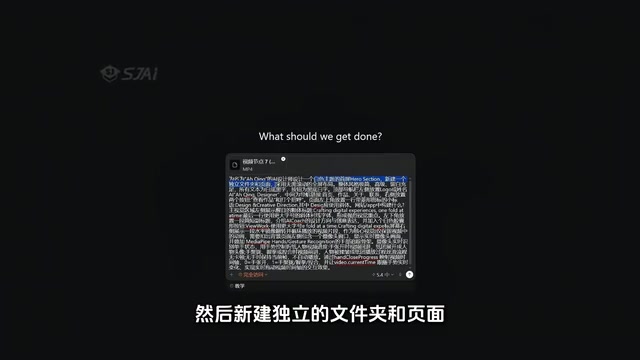
This is the core step that best demonstrates what Codex can do. You don't need to write a single line of HTML, CSS, or JavaScript — just describe your requirements in plain language.
A sample prompt might include the following elements:
- Design a white-themed homepage
- Create a dedicated folder and page
- Use a full-screen, scroll-free layout
- Enable camera access so the page responds to finger gestures
Prompt Engineering: Why Does How You Describe Things Matter? Prompt engineering is one of the most critical variables affecting the output quality of AI coding tools. An effective prompt typically includes four elements: goal description (what to do), constraints (what the boundaries are), style preferences (how it should look), and reference examples (optional). The sample prompt above is a textbook example of this structure — "white theme" is a style preference, "full-screen layout" is a constraint, and "camera gesture interaction" is the goal. In code generation, the more specific your description, the more accurate the output. Vague instructions tend to produce results that require multiple rounds of correction.
After submitting the prompt, Codex automatically generates a complete interactive interface. The resulting webpage isn't just visually designed — it also implements a fairly sophisticated technical feature: capturing user hand gestures via the camera to drive webpage interactions.
Technical Background: How Does Web-Based Gesture Recognition Work? Camera-based gesture recognition sits at the intersection of computer vision and machine learning. On the web, Google's open-source MediaPipe framework provides lightweight hand keypoint detection, capable of tracking 21 hand skeleton nodes in real time — running entirely in the browser via JavaScript with no server-side support required. TensorFlow.js's Handpose model is another common alternative. Integrating these libraries involves handling camera permission requests, video stream parsing, and keypoint coordinate calculations — tasks that are nearly impossible for beginners to tackle independently. The ability of AI coding tools to handle all of this integration automatically is arguably their greatest value for non-technical users.
Embedding Content and Iterating Through Conversation
Once the base page is generated, you can continue refining it through natural language. For example, to insert a specific URL when a project is clicked, or to embed specific design work — just add a follow-up instruction, and the system automatically makes the change.
This conversational iteration model is the core experience that sets AI coding tools apart from traditional IDEs. A conventional IDE (Integrated Development Environment, such as VS Code or WebStorm) requires developers to work directly with code files, where every change means locating the exact line of code. AI coding tools, by contrast, let you progressively approach your goal through natural language dialogue, with each turn building incrementally on the previous version. This dramatically lowers the barrier of understanding code structure — but it also introduces new challenges around version management and requirement consistency. As the number of iterations grows, the AI may introduce new issues due to context drift, at which point some basic debugging ability is still needed.
A Realistic Assessment: Where the Hype Ends and Reality Begins
The live demo results are genuinely impressive — but a level-headed assessment is still warranted.
On claims like "500+ ready-to-use templates" and "beats paid tools": these statements carry obvious marketing overtones. The "500+ out-of-the-box templates" claim wasn't directly demonstrated in the walkthrough. Readers should refer to official documentation and not be misled by sensational headlines.
On the tool's actual capability boundaries: AI-assisted programming performs well in simple scenarios, but its stability in production environments and ability to handle complex business logic still need to be validated in real-world projects. The ideal of "reliable output from a few natural language instructions" often still requires manual debugging when requirements get complicated. The industry calls this the "last-mile problem" — AI can quickly scaffold 80% of the code, but the remaining 20% — edge case handling, performance optimization, and security hardening — still depends heavily on human judgment.
On learning paths: beginner tutorials are great for building intuitive understanding, but truly mastering AI programming still requires understanding the underlying logic — how to structure projects, how to craft effective prompts, and how to debug generated output. Tools lower the barrier, but they don't eliminate the need for basic thinking skills.
Conclusion: AI-Democratized Programming Is Accelerating
The continued evolution of tools like Codex reflects a clear industry trend: programming ability is being redefined by natural language. From mastering complex syntax to simply describing what you need, AI is handing the "implementation" layer to machines while leaving the "creativity" layer to humans.
For users with no coding background, this is genuinely a valuable entry point worth exploring. Whether you're building a personal portfolio, setting up an automated workflow, or quickly validating an idea, AI coding tools have dramatically lowered the cost of experimentation. That said, one thing remains true: the tool is a means, not an end — your real competitive edge always comes down to what problem you're trying to solve with it.
Key Takeaways
Related articles

Cursor AI in Practice: Weighing Efficiency Gains Against Costs in an AI IDE
An in-depth look at Cursor AI IDE's interface layout, four modes (Agent/Plan/Debug/Ask), model selection, and Git context integration, with hands-on demos weighing subscription costs against going direct to Claude.

Free Landing Page Design Rules Library: A Practical Guide for Claude Code and Cursor
A free landing page design skill for Claude Code and Cursor: MIT licensed, nearly 9,000 stars, asks about offer/audience/action before planning 12 sections with hard font and spacing constraints.

Cursor Keeps Writing Wrong Code? The Problem May Be Context, Not Prompts
Cursor keeps writing wrong code? The problem may be context, not prompts. Learn how to supply relevant files, full error messages, and expected results, plus a plan-first, small-step, test-driven workflow to reduce AI coding errors—while remembering code review remains the developer's job.