Codex Joins ChatGPT: A Beginner's Guide to AI Coding Agents
A practical beginner's guide to Codex and AI coding agents after OpenAI's ChatGPT integration.
OpenAI has officially integrated Codex into the ChatGPT ecosystem, making AI coding agents a must-know for developers. This guide explains what Codex is, how it differs from tools like Claude Code and Cursor, why AI coding experience is becoming a hiring requirement, and how to approach AI code generation rate metrics critically — plus actionable tips for getting started.
What Exactly Is Codex?
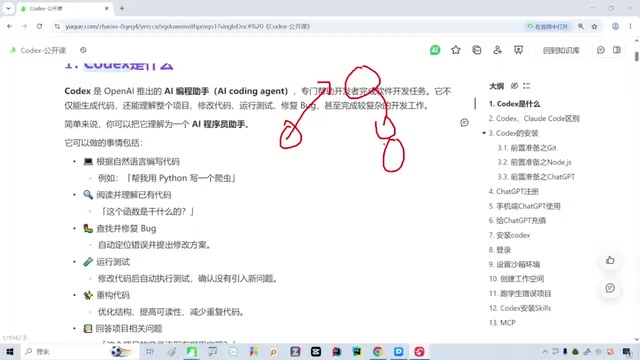
With OpenAI officially integrating Codex into the ChatGPT ecosystem, AI Coding Agents have once again become a hot topic among developers. For those just getting started, the first question is usually: what exactly is Codex?
Simply put, Codex is an AI coding assistant from OpenAI — think of it as an intelligent agent that understands natural language and helps you complete a wide range of programming tasks. It sits in the same category as tools like Cursor, Claude Code, and Trae: you issue instructions, it executes them.
Technical Background: The Evolution of Codex Codex didn't appear out of nowhere. It traces back to the model OpenAI released in 2021 under the same name — a large language model built on the GPT-3 architecture and fine-tuned specifically for code, widely known at the time as the engine powering GitHub Copilot. As the GPT-4 series delivered a massive leap in capability, OpenAI upgraded the positioning of its coding agent from "code completion" to "task execution" and integrated it into the ChatGPT ecosystem, giving rise to today's Codex agent. The main competing tools on the market each have their own strengths: Cursor is known for deep VS Code integration and a dual "Chat + Composer" mode, making it well-suited for targeted edits and large-scale refactoring in existing projects; Claude Code is Anthropic's native command-line agent, prized for its long context window and ability to understand complex codebases — particularly popular among backend and systems engineers; Trae is ByteDance's localized solution aimed at Chinese developers, with advantages in Chinese-language comprehension and compatibility with domestic development environments.
Codex's most fundamental capability is letting you drive code generation with natural language. Tell it "write me a backend service in Java" or "build a login page in HTML," and it will produce usable code even if you're not fluent in that language yourself. This is the core reason more and more people without traditional programming backgrounds are turning to tools like Codex or Claude.
From Code Generation to End-to-End Automation
Codex's capabilities go far beyond just "writing code." As an AI coding agent, it can cover a remarkably broad range of development scenarios: writing code, running tests, handling operations, troubleshooting issues… Once you're proficient with it, it can genuinely offload a large amount of repetitive, mechanical work.
This is the fundamental difference between AI coding agents and traditional code completion tools. Traditional tools (like early-generation Tabnine or Kite) were essentially "context-aware autocomplete" — passively predicting the next line based on surrounding code snippets. AI coding agents introduce a "plan → execute → feedback" loop: they can parse natural language intent, break complex tasks into sub-steps, invoke external tools like file systems, terminals, and test frameworks, and iteratively refine outputs based on results. At their core, they are autonomous agents with tool-calling capabilities — not passive line-completers.
Why You Need to Start Using These Tools Now
If you haven't yet worked with Codex or similar AI coding tools, you may already be falling behind the current pace of the industry.
Industry observers have noted that many senior engineers with eight or nine years of experience have never genuinely used tools like Claude Code or Codex. In today's fast-moving technical landscape, that's a significant blind spot.
AI Coding Tools Are Becoming a New Hiring Bar
The stakes are very real in hiring. Many companies now ask point-blank in interviews: "Have you used Claude Code? Have you used Codex?" Answer no, and you may be screened out on the spot. Experience with AI coding tools is rapidly shifting from a "nice to have" to a "must have."
AI Code Generation Rate: Opportunity or Risk?
Beyond the hiring bar, the widespread adoption of AI coding tools has introduced a management topic worth examining closely — the quantitative measurement of AI code generation rates.
Some companies have already set explicit requirements: AI code generation rates must reach 90% or above, or engineers may face performance deductions. In other words, businesses want the vast majority of code to involve AI-generated output, with engineers shifting toward review, oversight, and guidance roles.
The Technical Debate Behind the Metric The methodology behind "AI code generation rate" is itself highly contested. The industry generally uses two approaches: "Acceptance Rate" — the share of AI-suggested lines that a developer actually accepts out of total committed lines — and the broader "contribution rate", which counts the proportion of code that was AI-generated (including cases where suggestions were accepted after modification). GitHub's Copilot reports have cited average developer acceptance rates of roughly 30–40%. Corporate mandates requiring 90%+ essentially demand that engineers accept AI output with almost no modification — a standard that sits in obvious tension with the basic principles of code quality control.
The Limits of Measuring by Lines of Code
This approach to measurement also reveals a clear flaw. Some companies even use "AI-generated lines of code" as the benchmark — a standard that often reflects a management layer that doesn't deeply understand technical work.
The core problem: the volume of code different roles produce varies enormously by nature. Front-end engineers typically produce far more code than back-end engineers. Judging everyone by the same line-count ruler is like measuring fundamentally different kinds of work with the same yardstick — the results will inevitably be unfair.
AI coding tools are a powerful lever for boosting development productivity, but how to scientifically measure the value they deliver is a challenge that engineering leaders still need to take seriously. Blunt quantitative targets are likely to backfire.
How to Take Your First Steps
For developers who haven't yet made the leap, the best advice is simple: practice.
Whether you're using AI to run tests, handle operations, or generate code, the real value of an AI coding agent only becomes clear through actual use. It can't read your business context telepathically, and it won't make the right architectural decisions automatically — but once you've learned how to collaborate with it effectively, it genuinely can free you from a large volume of repetitive work.
Find Your Entry Point in Day-to-Day Work
The most practical starting point is to put the tool to work in your daily tasks: have it generate a block of boilerplate code, write a few unit tests, or explain an unfamiliar piece of logic. As your fluency grows, you'll find your own rhythm for human-AI collaboration.
One often-overlooked core skill here is prompt engineering. In a coding context, a high-quality prompt typically needs to include: a clear tech stack and version (e.g., "using Spring Boot 3.2 + Java 21"), a description of input/output data structures, expected edge cases and error handling, and any desired code style constraints. Research suggests that giving AI sufficient contextual constraints can improve the usability of generated code by more than 50%. The "decompose into steps" strategy — breaking a large task into a series of clearly defined sub-tasks and executing them incrementally — also tends to produce far better results than issuing a single vague high-level instruction.
In a field where AI coding agents are evolving at a rapid pace, the best move is to start hands-on rather than waiting on the sidelines. The tools themselves aren't complicated — the only real barrier is whether you're willing to take the first step and make them part of your workflow.
Key Takeaways
Related articles

Cursor AI in Practice: Weighing Efficiency Gains Against Costs in an AI IDE
An in-depth look at Cursor AI IDE's interface layout, four modes (Agent/Plan/Debug/Ask), model selection, and Git context integration, with hands-on demos weighing subscription costs against going direct to Claude.

Free Landing Page Design Rules Library: A Practical Guide for Claude Code and Cursor
A free landing page design skill for Claude Code and Cursor: MIT licensed, nearly 9,000 stars, asks about offer/audience/action before planning 12 sections with hard font and spacing constraints.

Cursor Keeps Writing Wrong Code? The Problem May Be Context, Not Prompts
Cursor keeps writing wrong code? The problem may be context, not prompts. Learn how to supply relevant files, full error messages, and expected results, plus a plan-first, small-step, test-driven workflow to reduce AI coding errors—while remembering code review remains the developer's job.