Codex Plugin Sharing Explained: One-Click Workflow Sharing for Your Development Team

OpenAI Codex launches plugin sharing to let teams easily distribute custom AI workflow plugins.
OpenAI Codex has launched a plugin sharing feature that lets developers share custom plugins with specific teammates or entire workspaces. Through built-in sharing mechanisms, a dedicated "Shared with you" tab, and deep link support, team members can conveniently spread and adopt efficient workflows. This feature transforms individual AI usage experience into shared team assets, marking a key evolution of AI programming assistants from personal tools to team collaboration platforms.
Overview
OpenAI's Codex platform has officially launched its Plugin Sharing feature, enabling development teams to easily share custom plugins among team members. The core idea is straightforward: the workflows you build for your team don't have to stay on your machine alone—if a plugin helps you, share it with your teammates and let the entire team benefit.
Background: The Codex Platform and Plugin Ecosystem
OpenAI Codex is an AI programming assistant platform built on the GPT-4 series of large language models. Initially known for its code completion capabilities, it has gradually evolved into an intelligent programming environment supporting complete development workflows. Its plugin system allows developers to extend the platform's default capabilities through custom prompts, tool call chains, and automation scripts—essentially packaging the experience of "how to make AI better at certain tasks" into reusable modules. This design philosophy is similar to the VS Code extension marketplace or JetBrains plugin repositories, but built in an AI-native way: the core of a plugin isn't code logic, but fine-tuned prompting strategies and workflow orchestration. As team sizes grow, how to circulate these "AI usage experiences" among members has become a key collaboration challenge for the platform to solve.
How to Share Plugins with Teammates in Codex
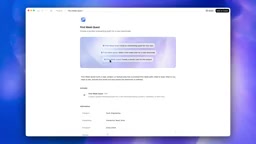
In the Codex plugin directory, users can find plugins they've built, view their default prompts, and send them to team members by clicking the share button.
A modal appears when sharing, where users can choose specific teammates to share with, or set the sharing scope to "anyone at the workspace." After saving, the plugin becomes visible to the entire workspace.
Background: The Workspace Permission Model
In the SaaS collaboration tool space, a "Workspace" is a common multi-tenant isolation unit representing an organization's or team's independent environment. Codex's permission control adopts a three-tier sharing model: "Personal → Specific Members → Entire Workspace," which aligns with the permission design logic of mainstream collaboration tools like Notion, Figma, and Slack. The advantage of this design is twofold: it protects experimental plugins that developers haven't yet refined from being misused, while allowing mature workflows to spread to the entire team with minimal friction. For enterprise users, workspace-level sharing also means new team members can immediately access the team's accumulated best-practice toolset upon onboarding, significantly shortening the ramp-up period.
The system also generates a copyable link that can be sent to team members through Slack, Lark, or any other messaging tool. Recipients can see the plugin directly in their own plugin directory.
Receiving and Managing Shared Plugins
Plugin sharing is bidirectional. The plugin directory features a dedicated "Shared with you" tab where users can centrally view all plugins shared by teammates.

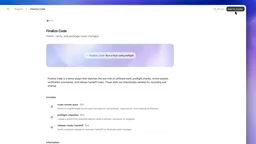
The demo showcased an example called "finalize code plugin"—a practical plugin written by a teammate that can be run before submitting a PR for code validation, refactoring, and ensuring the PR is in optimal shape before sending it for review.
Background: The Value of Pre-PR Check Workflows
The "finalize code plugin" represents a PR (Pull Request) pre-check workflow, which is an important component of CI/CD processes in modern software engineering. Traditionally, such checks rely on automation pipelines like GitHub Actions or GitLab CI, triggering static analysis, unit tests, and code style validation after code is pushed. AI-driven pre-check plugins move this step earlier—before the developer's local commit—enabling reviews with stronger semantic understanding, such as identifying logical flaws, suggesting refactoring that better aligns with team standards, or checking whether commit messages are clear. This "Shift Left" quality assurance approach eliminates many low-quality submissions before code enters the review queue, reducing back-and-forth communication costs during Code Review and improving overall R&D efficiency.
This design allows best practices within a team to flow naturally: when one person discovers an efficient workflow, the entire team can quickly adopt it.
Share Links and Deep Links for the Curated Directory
Codex has also added share URL functionality to the curated plugin directory. You can send a link to a specific plugin page directly to colleagues, rather than asking them to search for it in the directory themselves.

Using Slack as an example, after copying a plugin's link and opening the URL in a browser, it navigates directly to the corresponding plugin page in Codex via deep linking. This significantly lowers the barrier to plugin discovery and adoption—team members no longer need to manually search or verbally describe plugin names.
Background: Deep Link Technology
A deep link is a URL routing technology whose core goal is to precisely navigate users from any external entry point (web pages, emails, instant messages) to a specific content page within the target application, rather than merely opening the app's homepage. On mobile, deep links are implemented through iOS Universal Links or Android App Links protocols; in desktop SaaS applications, they typically rely on specific URL schemas or routing rules to resolve target pages. Deep links have a significant impact on tool adoption efficiency: research shows that tools requiring users to search on their own have far lower adoption rates than those accessible via direct navigation. Collaboration tools like Slack, Figma, and Notion all treat deep links as core functionality because they transform the act of "recommending a tool" from a verbal description into a single click. By introducing this mechanism into plugin sharing, Codex is essentially reducing the "last mile" friction of knowledge dissemination within teams.
The Design Philosophy Behind Codex Plugin Sharing
This update reflects the Codex team's deep thinking about developer collaboration scenarios and mirrors an important trend in the AI development tool space—transforming individual AI usage experience into shared team assets.
Background: The Industry Trend Toward Collaborative Developer Tools
Over the past decade, developer tools have undergone a systematic evolution from "personal configuration" to "team synchronization." Git solved code collaboration, the GitHub Actions marketplace made CI/CD configurations reusable, VS Code's Settings Sync and recommended extension lists (
.vscode/extensions.json) made editor configurations team-friendly, and Terraform module registries made infrastructure configurations shareable. In the era of AI programming assistants, a new collaboration challenge has emerged: the prompting techniques and workflow orchestration experience each developer accumulates is essentially tacit knowledge that's difficult to transfer through documentation. Codex's plugin sharing feature is an attempt to make this tacit knowledge "explicit" and "asset-like"—packaging individual AI usage experience into distributable, reusable plugins so that a team's collective intelligence can be accumulated and circulated. This direction is highly aligned with the evolution of features like Anthropic's Claude Projects and GitHub Copilot's custom instruction sharing, signaling that team collaboration capabilities in AI tools will become a core competitive dimension in the future.
- Low sharing friction: One-click sharing with no need to export/import files or configure manually
- Flexible permission control: Share with specific individuals or open to the entire workspace
- Seamless messaging tool integration: Deep links ensure direct navigation to plugin pages from any channel—Slack, email, or otherwise
- Bidirectional visibility: A dedicated tab centralizes management of received shared plugins, ensuring nothing gets missed
As the official statement puts it: "If a plugin helped a teammate, share it. If someone shared one with you, it shows up right where you need it." This design philosophy naturally amplifies tool value within teams—every automation workflow someone builds can become a shared team asset.
Conclusion
While Codex's plugin sharing feature may seem simple on the surface, it addresses a common pain point in development teams: the difficulty of spreading personally accumulated efficient tools and workflows across the team. Through built-in sharing mechanisms, flexible permission settings, and deep link support, knowledge and tool sharing between team members becomes unprecedentedly convenient.
From a broader perspective, this feature also represents a critical step in the evolution of AI programming assistants from "personal productivity tools" to "team collaboration platforms." When every developer's AI usage experience can be distilled into plugin form and circulated within the team, the organization's overall AI capability will exhibit network-effect growth—the larger the team, the more plugins accumulated, and the richer the tool support available to each member. For teams already using Codex, this feature will further enhance overall development efficiency and collaboration experience.
Key Takeaways
- Codex launches plugin sharing, supporting sharing with specific teammates or the entire workspace
- A new "Shared with you" tab centralizes management of received shared plugins
- The curated directory supports share URLs and deep links, enabling direct plugin page delivery via Slack and other tools
- The design philosophy turns individually built workflows into shared team assets, lowering the barrier to tool dissemination
- This feature reflects the broader industry trend of AI development tools evolving from personal productivity tools to team collaboration platforms
Related articles
 Tech Frontiers
A Rare Quiet Day in AI: Recursive Self-Improvement Stirs Beneath the Surface
A rare quiet day in AI sees multiple sources go silent simultaneously. Behind the calm, Recursive Self-Improvement (RSI) research continues. What this means for the industry.
 Tech Frontiers
Reve 2 vs. Ideogram 4: A Deep Dive into Layout Control in AI Image Generation
A deep comparison of Reve 2 and Ideogram 4's layout control capabilities, covering technical approaches, real-world use cases, and industry trends for designers and creators.
 Tech Frontiers
In the Weights: Check Your Influence Score in the AI World
In the Weights is an AI influence search engine that quantifies your presence in the AI world with a score. Explore how it evaluates practitioners and what it means for digital identity.