Codex Reset Mechanisms: A Guide to Banked, Automatic, and Paid Usage
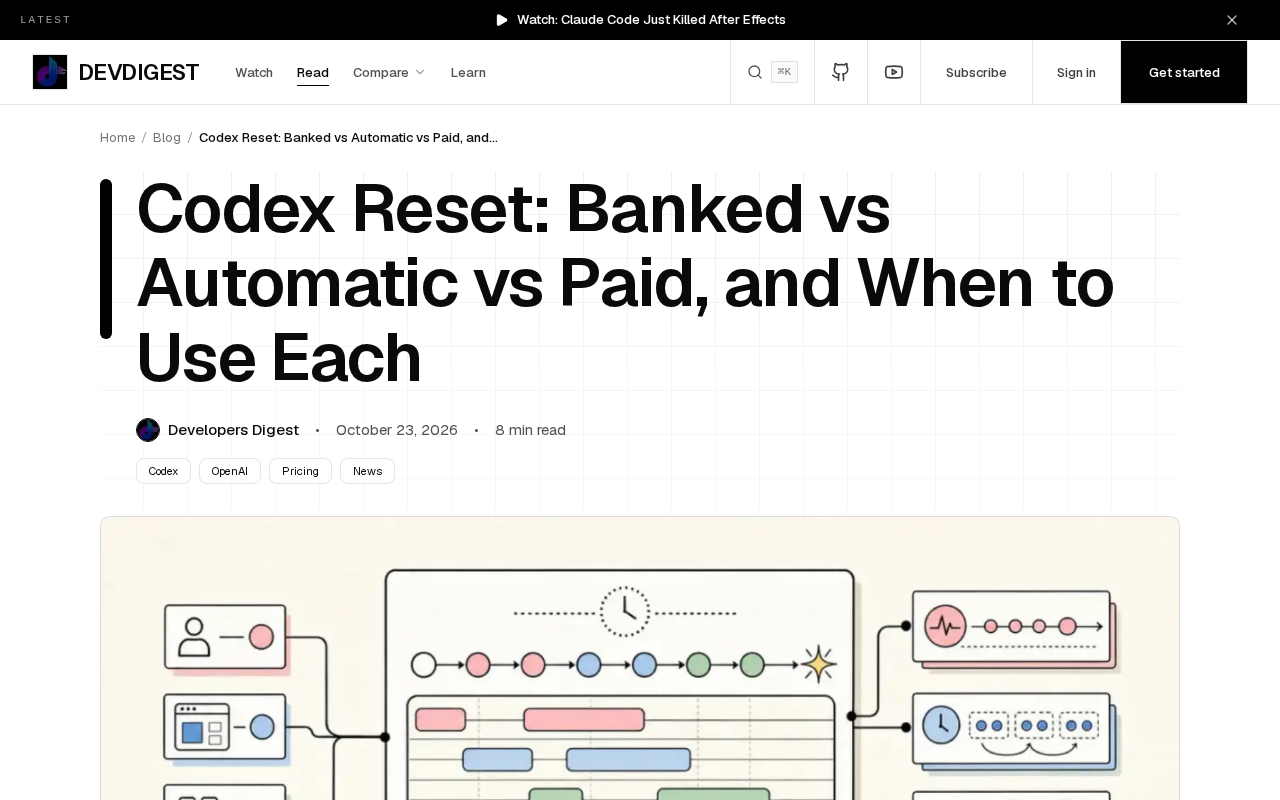
Codex usage resets come in three types—banked, automatic, and paid—each affecting the weekly reset date differently.
This article explains OpenAI Codex's three usage reset mechanisms: banked resets save unused quota and shift the weekly reset date, suiting users with fluctuating usage; automatic resets refresh automatically on a fixed cycle with a stable date, suiting users with predictable usage; and paid resets provide an immediate refresh through payment, either as a one-time reset or a cycle adjustment, for emergencies. It also introduces the 80% rule—start evaluating a reset when usage reaches 80% of the weekly quota—and recommends checking usage and planning strategy on Mondays. The three reset types are not mutually exclusive; users can make decisions in advance near the threshold based on their own usage data to avoid exhausting their quota.
OpenAI Codex usage resets are not a single mechanism. According to official documentation and community practice, they fall into three types—banked, automatic, and paid—each affecting the weekly reset date differently. Understanding how they work can help you make better decisions when your quota is tight.
The Three Reset Types and How They Work
Banked reset: Save your unused quota
A banked reset means "banking" the usage you didn't consume this week for later use. Its key effect: when you trigger a banked reset, the weekly reset date shifts later rather than staying fixed to the original cycle. This makes your quota cycle more flexible, but it can also disrupt your existing usage rhythm. For users with fluctuating usage, the banked mechanism acts as a buffer pool that prevents quota from going to waste.
What is the "weekly reset date"?
In Codex's usage management, every user has a weekly quota cycle, at the end of which a quota reset occurs. The specific date on which the reset happens is the "weekly reset date." This date determines when you receive your new week's quota. For automatic resets, the reset date is fixed—for example, early Monday morning each week. For banked resets, the reset date shifts later based on when you trigger the reset, thereby changing the starting point of the entire cycle. Understanding the concept of the reset date helps clarify the core difference between banked and automatic: the former lets the cycle "drift," while the latter keeps the cycle "anchored."
Automatic reset: The system executes it automatically on a cycle
An automatic reset is the system's default periodic refresh, requiring no manual intervention. It resets usage on a fixed weekly rhythm, with the reset date remaining stable. Unlike banked resets, automatic resets do not change the cycle's starting point based on your usage behavior. It suits users with stable usage who want predictable quotas. The original article points out that automatic and banked resets handle the reset date differently—this is the most fundamental difference between the two.
Paid reset: Pay for an immediate refresh
A paid reset lets users obtain an immediate usage refresh by paying, without waiting for the next cycle. Its effect on the reset date depends on the paid plan you choose—it may be a one-time reset or it may adjust subsequent cycles. For scenarios where a project deadline is approaching and your quota suddenly runs out, a paid reset provides an emergency channel.
Common billing models for paid resets
Paid resets typically come in two billing models: one-time reset (pay per use, immediately refreshing all or part of your quota without changing subsequent cycles) and cycle adjustment (after payment, not only is the quota refreshed, but the weekly reset date may also be moved to a new point in time, thereby changing subsequent cycles). Different plans affect the reset date differently, so users should read the payment details carefully when choosing to confirm whether it is "quota refresh only" or "quota refresh plus cycle shift." For urgent scenarios, a one-time reset is more direct; if you want to adjust the cycle long-term to match your team's rhythm, a cycle adjustment plan may be more suitable.
The 80% rule: When to consider a reset
The original article mentions a practical "80% rule": when your usage reaches 80% of your weekly quota, you should start evaluating whether a reset is needed. This threshold leaves a buffer, giving you time to judge whether the remaining tasks can be completed within the remaining 20% of your quota. If you expect to exceed it, planning a banked or paid reset in advance is more comfortable than scrambling at the last minute.
The value of this rule lies in turning passive reaction into proactive management. Many users only realize there's a problem after their quota is exhausted, whereas the 80% rule provides an actionable early warning signal.
Calculating weekly quota and usage percentage
Codex's weekly quota refers to the upper limit of usage allowed within each calendar week, usually measured in tokens or number of requests. The usage percentage is the proportion of the weekly quota that has currently been consumed. The "80%" in the 80% rule refers to this percentage. Note that resetting the weekly quota is not simply "zeroing out every Monday"; it is affected by the reset type: automatic resets refresh on a fixed cycle, banked resets may shift the reset date, and paid resets may refresh immediately or adjust the cycle. Therefore, when calculating the usage percentage, you should base it on the actual start and end times of the current cycle rather than mechanically judging by calendar week.
What to do on Monday: A reset decision checklist
The original article suggests checking your usage status on Monday, which is a reasonable time—a new week begins, and you can evaluate last week's consumption pattern and plan this week's strategy. Specifically: confirm your current usage percentage and judge whether it is approaching the 80% threshold; check whether banked quota has accumulated; and decide whether a paid reset is needed based on this week's workload.
For team users, Monday is also the time to sync up on usage to avoid individual members exceeding their quota and affecting the whole team.
How to choose the reset method that suits you
The three reset types are not mutually exclusive but are tools for different scenarios. Users with stable, predictable usage can simply rely on automatic resets; users with highly fluctuating usage who want to preserve flexibility can use banked resets to reduce waste; and when facing urgent tasks or a sudden quota shortfall, paid resets are the fallback option.
Understanding how each reset affects the weekly reset date is a prerequisite for making an informed choice. It is recommended to combine your own usage data and make decisions in advance near the 80% threshold rather than waiting until your quota hits zero.
(Note: This article is based on OpenAI's public documentation and community discussions. For specific reset rules, refer to the latest official documentation.)
One-line Summary
Codex usage resets come in three types—banked, automatic, and paid—each affecting the weekly reset date differently.
Paragraph Summary
This article explains OpenAI Codex's three usage reset mechanisms: banked resets save unused quota and shift the weekly reset date, suiting users with fluctuating usage; automatic resets refresh automatically on a fixed cycle with a stable date, suiting users with predictable usage; and paid resets provide an immediate refresh through payment, either as a one-time reset or a cycle adjustment, for emergencies. The article also introduces the 80% rule—start evaluating a reset when usage reaches 80% of the weekly quota—and recommends checking usage and planning strategy on Mondays. The three reset types are not mutually exclusive; users can make decisions in advance near the threshold based on their own usage data to avoid exhausting their quota.
Related articles

OpenAI Partners with Shield: How the Astra Agent Revolutionizes IT Troubleshooting
OpenAI and Shield launch the Astra agent, which autonomously logs into computers and legacy systems to fix IT issues in real time, 35-40% faster than traditional models, with humans involved only when judgment is needed.

iPhone Duo Battery Life Tested: One Charge a Day Is Unavoidable, and the Large Screen Is the Culprit
iPhone Duo battery test: heavy use needs at least one charge a day, and about 30% remains after 6.5 hours of screen-on time. How often the large screen is unfolded is key; a MagSafe battery pack helps, and long-term degradation is also worth watching.

Kimi K3.1 Pro Open-Sourced: 2.8 Trillion Parameters Close In on Opus
Moonshot releases the open-source MoE model Kimi K3.1 Pro, with 2.8T total parameters and 104B activated, trailing Opus 5.5 by under 1 point on Terminal Bench 4.0.