Codex + Skills + Playwright: An AI-Powered Workflow from Requirements Docs to Automated Test Cases

A five-step AI workflow that turns requirements docs into executable test cases using Skill orchestration and multimodal models.
This article presents an AI-powered test case generation workflow built on Cloud Code (Codex) + Skills + Playwright. It normalizes requirements documents into Markdown, extracts images, then runs five dedicated Skill modules for requirements decomposition, multimodal test point extraction, quality review, and export to Excel/XMind. A system prompt constrains Cloud Code's execution order, converting its default code-writing behavior into a focused requirements analysis engine. Generated test cases can further be executed automatically via Playwright with full screen recording and reporting.
In software testing, converting requirements documents into test cases has always been a time-consuming process that relies heavily on experience. A workflow shared by a Bilibili creator — built on Codex (Cloud Code) + Skills + Playwright — demonstrates how AI can read requirements documents containing images, automatically break down feature points, generate test cases, export them in usable formats, and even drive automated execution. This article walks through the core ideas and key technical components of that workflow.
Why Dumping a Doc Directly into AI Doesn't Work
Many people have tried feeding requirements documents straight into a large language model to generate test cases — and the results are usually disappointing. The reason: requirements documents come in all formats (PDF, Word, images) and contain a wealth of visual information like business flow diagrams and UI mockups. If the model can only read plain text, the critical requirements embedded in images are simply discarded, leaving the generated test cases with major coverage gaps.
The creator points out that the very first step of this approach is document normalization — regardless of whether the input is a PDF, Word file, or image, everything is first converted into Markdown format, with images extracted and stored separately. The goal is to give the LLM a unified, interpretable input standard as the foundation for everything that follows.
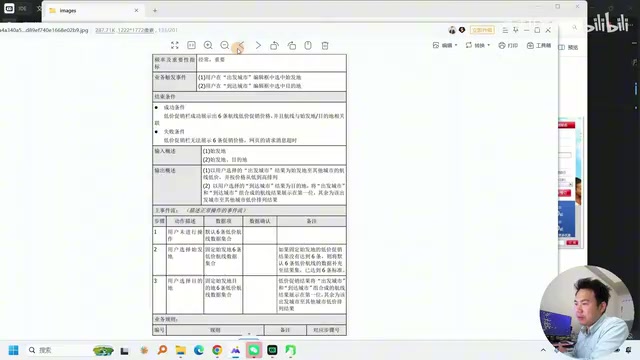
Multimodal models are large language models capable of processing multiple input types simultaneously — text, images, and even audio/video — such as GPT-4o and the Claude 3 series. Unlike text-only models, multimodal models can directly "understand" the layout, annotations, and interaction logic in flowcharts and UI mockups — information that often cannot be fully recovered through OCR or Markdown conversion. In a requirements document context, a single user registration flowchart might contain a dozen decision branches; after plain-text extraction, those branching relationships are almost entirely lost. Feed the original image into a multimodal model, however, and it can identify the condition and destination for each branch, enabling far more comprehensive test case generation. This is precisely why this workflow uses a multimodal model specifically for the test point extraction stage rather than reusing the text-parsing step.
The Five-Step Workflow: From Requirements to Test Cases
The entire process is broken down into five clearly defined stages, each handled by a dedicated Skill module:
1. Requirements Normalization
A document-processing Skill converts requirements documents of various formats into unified Markdown, while extracting business flow diagrams, UI mockups, and other images for later multimodal recognition.
2. Requirements Decomposition
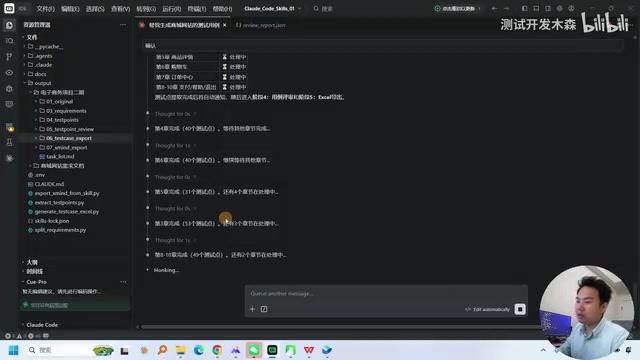
A purpose-built requirements diff Skill extracts feature points and requirements from the document module by module, linking each to its associated images. In the demo, a shopping website requirements document was parsed into ten chapters, with eight successfully analyzed and over one hundred individual requirements extracted.
3. Test Point Extraction
This is the quality-critical step. The test point extraction Skill reads the decomposed requirements text along with their linked images, calls a multimodal model to interpret the visual content, and generates test points by combining both sources. Compared to text-only approaches, multimodal understanding significantly improves test coverage.
4. Test Point Review
The generated test points go through a review Skill for quality checking — verifying that all acceptance criteria are covered and producing a review report. Only test points that pass the review advance to the next stage, creating a quality feedback loop.
5. Test Case Export
Once approved, test cases are exported in both Excel spreadsheet and XMind mind map formats. In the demo, over three hundred test points were generated in a single run, each containing complete fields such as preconditions, test data, steps to reproduce, and expected results. The creator notes that output format is controlled entirely by the Skill — adding support for other formats is straightforward.
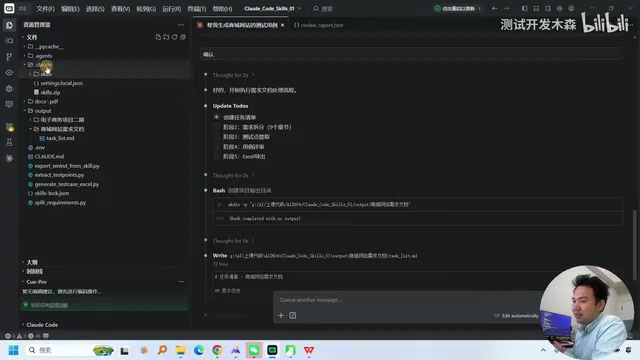
Skills and System Prompts: Reshaping Codex's Behavior
The reason this workflow runs reliably isn't just the Skills themselves — it's also about overriding Codex's (Cloud Code's) default behavior. The creator explains that Cloud Code is, by default, a code-writing agent: give it a task, and it will tend to write code to accomplish it. Generating test cases, however, requires an agent focused on analyzing requirements and producing test artifacts.
So in addition to developing a suite of Skills (requirements diff, test point extraction, review, export, etc.), the system prompt constrains Cloud Code's overall workflow, directing it to follow the predefined five-step sequence rather than improvising. This requires a solid understanding of how Codex operates and how Skills are structured — including the difference between Mini Skills and script-backed Skills.
Worth noting: the creator mentions these Skills were all developed in-house, not from public templates. Purpose-built development is a prerequisite for reliable results.
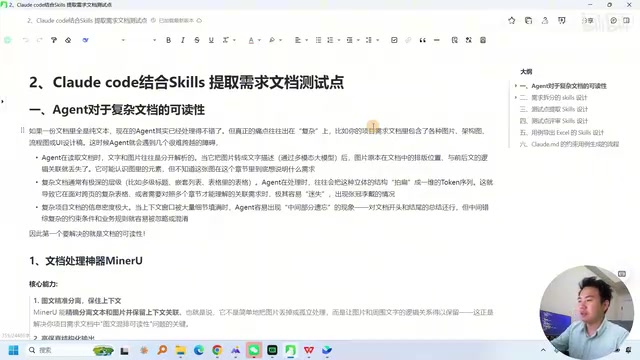
Skills are structured components in the Claude/Codex ecosystem that extend an agent's capabilities — essentially configuration units containing specific instructions, tool-calling logic, or scripts. Mini Skills typically contain only prompt templates and are suited for lightweight text transformation tasks; script-backed Skills can invoke external commands or APIs, such as calling a Python script to parse a PDF or write to an Excel file. System Prompts are global instructions injected before the conversation begins, used to set the model's role, behavioral boundaries, and task flow. In this workflow, the system prompt acts as the "orchestrator" — it tells Cloud Code to follow the five steps in sequence, preventing the model from skipping steps or deciding to implement in code what should be handled by a specific Skill. Skills define what to do; the system prompt defines in what order. Together they enable a reproducible, consistent workflow.
From Test Case Generation to Automated Execution
Generating test cases is just the first phase. The creator also demonstrates extended capabilities:
- AI-driven functional test automation: Using tools like Playwright, AI drives the automated execution of functional tests — no need to manually write URL automation scripts. The entire execution is screen-recorded with screenshots at each step, and a detailed test report is generated at the end.
- API automation: Test cases are orchestrated from API documentation, generating end-to-end API automation suites that are then AI-driven for execution.
- Multi-tool integration: The test environment integrates automation execution tools that can run functional test cases and output test reports.
This means the entire pipeline — from requirements document parsing and test case generation to review, automated execution, and reporting — can theoretically be driven end-to-end by AI.
Playwright is Microsoft's open-source end-to-end browser automation framework, supporting Chromium, Firefox, and WebKit, with APIs available in Python, TypeScript, and other languages. Compared to traditional Selenium, Playwright features built-in auto-waiting, network request interception, and more reliable selector strategies — making it particularly well-suited for AI-driven testing scenarios, where AI-generated operation step descriptions are often in natural language and require a framework with strong fault tolerance and state awareness. In the extended phase of this workflow, AI translates the operation steps from test cases into Playwright scripts, capturing screenshots at each execution step in real time, and consolidating them into a traceable test report — all without any manual selector writing or script maintenance.
Practical Value and the Learning Curve
This approach represents a pragmatic direction for AI in test engineering: not simple Q&A, but using Skill orchestration combined with system prompt constraints to transform a large language model into a workflow engine focused on a specific task. The phased design — multimodal image understanding, requirements decomposition, quality review — reflects a genuine commitment to output quality.
That said, a few things deserve honest acknowledgment: the full pipeline takes around ten minutes to run, so this is not instantaneous; Skills require purpose-built development and a deep understanding of Codex's mechanics; and the automation execution component depends on additional tooling setup and tuning. In short, deploying this workflow carries a real learning and engineering cost — it's not plug-and-play.
For testing teams, the key takeaway from this approach is: rather than searching for a magic all-in-one prompt, break complex tasks into controllable multi-step Skills and introduce a review mechanism at each stage. That's what it takes to produce high-quality output fit for production use.
Related articles

Should U.S. College Fraternities Be Banned? A Researcher's Incisive Observations
Why not just ban U.S. college fraternities? A researcher finds the key resistance comes from decision-makers' own fraternity identities and schools' "willful ignorance."

Microsoft Discovery: Accelerating Scientific Discovery with AI Agents
Microsoft's Discovery platform runs specialized AI agents to help researchers screen and prioritize the most promising compounds and experimental paths, reducing experiments and accelerating scientific discovery.

Cambridge Heavy Industries Secretly Develops Desktop-Scale Nuclear Fusion Device
Cambridge Heavy Industries is secretly developing a desktop-scale laser-driven nuclear fusion device, targeting the equipment supply market for fusion power plants. This article analyzes its miniaturization technology path, commercialization logic, and unique positioning in the fusion startup wave.