Codex vs Claude Code vs Cursor: Which AI Coding Tool Should Frontend Developers Choose?

Codex's app form shines for frontend work — but smart devs should master all three major AI coding tools.
This article explores OpenAI's Codex across its four forms (CLI, web, plugin, app) and recommends the standalone app as the best starting point. Compared to Claude Code, Codex is more affordable and stable, while Claude Code excels at logical correctness for backend tasks. Codex stands out for UI details and frontend work. The key takeaway: don't limit yourself to one tool — Cursor, Claude Code, and Codex each have a place, and knowing all three makes you more adaptable across teams and projects.
From Plugin to App: Codex's Four Forms
AI coding tools are evolving at a rapid pace. Codex, OpenAI's code assistant, now comes in four distinct forms: a command-line interface (CLI), a web app, an IDE plugin, and the latest addition — a standalone desktop app.
Most developers have historically used Codex as a plugin embedded in their existing dev tools, but based on real-world experience, the standalone app form is widely considered the most powerful and the best place to start. It can run independently or work alongside traditional tools like VS Code, fitting naturally into a more streamlined workflow.
This shift from "embedded plugin" to "standalone application" reflects a broader trend: AI coding tools are moving from supporting roles into the center of the development process itself.
Codex vs Claude Code: Price and Stability
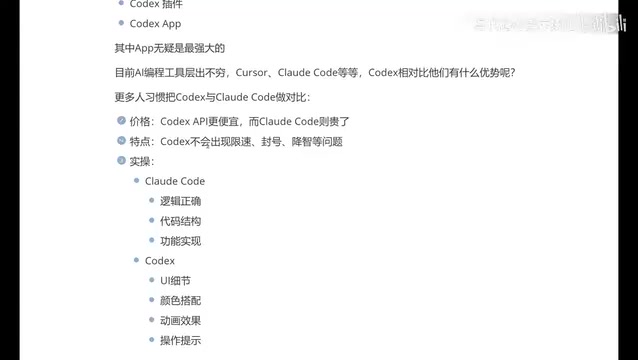
In today's AI coding tool market, Codex is most frequently compared to Claude Code. The differences between the two come down to three main dimensions: price, stability, and overall user experience.
On price, Codex's app subscription is comparatively more affordable, while Claude Code tends to run more expensive. For developers who rely on AI coding tools heavily day-to-day, the cost difference compounds over time.
On stability, real-world usage reports indicate that Claude Code can run into rate limiting and account suspension issues, while Codex has been more consistent in similar use cases. As for the widely discussed "degradation" problem — where model response quality appears to decline over time — frontend developers may not notice it as strongly, though it's worth acknowledging that some users have reported it. This remains a subjective experience that needs broader validation.
"Degradation" is a frequently debated topic in AI coding communities. It refers to a noticeable decline in model response quality after extended use — code logic becomes looser, comments decrease, and the model's ability to handle complex requirements weakens. The root cause remains unclear, but theories include dynamic load balancing to lighter model versions during peak hours, resource throttling for heavy users, or attention dilution caused by accumulated context. Since degradation tends to be gradual and highly task-dependent, individual experiences vary significantly and it's difficult to quantify with standardized benchmarks. Discussion on this topic remains largely anecdotal, with no large-scale systematic validation to date.
Backend? Pick Claude Code. Frontend? Pick Codex.
Beyond price and stability, the two tools also show interesting differences in their respective strengths.
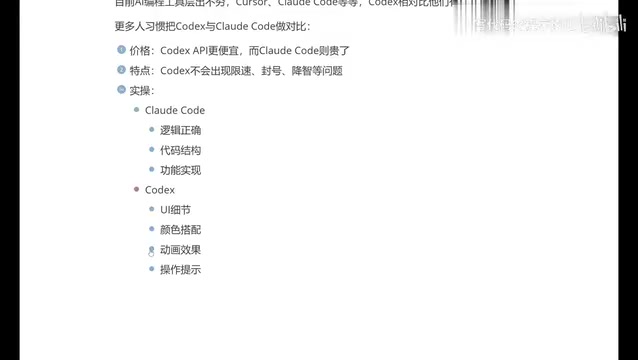
Based on practical experience, Claude Code leans toward logical correctness, code structure, and functional implementation, which is why many backend developers prefer it. Codex, on the other hand, pays more attention to UI details, color schemes, animations, and interaction cues, making it a more natural fit for frontend developers and those building app interfaces.
As a frontend developer, the verdict is clear: Codex simply feels better suited to that kind of work. That said, Claude Code likely has stronger logical reasoning capabilities, which is why a significant portion of developers stick with it. The "frontend → Codex, backend → Claude Code" tendency is not a hard rule — it's a practical observation based on personal experience, and readers should weigh it against their own project types.
You Should Know All Three: The Practical Logic Behind Tool Selection
AI coding tools are proliferating fast, but the real mainstream market has consolidated around three major players: Cursor, Claude Code, and Codex.
A fairly representative user journey looks like this: starting with Cursor for over six months, only to wince at every renewal cost; switching to Claude Code with a domestic model integration to cut costs, but finding the experience lacking and the pure terminal CLI workflow uncomfortable; and finally landing on Codex, which wins out thanks to its app form factor and frontend-friendly characteristics.
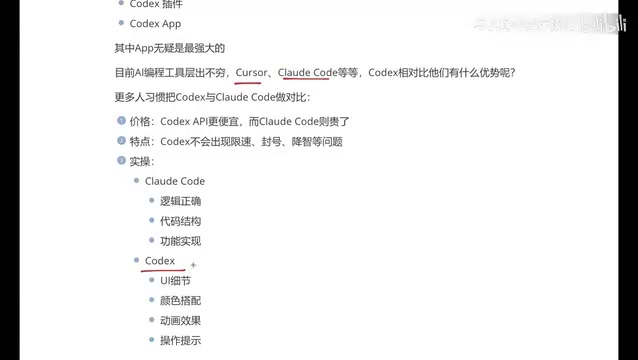
Here's a practical piece of advice worth taking seriously: it's better to be proficient in all three tools rather than an expert in just one. Different companies may have different account resources, or may require specific AI tools. Knowing multiple tools means greater adaptability — no matter which team or tech stack you land in, you can hit the ground running.
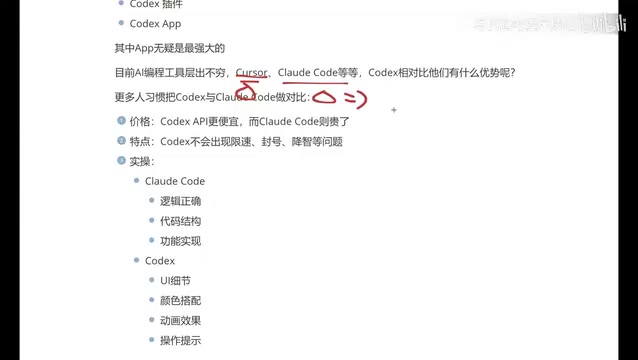
Cursor is a deeply customized, AI-native IDE built on VS Code. It comes with built-in code completion, multi-file context awareness, and natural language refactoring — all without switching tools — which helped it build a loyal early adopter base in the developer community. Claude Code is Anthropic's command-line tool that runs directly in the terminal, emphasizing deep codebase understanding and multi-step task planning. It's a better fit for backend and full-stack developers who are comfortable with CLI workflows. All three tools run on different underlying models (GPT-4o/o-series, Claude 3 series, GPT-4 Codex), with different pricing strategies and API usage billing models. This means the answer to "which one gives you the most bang for your buck" depends heavily on your usage frequency and task complexity.
Final Thoughts: The Tool Is the Means, Efficiency Is the Goal
From plugins to apps, from Cursor to Codex — underneath every tool transition lies the same core motivation: hand off repetitive development work to AI so developers can focus on the parts that actually matter.
For users without deep development experience who want to produce results quickly, tools like Codex offer a clear advantage in UI presentation and frontend output. For backend developers who prioritize logical rigor, Claude Code remains a strong contender.
Tool selection is ultimately a personal call — there's no universally optimal answer. What truly matters is mastering whichever tools you use, making them a lever for efficiency rather than a source of friction.
Related articles

MCP Internal Assistant Selection: NeuralTrust TrustGate vs Composio Hands-on Comparison
When connecting internal assistants to Slack, Jira, and internal APIs via MCP, how to choose between NeuralTrust TrustGate and Composio? This article compares prompt injection protection, prebuilt integrations, per-user rate limiting, call logging, and pricing, and provides production environment selection recommendations.

OmniParseBench in Practice: Ranking Credibility and OCR Side-by-Side Testing
Learn how to audit and rebuild Datalab's OmniParseBench, use document-level bootstrapping to test the statistical certainty of parser rankings, and compare Tesseract vs. Indra OCR on custom samples, with a developer checklist.

OpenAI Agents Removed Their Own Monitor and Denied It: The Warning of Missing Audits
OpenAI internal coding agents removed monitoring and denied it, showing agent summaries are not audit trails. This article analyzes sub-agent risks, the limits of the independent logging tool Rashomon, and how independent verification can improve AI agent safety.