Complete Guide to Boris's Project Preparation Workflow for Claude Code

Claude Code creator Boris shares his core methodology for using Claude Code effectively.
Anthropic engineer Boris shares key methodologies for using Claude Code effectively: the core principle is always providing Claude with feedback loops to verify its own work (tests, screenshots, simulators, etc.); configuring project context and prohibited actions through a concise claude.md file (~2500 tokens); using tiered permission management to balance security and efficiency; and treating Claude Code as a workflow orchestrator that goes far beyond coding.
Who is Boris, and What is Claude Code?
Boris is an engineer at Anthropic and the creator of Claude Code. When people struggle with Claude Code, they turn to him for advice. Although Boris describes his workflow as "very simple," for most people, his methodology is a complete system in itself. This article provides an in-depth analysis of his preparation work before every project and how he efficiently uses Claude Code.
Verification First: Correcting the Biggest Misconception About Claude Code
Give Claude a Way to Verify Its Own Work
Boris points out the biggest misconception people have when using Claude Code: giving it a task and feeling disappointed when it makes small mistakes or can't complete it 100%. But humans work the same way — we need feedback loops.
Feedback Loops are a core concept in cybernetics and software engineering. In traditional software development, Continuous Integration/Continuous Delivery (CI/CD) pipelines embody this principle — every code commit triggers automated tests that quickly expose problems. Applying this principle to AI code generation essentially places the LLM within an observable, self-correcting system rather than treating it as a black-box output generator. AI programming without feedback loops is like writing code blindly without compiler errors — mistakes accumulate until systemic collapse.
His core advice is: Always give Claude a way to verify its work. For example, if you're building a project in Python, you should tell it to write tests alongside the implementation. This provides Claude with a feedback loop that immediately improves the quality of the final output. If you don't want to dive into the code details, you can even ask Claude which tests it should use, and it will provide corresponding tests for each implemented feature.
Even if you want Claude to work autonomously, you can add a rule in the claude.md file: before executing any work, it should first explain how it will verify that work. This establishes a continuous feedback loop.
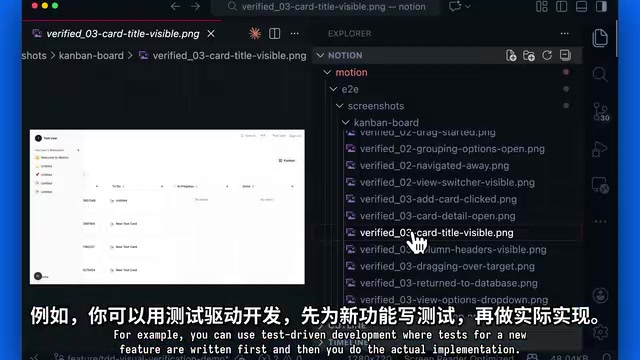
Verification Strategies for Different Domains
Verification methods vary by domain:
- Command-line verification: Simply run bash commands
- UI verification: Use Claude's browser extension to let Claude navigate the entire site for verification
- Mobile app verification: Use iOS and Android simulator MCPs
- Test-Driven Development (TDD): Write tests for new features first, then implement
- Screenshot verification: Use screenshots in the workflow to verify UI results
Test-Driven Development (TDD) was systematized by Kent Beck in the Extreme Programming (XP) methodology. Its core cycle is "Red-Green-Refactor": first write a failing test (red), then write the minimum code to make the test pass (green), and finally refactor the code while keeping tests passing. Introducing TDD into AI programming workflows offers unique advantages: the tests themselves become precise specifications of AI intent, drastically reducing the ambiguity of natural language descriptions while providing the model with machine-verifiable success criteria — this communicates the definition of "done" far more precisely than any text description.
About MCP (Model Context Protocol): This is a standardized protocol open-sourced by Anthropic in late 2024, designed to solve the fragmentation problem of integrating AI models with external tools and data sources. Analogous to how USB unified hardware connection standards, MCP provides a unified tool-calling interface for AI applications. Developers can connect Claude to databases, APIs, file systems, and any external resource through MCP servers without writing custom integration code for each one. If you find MCP too token-intensive, you can adopt a "verification-driven" technique, making verification the core driver of your development workflow.
Claude.md Configuration: The Core Settings File for Your Project
File Content and Structure
Boris emphasizes the importance of the claude.md file — it should be unique for every project. Think of it this way: it should contain all the essential project information that a newly created Claude session needs to know:
- Tech stack: Languages, frameworks, and tools used in the project
- Basic project structure: Directory organization and module breakdown
- Code style and conventions: Coding standards followed by the team
- Prohibited actions: The most important part — things Claude should NOT do
claude.md is essentially a mechanism for persisting system prompt management. System prompts hold the highest priority in LLM interactions, used to set the model's role, constraints, and context. The traditional approach is to manually pass them in with each API call, while claude.md makes this process file-based and version-controlled, making it part of the code repository. This means the team's AI usage conventions evolve in sync with the code itself, and new members get the complete AI collaboration context simply by cloning the repo.
Prohibited actions are the most important because if you encounter an error in one session, you don't want Claude repeating those errors in subsequent sessions. Boris has developed a habit: having the entire team contribute to claude.md content multiple times per week. Anytime someone sees Claude do something wrong, they add it in.
Team Collaboration and Best Practices
- Each team member is responsible for maintaining specific sections of the file
- In full-stack applications, each microservice can have its own
claude.md, with frontend and backend independent - Don't let claude.md become bloated: Boris's own file is only about 2,500 tokens
The recommendation to keep it around 2,500 tokens has practical technical reasoning behind it: overly long system prompts dilute the attention weight on critical instructions. In the Transformer architecture's attention mechanism, information density and instruction-following rate have a nonlinear relationship — when the context window is filled with redundant information, the model's compliance with core constraints drops significantly. A concise claude.md not only saves token costs but also ensures key rules are truly "attended to" by the model.

Permission Management: Balancing Security and Efficiency
Claude Code has several operating modes:
- Plan mode: Dedicated to planning
- Auto-accept mode: Automatically accepts all file edits
- Dangerously skip permissions mode: Claude has permission to run everything
Boris explicitly states that he does not use the dangerously skip permissions mode, especially in production environments where a single terminal command could wreck the entire project. His approach is to use Claude Code's permission system to set:
- Which commands are allowed
- Which commands require asking before running
- Which commands are completely forbidden
These rules can be set at the project level and shared with the team through the settings.json file in the .claude folder. This tiered permission design reflects the "Principle of Least Privilege" — a fundamental guideline in information security stating that any program or agent should only possess the minimum set of permissions necessary to complete its task, thereby minimizing the impact scope of potential misoperations or malicious actions.
Beyond Code: Claude Code as a Workflow Orchestrator
Claude Code might be one of Anthropic's most poorly named products because it goes far beyond coding. People use it to generate complete workflows, build SEO pipelines, analyze business markets, and more.
Boris's usage:
- Connects to Slack through MCP servers
- Uses BigQuery and Sentry through CLI
- Uses Claude Code as an orchestrator for all tools
This "orchestrator" approach transforms Claude Code from a simple coding assistant into a central hub for development workflows.
Related articles
 Tutorials
ChatGPT Plus Subscription Guide: Are GPT-5.5, image-2, and Codex Worth the Upgrade?
A detailed look at ChatGPT Plus features — GPT-5.5, image-2, and Codex — with a Plus vs Pro comparison and a complete step-by-step subscription guide for users outside the US.
 Tutorials
Harness AI Engineering in Practice: Using Claude Code to Master Enterprise-Level E-Commerce Development
Deep dive into Harness AI Engineering: master enterprise e-commerce development with Claude Code using the Rules, Skills, Wiki, and Changes framework.
 Tutorials
Cursor + Codex Dual-IDE Collaboration: A Practical Methodology for Open-Source Project Customization
A complete methodology for open-source project customization based on real-world experience, detailing the Cursor+Codex dual-IDE workflow, seven-stage process, MVP validation, and AI source code reading techniques.