Compose Performance Optimization: A Practical Guide to Outperforming Yourself

Jetpack Compose performance optimization methodology: a systematic practice from measurement and composition costs to tracing tools.
This article compiles performance optimization methodology from the Compose compiler runtime team. It stresses measuring in release mode with R8 and Baseline Profiles, explains that every composition operation has a cost (especially coroutines), compares computed state vs. derived state in Compose 1.13, notes that skipping composables itself has a cost so avoiding invalidation matters more, and covers composition and method tracing along with the discipline of treating optimization as an engineering habit.
Jetpack Compose has become the default UI toolkit for Android development, and the question that follows is straightforward: how do you make Compose UI fast enough? In a tech talk, two engineers from the Compose compiler runtime team, Andrew and his colleague, laid out a complete methodology spanning measurement, composition optimization, and tooling — from the macro to the micro level.
Why performance deserves serious attention
Performance is often an afterthought, considered only after feature lists and animation designs are finalized — yet users' perception of an app depends heavily on it. The moment an animation stutters, reviews drop immediately. The speakers framed various metrics as "proxy metrics" that represent the user's real experience of the interface. In other words, optimizing performance is fundamentally about optimizing experience.
Before diving in, three things need to be done right: measure performance in release mode to avoid debug information slowing down the app; enable shrinking tools like R8 — an optimization the team introduced this year alone doubled performance; and use Baseline Profiles for startup metrics so that classes loaded at startup are precompiled and preloaded. The comparison given in the talk: compared to a conventional debuggable build, this combination delivers roughly a 6x difference.
Only after these fundamentals are in place does the real performance loop begin: set up a repeatable benchmark scenario, collect data with Benchmark, analyze the profile, make changes, and verify whether the changes actually took effect.
Baseline Profile is a mechanism that precompiles critical code paths via AOT compilation. After first installation, an app by default runs hot code through interpretation or JIT, which generates substantial compilation overhead during startup. Baseline Profile works by recording hot methods from typical user journeys in advance and distributing them alongside the APK, so that ART compiles these methods directly at install time and preloads the related classes, thereby avoiding the cost of on-the-fly compilation and class loading during startup. Its role differs from R8: R8 is responsible for shrinking and optimizing bytecode, while Baseline Profile determines which code gets compiled ahead of time. It's the combination of both that produces the "roughly 6x difference" cited in the talk.
Reading the composition phase through Perfetto traces
A Perfetto trace records everything happening on the device — main thread, render thread, and GPU work are all visible. For Compose developers, the main thread deserves the most attention, since composition work primarily happens there. Zooming into a single frame reveals slices for composition, measure, layout, and more, letting you directly read the time spent in each phase.
A performance fundamental is "do the right thing in the right phase": if an animation only changes a box's color, it should only trigger the draw phase, not invalidate composition and layout together. But this talk digs deeper — what remains inside composition after these conventional optimizations are done?
Every operation in composition has a cost
An easily overlooked fact: not a single line of the app code you ship is free. Reading state and executing side effects in composition all carry perceptible costs. At the nanosecond scale, if you want to genuinely improve performance, there are only two paths — eliminate a large number of cheap operations, or eliminate a small number of expensive ones. Coroutines fall into the latter category and are a target worth examining first.
Coroutine costs aren't limited to startup; cancellation also has a cost, and cancellation happens en masse when screens are destroyed or navigation occurs — precisely when frame time is tightest. In Compose, coroutines most often appear through effect APIs, and these APIs themselves form a spectrum from high functionality to low latency:
LaunchedEffect: the most capable, suited to scenarios needing a coroutine scope or suspend calls, but the most expensiveDisposableEffect: suited to processes with setup/teardown pairingSideEffectwith a key (introduced in Compose 1.12): a low-cost alternative for one-off events- Plain
SideEffect: the cheapest, used to sync external state into composition
When migrating, be mindful of execution order guarantees: DisposableEffect runs first, then regular SideEffect, and LaunchedEffect, due to scheduling, doesn't run until after the frame ends. Code that depends on these timings must be tested before migration. If multiple effects use the same key, merging them into one is also an effective way to reduce overhead.
Behind the Effect API cost spectrum is how the Compose runtime manages side effects differently. LaunchedEffect needs to create a coroutine scope, submit a task to the dispatcher, and cancel the coroutine when leaving composition, so it bears both startup and cancellation costs. DisposableEffect only maintains setup/teardown callbacks, involves no coroutine scheduling, and is cheaper. SideEffect executes synchronously after each successful recomposition and has no lifecycle management, making it the cheapest. SideEffect with a key is a compromise introduced in 1.12: it runs one-off logic only when the key changes, avoiding the need for a full coroutine for one-off events. Understanding this spectrum is what lets you make reasonable trade-offs between feature needs and frame budget.
Composition tracing and recomposition tracing
An ordinary Perfetto frame only shows phase timings, not which composable is running. Composition tracing uses compiler-inserted markers to expose the time spent in each composable function on the trace — at the cost of some overhead, so when you need the most precise data you should still use regular Perfetto.
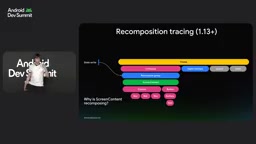
Going further, version 1.13 introduced recomposition tracing, which annotates every state read and state write that causes a recomposition, along with call stacks that map directly to code lines. This turns "why did it recompose" from guesswork into verifiable fact.
computed state: avoiding needless invalidation
After investigation, you often find that some invalidations should never have happened in the first place. A typical example is a "scroll to top" button: scroll state may change every frame, but the condition you actually care about (whether a threshold has been crossed) rarely changes. Derived state (derivedStateOf) is designed for exactly this scenario.
Compose 1.13's new computed state targets the same goal with a different mechanism: derived state caches the computed result until dependencies change, while computed state recomputes on every read. Caching sounds more economical, but it isn't necessarily — reading snapshot state itself is not cheap.
The data illustrates the trade-off: on first read, computed state is about 200 nanoseconds faster; under specific benchmark conditions on a Pixel 6, on second read computed state is about 350 nanoseconds slower; and in the truly critical scenario — recomputation after a state write (read after write) — computed state is more than twice as fast as derived state.
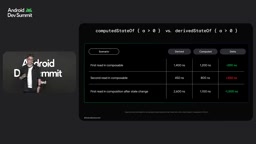
The recommendation: when in doubt, prefer computed state; choose derived state only when the computation itself is complex (complex algorithms, large object allocations, many state reads) or when it depends on object equality and can genuinely benefit from caching.
The fundamental difference between derivedStateOf and computed state lies in caching strategy and snapshot read cost. Derived state returns the cached value directly when dependencies haven't changed, but determining whether dependencies have changed itself requires reading snapshot state and performing invalidation checks; computed state maintains no cache and recomputes on every read — seemingly more expensive, yet it avoids the overhead of maintaining cache validity. Computed state is faster on first read precisely because it skips cache initialization. And in the recompute-after-write scenario, derived state must first invalidate the cache before recomputing while computed state computes directly, widening the gap further. This also explains why "reading snapshot state itself is not cheap" is the key premise when choosing an approach.
Skipping isn't the end goal — avoiding invalidation is
There's much community discussion about stability and skipping, but the speakers explicitly cautioned: skipping itself has a cost. To support skipping, the runtime must save parameters on first composition, update records on recomposition, compare each parameter for changes, and finally just to execute an if check.
A classic counterexample is a scrolling list containing lots of data: when you modify the last contact, ideally only the last item is invalidated, but in practice the lazy list receives a new content lambda and invalidates all composed items. Tracing shows only two items are actually skipped, while the rest still execute after completing expensive equality comparisons. If the objects are stable, this structural equality comparison can be quite expensive; and because the data is destructured, the same list comparison happens twice.
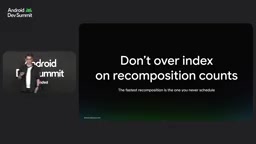
Having the compiler use strong skipping, taking the object identity equality path rather than structural equality, can significantly reduce this overhead. The more fundamental principle: rather than figuring out how to make a composable skip, don't let it become invalidated in the first place. Recomposition counts can serve as a reference metric, but shouldn't become an obsession.
Strong skipping is an optimization mode of the Compose compiler that changes the runtime's parameter comparison strategy. In traditional mode, only parameters inferred as stable can participate in skip decisions, and unstable parameters directly prevent a composable from skipping. Strong skipping relaxes this restriction, allowing unstable parameters to participate in skipping too, and uses object identity equality rather than structural equality for types like lambdas. Object identity comparison only needs to check whether references are the same, avoiding deep field traversal, so the gains are obvious when data classes are large or list contents are complex. This is exactly why "having the compiler take the object identity equality path" significantly reduces equality comparison overhead in the talk.
Method tracing: filling the gaps in composition tracing
Composition tracing only annotates composable functions; what happens in those blank intervals on the trace is unclear. That's where method tracing comes in — capturable via Android Studio profiler or ADB commands, it records every function call, including compiler-generated code, runtime logic, and your own code. The cost is high overhead, up to 10 to 20x depending on call tree complexity.
The typical workflow is to go from composition tracing to a suspicious function, then into method tracing to see the details. For example, in the trace for ScreenContent, a lot of time is spent in Composer.changed, which is dominated by screenModel.equals — indicating that a large data class is being passed in, and its stability annotation may actually be hurting performance. Only method tracing can expose this kind of problem directly.
Closing: treat optimization as an engineering habit
The principles the speakers concluded with can be distilled into a few points: a cheap composable that doesn't invalidate beats a composable that gets skipped; design with smaller, easier-to-compare parameters; watch out for API cost multiplied by call frequency, and for destruction costs that may appear at the worst possible moment.
Optimization also requires discipline: use benchmarks to make decisions, use profiling to pinpoint target areas, and verify that changes actually deliver the expected results. At the same time, recognize the trade-off between maintainability and performance — don't paint yourself into a corner squeezing out performance.
The team also packaged all this knowledge into a Jetpack Compose performance skill that, once installed via the Android CLI, lets an AI agent audit apps and provide optimization suggestions; related documentation can be found at developer.android.com and in the GitHub repository.
One-line Summary
A Jetpack Compose performance optimization methodology: a systematic practice from measurement and composition cost to tracing tools.
Paragraph Summary
This article compiles the performance optimization methodology shared by the Compose compiler runtime team. It emphasizes that performance measurement must be done in release mode with R8 and Baseline Profiles enabled, otherwise the data is severely distorted. In the composition phase, every operation has a cost — coroutine startup and cancellation are especially expensive — and you should choose the lowest-cost effect API for your needs. Compose 1.13's computed state is more than twice as fast as derived state in invalidation scenarios, so prefer it when in doubt. The article also notes that skipping composables itself has a cost, avoiding invalidation is more effective than optimizing skipping, and strong skipping can reduce equality comparison overhead. Finally, it covers combining composition tracing with method tracing, and the discipline of treating optimization as an engineering habit.
Related articles
AI SDK Vue Patch Release Syncs with ai Core Package
@ai-sdk/vue releases patch 4.0.159, syncing with core package ai@7.0.159. This article analyzes the update, its upgrade impact on Vue developers, and AI SDK's multi-framework version release cadence.

Hey Linker, Can You Spare a Meg? The AI Memory Anxiety Behind a Tech Meme
From the Hacker News post "Hey linker, can you spare a meg?" — exploring the tech community's humorous take on memory scarcity, linker and AI inference memory anxiety, and memory optimization lessons for developers.
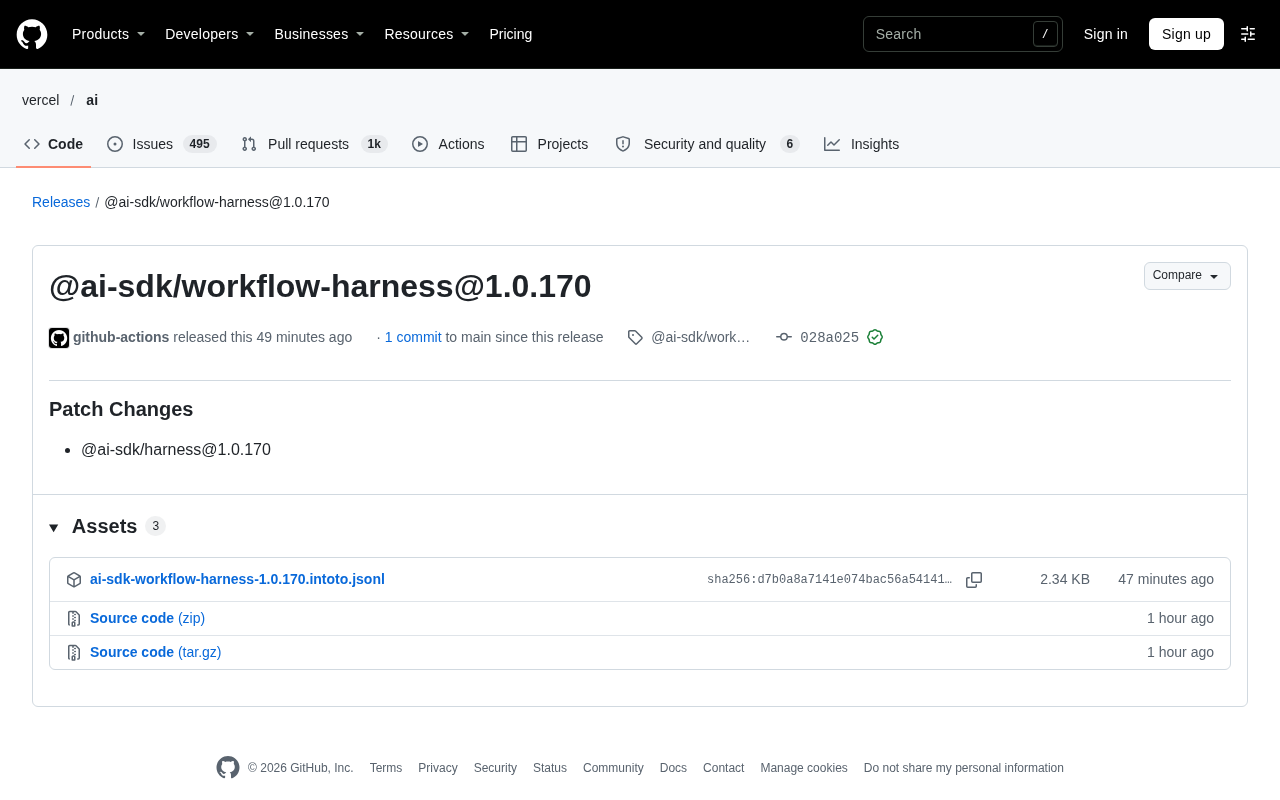
AI SDK Workflow Harness Toolkit 1.0.170 Patch Released
AI SDK workflow toolkit @ai-sdk/workflow-harness releases patch 1.0.170, aligned with @ai-sdk/harness version, auto-published via GitHub Actions, low-risk patch-level update.