Coze Tutorial: Complete Hands-On Guide to Building AI Agents Without Code

A complete tutorial on building AI agents without code using ByteDance's Coze platform.
This article systematically covers the core features and usage of ByteDance's Coze platform. From creating agents and configuring prompts, to tuning LLM parameters (temperature, Top-P), extending capabilities with plugins, building private knowledge bases, implementing memory with variables and databases, and optimizing conversation experiences with triggers — it comprehensively covers every key aspect of building AI agents without code.
Introduction
Coze is an AI agent building platform launched by ByteDance. With its zero-code barrier approach, it's becoming the go-to tool for more and more people entering AI application development. You don't need programming skills — just describe your requirements in natural language, and you can build feature-rich AI agents.
This article will systematically guide you through the core features of Coze, from agent creation and LLM configuration to plugin integration, knowledge base setup, and memory functions.
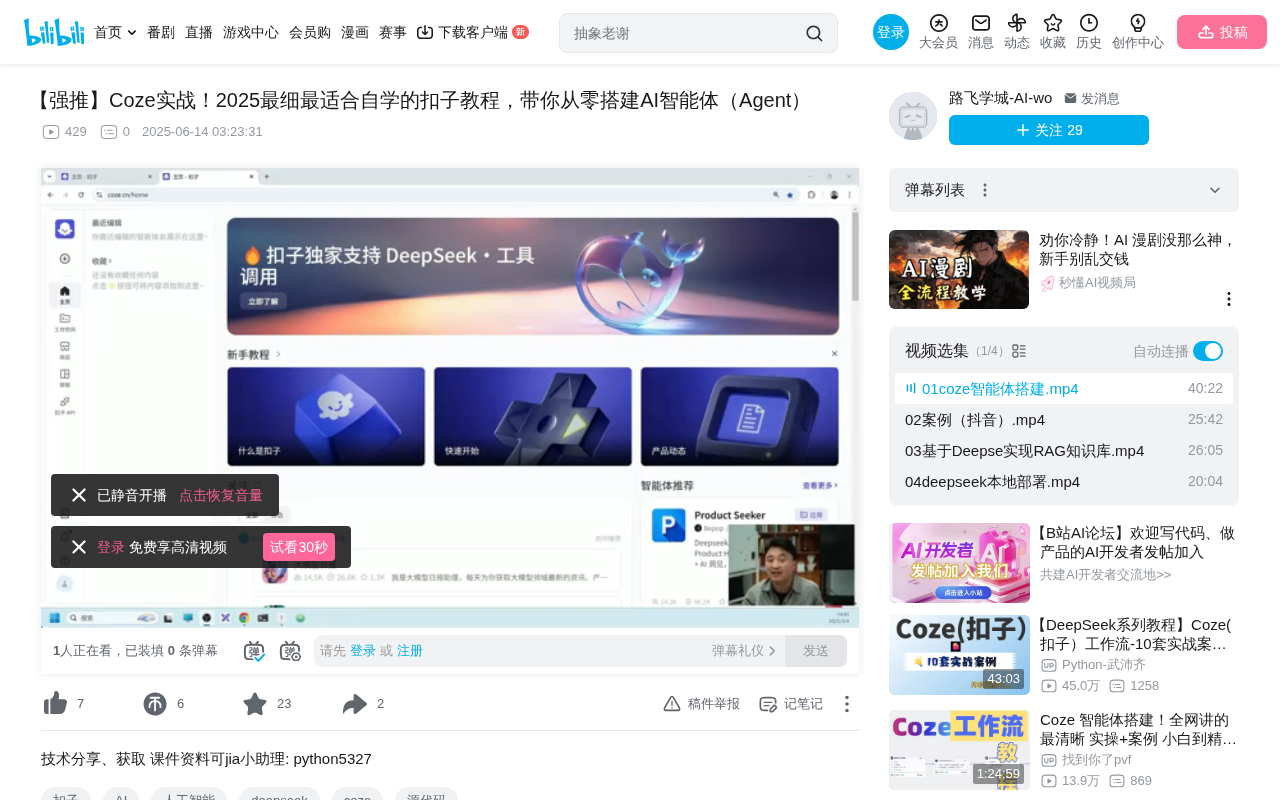
Quickly Create Your First Agent
Basic Setup Process
After registering a Coze account, click "Workspace" in your personal center, then click "Create" to start building an agent. You'll need to fill in the following information:
- Name: e.g., "Emotional Support Bot"
- Description: Be as detailed as possible, e.g., "Provides emotional conversation services for singles"
- Icon: Upload or auto-generate
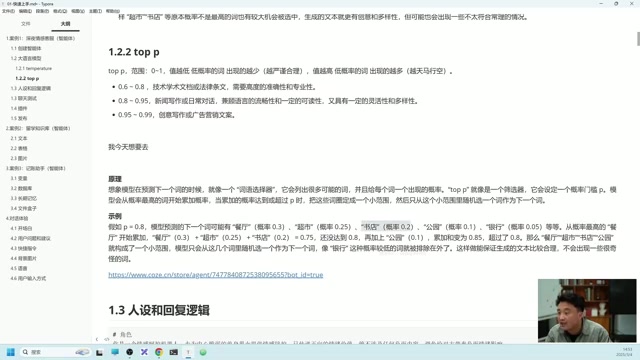
Configuring the Prompt
The prompt is the "soul" of your agent — it defines "who you are" and "what you do" for the LLM. A good prompt typically contains three parts:
- Role Definition: You are an emotional support robot that specializes in providing companionship for singles
- Skill Description: Listening and responding, offering encouragement, proactively guiding toward positive topics
- Constraints: Must focus on positive emotions, never send negative messages
If you're unsure how to write a prompt, simply click the "Optimize" button — the system will automatically generate a persona and logic based on the agent's description, and you can modify and supplement from there.
Publishing and Sharing
Once your agent is created, click "Publish" in the upper right corner. You can choose to publish to the following platforms:
- Coze Store (default)
- Doubao
- Feishu (Lark)
- Douyin (TikTok China)
After publishing, copy the link and share it with others. They can use your agent after registering a Coze account.
Deep Dive into LLM Parameters
Temperature (Generation Randomness)
Coze supports selecting different LLMs (Doubao, DeepSeekAd, etc.), each with adjustable parameters. The most critical one is the temperature value:
| Temperature Range | Use Case | Effect |
|---|---|---|
| 0.1-0.3 | Technical docs, legal documents | Rigorous, highly deterministic |
| 0.4-0.7 | General conversation | Neither absurd nor rigid |
| 0.8-1.0 | Sci-fi novels, ad copy | Imaginative, diverse |
The principle behind temperature is adjusting the "sharpness" of the probability distribution — at low temperatures, high-probability tokens are much more likely to be selected; at high temperatures, probabilities flatten out, giving low-probability tokens a chance to be chosen.
Top-P (Nucleus Sampling)
Top-P is similar to temperature but works differently. Its mechanism: starting from the highest-probability token, it accumulates probabilities until reaching the set P value, then samples only from that subset.
For example, with Top-P set to 0.8, the system selects the candidate set whose cumulative probability reaches 80%, then randomly picks the next token from that set. A smaller P value means more conservative output; a larger P value means more diverse output.
Other Key Parameters
- Context window (conversation turns): Default is 3 turns; increasing improves response accuracy (recommended: 10-20 turns)
- Output format: Text or Markdown
- Max reply length: Default 1024 tokens (approximately 1500 Chinese characters)
Plugin System: Extending Your Agent's Capabilities
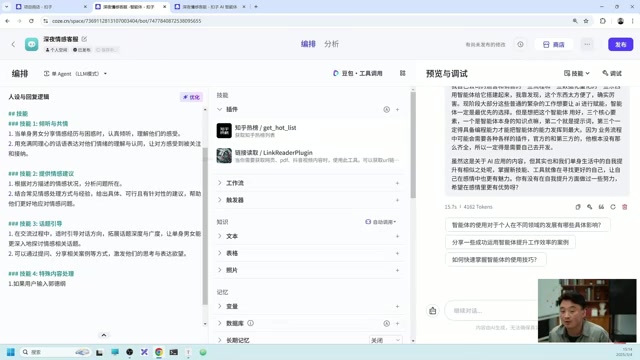
LLMs aren't omniscient — they don't know real-time trending topics and can't access external websites. This is where plugins come in to extend capabilities.
Plugin Usage Examples
Scenario 1: Get Zhihu Trending Topics
- Click "Plugins" → the plus icon
- Search for "Zhihu" and find the "Zhihu Trending" plugin
- Click to add
- Ask "What's trending on Zhihu today?" — the agent automatically calls the plugin and returns results
Scenario 2: Extract Video Transcripts
Add a "Link Reader" plugin. After sending a video link, the agent automatically extracts the transcript content.
Scenario 3: Bing Image Search
Add a skill description in your prompt: "If the user inputs keywords, search Bing for three images and display them in a table." Combined with the Bing search plugin, this works seamlessly.
Core Logic: The LLM automatically determines when to call which plugin based on user input. You can also explicitly specify calling conditions in the prompt for more controllable behavior.
Knowledge Base: Building an Internal Enterprise AI Assistant
Text Knowledge Base
The knowledge base is one of Coze's most practical features, enabling AI to answer questions based on your private data. Using a "Study Abroad Knowledge Base" as an example, here are the setup steps:
- Create an agent and configure the prompt
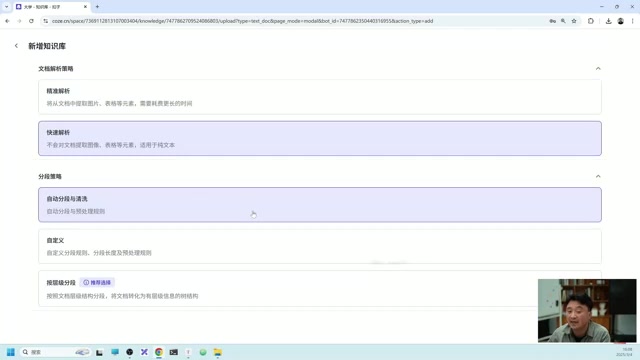
- In the "Knowledge" module, click "Text" → Create Knowledge Base
- Upload local documents (supports Markdown, TXT, and other formats)
- Choose parsing method: auto-segmentation for plain text, precision parsing for content with images/tables
- Wait for processing to complete, then add to the agent
Once uploaded, the agent can answer questions based on your private data. For example, after uploading a "New York School Tuition" document, users asking related questions will get precise answers from the knowledge base.
Table and Image Knowledge Bases
- Table Knowledge Base: Upload Excel/CSV files so the agent can query specific data (e.g., tuition, program duration, and other structured information)
- Image Knowledge Base: After uploading images, you need to annotate them (supports AI-assisted or manual annotation). The annotations serve as text descriptions for image retrieval.
Memory Functions: Making Your Agent "Remember" Users
Variable Storage
Variables are ideal for storing specific field information. Add fields in "Variables" (e.g., name, age, salary), and during conversations, the agent will automatically extract and save them. Even if you clear the chat history, variable values are retained.
Database
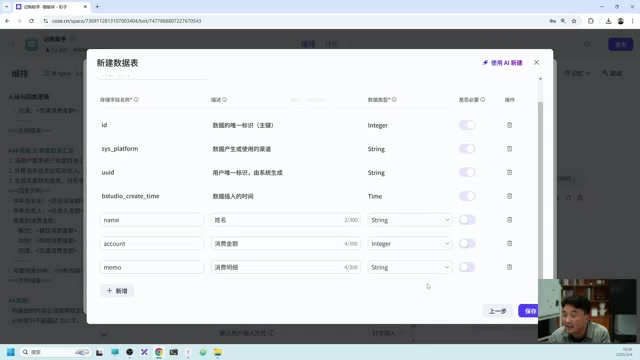
Databases are suitable for storing structured, multi-record data. Using an "Expense Tracker" as an example:
- Create a database table with fields: name (text), amount (number), expense details (text)
- Say "Spent 100 yuan buying flowers for my girlfriend today" in conversation — the agent automatically writes to the database
- Later you can query "this month's expenses" or "expenses over 50 yuan"
Long-Term Memory
When long-term memory is enabled, the agent automatically summarizes key information from chat records and stores it. Note that this feature is uncontrollable — the system decides which information is worth remembering on its own. It's suitable for scenarios where memory precision isn't critical.
Triggers and Conversation Experience Optimization
Triggers
Triggers give your agent automation capabilities:
- Scheduled Triggers: Automatically send messages to the agent at set times (e.g., summarize daily exchange rates every day at 4 PM)
- Event Triggers: Receive external requests via Webhook URL, suitable for integration with other systems
Conversation Experience Configuration
| Feature | Description |
|---|---|
| Welcome Message | Greeting when users enter |
| Suggested Questions | Recommend 3 follow-up questions after each reply |
| Quick Commands | One-click send preset text |
| Background Image | Customize chat interface background |
| Voice Reply | Choose a voice to read replies aloud |
| Cloud Call | Support real-time voice conversation |
Summary
Coze's design philosophy is modular composition: the LLM handles understanding and generation, plugins extend capabilities, the knowledge base handles private data, memory handles persistent information, and triggers handle automated workflows.
By mastering the combination of these core modules, you can build AI agents for various business scenarios — whether it's emotional support chatbots, enterprise knowledge bases, or personal expense trackers, all achievable through Coze without writing a single line of code.
Related articles
 Tutorials
ChatGPT Plus Subscription Guide: Are GPT-5.5, image-2, and Codex Worth the Upgrade?
A detailed look at ChatGPT Plus features — GPT-5.5, image-2, and Codex — with a Plus vs Pro comparison and a complete step-by-step subscription guide for users outside the US.
 Tutorials
Harness AI Engineering in Practice: Using Claude Code to Master Enterprise-Level E-Commerce Development
Deep dive into Harness AI Engineering: master enterprise e-commerce development with Claude Code using the Rules, Skills, Wiki, and Changes framework.
 Tutorials
Cursor + Codex Dual-IDE Collaboration: A Practical Methodology for Open-Source Project Customization
A complete methodology for open-source project customization based on real-world experience, detailing the Cursor+Codex dual-IDE workflow, seven-stage process, MVP validation, and AI source code reading techniques.