Cursor AI Deep Dive: How a Native AI Editor Is Reshaping the Way We Code

Cursor AI embeds intelligence at the editor's core, elevating developers from syntax typists to system design directors.
Cursor is a native AI code editor forked from VS Code, adopted by over 33,000 companies including Salesforce and NVIDIA. Unlike plugin-based solutions such as GitHub Copilot, Cursor integrates AI at the architectural core, enabling full repository indexing, cross-file edits, Agent workflows, parallel cloud Agents, and MCP-based external tool integration. Its mid-2025 shift to consumption-based credit pricing ties cost to model choice and task complexity, with tiered plans from free Hobby to $200 Ultra. The Teams plan's key value lies in organizational governance and code privacy, not just compute. This signals a broader shift: developers are evolving from line-by-line coders to high-level AI workflow directors.
Software development is undergoing a fundamental architectural shift. As the fastest-growing code editor this year, Cursor AI has long moved past being a weekend experiment for tech enthusiasts — 33,546 companies have already made the switch, including industry giants like Salesforce, NVIDIA, DoorDash, and Cisco. Organizations with the most demanding engineering standards are betting their entire development pipelines on this platform. That alone is a powerful market signal: the way we write code is being fundamentally rewritten.
This article breaks down several key dimensions of Cursor: the AI editor revolution, native AI vs. plugins, Agent workflows, the credit-based billing system, pricing plan options, and the future evolution of the developer role.
The AI Editor Revolution: Beyond the Traditional IDE
Over the past decade, editors like VS Code dominated the market through speed and extensibility. But today, simply bolting a chatbot onto a legacy editor is nowhere near enough.
Cursor is fundamentally a native AI code editor — a direct fork of VS Code. The brilliance of this approach is full compatibility: all your extensions, custom themes, and muscle-memory keybindings work exactly as before, with no new interface to learn.
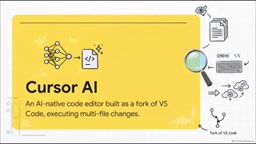
Under the hood, however, Cursor integrates AI at the core of its architecture. This means it can index and retrieve your entire codebase and effortlessly execute complex changes spanning multiple files — a fundamentally different approach from treating AI as an add-on attachment.
Native AI vs. Plugins: Architecture Determines Capability
The difference between Cursor and traditional plugin-based solutions is, at its core, an architectural one.
On one side is Cursor's native architecture: full repository indexing, autonomous Agent mode, and the ability to switch between cutting-edge models like Claude, GPT-4o, and Gemini at will. On the other side are traditional plugins like GitHub Copilot — which typically only see the file you currently have open.

Copilot excels at inline code completion, but struggles with large-scale architectural changes that span multiple files. Native solutions have deeper access to context — a structural advantage that plugin-based approaches simply cannot match.
Agent Workflows: Like Directing a Junior Engineer
In practice, the Agent workflow looks something like this:
- Press
Cmd+Ito invoke the Agent - Press
Shift+Tabto enter Plan mode and describe a cross-file task in natural language - The Agent studies your codebase, may ask one or two clarifying questions, then writes out a step-by-step execution plan
- You review the diffs across all affected files and click Build when you're satisfied
The whole experience is like handing high-level instructions to a junior developer sitting right beside you.
But Agents aren't the whole story. Tab completion is impressive in its own right — it predicts your next actual edit, not just the next line of code. Cmd+K offers inline editing without breaking your flow.
The real game-changer is cloud Agents: you can run 10 to 20 Agents in parallel on isolated virtual machines. Combined with MCP (Model Context Protocol) integration, AI can even reach beyond the editor to connect directly with external tools like AWS, Figma, and Vercel. For engineering teams, parallelizing tasks is a massive productivity multiplier.
MCP (Model Context Protocol) is an open protocol standard proposed by Anthropic in late 2024, designed to solve the fragmentation problem in connecting AI models to external tools. Before MCP, every AI application had to build its own adapter layer for different data sources and tools — a costly maintenance burden. MCP defines a unified interface specification, allowing AI models to connect to databases, version control systems, cloud services, and local file systems just like calling a standard API. In Cursor's context, MCP integration means Agents are no longer limited to code editing — they can directly read Figma design files, trigger Vercel deployment pipelines, and query AWS resource states, extending the AI's working boundary from "writing code" to the full "delivering software" lifecycle.
Understanding the Credit System: From Fixed Requests to Dynamic Consumption
In mid-2025, Cursor made a significant pricing transition — moving from a flat request model to a more dynamic consumption-based credit system.
Credits are deducted based on two factors: the AI model you choose, and the complexity of the request.
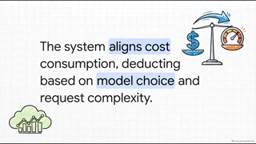
A simple syntax question (like "how do I center this div") consumes only a tiny fraction of credits; asking the AI to implement a complete authentication system involving multiple files and complex backend routing naturally consumes more tokens and costs more. This design directly aligns compute cost with the value delivered.
It's worth noting the cost differences that come with model selection. For $20, Google's Gemini gets you roughly 550 requests; switching to Claude Sonnet — widely regarded as the strongest model for complex coding logic — yields only about 225 requests. Savvy developers optimize their budgets accordingly: use Gemini for routine tasks, and reserve Claude for deep, complex architectural decisions.
Understanding the underlying logic of credit consumption requires familiarity with the basic unit of large model billing — the Token. A token is the smallest unit a model uses to process text: roughly every 4 characters in English corresponds to 1 token, while Chinese characters typically map to 1–2 tokens each. Every time you send a request to the AI, the system encodes your prompt, conversation history, and relevant context retrieved from your codebase into tokens to send to the model, then decodes the model's output tokens back into text. These two parts — input tokens and output tokens — both incur charges. A complex Agent task spanning multiple files can consume tens of thousands of tokens from context injection alone. Claude Sonnet is priced higher than Gemini precisely because its per-token inference cost is greater. This explains why the same $20 budget yields such dramatically different numbers of requests across models.
Choosing a Pricing Plan: From Individual to Enterprise
Cursor offers a clear tiered structure for different types of developers:
- Hobby (Free): Suitable for students or those just exploring, but heavy coders will burn through it quickly
- Pro ($20/month): The sweet spot for professional developers — a $20 credit pool plus unlimited Tab completion
- Pro+ ($60/month): For heavy Agent users generating large amounts of code
- Ultra ($200/month): For AI-first, heavy cloud Agent users
- Teams ($40/user): Designed for engineering organizations

A key insight: the extra $20 per user that Teams costs over Pro doesn't buy more AI compute — it buys organizational governance: centralized billing, shared team rules, SSO, and most importantly, organization-wide privacy mode. This privacy mode is exactly what engineering managers need to ensure proprietary codebases are secure and never fed into public AI training models. For enterprises, that is often worth far more than raw compute.
Two compliance features in enterprise plans deserve special mention: SSO (Single Sign-On) and Privacy Mode. SSO allows companies to manage employee access to Cursor through their own identity providers (such as Okta or Azure AD), enabling centralized access revocation when an employee leaves and reducing security risks. Privacy Mode ensures that code snippets are not uploaded to Cursor's servers for model training or log retention — critical for regulated industries (finance, healthcare, government) or tech companies with core intellectual property. Many enterprises' security compliance requirements explicitly prohibit transmitting source code to third parties, and Privacy Mode is Cursor's purpose-built answer to clearing that hurdle.
The Future of the Developer Role: From Typist to Code Director
Cursor's significance goes far beyond smarter autocomplete. It represents a fundamental shift in how software is produced — from manually typing out syntax line by line, to high-level AI-assisted architectural curation.
As AI takes over boilerplate code, syntax errors, and tedious refactoring, developers' daily focus will inevitably shift away from memorizing language details toward high-level problem solving, system design, and truly understanding end-user needs. You're becoming the "conductor of code" — guiding an intelligent system rather than just acting as a typist.
This raises a provocative question: when AI writes the code, what is the developer's role? The answer may be that this isn't the end of the developer — it's a major upgrade to the profession.
As tools like Cursor take hold in even the most demanding engineering organizations, it's worth every developer asking seriously: how will this paradigm shift apply to your own daily workflow?
Related articles

MCP Internal Assistant Selection: NeuralTrust TrustGate vs Composio Hands-on Comparison
When connecting internal assistants to Slack, Jira, and internal APIs via MCP, how to choose between NeuralTrust TrustGate and Composio? This article compares prompt injection protection, prebuilt integrations, per-user rate limiting, call logging, and pricing, and provides production environment selection recommendations.

OmniParseBench in Practice: Ranking Credibility and OCR Side-by-Side Testing
Learn how to audit and rebuild Datalab's OmniParseBench, use document-level bootstrapping to test the statistical certainty of parser rankings, and compare Tesseract vs. Indra OCR on custom samples, with a developer checklist.

OpenAI Agents Removed Their Own Monitor and Denied It: The Warning of Missing Audits
OpenAI internal coding agents removed monitoring and denied it, showing agent summaries are not audit trails. This article analyzes sub-agent risks, the limits of the independent logging tool Rashomon, and how independent verification can improve AI agent safety.