Cursor AI Programming in Practice: Build a Student Management System from Scratch in 30 Minutes

Cursor's Agent mode and Claude models generate a runnable student management system in half an hour.
Based on a Bilibili video, this article covers the AI code editor Cursor, which integrates GPT and Claude on top of VS Code with Agent, Ask, and Manual modes. Agent mode auto-creates files, writes code, runs tests, and fixes errors. A prompt specifying Flask, SQLAlchemy, SQLite, and Tailwind CSS yields a student management system with CRUD, pagination, and breadcrumbs in ~30 minutes. The article also notes requirements: technical judgment for prompts, a pre-configured Python environment, and limited free quotas with paid advanced models.
Title
Cursor AI Programming in Practice: Build a Student Management System from Scratch in 30 Minutes
Meta Description
A Bilibili creator demonstrates Cursor AI programming: generating a student management system in 30 minutes using natural language. A detailed look at Agent mode, Claude model selection, prompt techniques, and usage thresholds to help you decide whether Cursor is worth adopting.
Article Content
AI programming tools are reshaping developers' workflows, and Cursor is often called the most powerful AI code editor available today. A Bilibili creator shared a complete hands-on tutorial, from downloading and installing to generating a runnable student management system with natural language—all in about 30 minutes. This article distills the key operations and underlying logic from that video to help you decide whether Cursor deserves a place in your toolkit.
What Is Cursor? Why Is It Called the "Most Powerful AI Code Editor"?
The creator states outright at the start of the video that Cursor is "the most powerful AI code editor on the market today, bar none." It is not an IDE built from scratch, but rather a deep integration of AI capabilities on top of VS Code, supporting multiple large models such as GPT and Claude. According to the demo, you simply describe your requirements in natural language, and Cursor automatically generates files, writes code, debugs errors, and even resolves dependency conflicts.
The core of this "fully automatic" experience is Agent mode. The creator divides Cursor's modes into three categories: Agent (fully automatic), Ask (Q&A style), and Manual (manual reference). For greenfield projects, Agent mode actively participates in the entire development process—generating code, running tests, and automatically fixing errors as they arise.
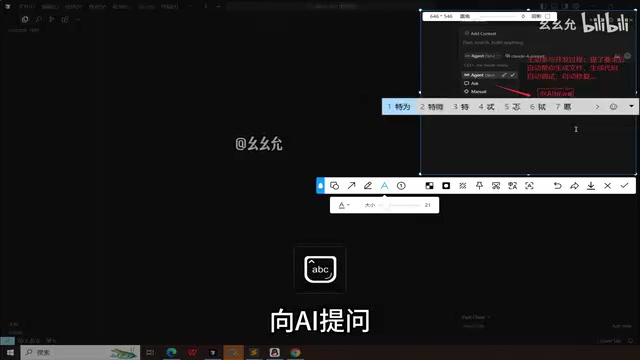
Downloading and installing is straightforward: search for "Cursor" on Baidu, go to the official website, and choose the version for your platform. After installation, register and log in, then open a folder to start your project. The left side shows the project directory, the center displays files, and the right side is the AI interaction area.
VS Code (Visual Studio Code) is a free, open-source code editor from Microsoft that has become one of the most widely used editors among developers worldwide thanks to its lightweight nature and rich plugin ecosystem. Cursor is not an independently rewritten editor core but a secondary development based on VS Code's open-source code (Code - OSS), so it retains the original shortcuts, themes, extension marketplace, and debug configurations—users can migrate at almost zero cost. Its differentiation lies in embedding large model capabilities into editing, completion, terminal, and file system operations, allowing AI to read the entire project context and directly modify files—this is the key distinction from ordinary "chat-style coding assistants."
Core Modes and Model Selection: The Agent + Claude Combination
The creator focuses on demonstrating Agent mode. In this mode, after you enter your requirements, Cursor automatically creates the file structure, writes code, and attempts to run it. Yellow-highlighted code blocks during the process represent AI-generated content that requires your "approval" before being adopted. If code errors occur, Cursor automatically analyzes and fixes them—for example, adjusting dependency versions or correcting syntax errors.
Regarding model selection, the creator strongly recommends the Claude series (especially Claude 3.5 Sonnet), calling it "hands down the most powerful" for coding tasks. If you don't enable automatic mode, you can also manually select other free or paid models. For production projects, Claude's code quality and debugging capabilities are clearly superior.
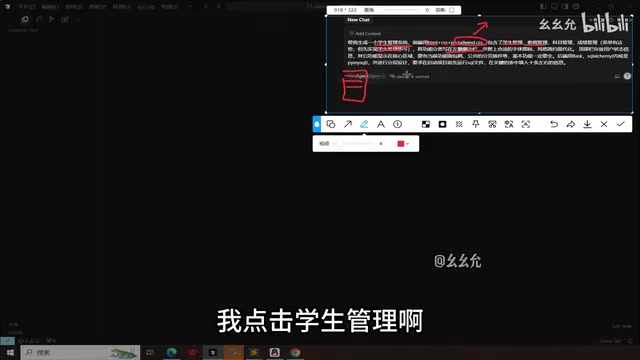
Interestingly, Agent mode is not a silver bullet. The creator notes that prompt quality directly determines output quality—you need to clearly understand your tech stack and functional boundaries for the AI to execute accurately.
Claude 3.5 Sonnet is a mid-tier model released by Anthropic in 2024, excelling in benchmarks for code generation, refactoring, and long-context understanding, with better response speed and cost than its flagship Opus—which is why it is often chosen as the default model by programming tools. Agent mode, meanwhile, is a way of running models that autonomously loops through "think—call tools—observe results": the model can read and write files, execute terminal commands, view error output, and decide its next action accordingly until the task is complete. This is fundamentally different from Ask mode, which returns only a snippet of code per question, and is the technical foundation for Cursor's ability to automatically fix dependency conflicts and iterate on debugging.
Hands-On: Generating a Student Management System with a Prompt
The creator designed a student management system case with a frontend using HTML+CSS+JS paired with the Tailwind CSS library, a backend using the Flask framework and SQLAlchemy ORM, and SQLite as the local database. The prompt clearly specified functional modules: student management, professor management, left sidebar navigation, top bar user information, breadcrumb navigation, a shared pagination plugin, and more.
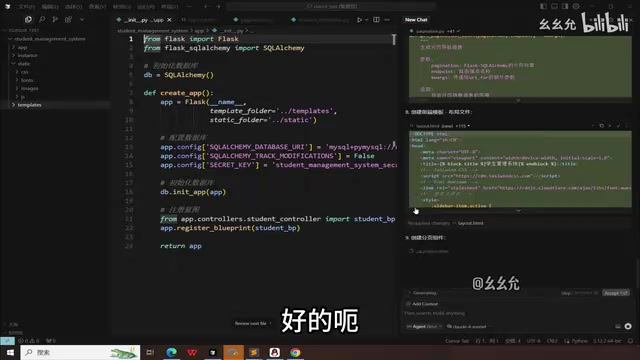
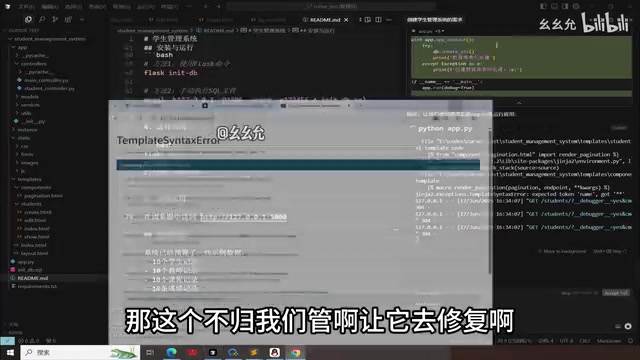
After entering the prompt, Cursor began automatically generating the directory structure, static files, templates, and routes. During the process, the creator repeatedly clicked "Accept All" to adopt AI-generated code. When template syntax errors or dependency version conflicts arose, Cursor automatically fixed them and re-ran. Ultimately, a student management system with CRUD operations, pagination, and breadcrumb navigation ran successfully, with data correctly written to the SQLite database.
The creator summarized that the entire process took about half an hour; a more complete feature set would require two to three hours. But the creator emphasized that users still need basic programming knowledge to write effective prompts and understand AI output.
Flask is a lightweight Python web framework that provides only routing and request handling—database, forms, and other features require extensions. SQLAlchemy is Python's most mainstream ORM (Object-Relational Mapping) library, mapping database tables to Python classes so developers can perform CRUD operations in an object-oriented way without writing SQL by hand. SQLite is a file-based database that requires no separate server process, storing data in a single file—ideal for local development and prototype validation. Tailwind CSS is an "atomic" CSS framework that lets you write styles directly by combining predefined utility classes (such as flex, p-4) without writing separate stylesheets—which is why the prompt could concisely describe the interface style.
Usage Thresholds and Caveats
Although Cursor significantly lowers the coding barrier, the creator points out two key considerations: first, prompts require technical judgment—for example, knowing that Flask needs a Python environment and how SQLAlchemy configures database connections; second, the local environment must be set up in advance, such as Python and pip. The Flask program in the video ran successfully precisely because the creator's computer already had a Python environment installed.
Additionally, the creator mentions that Cursor's free quota is limited, and advanced models require a paid subscription. The notion of "free forever" is more of a marketing pitch—actual long-term use still incurs costs. For learners, you can use the free quota to experience Agent mode; for production projects, subscribing to use Claude models is recommended to ensure code quality.
Prompt engineering refers to constraining model output through structured, precise natural language descriptions. In AI programming scenarios, effective prompts typically need to specify the tech stack and versions, feature lists, directory structure conventions, interface layout and interaction details, and when necessary, error handling and data fields. The more specific the description, the less room the model has to improvise and the lower the rework rate; conversely, vague requirements cause the Agent to repeatedly trial and error, potentially introducing unnecessary dependencies. This is the technical reason the original article emphasizes that "prompt quality determines output quality."
Conclusion: Who Is Cursor For?
Cursor's Agent mode truly compresses the path from "idea to prototype" to the extreme, making it especially suitable for quickly validating product concepts, building admin backends, or learning full-stack development. But it is not a "zero-foundation miracle tool"—you still need to understand the tech stack, write prompts, and configure environments. The creator's hands-on demo proves that with a basic foundation, Cursor can significantly boost development efficiency, letting developers focus on logic rather than repetitive coding.
If you're looking for an AI programming tool, Cursor is worth a try. But be rational about the "free forever" marketing and plan your usage costs sensibly.
One-line Summary
Cursor leverages Agent mode and Claude models to generate a runnable student management system in half an hour.
Paragraph Summary
Based on a Bilibili creator's hands-on video, this article introduces the usage and boundaries of the AI code editor Cursor. Cursor deeply integrates large models like GPT and Claude on top of VS Code, offering three modes: Agent, Ask, and Manual. Agent mode can automatically create files, write code, run tests, and fix errors. The author demonstrates using a prompt with a clear tech stack and feature modules to have Cursor generate a student management system based on Flask, SQLAlchemy, SQLite, and Tailwind CSS in about half an hour, with CRUD operations, pagination, and breadcrumb navigation. The article also notes its thresholds: prompts require technical judgment, a local Python environment must be pre-configured, and free quotas are limited while advanced models require payment.
Related articles

OpenAI Partners with Shield: How the Astra Agent Revolutionizes IT Troubleshooting
OpenAI and Shield launch the Astra agent, which autonomously logs into computers and legacy systems to fix IT issues in real time, 35-40% faster than traditional models, with humans involved only when judgment is needed.

iPhone Duo Battery Life Tested: One Charge a Day Is Unavoidable, and the Large Screen Is the Culprit
iPhone Duo battery test: heavy use needs at least one charge a day, and about 30% remains after 6.5 hours of screen-on time. How often the large screen is unfolded is key; a MagSafe battery pack helps, and long-term degradation is also worth watching.

Kimi K3.1 Pro Open-Sourced: 2.8 Trillion Parameters Close In on Opus
Moonshot releases the open-source MoE model Kimi K3.1 Pro, with 2.8T total parameters and 104B activated, trailing Opus 5.5 by under 1 point on Terminal Bench 4.0.