Cursor AI Review: The Best AI Coding Tool of 2026?

Cursor shines with cross-file AI Agent, multi-model support, and natural language input—but cost and code quality need weighing.
Based on a video review, this article examines Cursor, an AI-driven code editor. Core features include smart autocomplete, a cross-file AI Agent, and tools for understanding unfamiliar codebases. It supports natural language change requests and multiple AI providers, with flexible per-task model switching. Pricing: free Hobby plan, Pro from $20/month, but advanced usage may add fees. The article stresses AI-generated code still needs human review and can't go straight to production. Whether Cursor is worth it depends on your budget, coding experience, and feature needs.
Cursor AI Review: The Best AI Coding Tool of 2026?
AI coding tools have surged over the past year, and Cursor is one of the most talked-about among them. What exactly can it do, who is it for, and are there hidden costs? Based on a detailed video review, this article breaks down Cursor's core capabilities and limitations.

Core Features: From Autocomplete to Cross-File Agents
Cursor is essentially an AI-driven code editor. It's not simply a traditional IDE with a chat window bolted on—instead, it weaves AI capabilities into multiple stages of the coding workflow.
The most basic capability is Intelligent Code Autocomplete, which provides context-aware suggestions as the developer types. Going further, Cursor includes a built-in AI Agent that can handle coding tasks across multiple files—meaning it's not confined to the currently open file, but can understand project structure and carry out more complex modifications.
In addition, Cursor offers debugging assistance and tools for understanding an entire codebase. For developers inheriting an unfamiliar project, these features may be more valuable than raw code generation.
AI Agent is a key concept in today's AI coding tools. Unlike traditional code completion, an Agent can autonomously plan and execute multi-step tasks: it can read multiple files, understand call relationships, edit code, run terminal commands, and adjust on its own when something goes wrong. These systems are typically built on the "Tool Use" capabilities of large language models—the model doesn't just return text, but decides which tool to call and what parameters to pass in. The value of a cross-file Agent lies in handling changes that ripple across the codebase, such as refactoring a function referenced in many places, or filling in tests for a module. The limitations are equally clear: the larger the project, the more likely the Agent is to miss dependencies or make incorrect architectural assumptions, so developers need to set clear boundaries and review the results.
Natural Language-Driven Development
One of Cursor's key selling points is that you can describe change requests in natural language. Developers explain what they want to achieve in English (or another natural language), and Cursor can generate or modify code directly in the project.
This interaction style lowers the barrier to "getting AI to help write code." There's no need to carefully craft prompts or manually copy-paste code snippets—just describe the intent.
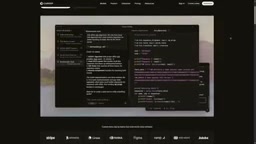
Context Window is an important concept for understanding the capability boundaries of these tools. It refers to the upper limit of text the model can "see" simultaneously in a single request, usually measured in tokens. For coding tasks, this window needs to accommodate the current file, related files, project structure descriptions, conversation history, and the code the model is about to generate. The larger the window, the better the model can grasp cross-file relationships—but cost and latency rise accordingly. This is why tools typically don't dump the entire codebase into the model at once, but instead select relevant fragments through retrieval and summarization. When describing requirements in natural language, developers can often significantly improve accuracy by specifying the files or functions involved.
The Flexibility of Multi-Model Support
According to the video review, Cursor supports models from several leading AI providers. This matters quite a bit in practice: different models have different strengths in code generation, reasoning, and long-context handling, and developers can switch based on project needs.
This "not locked to a single model" strategy also keeps Cursor adaptable amid rapid model iteration—when the underlying models are upgraded, the tool itself doesn't need to be rewritten.
Model Providers and Routing is another layer of architectural design in tools like Cursor. Supporting multiple providers usually means the tool wraps a unified calling interface that forwards user requests to models from OpenAI, Anthropic, Google, and other vendors. The performance differences across models on coding tasks are pronounced: some excel at fast completion, some are stronger at complex reasoning and long context, and some are more familiar with specific languages. The value of the tool layer is that it abstracts away API differences, letting developers switch models per task without altering their workflow. But this also introduces cost uncertainty—billing varies widely across models, and users need to keep an eye on fee transparency when switching.
Pricing and Actual Costs
Cursor offers a free Hobby plan, with the Pro plan starting at $20 per month. For individual developers and small teams, the entry barrier isn't high.
But the review clearly points out an easily overlooked issue: advanced usage may incur additional fees. As usage frequency increases, or when relying on more powerful models for complex tasks, actual spending can exceed the base subscription cost.

The hybrid model of subscription plus usage-based billing is a common pricing structure for AI coding tools. The base subscription fee usually covers a certain quota of "fast requests" or advanced model calls, with overages billed separately by usage. This means $20 a month is not the cost ceiling. Factors affecting actual spending include: call frequency, the unit price of the chosen model, context length (long context consumes more tokens), and whether features like Agent—which trigger multiple rounds of calls—are enabled. For heavy users, usage fees can be several times the subscription fee. It's advisable to observe your own usage patterns before deciding to upgrade, and to check whether the tool offers usage caps to avoid bills exceeding expectations.
Limitations You Can't Ignore
The video review raises a key reminder: AI-generated code still needs careful review and testing. This isn't a problem unique to Cursor—it's the shared reality of all current AI coding tools.
Code that runs and code that's production-ready are two different things. AI may generate code that is logically correct but doesn't conform to project conventions, or that fails under edge cases. Treating Cursor as a productivity tool rather than a replacement is the more rational positioning.
Is It Right for You?
Back to the original question: is Cursor the best AI coding tool? The review's answer is conditional—it depends on your budget, coding experience, and the features you need.
For developers who want to integrate AI directly into their coding workflow, Cursor is a strong option. Its cross-file Agent, multi-model support, and natural language interaction form a complete capability set. But the word "best" itself requires qualifications: different project sizes, tech stacks, and team collaboration styles all affect how the tool performs in practice.

If you're already using a VS Code-style editor, the migration cost is relatively manageable. If you're not yet familiar with reviewing AI-generated code, it's best to start with the free plan and get a feel for the tool's capability boundaries before deciding whether to upgrade.
One-line Summary
Cursor stands out as a strong option with cross-file AI Agent, multi-model support, and natural language interaction—but cost and code quality still require trade-offs.
Paragraph Summary
Based on a video review, this article breaks down the capabilities and limitations of Cursor, an AI-driven code editor. Core features include intelligent code autocomplete, an AI Agent that can execute tasks across multiple files, and debugging and retrieval tools that help you understand unfamiliar codebases. It supports describing change requests in natural language and connects to models from multiple AI providers, letting developers switch flexibly by task. On pricing, beyond the free Hobby plan, the Pro plan starts at $20 per month, but advanced usage may bring additional usage fees. The article stresses that AI-generated code still needs human review and testing and can't be used directly in production. The final conclusion: whether Cursor is worth using depends on your budget, coding experience, and specific feature needs.
Related articles

Why Does the Tesla Roadster Need to Fly? A Deep Dive into Musk's Wild Demo
Tesla's Roadster launch showed wall-climbing, upside-down driving, and flying stunts—but The Vergecast notes the demo car may lack a battery, the Rocket version is invite-only and not street-legal, and the website terms don't guarantee delivery. After nine years of delays, why does this car still need to exist?

AI Is Not a Replacement: Human-AI Collaboration Through the Lens of Factory Root Cause Analysis
Starting from factory root cause analysis, this article explains how AI accelerates evidence chain construction rather than replacing human experts, exploring the pragmatic implementation logic and business value of 'AI supporting people rather than replacing them.'

AI Agent Decision Auditing: Building an Evidence Chain in Regulated Workflows
Starting from a Reddit discussion, this article analyzes three core issues in AI agent decision auditing within regulated workflows: what fields audit records should contain, how to handle feedback latency for erroneous decisions, and how to continuously calibrate LLM judge consistency with human judgment.