Cursor + Claude Code in Practice: Integrating a JWT Authentication System into an Open Source Project

Using Cursor + Claude Code to integrate a JWT authentication system into an open source project
This article demonstrates a complete methodology for secondary development using the Cursor + Claude Code combination through a hands-on case of integrating a JWT user authentication system into Microsoft's open source Magentic-UI project. The core workflow includes: installing and integrating Claude Code in Cursor, first using Gemini 2.5 Pro to analyze the project architecture and tech stack compatibility, then using Claude Code for implementation — showcasing a professional multi-model collaboration development strategy.
The Practical Value of AI Programming Tools
Since the release of Claude 4, its programming capabilities have earned an excellent reputation among developers. But what truly tests the power of AI programming tools has never been writing a Hello World — it's performing secondary development on complex open source projects.
This article demonstrates through a complete hands-on case study how to use the Cursor + Claude Code combination to integrate a full JWT user authentication system into Microsoft's open source agent project Magentic-UI — including user registration, login, token management, and more.
Secondary development on open source projects is an extremely common requirement, especially when adding user authentication systems and payment systems. The methodology summarized in this article applies equally to other similar scenarios.
Why Choose the Cursor + Claude Code Combination
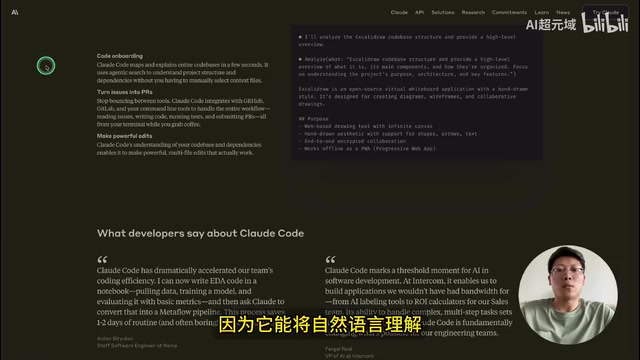
Claude Code is designed specifically for developers, capable of efficiently coordinating coding tasks, understanding codebases, and enabling automated development through natural language instructions. It has full Agent capabilities, autonomously analyzing, planning, and completing multi-step tasks such as code refactoring, test writing, bug fixing, and batch modifications.
What is Agent Mode? Agent mode (Agentic AI) refers to an AI system's ability to autonomously plan, make decisions, and execute multi-step tasks, as opposed to traditional single-turn Q&A interactions. Claude Code's Agent capabilities are reflected in its ability to read file systems, execute terminal commands, analyze code dependencies, and coordinate modifications across multiple files, forming a complete development loop. This is fundamentally different from early "code completion" tools — the latter merely respond passively to cursor position, while Agent-mode AI proactively understands task objectives and formulates execution paths.
The core advantage is: Claude Code runs directly in the terminal command line, meaning it can be used in any IDE that supports a terminal, including Cursor, VS Code, Windsurf, etc. Using Claude Code embedded within Cursor leverages both Claude Code's powerful code generation and analysis capabilities and Cursor's project management and multi-model switching features — the two complement each other for the optimal development experience.
Environment Setup and Project Configuration
Installing Claude Code
The prerequisite for using Claude Code is having Node.js installed on your system (v20 recommended). Installation steps:
- Download the appropriate Node.js installation package for your operating system and complete the installation
- Copy the official installation command and run it in the terminal to complete the Claude Code installation
- After installation, type
claudein the terminal to launch it
Integrating Claude Code in Cursor
Using Claude Code directly in the terminal command line isn't convenient enough — the recommended approach is to integrate it within Cursor. Specific steps:
- Download the Magentic-UI project locally and extract it
- Open the project in Cursor
- Open Cursor's terminal, type
claudeto launch Claude Code - After launching, select the default options — the Claude Code extension will automatically install into Cursor
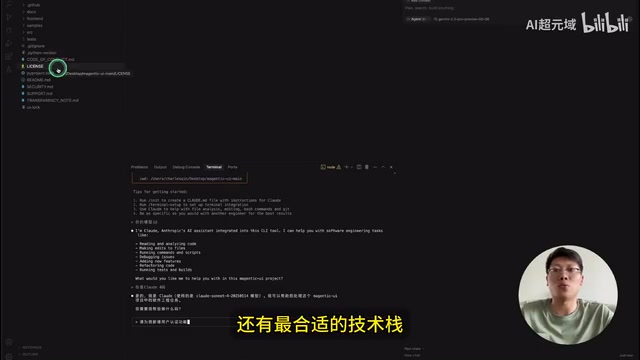
After launching, you can do a simple verification — type "Are you Claude 4?" to confirm the current model is Claude 4.
About the Magentic-UI Project Magentic-UI is Microsoft's open source human-AI collaborative agent framework, built on the AutoGen multi-agent orchestration system, focused on web automation tasks. It uses a typical full-stack architecture with a Python/FastAPI backend and React frontend, supporting multiple AI agents collaborating on complex browser operation tasks (such as auto-filling forms, information scraping, workflow testing, etc.). It's one of the representative open source projects in the current AI Agent domain. Its architectural completeness and complexity make it an ideal test scenario for evaluating AI-assisted secondary development capabilities.
Using Gemini to Analyze Project Architecture: A Critical Prerequisite for Secondary Development
Directly asking AI to add new features to an open source project often results in it choosing suboptimal frameworks and tech stacks. Therefore, having AI thoroughly analyze the open source project's technical details before starting secondary development is a crucial best practice.
Since analyzing an entire project requires a long context window, Gemini 2.5 Pro Preview is chosen here (its context length far exceeds other models). In Cursor's Ask mode, enter the prompt:
This is a human-AI collaborative agent system for web automation. I need to add a user authentication system to it. Please provide a unified analysis in the following format: 1) Key architecture analysis; 2) Tech stack compatibility analysis.
After the analysis is complete, follow up with:
If I want to add user authentication functionality to this project (including user registration, login, etc.), based on your analysis above, develop an appropriate solution for me.
Why Choose Gemini for Architecture Analysis? Different large language models have different strengths across dimensions like context window length, code generation quality, and reasoning depth. Gemini 2.5 Pro has a context window of up to 1 million tokens, enabling it to "read through" the entire source code of a mid-sized open source project at once, providing architecture assessments based on complete information. The Claude series, on the other hand, excels in code generation accuracy and instruction following. A multi-model collaboration strategy — using the model best at analysis for analysis, and the model best at coding for coding — is becoming the mainstream workflow for professional developers.
Gemini's core recommendation is: leverage FastAPI's built-in security mechanisms and related libraries to implement a JWT-based authentication system. This approach is perfectly compatible with the project's existing Python/FastAPI backend and doesn't require introducing additional frameworks.
FastAPI's Security Mechanisms FastAPI has a built-in complete security toolchain based on the OAuth2 standard, including dependency injection components like
OAuth2PasswordBearerandHTTPBearer. Combined with thepython-joselibrary for JWT signing and verification, and thepassliblibrary for bcrypt password hashing, developers can quickly build authentication systems that meet industry security standards without introducing heavyweight frameworks like Django REST Framework. This approach is "lightweight but not simplistic."
Related articles
 Tutorials
ChatGPT Plus Subscription Guide: Are GPT-5.5, image-2, and Codex Worth the Upgrade?
A detailed look at ChatGPT Plus features — GPT-5.5, image-2, and Codex — with a Plus vs Pro comparison and a complete step-by-step subscription guide for users outside the US.
 Tutorials
Harness AI Engineering in Practice: Using Claude Code to Master Enterprise-Level E-Commerce Development
Deep dive into Harness AI Engineering: master enterprise e-commerce development with Claude Code using the Rules, Skills, Wiki, and Changes framework.
 Tutorials
Cursor + Codex Dual-IDE Collaboration: A Practical Methodology for Open-Source Project Customization
A complete methodology for open-source project customization based on real-world experience, detailing the Cursor+Codex dual-IDE workflow, seven-stage process, MVP validation, and AI source code reading techniques.