Cursor in Practice: Complete Migration of UniApp Image Management Module from SQLite to MySQL

Using Cursor AI to migrate a UniApp image management module from SQLite to MySQL
This article documents the complete process of using Cursor AI to migrate a UniApp image management module from SQLite to MySQL. By reusing the category module's code structure and leveraging Cursor to refactor multiple files simultaneously, common issues like route naming errors, undefined methods, and empty list data were resolved. The experience shows that Cursor excels at contextual understanding, Tab completion, and batch modifications, but human review remains essential for details like field names and paths.
Introduction
During the migration of a UniApp project from SQLite to MySQL, the image management module was a critical component. This article documents the complete process of using Cursor AI to assist with migrating image management functionality, including interface definition, route configuration, frontend page refactoring, and hands-on debugging experience. Through this case study, you can see the capabilities and limitations of AI programming tools in real-world project migrations, along with common pitfalls and tips to avoid them.
Preparing Interfaces and Routes
Reusing the Category Module's Code Structure
After completing the category module migration, developing the image management module can follow the same pattern. Since image management requires entirely new interfaces, validators, controllers, and routes all need to be redefined.
In practice, the most efficient approach is to directly copy the category module's code as a base template, then make targeted modifications. One important note: the category module may contain fields that the image module doesn't need—for example, the "is recommended" feature. After checking the original data tables, I confirmed the image table doesn't have this field, so it needed to be removed from the controller and interface.
Route Configuration Pitfalls
Route definition is one of the most error-prone steps. In this project, I encountered a classic issue: missing the plural "s" in the route path. For example, writing photo instead of photos, which caused repeated "route not found" errors.
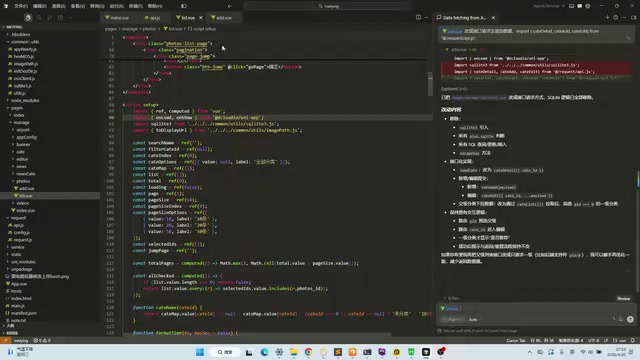
Cursor demonstrated solid auto-completion capabilities here—when you type, it automatically suggests the correct path, and you just need to press Tab to accept it. This detail reminds us: even with AI assistance, consistency in route naming conventions still requires human oversight.
Using Cursor to Refactor Multiple Files Simultaneously
Helping AI Understand Project Context
This time I tried a more efficient approach: having Cursor modify both the list page and the add page simultaneously. By describing the requirements to Cursor, it automatically identified what needed to be changed based on the existing interface definitions.
The results were quite impressive. Cursor was able to:
- Automatically detect that the category interface hadn't been integrated yet and proactively add category-related code
- Correctly handle the data structure for subcategories
- Replace SQLite's local query logic with MySQL remote API calls
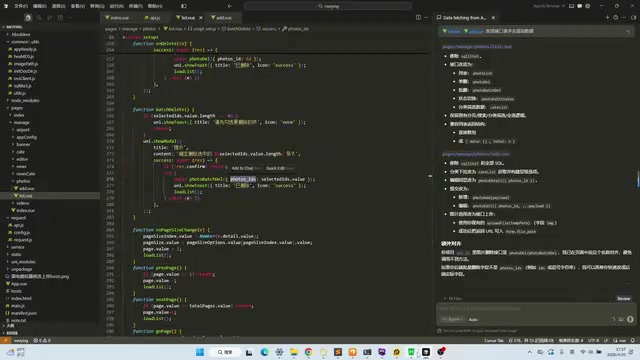
AI Code Changes vs. Manual Code Changes
Here's a key takeaway: if done manually, this kind of module migration is not only time-consuming but extremely error-prone. Every field name, interface path, and parameter format across each file needs to be individually verified. Cursor, leveraging its contextual understanding, can complete most of the modifications in one pass.
Of course, AI isn't perfect. In this project, Cursor's generated code still had some spots that weren't fully updated—for instance, certain variable names weren't changed from category module naming to image module naming. These all required manual inspection and correction.
Common Issues and Solutions During Debugging
Issue 1: Undefined Method Error
When adding images, I encountered an "undefined" error because some method names were still using category module naming. The fix was straightforward—Cursor's Tab completion quickly corrected these oversights.
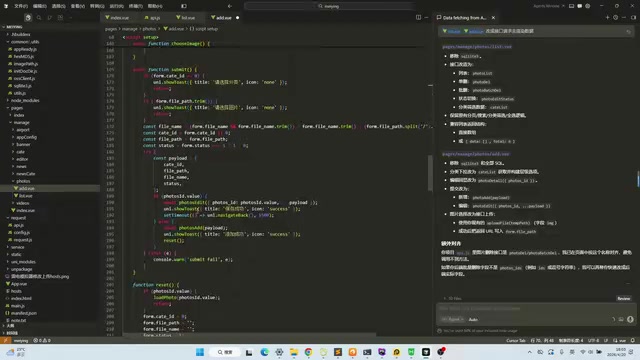
Issue 2: Empty List Data
After successfully adding items, the list displayed no data—a tricky problem. Here's how I troubleshot it:
- Verify the API itself works: Directly requested the API to confirm the backend returned correct data
- Check request parameters: Printed the frontend's request parameters and found pagination parameters weren't being passed correctly
- Check data parsing path: The frontend code's data access path (e.g.,
rows.rows.data) needed to match the backend's response format
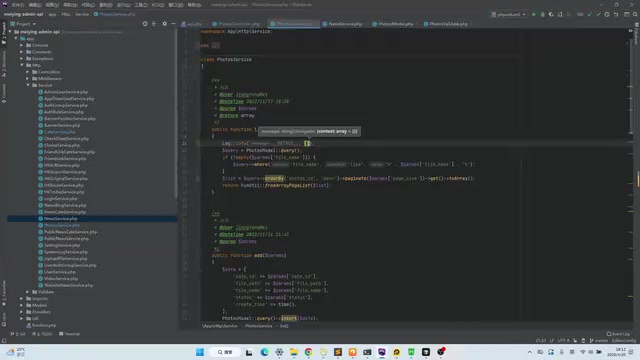
The root cause turned out to be missing pagination configuration. After adding the pagination parameters, data loaded normally.
Issue 3: Hot Reload Not Working
After modifying code, sometimes the app wouldn't automatically recompile, making it appear as though changes hadn't taken effect. In these cases:
- Confirm the file was saved (Ctrl+S)
- Manually trigger recompilation
- Check whether compilation succeeded and fix any errors first
This issue came up repeatedly during development. While not technically challenging, it definitely added to debugging time.
Feature Verification and Testing Checklist
After completing all modifications, I verified each image management feature one by one:
| Feature | Test Result |
|---|---|
| Image upload (with category selection) | ✅ Working |
| Image list display | ✅ Working |
| Search by category | ✅ Working (after parameter fix) |
| Image editing | ✅ Working |
| Single delete | ✅ Working |
| Batch delete | ✅ Working |
| Filename search | ✅ Working |
| Display status toggle | ✅ Working |
The category search initially didn't work because the frontend was passing a parameter field name (PID) that didn't match what the backend expected. After correction, the feature worked properly.
Summary and Lessons Learned
Cursor's Advantages in Database Migration
- Strong contextual understanding: Can automatically infer what needs to be modified based on existing interface definitions and code patterns
- Tab completion boosts efficiency: For missed variable names, paths, etc., a single Tab keystroke fixes them
- Batch modification capability: Can handle refactoring across multiple files simultaneously, significantly improving migration efficiency
Things to Watch Out for with AI Programming Tools
- Don't rely entirely on AI: Generated code still needs manual review, especially for details like field names and paths
- Confirm save and compilation: After modifications, always verify the file is saved and compilation is triggered—otherwise you might misdiagnose issues
- Isolate API debugging first: When frontend data is abnormal, prioritize testing the API directly to determine whether the issue is frontend or backend
- Keep naming conventions consistent: Details like singular/plural forms and capitalization in routes are easily overlooked and need extra attention
Migrating from SQLite to MySQL is essentially replacing local data operations with remote API calls. With AI programming tools like Cursor, this process transforms from "line-by-line modification" to "describe requirements + review results," noticeably improving development efficiency. For similar modular migration tasks, I recommend completing one module first as a template, then leveraging AI to quickly replicate and adapt for subsequent modules.
Related articles
 Tech Frontiers
A Rare Quiet Day in AI: Recursive Self-Improvement Stirs Beneath the Surface
A rare quiet day in AI sees multiple sources go silent simultaneously. Behind the calm, Recursive Self-Improvement (RSI) research continues. What this means for the industry.
 Tech Frontiers
Reve 2 vs. Ideogram 4: A Deep Dive into Layout Control in AI Image Generation
A deep comparison of Reve 2 and Ideogram 4's layout control capabilities, covering technical approaches, real-world use cases, and industry trends for designers and creators.
 Tech Frontiers
In the Weights: Check Your Influence Score in the AI World
In the Weights is an AI influence search engine that quantifies your presence in the AI world with a score. Explore how it evaluates practitioners and what it means for digital identity.