Cursor Projects Deep Dive: Can Cloud-Based Agents Actually Kill Claude Code?

Cursor Projects uses persistent cloud context and parallel agents to push AI coding toward autonomous software delivery.
Cursor Projects tackles the long-standing "context decay" problem in AI coding tools — where output quality degrades as conversations grow longer — with a cloud-agent architecture that persists project state across sessions. It clones your repo into a cloud VM, uses a high-capability reasoning model as an orchestrator, and dispatches parallel sub-agents to handle the full loop from building and testing to PR merges and production pushes. A 48-hour hands-on demo showed meaningful improvements in code quality and demonstrated 25 agents running in parallel. That said, claims of "killing Claude Code and Codex" are premature marketing framing — the real story is a clear trend toward autonomous software delivery that still needs longer-term validation.
What Problem Does Cursor Projects Actually Solve
The launch of Cursor Projects has sparked a wave of discussion in developer communities about a "paradigm shift in programming." Some early adopters went as far as calling it "the future of coding." But setting aside the marketing enthusiasm, what this feature actually targets is a pain point that every long-term AI coding tool user knows all too well — context decay.
Context decay refers to the gradual degradation in model output quality as a conversation grows longer. After enough back-and-forth, the model's responses start to drift, and you're eventually forced to open a brand-new chat and re-paste all the background context: your codebase structure, tech stack conventions, business logic, and so on. Most developers have lived through the tedium of maintaining setup documents stuffed with lines like "this is our codebase" or "this is how we handle payments."
The core promise of Projects is simple: eliminate context decay. According to the demo presenter, this means a single conversation can run for months — and the code quality three months in should be nearly indistinguishable from day one. If that holds up, it really would be a paradigm-level shift.
The root cause of context decay lies in the hard length limit of a large language model's context window. Every conversation essentially packs message history, code snippets, and instructions into a fixed-size window. As content accumulates near the limit, the model either truncates earlier information or loses focus on distant content through its attention mechanism — causing outputs to drift from the project's established conventions. For real software projects, this window often hits its limit after just one or two large refactoring discussions, forcing developers to manually compile "project spec documents" and re-paste them at the start of every new session. Projects attempts to sidestep this constraint by persisting project state to the cloud and decoupling it from individual conversation lifetimes, so context is no longer bound by a single session's length.
From Local to Cloud: How Projects Works
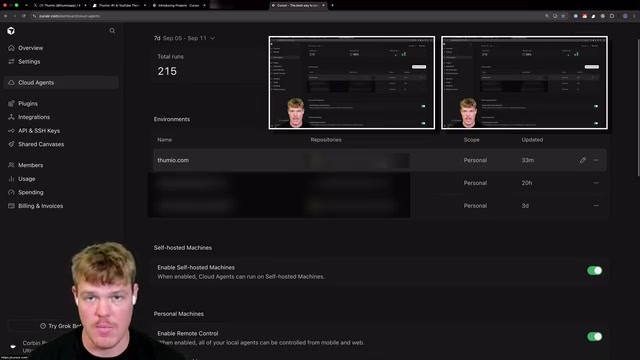
Projects is built on top of cloud-based agents. The workflow breaks down into a few steps: first, create a workspace and connect your local code repository to GitHub or your origin remote. Then configure the default agent model — the presenter emphasized strongly that you should always use a high-capability reasoning model here; using a weaker model (he jokingly referred to one as "Sonic 3.5") would be a disaster.
The critical step is creating and saving a cloud environment. Cursor clones your entire repository and spins it up inside a cloud virtual machine — essentially "a rented computer in the cloud." This remote machine understands your tech stack and can genuinely "take ownership" of the project. Once the environment is saved, you can configure the project and start working.
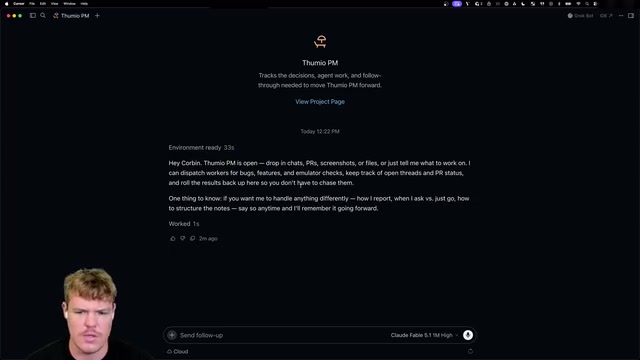
This architecture has an immediate practical benefit: parallelization and accessibility from anywhere. Since both the code and the agents run in the cloud, you can theoretically kick off development tasks from your phone or any device. The presenter described the primary conversation as an "orchestrator" that schedules all sub-agents — he even used a colorful analogy: it's like he "hired a CEO from 3BLC.com" while he himself "joined the board," responsible only for issuing directives.
The "orchestrator" pattern mentioned in the demo is one of the dominant design paradigms in modern multi-agent systems. The core idea is to have a primary agent handle task decomposition and scheduling, dispatching subtasks to specialized sub-agents and then aggregating their results. This resembles a master-slave architecture in software engineering, but with LLM agents as the execution units. The advantage of the orchestrator pattern is that it breaks through the concurrency bottleneck of a single model and lets different sub-agents focus on specific skill domains (e.g., testing, documentation, code review). The challenge lies in state synchronization between agents and error propagation — a misjudgment by one sub-agent can be treated as trustworthy input by the orchestrator, potentially causing cascading failures. Understanding this architecture is essential for evaluating the real reliability boundaries behind Projects' promise of "25 agents running in parallel."
Multi-Agent Parallelism and Real Software Delivery
The most compelling aspect of Projects is how it pushes AI from "writing code" to actually "delivering software." The presenter highlighted a few capabilities worth paying close attention to:
Computer use. This is what he considered the "higher-level feature nobody is talking about" — the AI can actually test an application's UI/UX and functionality inside the cloud VM, visually "see" the running app, record demos, and verify that "this thing actually works."
A complete development loop. When you submit a change request (for example, the presenter live-requested trimming the copy in a changelog and making the latest entry expand by default), the agent builds the changes, creates a PR, merges the PR, and then pushes directly to production — all through the chat interface, without ever leaving the conversation.

Massive parallelism. A new task manager tab in the sidebar displays all currently running agents. The presenter revealed he had around 25 agents running in parallel on a separate software project — "swarming it," in his words. You can click into any individual sub-agent to see exactly what it's doing.
"Computer use" refers to the ability to let an AI model directly control a graphical interface — capturing screen content, simulating mouse clicks and keyboard input — so it can operate any application like a human operator. Anthropic first publicly demonstrated this capability in Claude models in October 2024, and it has since become a hotly pursued direction in AI agent development. Its significance lies in breaking the dependency on APIs and tool-calling interfaces: for legacy systems or GUI applications with no open API, AI can still interact with them directly through visual perception. In the context of Cursor Projects, computer use allows agents to actually run the application inside the cloud VM and observe its rendered output, rather than just statically analyzing code — this is the critical leap from "writing code" to "verifying that the software works."
48 Hours In: Three Real Observations
Setting aside the more hyperbolic claims, the presenter offered three relatively measured real-world observations from his testing — worth using as actual benchmarks:
First, cloud chats can still access local repositories. Even though conversations essentially run in the cloud, they can still reach code repositories on local systems — Mac, Windows, etc. — which addresses the isolation problem that pure cloud-only solutions would create.
Second, the Cursor Client (CLI) is critical. Understanding how the client launches agents and retrieves information across different contexts is a prerequisite for getting the most out of this system.
Third, code output quality is noticeably better. Compared to the old pattern of "opening a new chat with zero context," the quality of code produced through Projects is meaningfully improved. That said, he honestly acknowledged: he'd only been using it for 48 hours, and his conclusions were based on a short-term trend.
Will It Actually "Kill" Claude Code and Codex?
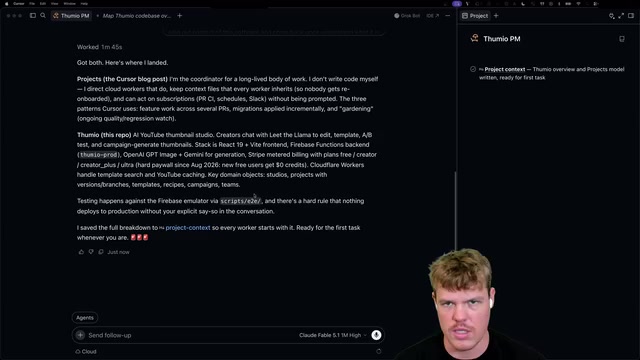
Back to the question in the headline. Based on the demo, Projects' differentiated strengths lie in bundling "persistent context + cloud multi-agent orchestration + end-to-end delivery loop" into a single product — the presenter believes this is a "massive unlock" that "no other app builder currently has."
But some skepticism is warranted. The review carries an obvious personal perspective and a degree of promotional framing. The presenter himself admitted he had been "very hesitant" to move to the cloud and had reasons to prefer local deployment (he promised to cover those in a separate video). And phrases like "kills Claude Code and Codex" are attention-grabbing framing devices, not conclusions backed by long-term validation.
One interesting side note: the presenter is using a similar multi-agent system to automate his own video editing workflow — connecting to DaVinci Resolve via MCP to let AI handle content production across platforms (YouTube, X, Instagram, TikTok). This indirectly demonstrates that the combination of cloud agents and tool-calling is already expanding well beyond coding into broader creative workflows.
For developers, the more grounded takeaway is this: Projects represents a clear trend in AI coding toward autonomous software delivery rather than just assisted code writing, and the approach to solving context decay is particularly worth watching. But until it's been tested on more complex projects over a longer timeframe, any verdict about "killing" its competitors is premature. Forty-eight hours of enthusiasm still needs time to solidify into reliable engineering practice.
MCP (Model Context Protocol) is an open protocol proposed by Anthropic in late 2024, designed to standardize how AI models communicate with external tools and data sources. Similar to how USB-C unified hardware interfaces, MCP allows developers to skip writing custom integration code for each individual tool — models can call databases, browsers, local applications, and even professional software (like DaVinci Resolve mentioned in the demo) through a single unified interface. The emergence of this protocol has accelerated the expansion of the "tool-calling" ecosystem, extending the capability boundaries of cloud agents far beyond code manipulation into video editing, document processing, data analysis, and any other programmatically controllable workflow — which is exactly the technical foundation behind the presenter's AI-automated video production pipeline.
Related articles

Stop Over-Engineering Prompts: An Engineer's Guide to Agent Thinking
A tech blogger rejects the over-engineering narrative of Prompt Engineering: engineers' problem isn't imprecise prompts but turning one-sentence questions into complex features. With T3 Code case studies, this article explains how Agent thinking replaces reinventing the wheel and how to build MCP and other infrastructure for Agents.

Exponential Backoff with Jitter Still Fails 64%: 100 LLM Calls Tested and Root Cause Analysis
Tested 100 concurrent LLM calls: exponential backoff with ±10% jitter still fails 64%; full jitter improves tail but increases requests; honoring Retry-After and client-side rate limiting reduce times to 11.8s and 8.0s. The article also exposes three llm-retry bugs and offers eight practical retry and circuit breaker recommendations.

Google Open-Sources Harness2: Letting AI Agents Self-Evolve
Google Research open-sources Harness2, a framework that lets AI Agents automatically improve system prompts, tools, and memory configurations through a propose, trial-run, and select loop—no labeled data or scoring model required, validated on Gemini and GLM.