Debugging E-Paper Drivers: Common Issues Caused by Retained State and How to Fix Them
How e-paper's retained state trips up driver developers, and practical fixes for common debugging pitfalls.
E-paper's bistable nature means screen content persists after power-off, causing ghosting, false init failures, and confusing partial refresh results during driver development. This article explains the root causes tied to waveform LUT mechanisms and provides practical solutions including mandatory full-screen clearing on init, dedicated clear functions, proper refresh mode management, and debug interfaces via sysfs/ioctl.
Debugging E-Paper Drivers: Common Issues Caused by Retained State and How to Fix Them
E-Paper (Electronic Paper) displays are widely used in electronic shelf labels, e-readers, and similar applications thanks to their low power consumption and paper-like reading experience. However, the unique retained state characteristic of e-paper often trips up driver developers during debugging — leading them to suspect hardware faults or code defects when the real issue is an incomplete understanding of how the hardware behaves.
What Is E-Paper's Retained State Characteristic?
The most fundamental difference between e-paper and traditional LCD or OLED displays is its bistable nature. Once an image is displayed on the screen, it remains visible even after the power is completely removed.
This characteristic stems from the physical working principle of e-paper: an electric field controls the position of black and white charged particles within microcapsules. Once the particles are positioned, no continuous power supply is needed to maintain the display state. Specifically, e-paper uses Electrophoretic Display (EPD) technology, first commercialized by E Ink Corporation in the late 1990s. The basic structure consists of millions of microcapsules, each approximately 40-60 micrometers in diameter, sandwiched between two transparent electrode layers. Each microcapsule contains positively charged white titanium dioxide particles and negatively charged black carbon particles suspended in a clear fluid. When different voltage polarities are applied to the upper and lower electrodes, particles of the corresponding color are attracted toward or away from the viewing surface, forming a black-and-white image. Because the particles' positions within the microcapsules are constrained by viscous forces and van der Waals forces, they do not move on their own once the electric field is removed — this is the physical basis of the bistable characteristic. In recent years, E Ink has also introduced tri-color (black/white/red or yellow) and full-color (Kaleido, Gallery) product lines that operate on similar principles but use additional types of charged pigment particles, making refresh control significantly more complex.
This makes e-paper an ideal ultra-low-power display solution, but it also introduces a pitfall that driver developers cannot afford to overlook — when you modify your driver code and reload it, the screen may still be showing content from the previous run, making the new code's output completely inconsistent with expectations.
The Debugging Dilemma: The Screen Looks Broken
In traditional display development workflows, every driver initialization resets the screen to a clean state (black screen or default state), making the effects of code changes immediately obvious. E-paper's retained state characteristic directly breaks this assumption.
Here are the most commonly encountered categories of issues during development:
Ghosting and Image Overlay
Newly written content overlaps with old content, creating a chaotic mess on the display. Developers often blame this on refresh algorithm errors or display memory management issues, but the actual cause is simply that the screen retained the image written during the previous run, and the new content didn't fully overwrite it.
To understand this, you need to know about the Waveform Look-Up Table (LUT) mechanism inside e-paper driver ICs. An e-paper refresh is not a simple one-shot voltage application — it requires applying a precise sequence of voltage pulses according to specific timing. The waveform table defines the transition path from any old grayscale level to any new grayscale level, with each frame lasting approximately 20-30 milliseconds, and a complete full refresh potentially comprising dozens of frames. The driver IC internally maintains two RAM banks (old image RAM and new image RAM), and the waveform engine selects the appropriate driving waveform based on the grayscale difference of each pixel between the two RAM banks. When the driver is reloaded, the data in the old image RAM may no longer reflect the actual content on the screen, causing the waveform engine to select incorrect transition paths — ultimately manifesting as ghosting and image overlay.
Initialization Verification Failures
After driver initialization completes, you expect a specific test pattern on the screen, but instead you see leftover content from the previous run. This easily leads to a false diagnosis that the initialization sequence has a bug, sending you down a rabbit hole of line-by-line inspection and wasting valuable time.
Inexplicable Partial Refresh Results
When developing partial refresh functionality, the retention of old content makes test results bewildering. You might spend hours checking the coordinate calculation logic for the refresh region while overlooking the most fundamental cause — the starting state on the screen isn't what you think it is.
Proper E-Paper Driver Development Practices
Once you understand the retained state characteristic, adjusting your debugging strategy is straightforward. The key is to establish a few clear conventions in your development workflow.
Force a Full-Screen Clear on Initialization
During driver initialization, always perform a full-screen white or black refresh to ensure any residual content on the screen is completely cleared. This step should be a standard part of the driver's initialization sequence, not an optional operation. Skipping it is equivalent to starting to draw without knowing the initial state — every subsequent display result becomes unreliable.
The black-and-white flickering during a full refresh may not be ideal from a user experience perspective, but it is essentially the waveform engine driving all particles to one extreme state before repositioning them — the only reliable way to eliminate unknown historical states. Additionally, waveform tables are typically calibrated by the e-paper panel manufacturer for specific panel models and operating temperature ranges, stored in the driver IC's OTP (One-Time Programmable memory) or external Flash. Temperature significantly affects the motion characteristics of electrophoretic particles, which is why many e-paper modules include built-in temperature sensors. The driver must select the appropriate waveform table based on the current temperature to ensure proper clearing and subsequent refresh quality.
Implement a Dedicated Clear-Screen Function
Write a dedicated clear-screen function that uses the e-paper controller's fast clear mode or full-screen monochrome refresh. Some e-paper driver ICs (such as SSD1680, IL3829, etc.) have built-in dedicated clear commands that execute significantly faster than standard refresh sequences — these are worth prioritizing during development.
Taking the SSD1680 as an example, it is manufactured by Solomon Systech and supports black-and-white/tri-color e-paper panels up to 200×200 resolution. It integrates display RAM, a boost circuit, and a waveform engine internally, and receives host commands via SPI interface. The IL3829 (also known as SSD1675) supports higher resolutions. The typical workflow for these driver ICs is: the host writes image data to the IC's internal RAM via SPI → sends a refresh trigger command → the IC automatically drives the panel frame-by-frame according to the waveform table → notifies the host via the BUSY pin when the refresh is complete. Understanding this workflow helps you correctly implement the clear-screen function — during clearing, you need to fill both the old image RAM and the new image RAM with the same monochrome value, ensuring the waveform engine recognizes a "no change" state so that subsequent refreshes start from the correct baseline.
Manage Refresh Modes Properly
E-paper typically supports multiple refresh modes, each suited to different scenarios:
- Full Refresh: Goes through a black-and-white flickering process, thoroughly eliminates ghosting, suitable for initialization and major content changes
- Fast Refresh: Faster refresh speed but may leave slight ghosting artifacts
- Partial Refresh: Updates only specified regions, offers the fastest response but accumulates ghosting most noticeably
The differences between these three modes fundamentally come down to different waveform tables: the full refresh waveform drives all pixels to black first, then to white (this is the visible flickering), ensuring particles are fully repositioned to eliminate ghosting. Partial and fast refresh waveforms skip these intermediate steps, trading display quality for speed. In production products, a common strategy is to automatically insert a full refresh after a certain number of partial refreshes to prevent ghosting from accumulating to the point of affecting readability.
During the debugging phase, it is recommended to use full refresh mode first to verify display logic correctness, then switch to fast or partial refresh for optimization once everything is confirmed working.
Add Debug Helper Interfaces
During development, you can expose a manual clear-screen interface via sysfs or ioctl, making it easy to quickly reset the display state during testing without having to restart the device or reload the driver. A single command can return the screen to a known state, dramatically improving debugging efficiency.
In Linux kernel driver development, sysfs is a mechanism for exposing device attributes through a virtual filesystem located under the /sys directory, allowing user-space programs to interact with drivers through simple file read/write operations. For example, a developer could create a node like /sys/class/epd/clear and write a trigger value to it to execute a clear-screen operation. ioctl (input/output control) is another mechanism for user-space to kernel-driver communication, passing custom command codes and parameters through the ioctl system call on a device file. It is suitable for scenarios that require passing complex data structures, such as specifying coordinates and dimensions for a partial refresh. In real-world projects, these debug interfaces are typically controlled by conditional compilation macros (such as CONFIG_EPD_DEBUG) to ensure they are only enabled in development builds, avoiding unnecessary attack surfaces in production firmware.
Broader Lessons for Embedded Development from E-Paper Drivers
The pitfall encountered in e-paper driver development fundamentally reflects a universal problem in embedded development: the actual behavior of the hardware doesn't match the developer's mental model.
Years of experience with LCDs and OLEDs have conditioned us to assume "power off means clear," but e-paper's persistent display characteristic directly violates this assumption. This serves as a reminder that hardware driver development demands a deep understanding of the target hardware's working principles and special behaviors — you cannot simply apply assumptions from other similar devices. Carefully reading datasheets, studying manufacturer-provided application notes, and systematically testing hardware characteristics may seem like basic steps, but they are indispensable.
Taking this further, for devices with retained state characteristics like e-paper, developers need to adopt a "stateful hardware" mindset: the driver must actively manage and reset hardware state rather than assuming every initialization starts from a clean slate. This mindset applies equally to EEPROM, FRAM (Ferroelectric RAM), and other hardware components with persistent state. EEPROM (Electrically Erasable Programmable Read-Only Memory) stores data via charge in floating-gate transistors, retaining data for decades after power-off, but typically with a write endurance limit of around 1 million cycles. FRAM (Ferroelectric Random Access Memory) uses the polarization direction of ferroelectric materials to record data, combining RAM-level read/write speeds with non-volatility and a write endurance exceeding one trillion cycles. In the broader embedded landscape, hardware with retained state characteristics also includes MRAM (Magnetoresistive Random Access Memory), RTC chips with backup registers, and more. When developing drivers for any of these components, the principle of "read or reset state first, then execute operations" should be followed to avoid unpredictable behavior caused by unknown historical states.
Key Takeaways
- E-paper's bistable nature means screen content persists after power-off — driver development must actively manage display state
- When encountering ghosting overlay or initialization verification failures during debugging, first check whether retained state is the cause rather than assuming code defects
- The driver initialization sequence must include a full-screen clear step to establish a known display starting state
- Understanding the Waveform LUT mechanism is fundamental to correctly implementing different refresh modes
- During debugging, prioritize full refresh mode and expose debug interfaces via sysfs/ioctl to improve efficiency
- Adopt a "stateful hardware" mindset — this principle applies to all hardware components with non-volatile characteristics
Related articles
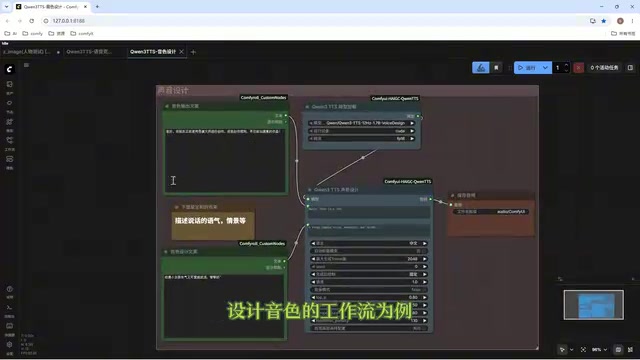
Director Master Tutorial: Full Workflow for AI Character Voice Design and Binding
Based on a Bilibili tutorial, this guide details how to design and bind AI character voices in Director Master: uploading voices, generating them via ComfyUI workflows, producing voice profiles alongside character design, and automatically inheriting voices in storyboard prompts.
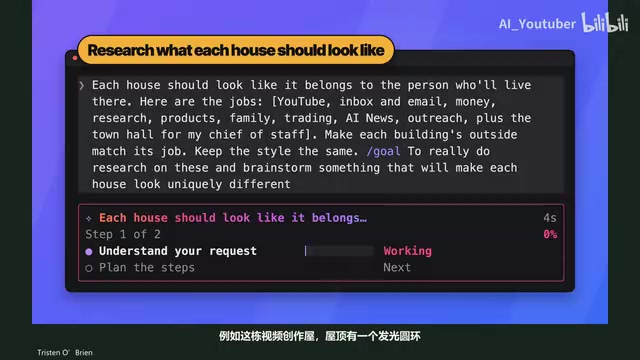
3.5 Hours and $47: Building an AI Agent Village Step by Step
A Bilibili creator built an AI Agent village in 3.5 hours for about $47: Claude Code handles logic and behavior, Higgs Field generates art. Seven steps cover maps and buildings, chief of staff and director roles, walkable areas and behavior rules, connecting to real tools like email and calendars, proving ground meetings, and retaining final human approval—including a cost ledger and prompt design thinking.
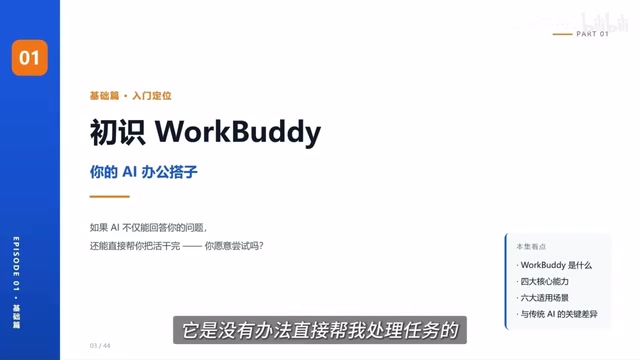
WorkBuddy Complete Beginner's Guide: Master Your AI Digital Employee in 7 Days
A detailed breakdown of the WorkBuddy beginner's guide: how this domestic Codex alternative works, its four advantages over traditional AI, and a learning path for newcomers.