DeepSeek Full-Stack API Integrates with Obsidian: Open-Source Plugin Hands-On Test!

DeepSeek full-stack API enables an Obsidian plugin with voice, note retrieval, web search, and multi-file parsing—open-source and pay-as-you-go.
This article introduces "DeepSeek chat," an open-source Obsidian plugin built on DeepSeek's full-stack API. The plugin integrates voice input/output, chat-based retrieval of local notes, web search, multi-file parsing, and combined deep thinking with search into Obsidian. Users can install it via the third-party plugin marketplace without coding. The plugin is free and open-source, with costs deducted from the user's account per DeepSeek's official API pricing, and each answer shows token consumption or cost. The article also covers the three-step installation and analyzes the API's significance for developers: native interfaces for voice, search, and file parsing eliminate multi-vendor integration, lowering the barrier to AI integration.
Introduction: Why Is This Plugin Worth Paying Attention To?
Recently, a Bilibili creator released a video demonstrating how to use DeepSeekAd's newly released "full-stack" application API to implement a feature-rich AI plugin in the Obsidian note-taking software. According to the video, the official description claims this API can "replicate a DeepSeek app 1:1," and the creator has already developed an Obsidian plugin based on it and open-sourced it, so users can install and try it directly.
The core value of this plugin lies in the fact that it integrates voice interaction, note retrieval, web search, and multi-file parsing capabilities into a unified API, greatly lowering the barrier to entry for developers and ordinary users alike. Below, I'll break down the plugin's actual features, billing method, and installation steps based on the video content, and analyze the technical significance behind it.
Core Feature Analysis: From Voice to Multi-File Processing
1. Voice Input and Output: Say Goodbye to Complex Configuration
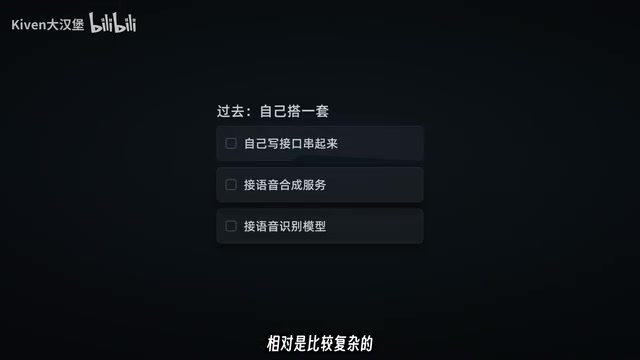
The plugin supports voice input and output. Click the microphone icon and speak—the content is directly converted to text; responses can also be played back as voice, with support for configuring male and female voices. In the video, the creator demonstrated the real-time transcription of the sentence "Help me test the voice feature." In the past, implementing such functionality required integrating multiple third-party services, but now it can be done simply by calling DeepSeek's API.
Voice input and output technically involve two components: speech recognition (ASR) and speech synthesis (TTS). In traditional solutions, developers need to separately integrate speech recognition services (such as iFlytek, Whisper) and speech synthesis services (such as Azure TTS, Edge TTS), and handle audio format conversion, streaming transmission, error retry, and other details. DeepSeek's full-stack API encapsulates these two capabilities into a unified interface, so developers only need to call a single endpoint to complete the conversion from speech to text and from text to speech, eliminating the complexity of multi-vendor integration.
2. Chatting with Your Notes: Bringing Your Knowledge Base to Life
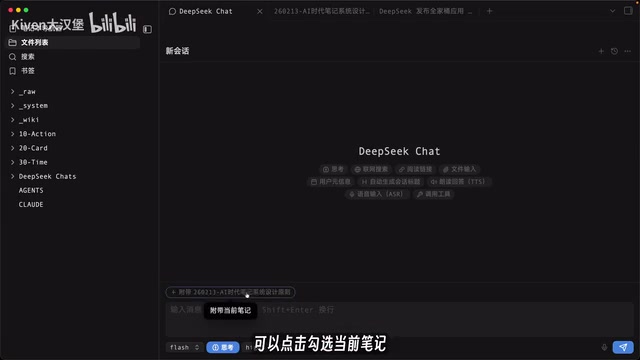
This is one of the plugin's most practical features. After activating the note vault in the sidebar, you can directly ask the AI questions, such as "Help me find notes related to note-building content." The AI autonomously formulates keywords, searches for relevant notes, opens and reads the content, and finally provides an answer. The entire process shows which notes were searched and what content was viewed—all materials come from the user's own note vault. Viewed notes support clicking to open the corresponding link, and you can also check the current note for targeted questions.
Note retrieval functionality typically relies on Retrieval-Augmented Generation (RAG) technology behind the scenes. The basic RAG process is: split user notes into fragments and store them as vectors; when a user asks a question, the system first retrieves the most relevant note fragments, then passes these fragments as context to the large model to generate an answer. The built-in retrieval capability of the DeepSeek API may simplify the setup of vector databases and retrieval logic, enabling plugin developers to have the AI answer questions based on local note content without implementing embedding models and similarity search themselves.
3. Web Search and Link Reading: One API Does It All
After enabling the web search feature, asking "What did DeepSeek release today?" will prompt the AI to automatically search and return results, with small footnote links to the original sources in the answer. In the past, developers needed to configure search APIs themselves, but now DeepSeek's API has this capability built in.
At the API level, web search functionality typically works as follows: the model generates search keywords based on the user's question, calls a search engine to obtain results, then summarizes and cites the results. DeepSeek API encapsulates this process as a native capability, meaning developers don't need to separately apply for search APIs (such as Google Custom Search, Bing Search) or handle result parsing and citation markup. The footnote links in answers are markers of cited sources, making it easy for users to trace information origins and improving answer credibility.
4. Multi-File Input: Images and PPTs Can Be Parsed
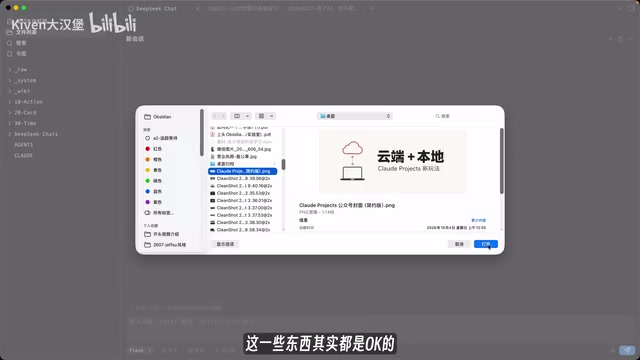
The plugin supports dragging in images, PPTs, and other files, and the AI will parse the file content and answer accordingly. Simply upload relevant information through the dialog box to process it, further expanding the application scenarios of note-taking software.
5. Deep Thinking + Search: Mixed Data Sources
Users can simultaneously enable deep thinking, web search, and note vault retrieval, allowing the AI to combine local notes and web data to provide more comprehensive answers.
Billing and Costs: Transparent and Controllable
The plugin itself is completely free and open-source; usage fees are deducted from the user's account according to DeepSeek's official API pricing. Each answer displays the number of tokens consumed or the equivalent cost below it, and this display toggle can be turned off. In the video, the creator showed a pricing table and considered it "relatively cost-effective." For ordinary users, this pay-as-you-go approach is more flexible than a subscription model, especially suitable for low-frequency or moderate usage scenarios.
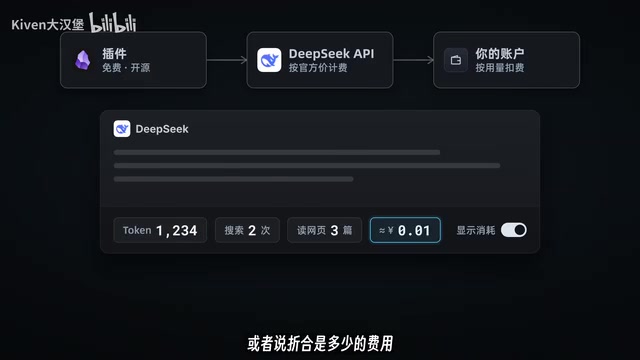
A token is the basic unit for language models processing text; one token roughly corresponds to 0.5-1 Chinese character or 0.75 English words. The API charges based on the number of input and output tokens, with different unit prices for different model versions. DeepSeek's billing method is pay-as-you-go: users top up first and then get charged, with no monthly fee threshold. For low-frequency users, pay-as-you-go is usually more cost-effective than subscriptions; but for high-frequency heavy users, subscriptions may be more economical. The plugin displaying token consumption helps users perceive the cost of each Q&A session.
Installation and Usage: Three Steps to Get Started
- Open Obsidian settings, go to the third-party plugin marketplace, search for the "DeepSeek chat" plugin, and install it.
- Log in to the DeepSeek open platform and create an API key.
- Enter the API key into the plugin and click connection test to start using it.
The entire process requires no coding, making it very user-friendly for ordinary users.
Technical Significance and Use Cases
From a developer's perspective, DeepSeek's API encapsulates voice, search, file parsing, and other capabilities into native interfaces, eliminating the hassle of integrating multiple service providers. The creator also mentioned: "If you want to develop your own tools, DeepSeek's API is a very good choice because it simplifies many steps."
For Obsidian users, this plugin deeply integrates AI capabilities into the note-taking workflow—whether it's retrieving old notes, summarizing content, or quickly recording via voice, everything becomes more natural. For developers, it provides a low-cost reference implementation that can be extended with more features.
Conclusion
The combination of DeepSeek's full-stack API and Obsidian demonstrates a path toward "democratizing" AI capabilities: reducing integration complexity through a unified API, allowing ordinary users to enjoy intelligent assistance in familiar tools. The open-source plugin format further lowers the barrier to trying it out, making it worth the attention of note-taking enthusiasts and developers alike.
(This article is based on content from a Bilibili creator's video; feature details are subject to the actual plugin.)
Related articles

Why Microsoft CEO Nadella Still Backs Nvidia After Jensen Huang's Departure
Microsoft CEO Nadella publicly expresses confidence in Nvidia interim CEO Colette Kress. This article analyzes Nvidia's power transition after Jensen Huang's departure, Microsoft's compute dependency, and the trust logic of the AI supply chain.

Nadella: Critical Infrastructure Is 'Unpatchable' as AI Cybersecurity Arms Race Escalates
Microsoft CEO Nadella addresses AI cyberattack fears, saying much critical infrastructure is unpatchable, downplaying the Outlook outage, and analyzing AI's dual role in cybersecurity.

Musk Backs Jensen Huang: Firing Him Is Like Cutting Jordan
Musk says Jensen Huang is loyal to the U.S. and likens firing him to cutting Michael Jordan—highlighting politicization anxieties in the AI chip industry and defending talent value.