DeepSeek Harness Hands-On: 8-Step Installation Guide & 3 Pitfalls to Avoid

8-step install guide and 3 key pitfalls for DeepSeek's open-source Harness AI workbench.
DeepSeek's open-source Harness is an "everything is a plugin" AI orchestration layer — a workbench shell around models handling UI, tool calls, and session archives. This guide covers the full 8-step installation and highlights three common pitfalls: Node must be 22.14+ (go straight to 24) due to its zstd dependency; the 0.1 API is still changing so don't attach production workflows; and third-party plugins need source code review before trusting. The zstd-compressed JSONL session archive and the fact that the project itself was written by an official AI programming Agent are additional highlights worth noting.
DeepSeek's open-source Harness hit 30,000 GitHub stars on launch day — a testament to the buzz around it. But this project isn't another large language model. It's a workbench wrapped around models — the layer where your actual interactions happen: the UI, session archives, and tool calls. Its entire philosophy is summed up in one line: Everything is a plug-in. Once you truly internalize that, the installation and usage logic all clicks into place.
This article is based on hands-on notes from Bilibili creator "1024 Engineering Notes," who ran through the full official setup from scratch — eight steps, three pitfalls, finished in an afternoon. Here's a breakdown of the key milestones and what to watch out for.
What Harness Actually Is: An Engineering Sample Written by AI
Before diving in, take half a minute to understand what this thing is. Harness is not a model — it's a shell around models. You plug in any API key, and it handles plugin orchestration, file I/O, and session replay.
The project also has an interesting backstory: it was written by an official programming Agent. Open the repo root and you'll see — there's an AGENTS.md, a CLAUDE.md, and two Agent config directories sitting right there, clearly intended for AI consumption. Each module comes with a complete README, and the documentation density is remarkably high. A vendor using AI to write the whole codebase and then open-sourcing it for humans to read is a rare specimen — worth studying in its own right.
The clearest expression of the "everything is a plugin" philosophy: even something as fundamental as file read/write is not built into the core. It's all mounted externally as plugins. The 133 official plugins and 1,400+ community plugins all go through the same assembly pipeline — no special privileges. Disable any one of them, and the rest keep running.
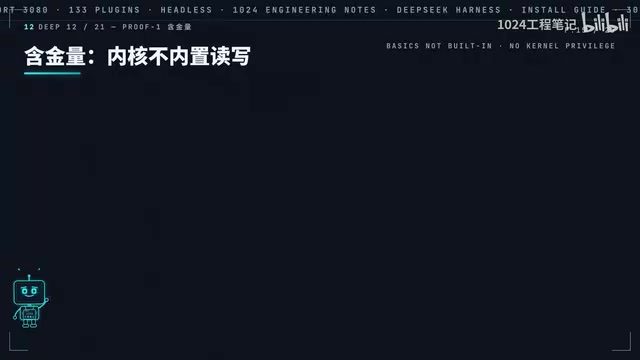
This kind of "pluggable workbench" architecture has a more general name in the AI tooling world: an AI Agent framework or Orchestration Layer. Its core job is to bridge the text-generation capability of large language models with real-world operations — reading files, calling APIs, executing code. Early projects like LangChain and AutoGPT did the same thing, just with different granularity and abstraction styles. Harness differentiates itself by pushing "minimize the core" to the extreme — even file read/write, which is normally a built-in primitive, is broken out into a plugin. This means the core carries almost no business logic, and every behavior is replaceable or removable. The tradeoff is slightly higher initial configuration complexity; the payoff is exceptional auditability: at any moment, you know exactly what capabilities the model has been authorized to use — no implicit permissions.
Before You Install: Three Pitfalls to Avoid
Pitfall #1: Don't Use Node Below 22.14 — Just Go Straight to 24
This is the most likely place to get tripped up, and the error messages won't tell you why. The zstd decompression API that Harness depends on was only added to Node's standard library in version 22.14. On older versions, the function simply doesn't exist — patching won't help. The recommendation is blunt: just install Node 24 and save yourself half a day debugging version issues.
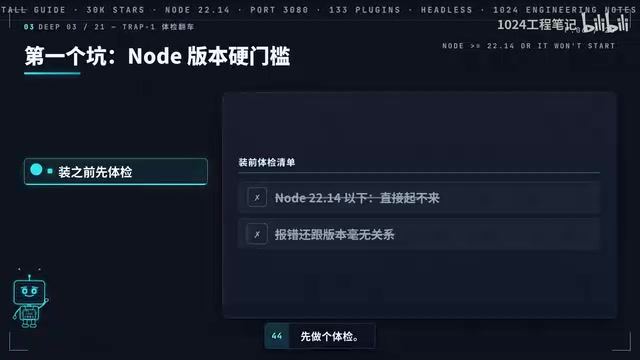
zstd (Zstandard) is a lossless compression algorithm open-sourced by Facebook, known for "compression ratios comparable to zlib at speeds far exceeding zlib." It's now used by the Linux kernel, Chrome, Meta's internal data pipelines, and many other major projects. Node.js only added zstd decompression to its standard library (node:zlib module) in version 22.14 — prior to that, you'd need a C++ native addon or a third-party pure-JS package, which often caused cross-platform build headaches. Harness uses zstd to compress session event streams (the session archives mentioned in Step 8), which is the root cause of its hard dependency on this Node version. If upgrading Node concerns you due to other projects, use nvm (Node Version Manager) to manage multiple versions in parallel on the same machine without interference.
Pitfall #2: Interfaces Will Change in 0.1 — Don't Commit Production Workflows
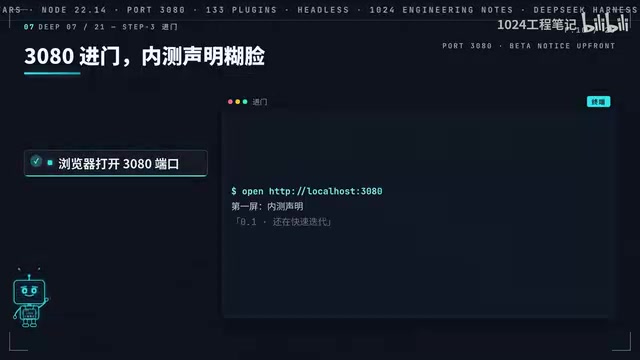
This is a developer preview. Config options and plugin interfaces in the 0.1 phase are subject to change. Do not hook up your production workflows to this yet — try it on something low-stakes first. Worth noting: the "still in rapid iteration" disclaimer is placed on the very first screen when you open the app, not buried in the docs.
Pitfall #3: Review Third-Party Plugin Source Code Before Installing
The plugin marketplace has a low barrier to entry, so quality control is on you. High star counts don't mean clean code. Before installing any third-party plugin, skim the source code and make your own trust call.
The 8-Step Installation Walkthrough
Step 1: Find the repo. Open the DeepSeekAd Harness repository on GitHub. The description is a single line: Everything is a plugin. The 30k stars are a fun stat — that one line is the real signal.
Step 2: Install with one command. Run npx <package-name> web. On first run, it automatically pulls the package and starts a Node background service — no manual dependency installation. When you see the service URL, you're done. That's the only command.
Step 3: Open in browser. Navigate to port 3080. The first screen shows the 0.1 early access disclaimer. Click through to the main interface.
Step 4: Select a workspace. There's a subtle design choice here that trips people up — the Send button is disabled until you've selected a workspace. This isn't arbitrary. It forces you to define the read/write boundary first, so the model knows where to read from and write to.
Step 5: Configure your model. In Settings under the models section, paste in your API key. Keys can be obtained from platform.deepseek.com. It also supports any OpenAI-compatible custom endpoint — you can swap models without switching tools. Two absolute rules: never screenshot your key, never commit it to git. If it leaks, it's your balance on the line.
Step 6: Browse the plugin list. This screen is worth spending some time on — all 133 plugins are mounted here: drawing, queries, exports. "Everything is a plugin" stops being an abstract slogan at this point.
Step 7: Run a real task as a validation check. Use headless mode to list a directory and summarize a README in a single command — it runs and exits without needing a UI. This is how you'll eventually handle repetitive tasks: write a script and hand it off. The author's rule of thumb: if you've done something three times manually, it's time to automate it.
Step 8: Review the session archive. Every session is automatically saved as a file — a zstd-compressed JSONL event stream. Your inputs, the model's responses, every tool call — all events, all plain text, fully greppable and replayable. When something goes wrong, you don't have to guess. You open the log and trace it step by step. This might not feel important right now, but after a month of use, you'll get it.
Post-Install Health Check: All Three Green Before You Call It Done
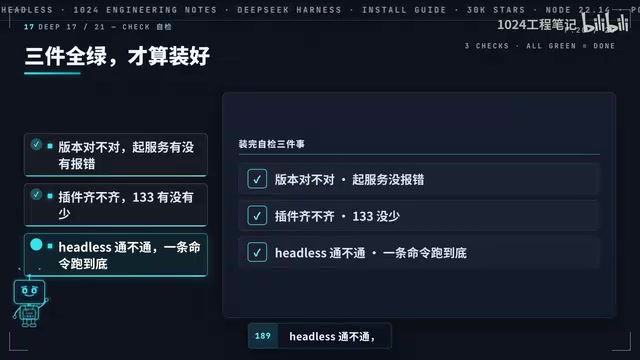
Don't close everything just yet — spend a minute on a quick health check:
- Correct version: Did the service start without errors?
- All plugins loaded: Are all 133 present?
- Headless works: Does a single command run to completion?
All three green — then you're actually done.
One more thing to clarify on versions: what npx installs is the web version, with zero install dependencies — just start a few services and you're up. The desktop and CLI versions are separate tracks with different setup steps, but they share credentials — set up one, and you don't need to reconfigure the others.
Summary
The full chain looks like this: check Node version → one command to install → port 3080 to enter → select workspace → paste API key → count plugins → run a headless task → session stream is replayable. Eight steps, one afternoon.
What's worth paying attention to with Harness isn't the 30k stars. It's the architectural idea of externalizing even foundational capabilities as plugins — the minimalist core — and the fully replayable session archive design. Whether to switch over can be a slow decision. But now that you've done the hands-on work, you'll be able to make that call with a lot more clarity.
Background Notes
JSONL (JSON Lines) is a text format where each line stores a single independent JSON object. Unlike standard JSON, it's naturally suited to streaming writes — appending a new event record only requires writing a line at the end of the file, with no need to maintain the structural integrity of the whole document, and no risk of file corruption if the process crashes mid-write. Combined with zstd compression, file sizes shrink dramatically while retaining the ability to stream-decompress and read line by line. This means even for large session logs, you can run something like zstd -d session.jsonl.zst --stdout | grep "tool_call" to quickly filter for specific events without loading the entire file into memory. This pattern of "writing an immutable event stream and querying it arbitrarily after the fact" is essentially identical to the Event Sourcing pattern used in backend distributed systems.
Related articles

Why Does the Tesla Roadster Need to Fly? A Deep Dive into Musk's Wild Demo
Tesla's Roadster launch showed wall-climbing, upside-down driving, and flying stunts—but The Vergecast notes the demo car may lack a battery, the Rocket version is invite-only and not street-legal, and the website terms don't guarantee delivery. After nine years of delays, why does this car still need to exist?

AI Is Not a Replacement: Human-AI Collaboration Through the Lens of Factory Root Cause Analysis
Starting from factory root cause analysis, this article explains how AI accelerates evidence chain construction rather than replacing human experts, exploring the pragmatic implementation logic and business value of 'AI supporting people rather than replacing them.'

AI Agent Decision Auditing: Building an Evidence Chain in Regulated Workflows
Starting from a Reddit discussion, this article analyzes three core issues in AI agent decision auditing within regulated workflows: what fields audit records should contain, how to handle feedback latency for erroneous decisions, and how to continuously calibrate LLM judge consistency with human judgment.