DeepSeek V4.1 Flash Hands-On: One-Prompt 3D Mechanical Watch at Just 26 Cents per Task

DeepSeek V4.1 Flash in nine tests: near-top quality, 26 cents per task, best overall value.
An overseas blogger ran nine realistic hands-on tests on the quietly released DeepSeek V4.1 Flash, covering 3D generation, spatial understanding, multimodal vision, browser tool calling, and long-horizon coding. The model produced accurate 3D mechanical watch and foldable phone models, counted 137 visible pastries and inferred obscured ones with a 130-145 range, reached up to 1,286 tokens/sec, and cost only 26 cents per task. It also built a usable Excel clone locally in 50 minutes, a 3D Rubik's cube from one prompt, and a full PDF reader app. The blogger concludes it is not the highest-quality model but the best overall choice thanks to near-top quality, extremely low cost, and high speed.
Unboxing: An Underestimated Open-Source Model
DeepSeekAd's new model V4.1 Flash was released quite quietly, but after nine hands-on tests, an overseas blogger gave it extremely high praise: this may be the best-performing open-source model on the planet right now. What makes it special isn't that it tops any single capability, but that its combination of quality, speed, and cost has almost no weak spots.
The blogger's core testing approach was to use complex tasks close to real-world development to examine the model's 3D generation, spatial understanding, internal knowledge, multimodal vision, browser tool calling, and long-horizon coding abilities. Below is a breakdown of these test results by task.
3D Generation and Spatial Understanding: Mechanical Watch and Foldable Phone
The first test asked the model to generate a hyper-realistic 3D mechanical watch image that displays the name and purpose of each part when the user hovers over it. The model delivered a piece called Mechanica, with accurate positions for the dial, hands, hairspring, and other components; lighting and shadows change with the viewing angle, and the second, minute, and hour hands all move normally. Hovering over the hairspring displays an explanation, and clicking highlights it, centers it, and zooms in for detail viewing.
The regret is that the back of the watch lacks an automatic winding rotor, which is the only thing the blogger wanted to improve. Otherwise, everything was completed in a single web page, and the blogger described the output as "absolutely beautiful."
Another test was to generate a 3D model of a foldable phone, requiring the model to understand the specifications and design online. The blogger considered the result "flawless": the Apple logo, screen reflections, matte inner display, button positions, and hinge were all correct, and compared with the same task output from Kimi's new model, DeepSeek was clearly better. The folding animation had a minor issue where it briefly moved off-screen after clicking, but overall completion was extremely high.
In this article, "generating a 3D model" actually means the model directly outputs interactive web code (usually a Three.js or WebGL scene), with the browser rendering the three-dimensional object in real time, rather than producing traditional 3D asset files such as .obj or .glb. This type of task simultaneously tests spatial reasoning, material and lighting modeling, geometric layout, and front-end engineering ability: the model needs to correctly set up the camera, light sources, material properties, and animation loop in code, and any parameter error can cause clipping, misplaced shadows, or broken interaction. Hover-based display of part names relies on raycasting to map the mouse position to a specific mesh object and then trigger a tooltip, making it a typical scenario for testing whether the model can organize "spatial structure" and "interaction logic" together.
Multimodal Vision: The Reasoning Behind Counting Pastries
V4.1 Flash supports image input. The blogger uploaded a photo of a counter full of pastries and asked for an item-by-item count. The model took 4 minutes 25 seconds and produced a list of 137 visible pastries, counted by category, for example 24 orange macarons, 8 butter croissants, and 9 cream horns. The blogger manually checked the macaron stack and counted 25 himself; the number 24 was "very close and arguable."
More critical was the model's proactive inference: it pointed out that the macarons, croissants, and brownies were stacked with some partially obscured, so the reasonable range for the entire counter was about 130 to 145. When the blogger followed up with "include the ones you can't see," the model added about 21 obscured macarons and explained that the macaron stack was cone-shaped, about 5 to 6 wide at the bottom and 5 to 6 layers high; with 24 visible on the front triangular face, the bottom layer would be about 19 to 25, so a total of 45 was more reasonable than 24. This follow-up took only 23 seconds because the calculation had already been done.

Speed and Cost: Flash Lives Up to Its Name
In a test with reasoning effort disabled and a request to directly output a thousand-word story, the model's output speed was about 125 to 150 tokens per second. According to Artificial Analysis data, through Lithos AI it can reach 1,286 tokens per second, while Base 10 provides inference speed of 845 tokens per second.
On pricing, Lithos AI charges 60 cents per million output tokens and 15 cents per million input tokens, with cache hits free; Base 10 charges $1.2 per million output tokens and 30 cents per million input tokens, with cache hits at only 1 cent per million tokens.
The blogger highlighted the "cost per intelligent task" metric, which combines the model's unit price with the number of tokens needed to complete the task. Claude Fable 5.1 max was $7.63, Quinn 3.8 max was $5, Astra was $3.26, Kimi K 3.1 pro was $2.11, while DeepSeek V4.1 Flash was only 26 cents. On the quality-cost Pareto frontier, it sits at the far upper left, beating models such as Opus 5, Fable 5, GPT 6.1 Soul, Gemini 3.8 Flash, and GLM 5.3 Max.
Cost per intelligent task is a composite metric promoted in recent years by evaluation organizations such as Artificial Analysis. It refers to the average cost required for a model to complete a given benchmark task, calculated by multiplying the number of input and output tokens consumed by the task by their respective unit prices and summing them. It is closer to real usage scenarios than a simple "price per million tokens," because token efficiency varies greatly across models: a low-priced but verbose model may actually cost more per task than a higher-priced but concise model. This metric is usually plotted together with model quality scores as a scatter plot, forming a "quality-cost Pareto frontier"; a model at the upper left of the frontier means it has the lowest cost at equivalent quality, or the highest quality at equivalent cost.
Pareto frontier originates in economics and refers to the set of solutions in multi-objective optimization for which no other solution is no worse in all dimensions and better in at least one. In the context of model evaluation, with cost on the horizontal axis and quality on the vertical axis, models on the frontier line are the "best value" non-dominated solutions; models below and to the right of the frontier are simultaneously dominated by some frontier model in either cost or quality. The blogger says DeepSeek V4.1 Flash sits at the "far upper left," meaning it maintains quality close to top models while also being at the low-cost end.
Tool Calling and Long-Horizon Coding: From YouTube to Local Excel
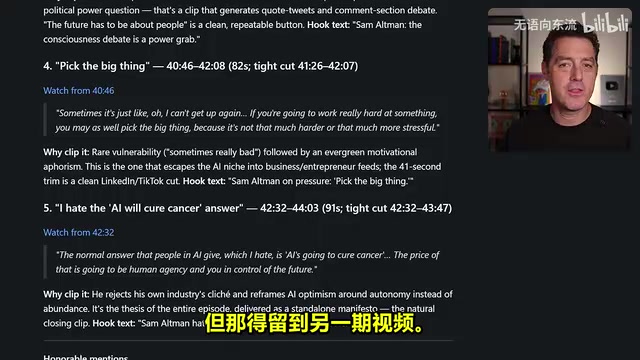
In the browser and tool-calling test, the blogger asked the model to analyze his own Sam Altman interview video, extract the five clips most suitable for editing, and provide precise timestamps. The model worked for 6 minutes 24 seconds, and the selected clips included "I haven't looked at a line of code in a year" and "the consciousness debate is a backdoor to seizing power," with timestamps verified as accurate by the blogger. Because it is an open-weights model, the full chain of thought and tool-calling process were visible.
The local coding test was even more convincing. The blogger ran the model entirely locally on his own DJX workstation, using only the prompt "build an Excel clone for the browser." The model worked for 50 minutes and produced a spreadsheet application called Gridline. It supported double-click editing, formula calculation (such as B7 plus C7), bold text, drag-to-fill, chart insertion, and drag-and-drop operations. Then a minimal prompt, "build a 3D Rubik's cube simulation, scramble and solve," led the model to generate a cube with correct colors and accurate rotation physics, with scrambling and solving both working properly.
Open weights means the model's trained parameters can be downloaded publicly, and anyone can run, fine-tune, or even redistribute it locally or on their own servers, in contrast to closed-source models that only provide an API. It is not equivalent to "open source" in the software sense: most open-weights models release only the weights, not the training data or full training code, and licenses may include usage restrictions. The direct benefits of open weights are that data stays local, inference costs are controllable, the model can be fine-tuned for specific tasks, and, as in this article, the full chain of thought and tool-calling traces can be observed for debugging and auditing. The cost is that you need your own compute; large-parameter models have high VRAM requirements, and the actual deployment threshold depends on quantization and hardware conditions.
Production-Grade Application: A Self-Built PDF Reader
The blogger used Opus 5.5 to generate a detailed prompt, then handed it to DeepSeek in high-thinking mode to build a PDF reading and annotation application called Folio from scratch. The tech stack was Electron, React, TypeScript, and pdf.js, and the interface included warm white and near-black dual themes, drag-and-drop opening, text highlighting, drawing annotations, signatures (which can be hand-drawn, uploaded, or photographed and then flipped for processing), dark mode, export, rotation, and printing.
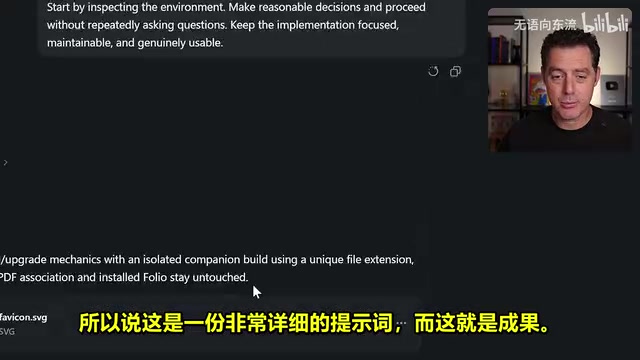
The blogger emphasized that this application runs entirely locally at almost zero cost; even with paid inference service calls, building a PDF reader that can be used for a lifetime costs only a few dollars.
Benchmarks and Judgment: A Value-First Choice
It scored 42 on Humanities Last Exam, on par with Kimi K3 and GLM 5.3; Terminal Bench was also 42, and Automation Bench and Agents Last Exam performed well too. The blogger acknowledged that benchmarks tell only part of the story and that real-world experience is what matters.
His conclusion: DeepSeek V4.1 Flash is not the highest-quality model, but its quality is close to the top, and combined with extremely low per-task cost and extremely high inference speed, it is currently the best overall choice. For most tasks, there is almost no quality loss unless the most complex scenarios are involved. Kimi K 3.1 scores higher overall on benchmarks, but the blogger personally thinks DeepSeek is better and suggests users compare for themselves.
Key Takeaways
- Outstanding 3D and spatial ability: The mechanical watch and foldable phone models had accurate details, with only the watch missing a rotor and a minor flaw in the folding animation.
- Impressive multimodal reasoning: It counted 137 visible pastries and proactively inferred the number of obscured ones, giving a range of 130 to 145.
- Crushing speed and cost: Inference speed reaches up to 1,286 tokens per second, with a per-task cost of only 26 cents.
- Reliable long-horizon coding: It generated a usable Excel clone locally in 50 minutes and completed a scramble-and-solve 3D Rubik's cube from a single prompt.
- Open-weights advantages: The full chain of thought and tool calls are visible, and it can be deployed locally, making it suitable for development scenarios sensitive to cost and privacy.
One-line Summary
DeepSeek V4.1 Flash in nine hands-on tests: quality close to the top, per-task cost of only 26 cents, and the best overall value.
Paragraph Summary
An overseas blogger conducted nine hands-on tests close to real-world development on the quietly released DeepSeek V4.1 Flash, covering 3D generation, spatial understanding, multimodal vision, browser tool calling, and long-horizon coding. The results show that the model's 3D mechanical watch and foldable phone models were detailed and accurate, it could count 137 visible pastries and proactively infer the number of obscured ones with a reasonable range of 130 to 145; inference speed reached up to 1,286 tokens per second, per-task cost was only 26 cents, and it sits at the far upper left of the quality-cost Pareto frontier. It can also generate a usable Excel clone locally in 50 minutes, build a scramble-and-solve 3D Rubik's cube from a single prompt, and construct a complete PDF reading and annotation application. The blogger's conclusion: it is not the highest-quality model, but with near-top quality, extremely low cost, and extremely high speed, it is the best overall choice right now.
Related articles

Ollama+RAG Local Knowledge Base Setup: A Step-by-Step AnythingLLM Tutorial
Based on a Bilibili tutorial, this guide details building a local RAG knowledge base with Ollama + AnythingLLM: from general LLM knowledge limits and RAG principles to document upload, vector storage, and verification.
The Ultimate Ollama Tutorial: A Beginner's Guide to Running Large Models Locally for Free
Ollama is an open-source local large model management tool supporting free download and deployment of models like DeepSeek, with command-line and Web UI, cross-platform, automatic GPU/CPU scheduling — ideal for AI beginners and private deployment.
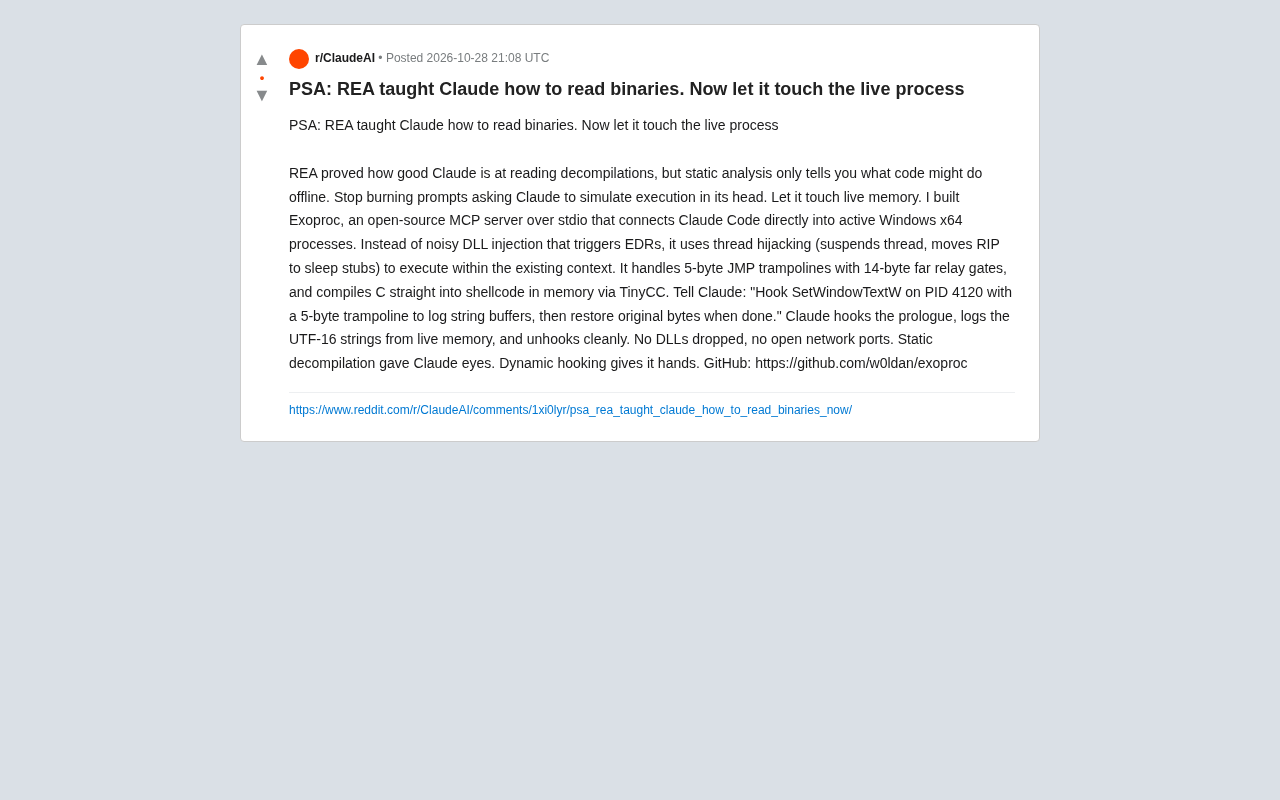
Giving Claude "Hands": Exoproc Open-Source MCP Server Enables Live Process Hooking
Exoproc is an open-source MCP server enabling Claude Code to hook live Windows x64 processes via thread hijacking, bypassing EDR for dynamic analysis. Static decompilation gave Claude eyes; dynamic hooking gives it hands.