Delimiter Conversion Tool: The Essential Format Converter Every Data Analyst Needs

A lightweight delimiter conversion tool built for data analysts to handle CSV/TSV/pipe format conversions with ease.
This article examines a delimiter conversion tool built by an indie developer, diving into the real pain points analysts face — including parsing traps when fields contain delimiters, cross-system format differences, and hidden encoding issues. It argues the tool's value lies in solving the "last-mile" efficiency gap that heavy tools like Pandas and ETL platforms leave behind, with custom delimiter support as its key differentiator. The piece also explores MVP validation via Reddit community feedback and looks ahead to AI-powered enhancements for this class of tools.
A Simple Yet Surprisingly Common Pain Point
In the day-to-day work of data analysis, there's one category of problem that seems trivial but keeps coming up over and over, quietly consuming hours of your time — delimiter conversion. Formats like CSV (comma-separated), TSV (tab-separated), and pipe-delimited files constantly need to be converted as data flows between different systems and tools.
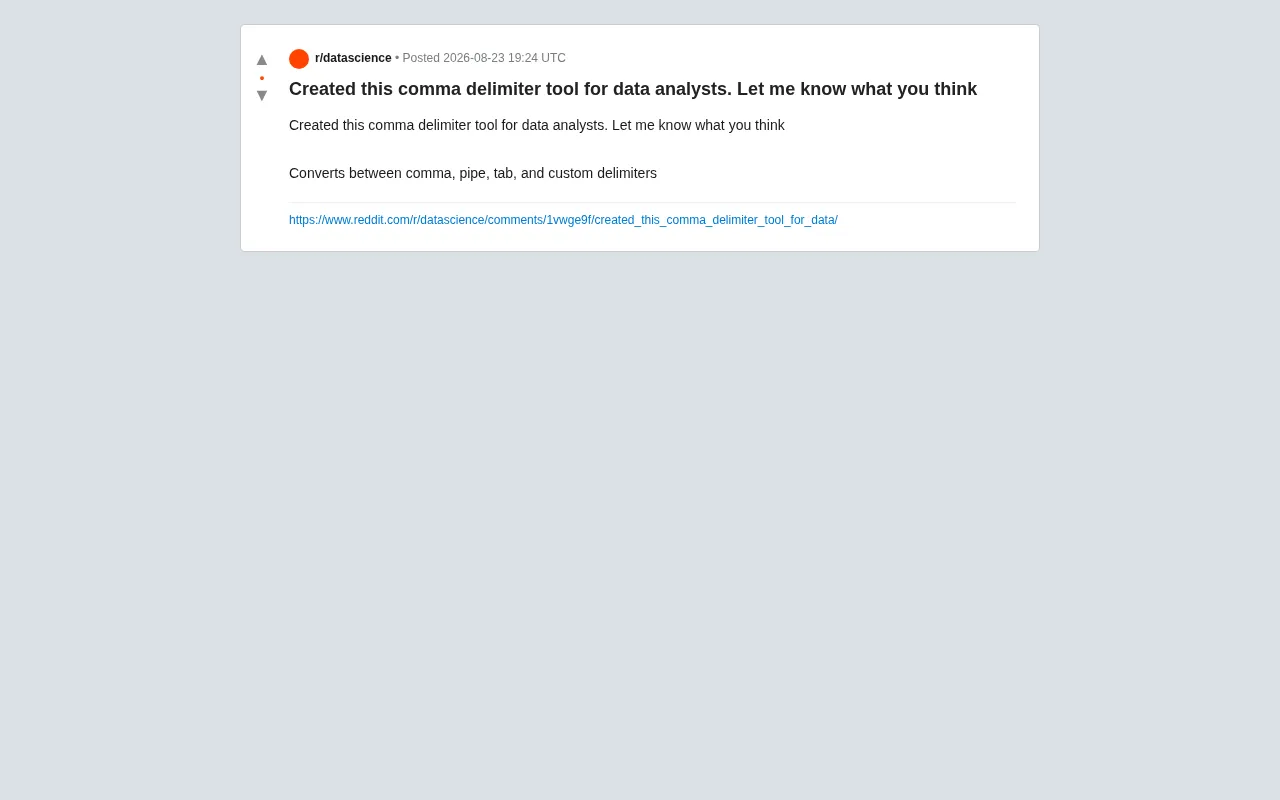
Recently, a developer shared a comma delimiter tool on Reddit, built specifically for data analysts. According to the author, the tool supports mutual conversion between commas, pipes, tabs, and custom delimiters — and they invited the community to try it out and share feedback.
Why Delimiter Conversion Is a Real Pain Point for Data Analysts
People outside the data field might wonder: how hard can it be to switch delimiters? Can't you just do a global find-and-replace in a text editor? In practice, the real world is far more complicated than that.
Your Data Might Contain the Delimiter Itself
The most common trap: when a field value itself contains a comma — like an address such as "New York, NY" — a naive find-and-replace will break the data structure. Properly formatted CSV wraps such fields in quotes, but manual replacement often ignores this, leading to misaligned columns and corrupted data.
Format Differences Across Systems
Database exports, Excel files, log outputs, API responses — every source has its own preferred delimiter. Unix-based pipeline tools favor the pipe character, database imports often use tabs, while Excel and most reporting systems default to commas. Analysts frequently have to navigate between all of these.
Hidden Issues with Encoding and Line Endings
Beyond the delimiter itself, character encoding (UTF-8, GBK) and line endings (Windows CRLF vs. Unix LF) can introduce subtle bugs during conversion. A mature delimiter conversion tool needs to handle these edge cases gracefully — not just swap one character for another.
The Core Value of a Dedicated Delimiter Conversion Tool
From a product perspective, this tool is a classic example of a "small but elegant" utility. Rather than chasing a feature-packed all-in-one solution, it focuses on a single, high-frequency pain point and executes it well.
Lightweight Beats All-Purpose for This Use Case
For data analysts, you don't need a sledgehammer to crack a nut. Spinning up a Python script or opening Pandas just to swap delimiters still requires writing a few lines of code and managing imports and exports. A dedicated tool that's ready to use instantly — with support for custom delimiters — can finish the job in seconds, which is far better suited to everyday workflow demands.
Custom Delimiter Support Is the Key Differentiator
You might have noticed the author specifically highlighted the "custom delimiters" feature. Real-world data uses all kinds of separators — semicolons, vertical bars, even obscure invisible characters. Supporting arbitrary custom delimiters significantly expands the tool's applicability, allowing it to handle non-standard, "dirty" data formats that most tools won't touch.
What Community Feedback Reveals About Product Direction
The developer's choice to post on Reddit and solicit feedback is itself a pragmatic approach to product validation. Releasing an MVP to a genuine target audience (data analysts) and iterating based on community input is a tried-and-true growth path for indie developers.
For tools like this, users typically care most about:
- Data security: Is the conversion done locally, or does data get uploaded to a server? For sensitive data, local-only processing is strongly preferred.
- Performance with large files: Can the tool handle hundreds of thousands — or even millions — of rows without freezing or crashing?
- Edge case handling: Quoted fields, escape characters, empty values — these are the litmus test for how professionally a tool is built.
- Batch processing: Can it handle multiple files at once, or integrate into automated pipelines?
The Product Thinking Behind a Small Tool
This case, while straightforward, reflects a product philosophy worth learning from: identify overlooked micro-frictions in mature domains, and solve them with a lightweight solution.
The data processing ecosystem already has heavy-duty tools like Pandas, Excel, and various ETL platforms. But for someone who just wants to quickly swap a delimiter, these tools are massive overkill. That mismatch — using a cannon to kill a mosquito — is exactly what creates space for specialized small tools to thrive.
For developers, the takeaway is this: you don't always need to chase disruptive innovation. Solving a specific, everyday pain point with enough elegance can absolutely earn you users. And as AI capabilities continue to spread, tools like this could evolve to include intelligent delimiter detection, automatic data structure recognition, and anomaly flagging — progressing from "functional" to "user-friendly" to "intelligent."
Closing Thoughts
A delimiter conversion tool may never be a headline-grabbing product, but it hits a genuine daily need for data analysts. In an increasingly efficiency-focused work environment, it's exactly these quiet time-saving utilities that form the foundation of real productivity gains. If you've spent years frustrated by CSV, TSV, and pipe format conversions, it's worth keeping an eye on the development of lightweight data transformation tools like this one.
Related articles
AWS AgentCore Gateway: Connecting AI A…
AWS AgentCore Gateway: Connecting AI Agents to Enterprise Backends with MCP
How AWS AgentCore Gateway acts as a primary MCP server to aggregate REST APIs, Lambda, and existing MCP services? Analyzing its AST real-time mapping, zero cold start, semantic search for tool overload, session isolation, and key injection security design, plus the architectural approach to decoupling enterprise AI agents from backends.

One Link Gives Figma AI a New Skill: Hands-On with MCP Connectors
Paste one MCP server link and the AI Agent in Figma gains new tool capabilities. We break down the setup flow, 20+ one-click apps, read/write permissions and execution policies, and the public HTTPS requirement.

Cognition SWE-2 in Practice: One Prompt to Handle the Whole Product Launch Process
Analyzing a YouTube creator's prompt for using Cognition SWE-2 to launch a product: a landing page, seven-email sequence, and non-buyer follow-up tool, plus how the 'test and report' constraint changes AI delivery quality.