Dify Getting Started: A Complete Zero-to-Production Guide for Building AI Applications

A beginner's complete guide to deploying Dify and building AI applications with no prior experience.
This guide covers everything beginners need to get started with Dify, the open-source LLMOps platform. It walks through Docker-based deployment, MySQL configuration, Dify's five core application types (Chatbot, Text Generation, Agent, Chatflow, Workflow), how to connect cloud LLMs like DeepSeek and Qwen, and how to publish finished apps via web, embed, or API.
What is Dify?
Dify is an open-source platform for AI application development. Its core value lies in enabling developers — whether enterprise teams or individual users — to quickly build a wide range of AI applications. Compared to writing code from scratch to call LLM APIs, Dify offers a visual, low-code building experience that significantly lowers the barrier to deploying AI applications.
From a technical positioning standpoint, Dify falls under the "LLMOps" (Large Language Model Operations) category. LLMOps is an evolution of MLOps (Machine Learning Operations) in the era of large language models, focusing on the full lifecycle of LLM applications — from development and testing through deployment and monitoring. Similar platforms include open-source projects like Flowise and LangFlow, as well as commercial solutions such as AWS Bedrock and Azure AI Studio. Dify's key competitive advantage is its integration of RAG (Retrieval-Augmented Generation), prompt engineering, workflow orchestration, and model management into a single interface, allowing developers to build complex AI applications without deep knowledge of underlying frameworks like LangChain.
In short, Dify acts as an "AI application middleware layer": connecting to various large language models on one side, and your business data and use cases on the other. You can use it to build a simple chatbot, create an intelligent agent that calls external tools, or implement a full workflow with conditional branching and multi-node logic.
This article provides a comprehensive overview of Dify — from deployment to application publishing — helping beginners develop a solid conceptual framework for this platform.
Dify Deployment Options
Three Deployment Paths
Dify offers flexible deployment options across three main paths:
- Docker deployment: The most recommended local deployment approach, easily set up using Docker on Windows. A key advantage is that other services running on your machine (such as a MySQL database) can be directly accessed by Dify.
- Source code deployment: Suited for developers who need deep customization.
- Official online version: Use the hosted version directly on Dify's official website — no self-hosting required. The online version's interface is nearly identical to self-hosted, but if your AI application needs to access a local database or local environment, you'll need an intranet tunneling tool to expose your machine's IP to the public internet.
Docker is the preferred deployment method thanks to the advantages of containerization. The core principle of Docker is to package an application along with all its dependencies (runtime, system tools, libraries) into a standardized "container image," achieving "build once, run anywhere." Dify uses Docker Compose to orchestrate multiple service containers — including the web frontend, API service, Worker processes, PostgreSQL database, Redis cache, and more — spinning up the entire distributed architecture with a single command. On Windows, Docker Desktop runs Linux containers via WSL2 (Windows Subsystem for Linux 2). Services inside Dify's containers can access MySQL and other services on the host machine using the special DNS name host.docker.internal — the technical foundation that enables Docker networking to communicate with local services.
From a production standpoint, self-deploying to your own machine or within your company's internal network is the safer choice, offering better data security and environment control.
Database Configuration
In real-world AI applications, many scenarios require reading database data to complete interactions. Therefore, installing and configuring MySQL 8 on Windows is an important step in hands-on Dify development.
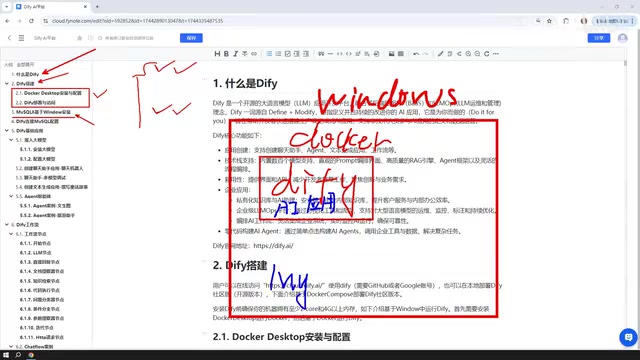
MySQL deployment is quite flexible: it can be installed directly on Windows, deployed via Docker, or even run inside a VMware virtual machine — all work fine. By default, after Docker deployment, Dify's network can communicate with Windows-local MySQL instances and services running in virtual machines. Once set up, you'll also need to configure Dify's MySQL connection parameters so that your AI applications can successfully read data.
Dify's Five Core Application Types
Dify's capabilities can be organized into five application types. Understanding these five types is the key to mastering the platform.
Three Basic Application Types
Chatbot Assistant: The most fundamental application type — essentially a conversational interface with an AI LLM. Ideal for building Q&A bots, customer service assistants, and similar scenarios.
Text Generation: Focused on content creation tasks such as writing articles, generating documents, or crafting stories. Users provide a prompt, and the model produces the finished text.
Agent: The most capable of the three basic types. The key difference from chatbot assistants and text generation is that an Agent can call tools, systematically combining multiple tools to complete user instructions — for example, multi-step tasks like "first scrape a webpage, then analyze its content."
An Agent's ability to call tools relies on the "Function Calling" mechanism — a capability introduced by OpenAI in 2023 with GPT-3.5/4, which quickly became a standard feature across mainstream LLMs. The principle works as follows: developers declare a set of callable external functions in advance; during inference, the model identifies when an external tool is needed and outputs calling parameters in structured JSON format; the framework layer executes the actual call and returns the result to the model to continue reasoning. This "perceive-decide-execute" loop is the core idea of the ReAct (Reasoning + Acting) framework, and is precisely what distinguishes a Dify Agent from a standard chat application.
Workflows: Chatflow and Workflow
Beyond the three basic application types, Dify includes an even more powerful capability: workflows.
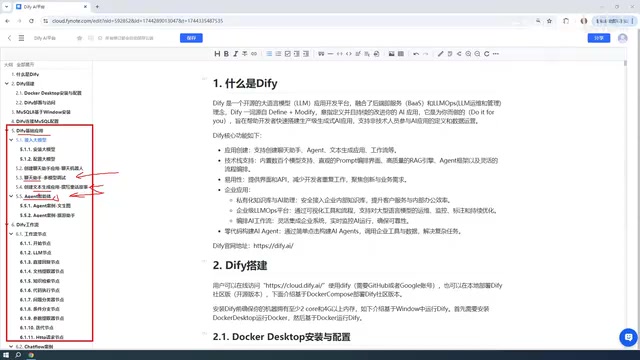
Workflows come in two forms: Chatflow and Workflow. The core difference lies in their interaction model:
- Chatflow supports continuous multi-turn conversation within the workflow;
- Workflow is one-shot: you provide input and receive output directly, with no back-and-forth conversation.
Both forms share a similar structure, composed of individual "node" modules connected together to form complete business logic. Dify provides a rich set of built-in node types covering the capabilities needed for most real-world use cases.
One critical node type in workflows is "Knowledge Base Retrieval," which is built on RAG (Retrieval-Augmented Generation). RAG is the mainstream solution for addressing LLM hallucinations and knowledge cutoff limitations: enterprise documents are chunked and converted into vectors via an embedding model, then stored in a vector database (Dify uses Weaviate by default). When a user asks a question, the system first retrieves the most relevant text chunks from the vector database via similarity search, then injects these chunks as context into the prompt before sending it to the LLM to generate a response. This enables large language models to "understand" enterprise-internal PDFs, Word documents, databases, and other private data — without requiring fine-tuning of the model itself. Understanding the RAG mechanism is the theoretical foundation for making the most of Dify's knowledge base features.
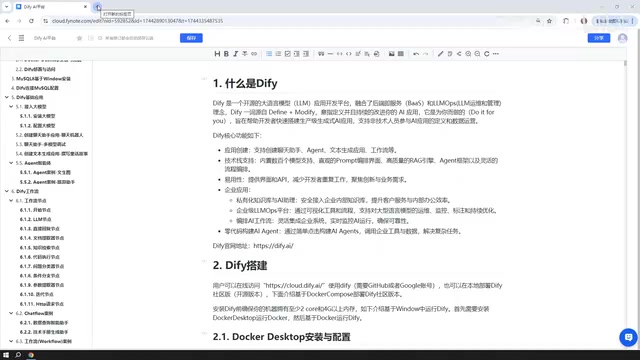
When you open Dify and create an application, the interface clearly lists all five types: Chatbot Assistant, Agent, Text Generation, Chatflow, and Workflow. Understanding the differences and use cases for each is essentially mastering the skeleton of Dify application development.
Choosing and Connecting LLMs
Every Dify application depends on a large language model to function, so connecting a model is a prerequisite for using Dify.
Cloud-Based Paid Models Are the Top Recommendation
A pragmatic recommendation: prioritize connecting to external, cloud-based paid models such as DeepSeek or ChatGPT, rather than locally deployed smaller models.
The reason is that locally run models (e.g., deployed via Ollama) typically have fewer parameters and often deliver underwhelming results. By contrast, several domestic Chinese models offer generous free tiers for developers to try:
- Baidu ERNIE Bot: Free tokens upon registration;
- Alibaba Qwen (Tongyi Qianwen): Offers millions of free tokens — more than enough for daily testing.
As for the "paid" aspect, there's no need to worry excessively about costs. Understanding tokens helps build intuition around pricing — tokens are not equivalent to character counts; in Chinese, each character typically corresponds to approximately 1.5–2 tokens. Mainstream LLM API pricing is split into "input tokens" and "output tokens," with output tokens generally priced higher. For Dify workflow developers, key cost-saving engineering practices include keeping prompt lengths concise, setting appropriate context window sizes, and avoiding frequent calls to high-cost models inside loop nodes.

Take DeepSeek as an example: its API pricing is roughly an order of magnitude lower than the GPT-4 series. A 10 RMB top-up will last quite a long time — in practice, 10 RMB barely scratches 1 RMB of usage for individual learning and small-scale applications, making the cost essentially negligible.
When Local Models Make Sense
Local models are not without value. If your machine is powerful enough, or you're operating in an enterprise-grade cluster environment capable of running DeepSeek's large open-source models (such as the 671B parameter version), local deployment can also power high-quality enterprise applications. Dify supports integration with Ollama local models, providing a flexible option for scenarios with strict data privacy requirements.
Publishing and Integrating Your Application
Applications built in Dify are not limited to use within the locally deployed interface. Dify offers multiple publishing options:
- Publish as a public website: Generate a publicly accessible link and publish your application to the internet (requires configuring intranet tunneling for local deployments);
- Embed into an existing website: Integrate the Dify application as a component into your own website;
- API access: Call the application's capabilities via API to integrate with other systems.
For local deployment scenarios, intranet tunneling is the key technology for enabling public internet access. The principle: a client program runs on your local machine and establishes a persistent tunnel connection to a relay server on the public internet; when external users access the relay server's public domain, traffic is forwarded through the tunnel to a specified port on your local machine. Common intranet tunneling tools include frp (open-source self-hosted), Ngrok, and Cloudflare Tunnel. Cloudflare Tunnel is particularly popular among individual developers for being free, requiring no public IP, and providing built-in HTTPS certificates — making it a low-cost option for exposing Dify applications to the public internet.
This flexible publishing mechanism allows applications built in Dify to move beyond the development environment and integrate into real business systems, completing the final step from "built" to "deployed."
Summary
Dify is a low-barrier AI application building platform with a clear learning path: start with deployment and database configuration, connect a large language model, then choose the appropriate type — chatbot assistant, text generation, Agent, or workflow — based on your needs, and finally publish via a website, embedding, or API.
For developers and organizations looking to quickly turn LLM capabilities into real productivity, mastering this complete Dify workflow is an efficient and practical path forward.
Key Takeaways
Related articles

Disaster and Glory of the Apollo Program: The History We Must Revisit Before Returning to the Moon
From the fatal Apollo 1 fire to Apollo 8's daring lunar orbit to Apollo 11's successful landing—revisiting the disasters, fears, and compromises of the Apollo program and their lessons for today's return to the Moon.

Netflix Trust Exercise Turns Into Firing Trap: Where Are the Boundaries of Corporate Trust?
A Netflix employee was fired after sharing private info in a trust exercise. We analyze the risks of corporate trust exercises and how employees can protect themselves.

AMD CDNA5 Architecture Deep Dive: Technical Evolution and the AI Computing Competition Landscape
Deep analysis of AMD's CDNA5 architecture covering Chiplet packaging upgrades, HBM memory evolution, and low-precision compute optimization, examining how AMD challenges NVIDIA's AI chip dominance.