Dify Getting Started Guide: A Complete Walkthrough from Deployment to Publishing AI Applications
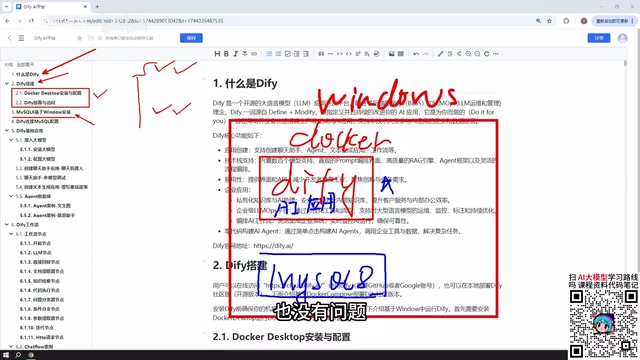
A full walkthrough of Dify's deployment, five app types, workflow nodes, and LLM integration for building AI apps.
Dify is a low-code AI application platform that unifies LLM invocation, workflow orchestration, and knowledge base management in a visual drag-and-drop interface. This guide covers three deployment methods (online, Docker, source code), MySQL setup, and five core app types — Chatbot, Text Generation, Agent, Chatflow, and Workflow — with a focus on the key distinction between Chatflow (multi-turn) and Workflow (one-shot). For LLM integration, paid cloud models like DeepSeek and Qwen are recommended for their low cost and superior performance, while local models via Ollama are also supported. Finished apps can be published as public websites, embedded in sites, or integrated via API.
What Is Dify
Dify is a low-code AI application development platform whose core value lies in enabling both developers and non-developers to rapidly build all kinds of AI applications. Whether you're working on enterprise-level production scenarios or everyday personal use, Dify provides a complete end-to-end building experience.
In short, Dify packages capabilities like LLM invocation, workflow orchestration, knowledge base management, and API publishing into a visual interface. You don't need to write complex backend logic from scratch — just drag and drop nodes and configure parameters to produce a working AI application. This "building-block" approach dramatically lowers the barrier to AI application development.
This article is compiled based on related tutorials from Bilibili. It walks through the complete learning path from environment setup to application publishing, helping you get up to speed without unnecessary detours.
Three Deployment Options for Dify
Dify offers three deployment methods, so you can choose the one that best fits your needs.
Official Online Platform
Dify provides a hosted online version that you can use directly without any local deployment. It's great for quickly trying out features and validating ideas. However, if your application needs to access a local database or local environment, you'll need an intranet tunneling tool to expose your local IP to the public internet.
Docker Deployment (Recommended)
This is the approach recommended in the tutorials. It deploys Dify using Docker on Windows. The biggest advantage is that it makes it easy to communicate with local MySQL, other databases, or local services — making it well-suited for internal company applications.
Source Code Deployment
This option is for developers who need customization or want to dive deep into the underlying implementation.
For production environments, it's recommended to deploy your own local instance of Dify. This ensures data security, allows flexible integration with internal resources, and gives you greater control when deploying within an enterprise.

Database Configuration: Why You Need MySQL
AI applications built in Dify often need to access a database for data interaction, so it's important to set up your database environment in advance.
MySQL can be deployed very flexibly. By default, once Docker is installed, Dify's network can communicate with MySQL 8 running on the Windows host, as well as with databases running inside a VMware virtual machine. So whether your MySQL instance lives on the local machine, in a Docker container, or in a VM, all options are viable.
After installing the database, you'll also need to configure the MySQL connection settings within Dify so that your AI applications can correctly read data from the database.
Five Core Application Types in Dify
Dify's capabilities can be organized into five main application types. Understanding these five gives you a solid grasp of Dify's core functionality.

Chatbot Assistant
The simplest and most straightforward application type — essentially a conversational interface with an AI model. Ideal for quickly building Q&A-style applications.
Text Generation
Used to generate various types of text content, such as writing articles, creating documents, drafting stories, or composing narratives. Best suited for content creation scenarios.
Agent
The most capable of the three basic application types. The key difference compared to the previous two is that an Agent can call tools to systematically carry out user instructions. For example, you can instruct it to first crawl a webpage and then analyze the retrieved content — the Agent will automatically chain these tasks together and complete them.
Chatflow
Workflows are one of Dify's most powerful features. Chatflow supports multi-turn conversational interaction with a workflow, making it better suited for scenarios that require continuous context across a conversation.
Workflow
Workflow performs one-time processing — you provide an input and it produces an output directly, without supporting multi-turn chat. It's better suited for batch processing and single-pass automation tasks.
The core difference between Chatflow and Workflow is simply whether conversational interaction is supported. Choose based on your specific business scenario.
Workflow Nodes: The Building Blocks of Your Application
Both Chatflow and Workflow are composed of individual nodes. Nodes are the functional modules that make up a workflow — you assemble them together like building blocks to form a complete pipeline.
Dify officially provides a rich set of node types covering most common application scenarios. Mastering the commonly used nodes will equip you to handle the vast majority of application requirements. The best way to learn is to work through specific examples and understand the purpose and configuration of each node one by one.
Connecting LLMs: The First Configuration Step in Dify
All Dify applications fundamentally interact with large language models, so connecting an LLM is the very first step when using Dify.
Recommended: Use Paid Cloud-Based Models
It's advisable to connect paid cloud-based models rather than locally deployed small models. The reason is that local small models often produce subpar inference results and struggle to support high-quality applications.
The actual cost is very low, so there's no need to worry about expenses. For example, with DeepSeekAd, a 10 RMB top-up can last quite a long time. There are also some free tiers worth taking advantage of:
- Baidu ERNIE Bot: Free token quota available after registration
- Alibaba Qwen: Offers millions of free tokens — more than enough for learning purposes
Local Model Integration
If your machine has sufficient computing power, or if you're working with an enterprise-grade cluster, Dify also supports connecting local models. For example, local models deployed via Ollama can be integrated with Dify to build AI applications.
For enterprise scenarios, if you've downloaded a large-parameter open-source model from DeepSeek (such as the full version weighing hundreds of GB), these large models significantly outperform small models and are perfectly viable for building enterprise-grade applications.

Publishing and Integration Options
Applications built in Dify aren't limited to being used within the local interface — multiple publishing methods are available to meet different scenario requirements.
Publish as a Public Website
Generate a public link so that anyone can access and use the application. For locally deployed instances, you'll need an intranet tunneling tool.
Embed into a Website
Embed the application as a component within your own website for seamless integration.
Access via API
Use API calls or languages like Python to integrate the Dify application into other systems, enabling more flexible secondary development.
This diverse range of publishing capabilities means that applications built with Dify can be opened up to end users as well as integrated as services within larger system architectures.
Conclusion
From environment deployment and database configuration, to the five application types, workflow nodes, and LLM integration, all the way to final application publishing — Dify provides a clear and complete development pipeline for AI applications. For anyone looking to get started with AI application development quickly, Dify is an excellent platform with a low barrier to entry and a high ceiling.
The real key to mastering Dify is hands-on practice with real examples — for every application type and every node, you only truly understand its value and usage once you've built it yourself.
Related articles
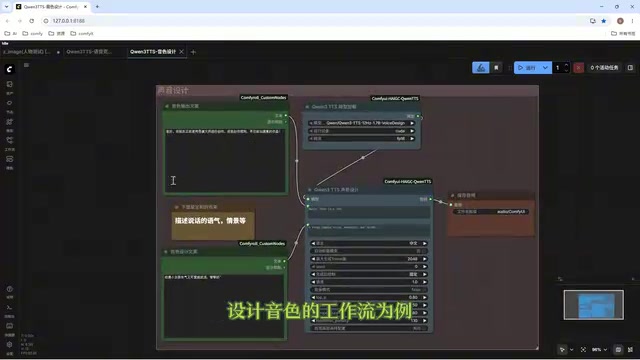
Director Master Tutorial: Full Workflow for AI Character Voice Design and Binding
Based on a Bilibili tutorial, this guide details how to design and bind AI character voices in Director Master: uploading voices, generating them via ComfyUI workflows, producing voice profiles alongside character design, and automatically inheriting voices in storyboard prompts.
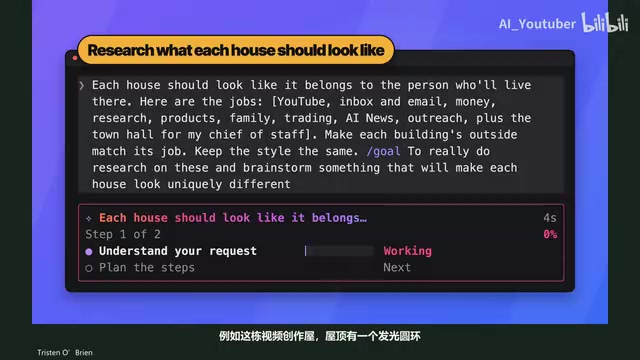
3.5 Hours and $47: Building an AI Agent Village Step by Step
A Bilibili creator built an AI Agent village in 3.5 hours for about $47: Claude Code handles logic and behavior, Higgs Field generates art. Seven steps cover maps and buildings, chief of staff and director roles, walkable areas and behavior rules, connecting to real tools like email and calendars, proving ground meetings, and retaining final human approval—including a cost ledger and prompt design thinking.
WorkBuddy Complete Beginner's Guide: Master Your AI Digital Employee in 7 Days
A detailed breakdown of the WorkBuddy beginner's guide: how this domestic Codex alternative works, its four advantages over traditional AI, and a learning path for newcomers.