Dify Smart Customer Service in Practice: Building Multi-Turn Dialogue and Human Handoff

A Bilibili creator builds a smart customer service prototype from scratch with Dify, focusing on multi-turn dialogue and human handoff.
Based on a Bilibili creator's live-streamed course, this article systematically outlines the complete path for building a smart customer service prototype with Dify. It compares Coze and Dify on private deployment and data sovereignty, presents three installation methods with a recommended WSL plus Docker Desktop approach on Windows, and explains how multi-turn dialogue relies on prompt rules, knowledge bases, and variables while human handoff uses conditional branches and external tool calls.
Title
Dify Smart Customer Service in Practice: Building Multi-Turn Dialogue and Human Handoff
Meta Description
Based on a Bilibili Dify hands-on course, this article outlines how to build multi-turn dialogue and human handoff for smart customer service, compares Dify and Coze on private deployment, and covers three key steps for local installation.
Article Content
If a smart customer service bot can only answer one question before getting stuck, the user experience drops off a cliff. Multi-turn dialogue and human handoff are two hurdles you can't avoid. A Bilibili creator built such a customer service prototype from scratch using Dify in a live-streamed class, focusing on the implementation approaches for these two aspects. This article is based on that course content and combines it with Dify's publicly documented features for a systematic overview.
Why Choose Dify Over Coze
There is more than one tool on the market for building AI applications. The creator compared two paths, Coze and Dify, and the conclusion was clear: Coze is primarily cloud-hosted, with data stored on the platform side; Dify supports private deployment, so data can stay 100% local.
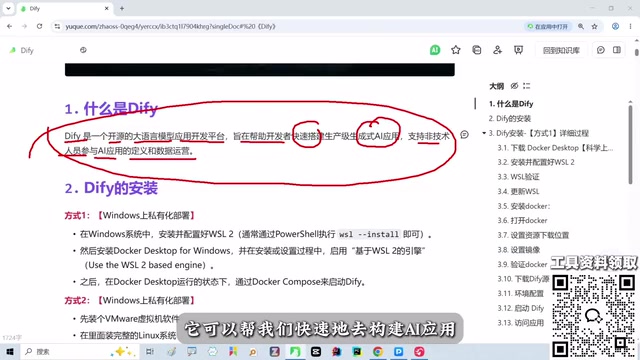
[According to the creator in the course] "If you're working with compliant companies in industries like finance and healthcare, there's no problem using it for this requirement." This isn't to say Coze is bad—rather, data sovereignty is a hard constraint in enterprise scenarios. Dify positions itself as an open-source large model application development platform. The official description says it helps developers quickly build production-grade AI applications while also enabling non-technical people to participate in application definition and data operations.
For zero-foundation learners, Dify's drag-and-drop interface lowers the barrier to understanding concepts like agents and knowledge bases. The creator suggests first building intuitive familiarity through this visual approach before touching code frameworks like LangChain and LangGraph.
Complete Local Deployment in Three Steps
The course spent considerable time on installation because it's the prerequisite for everything that follows. The creator presented three methods and made a clear choice.
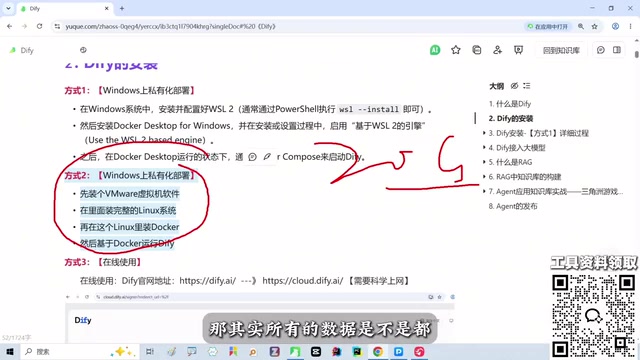
Method 1: Local Private Deployment (Recommended)
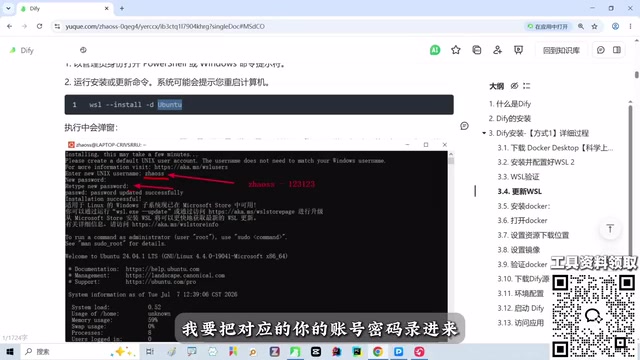
Install WSL and Docker Desktop on a Windows machine, then run Dify. The creator considers this the lightest path: "You just install a few pieces of software and you're done." The installation process has step-by-step screenshots in the accompanying notes. The core steps are: first enable the relevant WSL system features, verify the version with wsl --version, run the update command if the version is invalid, then install Docker Desktop and complete the restart.
WSL stands for Windows Subsystem for Linux. It is a compatibility layer built into Windows 10/11 by Microsoft that lets users run Linux distributions like Ubuntu directly without dual-booting or a virtual machine. Dify's official images and many dependency scripts default to a Linux environment, so Windows users typically enable WSL first and then install Docker inside it. To enable it, check "Windows Subsystem for Linux" and "Virtual Machine Platform" in "Turn Windows features on or off," restart, and check the version with wsl --version; if it reports an invalid version, run wsl --update to upgrade to WSL2. WSL2 uses a lightweight virtual machine kernel and integrates most smoothly with Docker Desktop, making it the most common foundation for local Dify deployment.
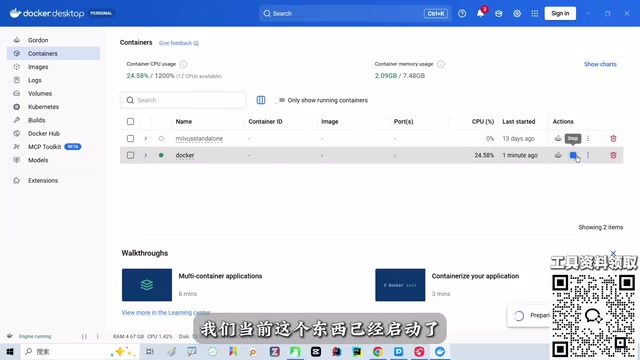
Docker Desktop is the official desktop container management tool from Docker, wrapping image pulling, container orchestration, port mapping, and other operations into a graphical interface. Dify's deployment package consists of multiple containers (web frontend, API backend, PostgreSQL, Redis, vector database, etc.) launched together via a single docker-compose.yaml. After installing Docker Desktop, check "Use WSL 2 based engine" in settings and ensure integration with the enabled WSL distribution is complete; when the bottom-left shows running, the Docker engine is ready. At that point, run docker compose up -d in the Dify directory to start the full service stack, and access the mapped port in a browser to reach the initialization page.
Method 2: Virtual Machine Deployment
Run everything in a virtual machine, with data stored on the virtual machine's hard drive. The advantage is complete control over your data; the cost is that "at least 20 GB of space is gone." The creator personally doesn't recommend this approach, considering it too heavy.
Method 3: Official Cloud Service
The least hassle, but data is stored on servers in the US East region. The creator's attitude is direct: "Almost everyone favors this kind of liberalized deployment."
After deployment is complete, when Docker shows "running" in the bottom-left, Dify can start. The creator specifically reminds beginners not to get bogged down in details like what WSL is or what Docker is: "You must understand that you absolutely should not be obsessive-compulsive about this when learning." The main line is getting the application running; fill in the details after class.
The Logic Behind Building Multi-Turn Dialogue
In the course, Dify's studio, knowledge base, integrations, and other modules were all configured from a blank state, with the creator guiding students step by step. The core of multi-turn dialogue is enabling the agent to remember context and produce coherent responses based on the knowledge base.
From Dify's product design perspective, chat assistant applications naturally support multi-turn interaction. You need to define dialogue rules in the prompt, attach a knowledge base as the source of facts, and set variables to capture information users provide across turns. One point the creator emphasized in the course is that these configurations should be determined around actual business needs, not by piling on every capability.
Dialogue rules in the prompt determine the quality ceiling of multi-turn dialogue. In a Dify chat assistant application, the system prompt is not just for role definition—it can also include follow-up strategies, information collection order, and termination conditions, such as "if the user hasn't provided an order number, ask for it first; do not directly answer refund progress." Since every request carries historical messages, rules in the prompt remain in effect throughout the session, so you should specify "under what circumstances clarification is required and under what circumstances a conclusion can be given" to prevent the model from fabricating answers when information is incomplete.
Variables are structured containers for capturing multi-turn information. Rather than letting the model extract information from a long conversation history on its own, defining key slots such as order number, phone number, and product model as conversation variables allows subsequent nodes to reference them directly, reducing forgetting and cross-talk caused by overly long context. In Dify, variables can be assigned in the conversation opener or in nodes, and reused in conditional branches, knowledge base retrieval query assembly, and tool call parameters. This is also the key means of turning "chit-chat multi-turn" into "task-oriented multi-turn."
Designing the Human Handoff Trigger
Human handoff is the fallback capability in customer service scenarios. Dify itself does not directly provide call center functionality, but it can be implemented through conditional branches and external tool calls: when the intent is recognized as a complaint, refund, or complex after-sales issue, or when multiple consecutive turns fail to hit the knowledge base, trigger the handoff action and pass the conversation context to the human agent system.
In the course, the creator explained this part after knowledge base configuration. The logic is to first let the machine answer well what it can answer, and hand over what it cannot. This order is worth borrowing—human handoff is not a failure, but a guarantee of service continuity.
Conditional branches (IF/ELSE nodes) are the basic nodes in Dify workflows for implementing routing decisions, determining the subsequent path based on variable values, model classification results, or retrieval hit status. A typical approach for human handoff is to follow the intent classification node with a conditional branch: if the classification result is "complaint/refund/complex after-sales," route to the human channel; otherwise enter knowledge base Q&A. For "multiple consecutive turns without a hit," you can use a conversation variable to accumulate the miss count, incrementing it each turn when the retrieval score is below a threshold, and trigger handoff when it reaches a set value. This is closer to real customer service fallback logic than single-turn judgment.
External tool calls are used to land the handoff action in real systems. Dify supports connecting to external HTTP interfaces through custom tools or API extensions, pushing fields such as conversation ID, user identifier, and historical dialogue summary to a ticketing system or online customer service platform (such as Easemob, Zhichi, or a self-built agent system), which handles queuing and assignment. Note that Dify is only responsible for "determining that a handoff is needed" and "passing the context out"; queuing, routing, and conversation takeover on the agent side still need to be handled by a call center or customer service system. The two are in an orchestration-layer and execution-layer relationship.
Advice for Learners
The creator repeatedly mentioned the value of the accompanying notes: installation steps, image commands, and environment variable configurations all have screenshot records. For zero-foundation students, running through it once is the lowest-cost way to get started. The course also points out a reality: real large model development ultimately lands on code frameworks. Dify is a springboard for understanding concepts and rapid validation, not the destination.
If you're building an early prototype for smart customer service, Dify's private deployment plus visual orchestration is worth an afternoon to get running.
One-line Summary
A Bilibili creator builds a smart customer service prototype from scratch with Dify, focusing on the implementation approaches for multi-turn dialogue and human handoff.
Paragraph Summary
Based on a Bilibili creator's live-streamed course, this article systematically outlines the complete path for building a smart customer service prototype with Dify. On tool selection, it compares Coze and Dify, noting that Dify supports private deployment with data fully retained locally, making it more suitable for compliance-sensitive scenarios like finance and healthcare. For deployment, it presents three methods and recommends the local approach of WSL plus Docker Desktop on Windows, which is lighter than a virtual machine and more controllable than the official cloud service. On functionality, multi-turn dialogue relies on prompt rules, knowledge base attachment, and variable capture, while human handoff is triggered through conditional branches and external tool calls when intent is recognized as a complex issue or when multiple turns fail to hit the knowledge base. The article concludes by reminding readers that Dify is a springboard for understanding concepts, and deeper development still requires mastering code frameworks like LangChain.
Related articles

Gemini 4 Neon Leak: A Potential Strong Contender Against Opus 5.5
A Hacker News thread suggests Gemini 4 Neon looks like an Opus 5.5 competitor. This article unpacks the product positioning behind this community signal, shifts in the top-model competitive landscape, and what it means for developers' model selection strategy.

Claude Fable 5.2's Self-Authored Short Film 'Fable' Sparks Discussion
A short film 'Fable,' credited to Claude Fable 5.2 for script, visuals, and directing, appears on Hacker News. This article analyzes the significance of full-pipeline AI creation, community reactions, and what it means for content creators.

Anthropic IPO Pricing: A Signal of AI Giants Going Public
Anthropic's IPO pricing draws attention. This article analyzes its potential impact on AI industry valuation, commercialization paths, and the competitive landscape, and highlights public-market expectations and challenges for AI companies.