Dify Workflow in Practice: A Complete Guide from Deployment to Publishing

A complete guide to building AI apps with Dify, from Docker deployment to workflow creation and publishing.
This article provides a comprehensive walkthrough of the Dify low-code AI platform, covering Docker-based deployment, MySQL database configuration, cloud LLM integration, and detailed explanations of all five application types: Chat Assistant, Text Generation, Agent, Chatflow, and Workflow. It also covers multiple publishing methods including web, embedding, and API access.
What is Dify: A Low-Code AI Application Development Platform
Dify is a low-code platform designed to help developers and enterprises rapidly build AI applications. Whether for enterprise-level applications or personal use cases, Dify provides a visual approach to packaging the capabilities of Large Language Models (LLMs) into deployable products. Compared to writing code from scratch to call APIs, Dify significantly lowers the barrier to AI application development, enabling users without deep programming backgrounds to get started quickly.
The core philosophy of low-code platforms is to reduce the need for hand-written code through visual interfaces and pre-built components. In the AI domain, traditional LLM application development requires developers to handle API calls, prompt engineering, context management, vector database integration, streaming output, and numerous other technical details. As a low-code platform for LLM application development, Dify encapsulates these underlying complexities into drag-and-drop modules, allowing developers to focus solely on orchestrating business logic. The emergence of such platforms marks a paradigm shift in AI application development from "programmer-exclusive" to "business-user-accessible."
This article is organized based on a systematic video tutorial series from Bilibili, covering the complete technical path from environment setup to application publishing in Dify. The core approach is: first establish the foundational environment (Docker, database, LLM), then progressively dive into practical cases for Dify's five major application types, and finally cover application publishing and local model integration.
Dify Deployment Methods: Three Approaches Compared
Dify offers three mainstream deployment methods, each suited to different scenarios:
Official Online Version (Quick Experience)
The simplest approach is to use Dify's official online page directly. It's functionally almost identical to the self-hosted version, with one key difference: if your AI application needs to access a local database or local environment, you'll need to use an intranet penetration tool to expose your local IP to the public network. This is convenient for quick personal experimentation but isn't recommended for production environments.
NAT Traversal/Tunneling is a technical approach for exposing services within a local network to the public internet. Common tools include ngrok, frp, Cloudflare Tunnel, and others. The working principle involves establishing an encrypted tunnel between the local machine and a public server—external requests first reach the public server, then get forwarded to the local service through the tunnel. In the Dify context, if you're using the official online version but need to access a local database, you'll need intranet penetration to allow the cloud-based Dify instance to reach local services like MySQL.
Docker-Based Local Deployment (Recommended)
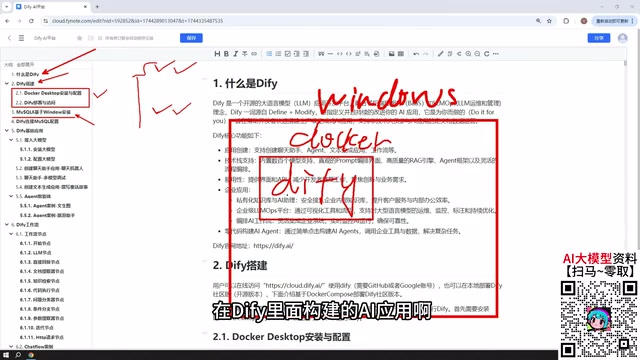
The tutorial uses a Windows + Docker deployment approach. The advantage of this method is that once Docker is installed, Dify's network can freely communicate with MySQL on the Windows host, services within the Docker network, and even services in VMware virtual machines. In other words, regardless of where your database is deployed, Dify can connect to it seamlessly.
Docker is an OS-level virtualization technology that packages applications and their dependencies into standardized container images, ensuring consistent execution across any environment. The core advantage of deploying Dify with Docker is that Dify itself depends on multiple services including Redis, PostgreSQL, and the Weaviate vector database—all of which can be launched with a single command using a docker-compose orchestration file. Docker's networking mechanism (bridge network) allows inter-container communication, while port mapping enables communication with the host machine. This is the technical foundation that allows Dify to access MySQL on the host or services in VMware virtual machines.
Source Code Deployment (Deep Customization)
For teams that need deep customization, source code deployment is also an option. In production environments, it's recommended to deploy on your own machine or internal company servers for more convenient and controllable enterprise use.
Environment Preparation: MySQL Database and LLM Access Configuration
Why Dify Needs MySQL Installed
Many AI applications need to interact with databases—reading business data, performing interactive analysis, and more. The tutorial installs MySQL 8 in the Windows environment. The key point here is flexibility: MySQL can be installed on the Windows host, deployed via Docker, or even placed in a VMware virtual machine—Dify can connect to all of these.
It's worth noting that Dify's own metadata storage uses its built-in PostgreSQL. The MySQL installation here is specifically to allow AI applications to connect to enterprise business databases. In real enterprise scenarios, business data is typically stored in relational databases like MySQL, SQL Server, or Oracle. Dify's database tool nodes can directly interface with these data sources, enabling AI applications to query and analyze real business data, achieving the fusion of "AI + Data."
LLM Access Recommendations: Cloud-First
This is a crucial step in the entire process, as all AI applications fundamentally need to interact with large models. The clear recommendation is: prioritize paid cloud models such as DeepSeekAd and ChatGPT, or domestic Chinese models like Baidu's ERNIE Bot and Alibaba's Tongyi Qianwen that offer free tokens (typically with millions of free tokens available for experimentation).
A noteworthy cost detail: testing showed that after topping up a DeepSeek account with 10 RMB (approximately $1.40), long-term usage hadn't even consumed 1 RMB. This demonstrates that current mainstream paid models have extremely low API call costs, and individual developers need not worry about expenses at all.

Using local models (such as those deployed via Ollama) is not recommended for beginners because locally-runnable models typically have smaller parameter counts and deliver suboptimal results. A large language model's parameter count (e.g., 7B, 70B, 671B) directly affects its reasoning capability and generation quality. The more parameters, the richer the language patterns and knowledge the model can capture. Local deployment is typically constrained by VRAM capacity—a 7B model requires approximately 14GB of VRAM (at FP16 precision), while a 671B model needs hundreds of GB of VRAM even with 4-bit quantization, requiring multi-GPU clusters. This is why beginners are advised to use cloud models: cloud providers have large-scale GPU clusters capable of serving full-power large models, while local machines can only run heavily compressed small models that perform noticeably worse on complex reasoning, code generation, and similar tasks.
Of course, if you have high-performance machines or enterprise-grade clusters capable of running large parameter open-source models like DeepSeek 671B (which can exceed 400GB when downloaded), local deployment can also deliver excellent results.
Detailed Guide to Dify's Five Core Application Types
Dify's application capabilities can be categorized into five types. Understanding their differences is key to mastering Dify.
Basic Applications: Chat Assistant, Text Generation, Agent
- Chat Assistant: The simplest form—conversational interaction with an AI model, suitable for customer service, Q&A, and similar scenarios.
- Text Generation: Oriented toward one-way content production, such as writing articles, generating documents, or creating fiction.
- Agent: The key difference from the previous two is that it can call external tools. For example, an Agent can first scrape a webpage, then analyze the content—it can autonomously combine multiple tools to fulfill user instructions. This is the core value of Agents compared to regular chat assistants.
Agent is an important paradigm in current AI applications. Its core architecture includes: a perception layer (receiving user input), a planning layer (LLM performing task decomposition and reasoning), a tool invocation layer (executing specific operations), and a memory layer (maintaining context). The key capability of an Agent is Tool Use—the LLM uses a Function Calling mechanism to determine when external tools are needed, converting natural language instructions into structured API calls. ReAct (Reasoning + Acting) is the most common Agent framework, allowing the model to alternate between "thinking" and "acting" until the user's task is completed. Dify's Agent applications are built on this architecture—developers only need to configure the available tool list and system prompts, and the platform automatically handles the underlying tool scheduling logic.

Advanced Applications: Chatflow and Workflow
Workflows are Dify's centerpiece, divided into Chatflow and Workflow:
- Chatflow: Supports multi-turn conversational interaction with the workflow, suitable for scenarios requiring contextual memory.
- Workflow: Oriented toward one-time task processing—input goes in, results come out directly, with no support for ongoing dialogue. Suitable for batch processing tasks.
The core difference between the two lies in whether conversational interaction is supported. In actual construction, both are composed of individual nodes, where each node represents a functional module (such as LLM invocation, conditional logic, code execution, etc.), and multiple nodes chained together form the complete processing pipeline.
Nodes in Dify workflows are the smallest functional execution units. Common types include: LLM nodes (calling large models for text processing), code nodes (executing Python/JavaScript code for data transformation), conditional branch nodes (routing to different paths based on conditions), HTTP request nodes (calling external APIs), knowledge retrieval nodes (retrieving relevant documents from vector databases, i.e., RAG capability), and variable aggregation nodes (merging outputs from multiple branches). Nodes are connected by directed edges, with data flowing from upstream node outputs to downstream node inputs, forming a DAG (Directed Acyclic Graph) processing pipeline. This visual orchestration approach makes complex AI processing logic intuitive and controllable.

Publishing and Distribution Methods for Dify Applications
Applications built in Dify are not limited to local use. Dify provides multiple publishing methods:
- Publish as a public website: Generate a publicly accessible link that anyone can use (local deployments require intranet penetration).
- Embed in an existing website: Integrate the application as a component into your own website, supporting iframe embedding.
- API calls: Integrate Dify application capabilities into other systems via RESTful API or Python SDK.
The API approach offers the highest flexibility—Dify generates standard RESTful endpoints for each application, and developers can authenticate via HTTP requests carrying an API Key. This means whether your frontend is a web application, mobile app, WeChat mini-program, or internal enterprise system, you can access AI capabilities built with Dify through a unified API interface. Dify also provides OpenAPI-format documentation, facilitating seamless integration with existing API gateways and microservice architectures.
This flexible publishing mechanism enables applications built with Dify to truly land in production environments, rather than remaining at the demo stage.
Summary of the Dify Learning Path
Overall, a reasonable learning path for mastering Dify should be:
- Set up the foundational environment: Deploy Dify with Docker + configure MySQL database;
- Connect large models: Prioritize cloud models to establish AI interaction capabilities;
- Master basic applications: Start with Chat Assistant, Text Generation, and Agent to understand the differences between types;
- Dive into workflow development: Learn node configuration for Chatflow and Workflow, accumulating practical experience through cases;
- Publish applications: Master multiple publishing methods to achieve a complete loop from development to deployment.
For developers and enterprise teams looking to rapidly build AI applications without getting bogged down in tedious low-level development, Dify offers a clear and efficient practical path. As LLM capabilities continue to improve and enterprise AI demand explodes, low-code AI platforms like Dify are becoming the critical bridge connecting large model capabilities with real business scenarios.
Related articles

A Single Prompt Triggers a Global PHP Security Storm: Is AI a Savior or a Hidden Risk?
A single AI prompt triggered a global PHP security crisis affecting Wikipedia and the Internet Archive. This article reviews the incident, analyzes the OpenAI-Amazon controversy, and explores the security paradox of lowered vulnerability discovery barriers in the AI era and developer response strategies.

When AI Is Taken Away: How Reliance on Shortcuts Undermines Your Problem-Solving Resilience
A study of 1,222 people found that after using AI to answer questions, once AI was removed, people gave up on more problems than a control group that never used AI. The article analyzes the impact of AI reliance on learning resilience and metacognition, and explores design implications for AI learning tools.

Carta and NewView Partner to Let Startup Employees Cash Out Equity Early
Carta and NewView Capital partner to simplify startup tender offers, helping employees sell equity early. Analysis of the mechanism, liquidity pain points, and impact.