Dots UI: The Particle Morphing Component Library That Brings React Interfaces to Life

Dots UI is a React particle morphing library with 171 built-in shapes and a visual Studio for custom animations.
Dots UI, built by developer Hamza Al Sorkhy, is a React component library focused on particle-based, morphable UI elements. Its standout feature is 171 shapes that smoothly morph into one another across AI, media, e-commerce, and other categories — ideal for loaders, animated state indicators, and interactive controls. Unlike traditional fade or translate animations, particle morphing interpolates at the graphic level for a richer visual narrative. The built-in Studio tool lets teams create custom shapes without touching the underlying animation engine. The project is still early-stage, however, with key details around performance, bundle size, and licensing yet to be fully clarified.
When UI Elements Can "Morph": What Dots UI Brings to the Table
In frontend development, icons, loading animations, and interactive controls tend to be static and disconnected — a loading spinner, a play button, and a hamburger menu each doing their own thing, with no coherent visual narrative. Dots UI aims to change that.
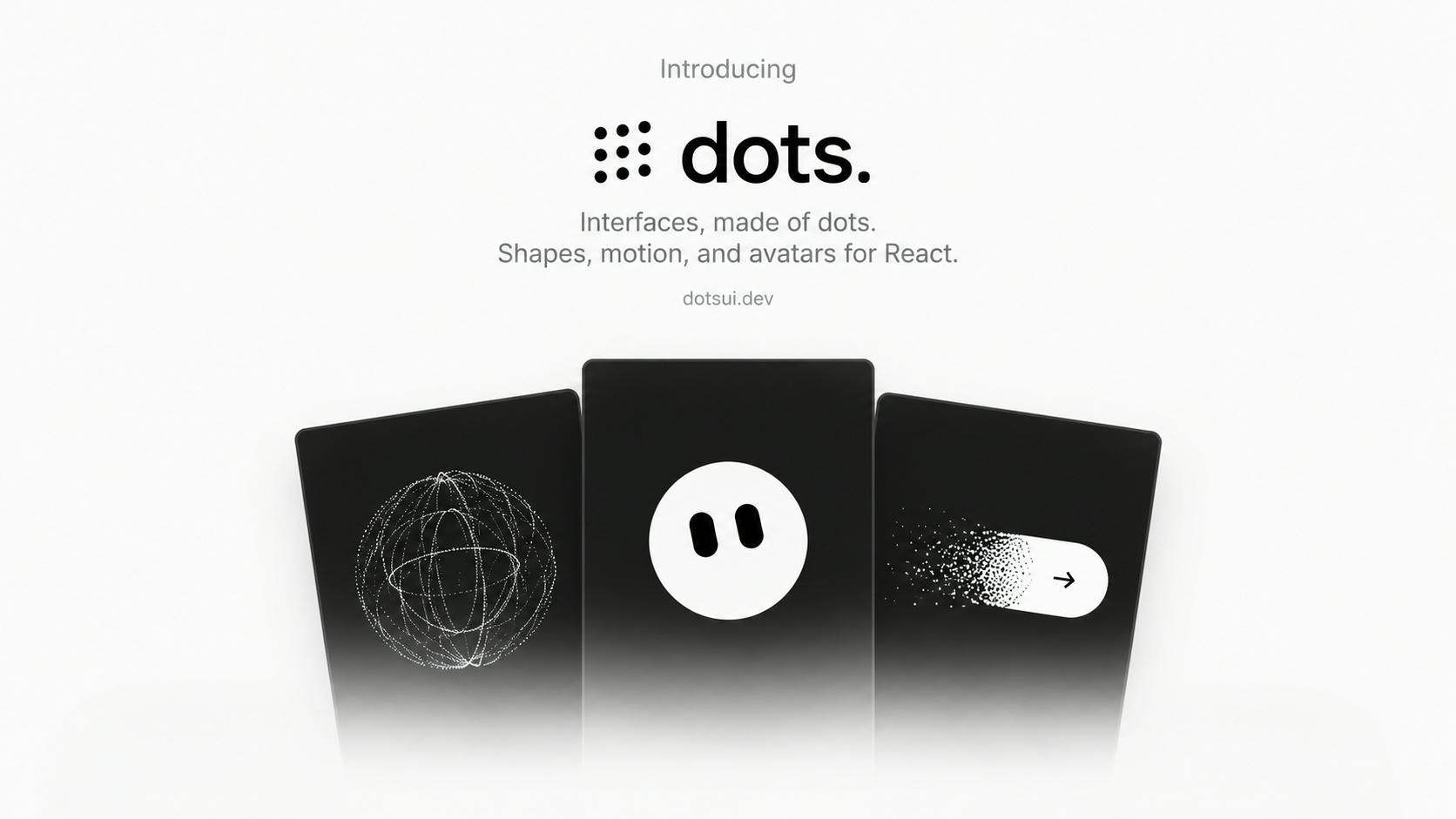
This is a React component library focused on particle interfaces, and its core selling point is morphability. It ships with 171 shapes that can morph into one another, spanning five categories: AI, productivity, media, e-commerce, and navigation. In other words, a graphic made of particles can smoothly transition from one form to another, giving your interface a dynamic, narrative quality.
The project was built by developer Hamza Al Sorkhy and launched on Product Hunt, where it currently has 75 upvotes and ranks 13th for the day, listed under Design Tools, Developer Tools, and Tech.
Core Capabilities: From Ready-Made Components to Custom Shapes
Out-of-the-Box Particle Components
Dots UI isn't just an icon set — it's a toolkit for building interactive interfaces. The official description positions it for animated states, loaders, controls, and visual effects. Developers can drop in pre-built components to add particle animations to their apps without hand-rolling Canvas or SVG animations from scratch.
Customizable Appearance and Behavior
Beyond direct use, Dots UI lets developers tweak appearance and behavior parameters. This means the same particle system can be adapted to fit different brand aesthetics — particle density, motion paths, transition timing, and more can all be fine-tuned rather than locked into a fixed style.
Studio: Build Your Own Shapes
The most ambitious feature is the built-in Studio tool, which lets users create custom shapes beyond the 171 built-in presets. For product teams with strong personalization needs, this lowers the barrier to creating unique particle animations — you can produce reusable morphing assets without diving into the underlying animation engine.
Visual shape editors (like Shape Editor / Studio) aren't a new concept in the animation world — Adobe After Effects' Shape Layers, Rive's node editor, and Lottie's export workflow have all traveled similar paths. What sets Dots UI's Studio apart is that it's built around editing particle density and distribution rather than vector paths themselves. The real value here lies in asset reusability: a designer defines a custom shape once in Studio, exports it, and shares it across multiple component instances — no need to go back to the code layer every time a new animation is needed. For design-developer collaboration workflows, this effectively inserts an "animation asset layer" between the two, giving designers more autonomy without requiring an engineer to implement every last detail.
Why "Morphable" Is a Compelling Direction
Traditional UI animations tend to stay in the realm of fade-in/out, translate, and scale transitions. The shape morphing that Dots UI specializes in is fundamentally different — it performs interpolation at the particle level, redistributing the particles of shape A to form shape B. This kind of effect is increasingly common in high-end brand websites, music/video players, and AI product status indicators, but it's extremely costly to implement yourself.
Packaging this capability into a React library hits a real developer pain point: wanting polished, high-end animations without reinventing the wheel. The 171 presets spanning everything from AI to e-commerce also signal that the author is building a general-purpose tool, not just a flashy demo.
The underlying principle behind particle morphing is typically called morphing interpolation. Technically, both shapes are decomposed into an equal number of particles (or path control points), and the system interpolates each particle's coordinates along the timeline — either linearly or with easing — to produce a smooth transition from shape A to shape B. The hard part is particle matching: if the pairing strategy is poor, particles take roundabout paths or pass through each other, making the animation look chaotic. Industrial-grade implementations often rely on Optimal Transport or the Hungarian algorithm to minimize particle travel distance and ensure visual smoothness. In the browser, this kind of computation typically runs on Canvas 2D, WebGL, or SVG path animation — each with its own performance and compatibility tradeoffs. Dots UI encapsulates all of this complexity beneath the React component layer, so developers can call it without understanding the underlying algorithms. That's the core of what makes it accessible.
A Grounded Assessment of Where It Stands
It's worth being clear-eyed: Dots UI is still early-stage. 75 upvotes and 2 comments doesn't constitute strong community validation. A few important questions the available information doesn't answer:
- Performance: What's the rendering overhead of particle animations on mobile and low-end devices?
- Bundle size: Does importing the full shape library significantly increase bundle size? Is tree-shaking or on-demand loading supported?
- Licensing and pricing: Is it open source and free, or commercially licensed? Is Studio a paid feature?
These are practical factors any team needs to evaluate before bringing it into production.
Conclusion
Dots UI represents a refinement trend in frontend animation tooling: taking particle morphing effects that previously required bespoke development and packaging them into plug-and-play React components, with Studio opening up customization for teams that need it. For teams chasing high-quality interface aesthetics — especially those building AI or media products looking for visual differentiation — it's worth adding to your evaluation list. That said, until key details around performance, bundle size, and licensing are clearer, a limited trial run is the prudent first step.
Related articles

Gemini 4 Argon Hands-On: AI Builds Board Games, Constructs Temples, and Trains Robots Autonomously
Gemini 4 Argon hands-on roundup: AI autonomously builds a desk racetrack and temple in Blender, writes a ray tracing engine, trains a humanoid robot to sink 7 shots, plus API pricing and developer access.

The Magic Octagonal Coin: Why Only 9% of People Can Predict Its Flip?
Only 9% of people can correctly predict the Magic Octagon coin flip. This article explains its spatial rotation mechanism, common cognitive pitfalls, and a new hypothesis based on Relevance Theory, exploring the limits of human spatial reasoning.

Sam Altman: AI Is Entering the Era of Scientific Discovery — Math Breakthroughs Will Replicate in Biology and Energy
Sam Altman says AI is entering the era of scientific discovery — math breakthroughs will replicate in biology, materials science, and energy to help develop new drugs and energy sources.