Double Your AI Coding Efficiency: Practical Tips for Using HTML Instead of Markdown
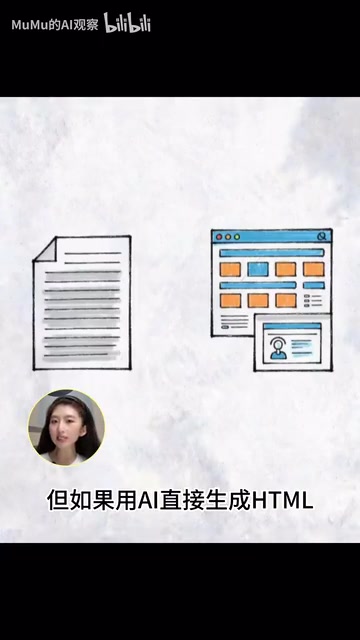
Have AI generate interactive HTML web pages instead of traditional Markdown documents
A new trend is emerging in the AI Coding community: having AI output interactive single-file HTML web pages instead of linear Markdown documents. While Markdown excels at recording knowledge, complex information gets "flattened" into walls of text. HTML enables filtering, interaction, and visualization — transforming meeting notes into project command centers and reports into actionable dashboards. With just a simple prompt change, AI's role upgrades from writing assistant to temporary product generator.
Article
Recently, a seemingly simple yet highly disruptive suggestion has gone viral in the AI Coding community — stop asking AI to generate Markdown documents, and have it generate HTML web pages directly. This idea originates from an article titled The Unreasonable Effectiveness of HTML by an engineer from the Cloud Code team, with the core message being: HTML's effectiveness in the AI Coding era is "unreasonably good."
This isn't about a new model, a new plugin, or a more complex programming technique — it's a fundamental rethinking of AI output formats.
Why Markdown Is No Longer Enough
The most common way we've used AI in the past is: "Summarize this for me," "Write me a report," "Organize this into a document." The output is typically a large block of Markdown-formatted text.
Markdown was created by John Gruber in 2004 with the design philosophy of being "easy to read and easy to write" — using plain text to simulate typographic formatting so documents remain readable even in their unrendered state. It quickly gained popularity in the tech community, becoming the standard format for platforms like GitHub, Stack Overflow, and Notion. However, Markdown's original design intent determines its ceiling: it is fundamentally a linear narrative tool, excellent at expressing ordered, clearly hierarchical text content, but inadequate for information scenarios requiring two-dimensional spatial layouts, conditional interactions, or dynamic filtering. When information dimensions exceed the combination of "headings + paragraphs + lists," Markdown begins to reveal its structural flaw of "flattening information."
Much complex information simply isn't suited to being "flattened" into a linear document. Product proposals, project plans, incident post-mortems... when written in Markdown, these become suffocating walls of text. The hierarchical relationships, priorities, and connections between pieces of information are all erased.
But if you have AI generate HTML directly, it's no longer just writing a document — it's generating a temporary web page you can open, click, and interact with.

The article was released alongside 20 example cases covering 9 major categories including code review, design prototyping, research and learning, and reports. All files are single HTML files that can be opened directly in a browser.
Why are single-file HTML pages so critical? HTML (HyperText Markup Language) was born in 1991, invented by Tim Berners-Lee. Over thirty years later, modern HTML5 combined with CSS3 and JavaScript can implement data visualization, interaction logic, dynamic filtering, and other complex features within a single file — without any server or deployment — by inlining CSS styles in
<style>tags and JavaScript logic in<script>tags, achieving a complete interactive application with zero dependencies and zero deployment. The browser itself is a powerful runtime environment; anyone can run a complete interactive product simply by double-clicking a file. For AI, generating a self-contained HTML file is much simpler than generating a project requiring multi-file coordination, with lower error rates and stronger verifiability.
Practical Case: Meeting Notes Transformed into a Project Command Center
Many users have already started converting their PPTs to HTML, but there's an even more practical scenario — turning ordinary meeting notes into interactive web pages.
Take a set of meeting notes about product adjustments as an example — the original content is nothing but dense text. Give Codex a prompt:
"Don't generate Markdown. Turn these meeting notes directly into an HTML project command center."
Codex generated a complete page that can be opened in a browser.

About Codex and Cloud Code: OpenAI Codex is a model fine-tuned specifically for code generation tasks based on the GPT architecture, serving as the underlying technology foundation for GitHub Copilot. Cloud Code is Anthropic's Claude model programming assistant product line for developers. The core capability of these tools isn't just code completion — it's understanding natural language intent and transforming it into complete runnable programs. When users change their prompts from "write a document" to "generate an HTML page," they're actually activating the model's deeper code generation capabilities — the model needs to simultaneously understand information structure, visual layout, and interaction logic across three dimensions, fusing them into a single executable file product.
Compared to a plain text document, this page not only summarizes and organizes the core meeting content but, more importantly, generates an interactive task board:
- Supports filtering by dimensions like "high risk," "incomplete," and "person responsible"
- Features a risk matrix on the right side, visually displaying the current biggest risk points
- Goals and tasks are clear at a glance, ready to be used directly for directing team execution
You'll notice that AI didn't just make the meeting notes "look prettier." What it did was transform a pile of chaotic information directly into a small-scale project management tool — with clear goals, defined tasks, and visualized risks. With this page in hand, you can immediately start directing different teams to take action.
Three Ideal Scenarios for HTML in AI Coding
This approach of "having AI output HTML directly" is particularly suited to three types of scenarios:

Scenario 1: Complex Information Display
Competitive analysis, research reports, project post-mortems, code reviews — these aren't just meant to be "read"; they need to show structure, highlight key points, and reveal relationships. HTML natively supports collapsing, highlighting, multi-column layouts, charts, and many other display methods that bring the layers of complex information to life on screen.
Scenario 2: Interactive Filtering Needed
Task boards, risk checklists, customer lists, requirements backlogs — the core need in these scenarios is filtering and manipulation. An HTML page with filters is far more useful than a static document. Users can filter by conditions, sort, and focus on the content they care about.
Scenario 3: Ad-hoc Demos and Presentations
Need to run a meeting, present a proposal, or do a demo? AI generates a single-file web page directly — open it and use it, no deployment needed, no PPT needed. A well-designed HTML page has both visual impact and interactive logic, making it far more flexible than PowerPoint.
Markdown vs. HTML: Not Replacement, but Division of Labor
It's important to emphasize that Markdown hasn't become obsolete. What we need is to re-understand AI's output formats and let different formats serve their respective purposes.

| Dimension | Markdown | HTML |
|---|---|---|
| Core Value | Preserving knowledge | Expressing complex information |
| Essence | Document | Interface |
| Usage Mode | For humans to read | For humans to interact with |
| Applicable Scenarios | Technical docs, notes, knowledge bases | Reports, dashboards, presentations, prototypes |
This distinction is very precise: When your goal is to record and preserve, use Markdown; when your goal is to understand and take action, use HTML.
A Single Prompt Change Could Be the New Dividing Line
Prompt Engineering refers to the technical practice of carefully designing input instructions to guide AI models toward producing higher-quality outputs. Early prompt engineering focused on making AI "speak more accurately," but the shift described here represents a deeper paradigm upgrade — from optimizing AI's "expression method" to redefining AI's "output format." When a prompt changes from "write me a report" to "generate an interactive HTML page for me," the user is actually redefining the boundary of AI's role: no longer a word processor, but a product prototype generator.
Next time you use Cloud Code, Codex, or any AI Coding tool, try adjusting your prompts:
- ❌ "Write me a report"
- ✅ "Generate an HTML page I can open directly"
With just this simple change, AI's output transforms from a block of text into a usable temporary product.
This may be a noteworthy new trend in the AI Coding space: We used to ask AI to write text; now we ask AI to generate temporary products. AI's role is evolving from "writing assistant" to "product generator."
Related articles
 Tutorials
ChatGPT Plus Subscription Guide: Are GPT-5.5, image-2, and Codex Worth the Upgrade?
A detailed look at ChatGPT Plus features — GPT-5.5, image-2, and Codex — with a Plus vs Pro comparison and a complete step-by-step subscription guide for users outside the US.
 Tutorials
Harness AI Engineering in Practice: Using Claude Code to Master Enterprise-Level E-Commerce Development
Deep dive into Harness AI Engineering: master enterprise e-commerce development with Claude Code using the Rules, Skills, Wiki, and Changes framework.
 Tutorials
Cursor + Codex Dual-IDE Collaboration: A Practical Methodology for Open-Source Project Customization
A complete methodology for open-source project customization based on real-world experience, detailing the Cursor+Codex dual-IDE workflow, seven-stage process, MVP validation, and AI source code reading techniques.