DSHgo Open-Sourced: A Lightweight Solution for Remote PC Control via Portrait-Mode Mobile

DSHgo: a free, open-source lightweight remote tool optimized for portrait-mode mobile task monitoring.
DSHgo is a lightweight remote control app redesigned for portrait-mode mobile, now free and open-source on GitHub. It focuses on high-frequency needs like checking status, sending commands, and transferring files rather than replicating a full desktop. Version 1.1 adds mobile file drafts, connection recovery, network switching optimization, boot animation skip, and Zcode support. It requires a PC plugin and mobile app; optimization is limited on restricted networks, and complex operations are best done at the computer.
Title
DSHgo Open-Sourced: A Lightweight Solution for Remote PC Control via Portrait-Mode Mobile
Meta Description
DSHgo is a remote control app optimized for portrait-mode mobile, with file selection, connection recovery, and Zcode support. Free and open-source on GitHub. This article covers its core features, the 1.1 update, installation, and limitations.
Article Content
Your computer is running a task, you've already left the house, and you want to check progress remotely on your phone—only to find that the remote desktop's landscape interface has tiny buttons and is hard to type on. This is a scenario many developers and ops engineers have encountered. A Bilibili creator introduced a mobile remote app called DSHgo, optimized specifically for portrait-mode phones, now free and open-source on GitHub.
Why a Lightweight Mobile Remote Solution Is Needed
Most traditional remote desktop tools are designed for desktop environments, and moving them to phones drastically degrades the experience: landscape layouts make small buttons hard to tap, and typing requires constant switching between text fields and the virtual keyboard. The creator joked in the video that "typing means battling the keyboard," capturing the core pain point of mobile remote operation.
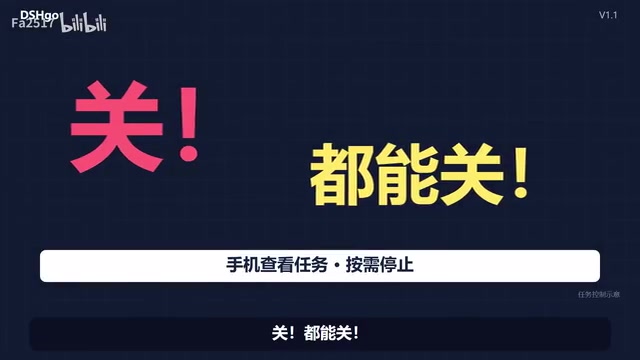
DSHgo's approach isn't to replicate a full desktop but to strip things down around the high-frequency needs of "checking status and handling simple tasks." It redesigns the interaction for portrait-mode phones: tapping an icon expands a sidebar, and when collapsed, the conversation content fills the screen, reducing mis-taps and wasted space.

According to the creator, there are "nine more" similar lightweight solutions, and DSHgo is one of them. Though this is said in a casual, conversational tone, it reflects that remote control tools are increasingly diversifying toward mobile-first designs.
Remote desktop protocols (such as RDP and VNC) were originally designed for mutual control between desktop devices within a LAN, with interaction models that assume precise mouse pointers and physical keyboards. On mobile touchscreens, pointer precision drops, right-click and hover operations are missing, and the virtual keyboard occupies a large portion of screen space—causing traditional remote desktops to plummet in mobile efficiency. Lightweight solutions typically stop transmitting the full desktop image and instead focus on task lists, status panels, and short command streams, syncing only necessary information through dedicated protocols to reduce bandwidth usage and operational complexity.
DSHgo's Core Features and the 1.1 Update
DSHgo version 1.1 brings several practical improvements. The most direct is support for selecting files on the phone to add to drafts, then confirming before sending—avoiding accidental operations. For scenarios requiring submitting scripts or configurations to the PC, this workflow is more controllable than direct pasting.
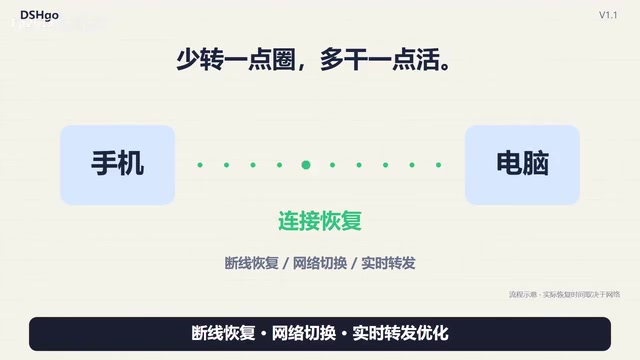
Connection recovery and network switching optimization are also key. Mobile network environments are unstable—subways, elevators, and Wi-Fi/cellular switching all interrupt connections—and DSHgo's handling in this area reduces "spinning wheel" waits. The creator also candidly noted that for some strictly restricted campus networks, the optimization may be limited.
The startup process has also been adjusted: you can enter as soon as the page is ready, without watching the full boot animation. Additionally, Zcode connection support has been added—the creator joked it's "just adding a link," but it's free, which is a plus.
Looking at the feature trade-offs, DSHgo doesn't aim for breadth but smooths out the few things most commonly done on mobile—checking status, sending commands, and transferring files. This positioning is sufficient for users who occasionally need to monitor tasks remotely, but may not suit those who need full desktop operations.
Connection recovery and network switching optimization rely on connection-preservation mechanisms. When mobile devices switch between Wi-Fi and cellular, IP addresses change, and traditional long connections often drop outright. Common approaches include heartbeat detection, session token continuation, and fast reconnect strategies, allowing the client to resume the existing session after a brief network outage rather than establishing a completely new connection. Such optimizations are noticeably effective in subways, elevators, and other unstable-signal scenarios, but when the network itself has strict restrictions (such as requiring authentication or blocking non-standard ports), the underlying link may still fail to establish—so the optimization has its boundaries.
Installation and Open-Source Status
Using DSHgo requires two steps: install the plugin on the PC and the app on the phone. Installation steps and update notes are all in the GitHub repository—just search for DSHgo. The creator emphasized that the project is completely free and open-source, which is a plus for users concerned about privacy and sustainability.

Open source also means the community can review the code and submit improvements. Given that such tools need access to PC capabilities, code transparency helps build trust. However, the project is still early-stage, and documentation completeness and long-term maintenance remain to be seen.
The plugin-plus-app architecture means the PC-side plugin handles invoking local capabilities, executing tasks, or reading status, while the mobile app acts as a lightweight control end communicating with the plugin. This separation means the phone doesn't need full desktop permissions, and each component can be updated independently. Open source is particularly important for such tools because the plugin runs on the user's computer with elevated privileges—code reviewability helps users confirm data transmission scope and permission boundaries. However, open-source projects vary widely in maintenance activity, documentation completeness, and security response speed, and early-stage projects especially warrant attention to repository commit frequency and issue handling.
Applicable Boundaries and Caveats
DSHgo is positioned as a lightweight auxiliary tool, not an all-purpose replacement for remote desktop. The creator's joking remark in the video that "it launched 80 sub-agents" hints that the tool supports viewing and managing multiple tasks, but complex operations are still best done at the computer.
Network conditions are another variable. The video specifically mentions limited optimization in some campus network environments, indicating the tool still depends on network quality. If your network is strictly restricted, actual experience may differ from the promotional claims.
For users concerned about security, the open-source code can be reviewed independently, but it's still advisable to use it only on trusted networks and to keep an eye on repository updates.
Summary
DSHgo tackles the specific problem of "portrait-mode unusability" in mobile remote control, offering its own answer through lightweight interaction and detail improvements like connection recovery. Being free and open-source lowers the barrier to trying it, making it suitable for users who need to quickly check PC task status in mobile scenarios. It doesn't solve all remote desktop needs, but when it comes to "taking a quick look while out," it's headed in the right direction.
One-line Summary
DSHgo is a free, open-source lightweight remote tool optimized for portrait-mode mobile, ideal for checking PC tasks on the go.
Paragraph Summary
DSHgo is a lightweight remote control app redesigned for portrait-mode mobile environments, now free and open-source on GitHub. Rather than replicating a full desktop, it strips down around high-frequency needs like checking status, sending commands, and transferring files, using an expandable sidebar so content fills the screen and mis-taps are reduced. Version 1.1 adds mobile file selection with drafts, connection recovery, network switching optimization, skipping the boot animation, and Zcode connection support. It requires a PC-side plugin and a mobile app. Optimization is limited on strictly restricted networks like campus Wi-Fi, and complex operations are still best done at the computer—its positioning is a lightweight auxiliary tool for mobile scenarios.
Related articles

OpenAI Partners with Shield: How the Astra Agent Revolutionizes IT Troubleshooting
OpenAI and Shield launch the Astra agent, which autonomously logs into computers and legacy systems to fix IT issues in real time, 35-40% faster than traditional models, with humans involved only when judgment is needed.

iPhone Duo Battery Life Tested: One Charge a Day Is Unavoidable, and the Large Screen Is the Culprit
iPhone Duo battery test: heavy use needs at least one charge a day, and about 30% remains after 6.5 hours of screen-on time. How often the large screen is unfolded is key; a MagSafe battery pack helps, and long-term degradation is also worth watching.

Kimi K3.1 Pro Open-Sourced: 2.8 Trillion Parameters Close In on Opus
Moonshot releases the open-source MoE model Kimi K3.1 Pro, with 2.8T total parameters and 104B activated, trailing Opus 5.5 by under 1 point on Terminal Bench 4.0.