FastEmbed Tutorial: Installation and Practical Guide for a Lightweight Local Vector Embedding Library

FastEmbed: a lightweight, fast, local Python vector embedding library introduction and hands-on guide
FastEmbed is a lightweight Python embedding library developed by the Qdrant team, built on the ONNX Runtime inference engine without requiring heavyweight frameworks like PyTorch. It supports vector embedding generation for both text and images with a concise API, solid semantic understanding capabilities, and seamless integration with the Qdrant vector database. Ideal for rapid prototyping, GPU-free deployments, and local RAG applications, though its supported model range is limited.
In AI application development, vector embedding of text and images is a fundamental and critical capability. However, many embedding solutions rely on heavyweight frameworks like PyTorch and TensorFlow, which demand significant hardware resources. FastEmbed, as a Python embedding library focused on being lightweight, fast, and local, offers an extremely attractive option for development environments without GPUs. This article provides a detailed introduction to FastEmbed's core features, usage methods, and integration practices with the Qdrant vector database.
What Is FastEmbed and Why Should You Care?
FastEmbed is a Python library developed by the Qdrant team, specifically designed for quickly generating vector embeddings of text and images in local environments. Its core design philosophy can be summarized in three keywords: lightweight, fast, and local.
Unlike general-purpose embedding frameworks, FastEmbed uses ONNX Runtime (Open Neural Network Exchange) as its inference engine. ONNX can be thought of as the "PDF format" of neural networks — a universal model exchange standard. This means FastEmbed doesn't need to depend on large deep learning frameworks like PyTorch or TensorFlow, dramatically reducing package size and system resource consumption.
Of course, FastEmbed has its limitations. It only supports a specific list of models — not all models on Hugging Face can be used directly. Some of the highest-ranking models on the MTEB (Massive Text Embedding Benchmark) leaderboard (such as Google's KALM/Gemma series) are not within its supported range. However, for prototyping and lightweight application scenarios, the models FastEmbed provides are more than sufficient.
Installation and Environment Configuration
Installing FastEmbed is extremely simple — just one pip command:
pip install fastembed
If you need GPU acceleration support, you can install the GPU version:
pip install fastembed-gpu
For developers using UV (a Rust-based Python package manager), you can also add the dependency via uv add fastembed. The entire installation process requires no additional configuration of CUDA or other deep learning framework environments — truly plug and play.
Text Embedding: From Basic Usage to Semantic Understanding Verification
Basic Usage
FastEmbed's API design is extremely concise. Generating text embeddings only requires three steps: create a model instance, call the embed method, and process the results.
import numpy as np
from fastembed import TextEmbedding

documents = [
    "I don't like Apple because their products are overpriced",
    "I don't like bananas because they taste odd",
    "I don't like Microsoft because their OS produces a lot of blue screens"
]

embedding_model = TextEmbedding()
embeddings = np.array(list(embedding_model.embed(documents)))

Interestingly, the embed() method returns a Generator, which requires list() to trigger the actual computation. This design effectively controls memory usage when processing large volumes of documents.
Verifying Semantic Understanding Capability
The example above was carefully designed with an interesting test scenario: among the three sentences, "Apple" and "bananas" appear more similar at the lexical level (both are fruit names), but at the semantic level, "Apple" and "Microsoft" are the truly related ones (both are tech companies).
By calculating the Euclidean distance between vectors, the results show:
- Apple vs Microsoft: Distance 0.78 (closest) — the model correctly identified both as tech companies
- Apple vs Bananas: Distance 0.877
- Bananas vs Microsoft: Greatest distance
This demonstrates that FastEmbed's default embedding model already possesses solid semantic understanding capability, going beyond simple lexical matching to understand the true meaning within context.
Choosing Different Embedding Models
FastEmbed supports multiple pre-trained models. You can view the complete list of supported models with:
from fastembed import TextEmbedding, ImageEmbedding

# View supported text embedding models
print([x["model"] for x in TextEmbedding.list_supported_models()])

# View supported image embedding models
print([x["model"] for x in ImageEmbedding.list_supported_models()])
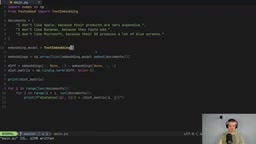
To use a specific model, simply specify the model name when creating the instance:
embedding_model = TextEmbedding(model_name="mixedbread-ai/mxbai-embed-large-v1")
Image Embedding: Unified API for Multimodal Embeddings
FastEmbed supports not only text embedding but also image embedding. The usage is almost identical to text embedding:
from fastembed import ImageEmbedding

embedding_model = ImageEmbedding(model_name="Qdrant/resnet50-onnx")
embedding_list = list(embedding_model.embed(["image1.jpeg", "image2.jpeg"]))
Simply replace the text list with a list of image paths to obtain vector representations of images. This consistent API design significantly lowers the development barrier for multimodal AI applications.
Seamless Integration with Qdrant Vector Database
FastEmbed has a natural integration relationship with the Qdrant vector database — they come from the same team. When using Qdrant's add method to add documents to a collection, if embedding vectors are not manually provided, Qdrant will automatically invoke FastEmbed to complete the embedding computation in the background.
from qdrant_client import QdrantClient

client = QdrantClient(":memory:")
client.set_model("sentence-transformers/all-MiniLM-L6-v2")

# Automatically uses FastEmbed to generate embeddings when adding documents
client.add(collection_name="my_collection", documents=documents)

The set_model method specifies the embedding model used by FastEmbed, and all documents subsequently added to the collection will automatically have embedding vectors generated through that model. This design lets developers focus on business logic without manually managing the embedding generation workflow. For building RAG (Retrieval-Augmented Generation) applications, this integration approach is especially convenient.
GPU Acceleration Configuration
While FastEmbed is primarily designed for CPU inference, it also supports acceleration via NVIDIA GPUs. After installing the fastembed-gpu package, you can enable CUDA acceleration through the providers parameter:
from fastembed import TextEmbedding

embedding_model = TextEmbedding(
    model_name="sentence-transformers/all-MiniLM-L6-v2",
    providers=["CUDAExecutionProvider"]
)
Note that GPU acceleration currently only supports NVIDIA graphics cards (CUDA drivers must be installed); AMD graphics cards are not yet supported.
Use Cases and Limitations Analysis
FastEmbed's positioning is very clear: it doesn't aim to top the MTEB leaderboard, but rather provides developers with an out-of-the-box, lightweight, and efficient local embedding solution.
Best suited scenarios include:
- Rapid prototyping and proof of concept
- Lightweight deployment environments without GPUs (laptops, edge devices)
- Building local RAG applications in conjunction with Qdrant
- Projects with strict dependency management requirements (avoiding large frameworks like PyTorch)
Less suitable scenarios:
- Production environments requiring state-of-the-art embedding models
- Projects that need to use specific Hugging Face models
- Professional retrieval systems with extremely high embedding quality requirements
Overall, FastEmbed strikes an excellent balance between "good enough" and "easy to use." For most local AI application development scenarios, it's a lightweight vector embedding solution well worth prioritizing.
Related articles
 Tutorials
ChatGPT Plus Subscription Guide: Are GPT-5.5, image-2, and Codex Worth the Upgrade?
A detailed look at ChatGPT Plus features — GPT-5.5, image-2, and Codex — with a Plus vs Pro comparison and a complete step-by-step subscription guide for users outside the US.
 Tutorials
Harness AI Engineering in Practice: Using Claude Code to Master Enterprise-Level E-Commerce Development
Deep dive into Harness AI Engineering: master enterprise e-commerce development with Claude Code using the Rules, Skills, Wiki, and Changes framework.
 Tutorials
Cursor + Codex Dual-IDE Collaboration: A Practical Methodology for Open-Source Project Customization
A complete methodology for open-source project customization based on real-world experience, detailing the Cursor+Codex dual-IDE workflow, seven-stage process, MVP validation, and AI source code reading techniques.