Figma Agent Deep Dive: The AI Design Assistant Living Inside Your Canvas

Figma Agent is an AI design assistant that lives inside your canvas and understands your actual components and cross-tool context.
Figma Agent embeds AI directly into the design canvas, with a core advantage of understanding real components, variables, and team files rather than treating designs as flat images. It covers the full workflow — from generating layouts via prompts and batch editing across screens, to converting comments into design changes and building interactive prototypes. Via the MCP protocol, it pulls context from Notion, Slack, GitHub, and Linear to keep outputs aligned with real project goals. Users can also save repeated workflows as reusable team "skills," building an extensible collaborative platform designed to eliminate context-switching and reshape how design teams work.
Figma's new AI feature, Figma Agent, aims to free designers from the exhaustion of constantly switching between tools. It runs directly on the design canvas — not treating design files as static images, but genuinely understanding your real components, variables, and team files. The product recently reached #6 on Product Hunt, earning 118 upvotes.
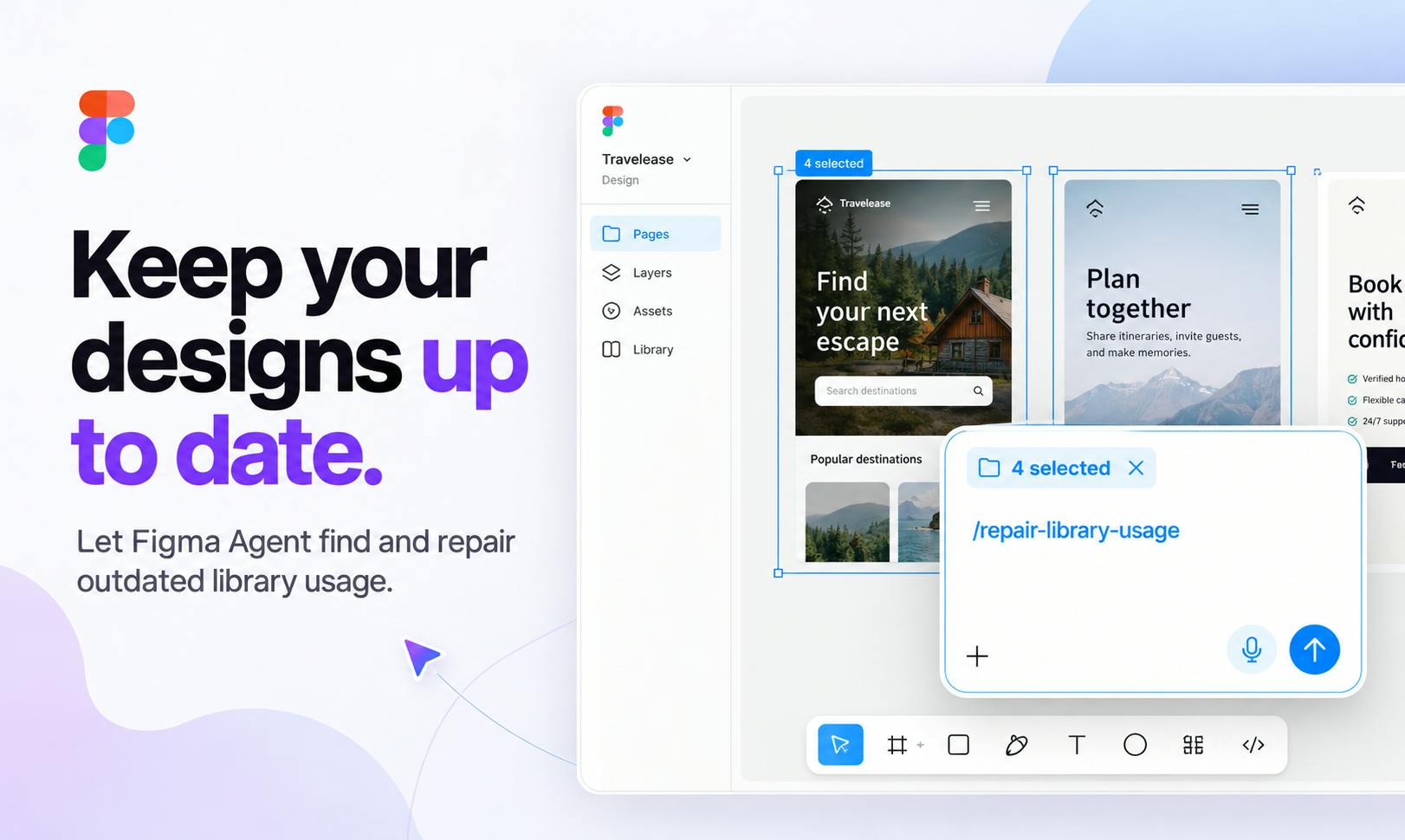
Intelligent Collaboration Inside the Canvas, Not Bolted On
A common flaw with many AI design tools has been treating design files as flat images — outputs that typically require significant manual rework before they're usable. That's precisely where Figma Agent differentiates itself: it operates on top of a real design system, recognizing your component library, variable definitions, and team-shared files.
This means when the AI adjusts a layout or performs batch edits, it's modifying semantically meaningful design elements — not pixels. For teams maintaining large design systems, this distinction is critical: component consistency is preserved, variable-driven theme switching isn't broken, and the structure of collaborative files remains intact.
A Complete Pipeline from Prompt to Prototype
Figma Agent covers several high-frequency, time-consuming stages of the design workflow. You can generate multiple layout directions using natural language, letting the AI produce design drafts to choose from. You can also perform batch edits across multiple screens, eliminating the need to manually adjust each frame one by one.
Particularly interesting is its ability to convert comments directly into design changes. In team collaboration, review feedback is often scattered across annotations, requiring designers to digest each note and manually implement it. Now, a single comment can be understood by the Agent and translated into actual canvas modifications. Beyond that, it can build interactive prototypes from a single prompt — dramatically compressing the time from concept to something demonstrable.
Pulling External Context via MCP
Real design decisions never happen in isolation. Requirements live in Notion, discussions happen in Slack, code is on GitHub, and task tracking is in Linear. Figma Agent uses the MCP (Model Context Protocol) to pull contextual information from these tools.
This cross-tool context integration gives the AI a more complete understanding of the background when generating designs, rather than creating in a vacuum disconnected from the product context. For designers, this reduces the communication overhead of repeatedly copying and pasting requirements and syncing information — and makes the AI's output far more aligned with actual project goals.
What is MCP? MCP (Model Context Protocol) is an open protocol proposed and open-sourced by Anthropic in late 2024, designed to standardize how AI models connect with external data sources and tools. Previously, every AI application that wanted to integrate with Notion, GitHub, or similar third-party services had to build its own custom integration — costly to develop and hard to reuse. MCP defines a unified interface for "tool invocation" and "context injection," allowing AI models to access external systems like plugins, while external services only need to implement a MCP adapter once to be usable by any compatible AI application. For Figma Agent, integrating with MCP means it can proactively pull structured information from different platforms — such as PRD documents from Notion or requirement cards from Linear — and use that content as semantic context during design generation, rather than requiring designers to manually copy and paste content into a chat box.
An Extensible Skill System
Figma Agent isn't a closed black box. According to official documentation, users can build their own plugins and shaders, and save reusable workflows as "skills" that team members can invoke simply by typing "/".
This design philosophy elevates AI from a one-off generation tool into a platform that accumulates team knowledge. Once repetitive operational workflows are codified as skills, the entire team can reuse them with one click — ensuring consistency in output and helping new members get up to speed faster with established design standards and processes.
What are shaders in this context? In the context of design tools, "shaders" typically refer to GPU program fragments used to create visual effects — such as gradient animations, noise textures, and light-and-shadow simulations. Figma introduced support for custom shaders at its Config 2023 conference, allowing developers to write real-time canvas effects using GLSL (OpenGL Shading Language). By including shaders as something users can build within Figma Agent, the implication is that AI can help generate or invoke these low-level graphics programs — lowering the barrier to creating visual effects. Designers who have no knowledge of shader programming can describe the desired effect in natural language and have it applied directly to their design files.
What This Means for the Design Workflow
Figma Agent's product positioning can be summed up as "stay in flow from idea to review" — maintaining a state of flow throughout the entire process from concept to review. It targets the attention cost designers incur from constantly switching between different tools and stages.
Based on publicly available information, this product's ambitions go beyond a single "AI-generated design" feature. It's trying to restructure the entire collaborative design workflow. The combination of real component understanding, cross-tool context, and an extensible skill system forms the moat that sets it apart from comparable tools. Of course, how these capabilities perform in practice — and whether the generation quality can meet the rigorous standards of professional design teams — remains to be validated through broader real-world use. For teams that are already deeply invested in Figma, this is undoubtedly a direction worth watching closely.
Related articles

AgentCore in Practice: Connecting Custom Tools and MCP Servers to Agents
DebuggerCafe tutorial shows how to connect custom tools and MCP servers to Amazon Bedrock AgentCore agents, covering tool contract design, MCP reuse, and production concerns.

816B Parameters Scores Only 39? The Real Cost-Effectiveness of the Open-Source LLM Parameter Race
Meta's 816B Muse Spark Open scores just 39 on Artificial Analysis, while 180B Qwen3.8-Flash-Next scores 40. This article analyzes 11 open-weight models' parameters vs. scores, exploring the real impact of activated parameters, quantized size, and deployment cost.

Aerial Manipulators: The Next Step for Drones from 'Seeing' to 'Changing'
Starting from a Reddit discussion, this article analyzes the technical challenges, potential applications, and deployment bottlenecks of aerial manipulators, exploring the key challenges for drones moving from environmental perception to physical manipulation.