Firebase AI Logic + Gemini Nano 4: A Practical Guide to Android AI Development

Firebase AI Logic plus Gemini Nano 4 gives Android developers a secure, device-cloud generative AI deployment path.
At the Android Developer Summit, Firebase showcased Firebase AI Logic combined with Gemini Nano 4 to tackle three mobile generative AI challenges: API key leakage, frequent releases from hardcoded models, and missing data privacy guardrails. The client SDK connects directly to the Gemini API without a self-built backend proxy, and App Check hardware attestation, server-side prompt templates, and AI monitoring form three layers of security guardrails. Hybrid inference supports on-device-preferred, cloud-preferred, and on-device-only routing, with Gemini Nano 4 delivering offline availability, zero inference cost, and data that stays on the device. Cost controls include Spend Caps and AI Logic Triggers, and the model matrix covers text, code, media, voice, and multimodal scenarios.
Firebase showcased the combination of Firebase AI Logic and Gemini Nano 4 at the Android Developer Summit, offering Android developers a path to deploy generative AI from cloud to on-device while balancing security and cost. This article is based on the on-site sharing by Firebase Product Manager Ankita Saxena and Developer Relations Engineer Arthur Thompson, breaking down the key design and practical details of this solution.
Three Major Challenges of Mobile Gen AI
The Firebase team summarizes the pain points of bringing generative AI to mobile into three areas: API key leakage (they mentioned on stage that extracting a key takes only minutes), hardcoded model names forcing a re-release with every model update, and the lack of file privacy and data guardrails. These three problems point to the same conclusion: if developers build their own backend proxy layer, the cost of reinventing the wheel is high and it's easy to leave security gaps.
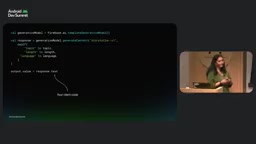
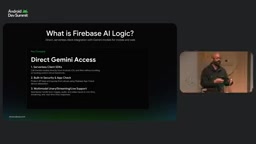
The role of Firebase AI Logic is precisely to take over this complex backend layer for developers. Through the client SDK, Android apps can securely call the Gemini API directly, with requests routed through Firebase AI Logic to the Gemini Developer API or the Gemini API proxy platform, without needing to build an intermediate layer. Image: Firebase AI Logic server-side SDK and routing architecture diagram
Three Layers of Security Guardrails: App Check, Server-Side Prompt Templates, and Monitoring
Firebase App Check: Proving Requests Come from Your App
App Check verifies through hardware attestation that requests genuinely come from your app. The console workflow is: register the Android app, add an attestation provider such as Play Integrity or reCAPTCHA Enterprise, and first collect telemetry in "unenforced" mode, confirming API calls work properly before switching to enforcement—after which requests without a valid hardware attestation token are rejected outright. At the code level, install the App Check provider in the Application class, using the debug provider during development and switching to Play Integrity or reCAPTCHA Enterprise before launch. One critical ordering requirement: App Check must be configured before any other Firebase calls are made.
Play Integrity is an Android app integrity verification API provided by Google, and is the successor to SafetyNet Attestation. It generates a cryptographically signed attestation token on the device side through Google Play services, containing information such as the app package name, signing certificate digest, and device integrity verdict (e.g., whether rooted or tampered with), which is then verified by Google servers and returned to the caller. Firebase App Check leverages this mechanism to let the backend confirm that requests come from an unmodified, genuine app running on a device that passes integrity checks. reCAPTCHA Enterprise is mainly used for Web and iOS scenarios, distinguishing real users from automated scripts through behavioral analysis. After both are integrated into App Check as attestation providers, Firebase issues a short-lived token for each request, and the backend only allows it through after validating the token. Because the attestation token is bound to the device's hardware key, even if an attacker obtains the API key, they cannot forge valid requests in an emulator or unauthorized environment—this is precisely why App Check can fundamentally mitigate the risk of key leakage.
Server-Side Prompt Templates: Prompts Never Land on the Device
Hardcoding prompts into app code has two consequences: tweaking a prompt requires a release, and anyone who decompiles the app can get your prompt engineering. Server-side prompt templates host prompts in the cloud, written in the .prompt format, allowing you to switch models at any time and define strict JSON schemas for inputs and outputs—all without releasing an update. This feature is currently in public preview. In addition, you can enable auth-only mode (authorizing requests with Firebase Auth user tokens) and template-only mode to further tighten permissions from the console side.
AI Monitoring: Observability from a Single Toggle
After enabling monitoring with one click on the AI Monitoring tab and configuring the sampling rate, Firebase automatically collects metrics such as latency, success rate, and token consumption—no need to write your own analytics code. The dashboard lets you observe p95 latency, error spikes, and token consumption across text, image, audio, and other modalities, while Trace Viewer lets you drill down into individual calls. Image: AI monitoring and tracing view in the Firebase console
Hybrid Inference: On-Device Nano 4 and Cloud Models Working Together
Relying entirely on the cloud is not a reasonable choice for mobile generative AI. The Gemini Nano 4 on-device model brings three benefits: offline availability (features keep working on planes, subways, and at large conferences), inference performed on the device so there's no cloud cost, and sensitive data that never leaves the device during inference.
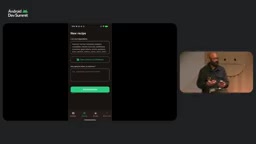
Firebase AI Logic provides explicit inference modes and routing strategies: prefer on-device, prefer cloud, and on-device only. When "on-device only" is selected, the SDK calls the device model directly, completely bypassing the cloud. In the live demo, a phone camera took a photo of a refrigerator to identify ingredients—the image never left the device and was analyzed locally by Nano 4, with noticeably lower response latency. Image: On-device inference demo—image analyzed locally on the device
In terms of code implementation, hybrid routing is just one extra parameter: pass in an on-device configuration specifying the preferred mode, and the SDK will try the local model first and automatically fall back to the cloud when unavailable—developers don't need to write complex middleware or fallback logic.
Gemini Nano is a family of lightweight models designed by Google for on-device devices. It shares some architectural concepts with the cloud Gemini series but is significantly compressed in parameter count to fit phone memory and compute budgets. Its operation relies on Android's AICore system service, which manages model downloads, updates, and hardware acceleration (such as NPU or GPU delegation) on behalf of the system, so apps don't need to bundle model files themselves. Nano 4 enhances multimodal understanding and reasoning quality while maintaining low latency and offline capability, but it is still significantly weaker than large cloud models, making it suitable for tasks like summarization, classification, image recognition, and simple conversation. Firebase AI Logic's hybrid routing makes decisions precisely at this capability boundary: in on-device-preferred mode, the SDK checks whether the device has AICore and the corresponding model version, runs inference locally if the conditions are met, and otherwise falls back to the cloud Gemini API with the same request body. Because the prompt and response schema stay consistent on both device and cloud sides, developers don't need to maintain two sets of calling logic when switching routes—this is also the key engineering prerequisite that makes device-cloud collaboration feasible.
Cost Guardrails: Spend Caps and AI Logic Triggers
On-device inference is free, but complex reasoning tasks and fallback scenarios still generate cloud calls, so cost guardrails are essential. Firebase's Spend Caps allow you to set budget limits for independent surfaces like Firebase AI Logic, rather than just project-level budget alert emails. When spending reaches 100%, Firebase automatically pauses AI services to prevent overspending.
More fine-grained control comes from Firebase AI Logic Triggers: running custom functions before and after content generation to check and filter user input, supplement context, or adjust the returned response. This embeds business logic into the AI call chain without modifying the client.
Firebase AI Logic Triggers are conceptually similar to Cloud Functions' trigger model, but they bind to the AI inference lifecycle rather than database or storage events. The callback functions developers register run in a trusted server-side environment, so they can access server-side secrets, databases, and internal auth systems without the client being aware. Pre-generation triggers are commonly used for content moderation (blocking violating input), user quota checks (preventing abuse), and injecting context from user profiles or retrieval systems; post-generation triggers can be used for redaction, format validation, adding citations, or logging audit trails. Because triggers execute synchronously in the request chain, their latency adds to end-to-end response time, making them suitable for lightweight logic—heavy computation should be made asynchronous. Compared with Spend Caps' coarse-grained budget control, Triggers provide call-level business rule control, and together they form a two-layer guardrail from cost to content.
Model Matrix and Multimodal Capabilities
Firebase AI Logic provides a production-oriented model catalog: fast inference, text, code, and media scenarios can use Gemini 4 Argon, Gemini 3.1 Pro, Gemini 3.8 Flash, and more; through search and maps grounding, models can be connected to real-world data; on the voice side, it offers natural text-to-speech and Gemini Live audio generation. Image: Firebase AI Logic model catalog and capability overview
Two multimodal scenarios were demonstrated on stage. The first is the Gemini Live API: after enabling two-way voice conversation, the app can continuously stream microphone audio and camera frames, receiving low-latency voice replies in real time, with the session staying open until the user closes it. The second is text-to-speech: send recipe step text to the TTS model, and the returned audio can be played or cached. In Kotlin code, you simply instantiate a live model configured for audio responses and connect the session through a stream handler—WebSocket and streaming protocols are all handled under the hood by the SDK.
A Future-Oriented Development Workflow
At the end of the talk, two directions worth watching were mentioned: Firebase agent skills can be integrated into the development workflow; and for developers using anti-gravity and Android Studio, Firebase AI Logic is already integrated directly into the onboarding flow. The three speakers' closing advice was: start building early; invest early in production tools (especially security capabilities); and use agent skills as much as possible.
For Android teams, the core value of this combination isn't any single API, but that it packages key management, prompt asset protection, device-cloud routing, cost caps, and observability into default configurations—turning the deployment of generative features from "building an entire infrastructure" into "adding one parameter."
One-line Summary
Firebase AI Logic combined with Gemini Nano 4 gives Android developers a secure, device-cloud collaborative path to deploying generative AI.
Paragraph Summary
At the Android Developer Summit, Firebase showcased the combination of Firebase AI Logic and Gemini Nano 4, designed to solve three major challenges of mobile generative AI: API key leakage, frequent releases caused by hardcoded models, and the lack of data privacy guardrails. The solution connects the client SDK directly to the Gemini API, eliminating the need for a self-built backend proxy, and forms three layers of security guardrails with App Check hardware attestation, server-side prompt templates, and AI monitoring. Hybrid inference supports three routes—prefer on-device, prefer cloud, and on-device only—with Gemini Nano 4 delivering offline availability, zero inference cost, and data that never leaves the device. On the cost side, it offers Spend Caps budget limits and AI Logic Triggers for call-level logic injection, with a model matrix covering text, code, media, voice, and multimodal scenarios.
Related articles
world2vec: Building Mechanistic World Models with Latent Dynamics Learning
world2vec proposes a reward-free method for learning mechanistic world models via latent dynamics, faithfully reproducing systems over long horizons with at least an order of magnitude fewer parameters than DreamerV3, TD-MPC2, and LeWM, and achieving accurate system identification on 71 attractor benchmarks.

A New KL-DRO Paradigm: Adaptive Scenario Generation Around a Learned Density Model
KL-DRO research proposes centering the KL ball on a learned density model instead of the empirical distribution, with adaptive scenario generation guiding sampling toward the worst case. Experiments show lower cost under distribution shift when records are scarce and the model can extrapolate, with comparable in-distribution cost.

ODE Samplers for Discrete Diffusion Models: Exponential Residual Flows Accelerate Generation
Discrete diffusion models lack deterministic ODE sampling? This article introduces Exponential Residual Flows (ERFs), which introduce continuous residual variables per token to construct piecewise ODEs for deterministic sampling and support consistency distillation acceleration. Superior to prior methods on code and text generation tasks.