Free Unlimited Automation: A Practical Guide to Self-Hosted n8n

Self-host n8n community edition via Docker for unlimited automation and break past Zapier's free plan limits.
The article contrasts Zapier's free plan, limited to 100 task executions per month, with n8n community edition's unlimited executions, noting that self-hosting shifts costs from per-task to per-server-resource. It details a three-step setup: deploy n8n with Docker, drag nodes on the visual canvas to connect 400+ apps, and activate automatic workflow runs. It also cautions that the community edition lacks enterprise features like SSO and that self-hosting requires maintaining servers and configuring domains and HTTPS.
Why Self-Hosted n8n Is Worth Your Attention
Zapier's free plan only gives you 100 task executions per month, which falls far short for workflows that need frequent triggers. The n8n community edition removes the execution limit entirely—the only bottleneck is the performance of your own server. According to a YouTube channel, deploying n8n on your own server via Docker enables unlimited automation and can connect to over 400 apps including Gmail, Google Sheets, and Telegram.
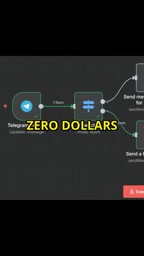
The core appeal of this model lies in a fundamental shift in cost structure: from paying per task to paying for server resources. For users with highly variable automation needs or high task volumes, self-hosting is often more economical.
Build Your Automation Engine in Three Steps
Step 1: Docker Deployment
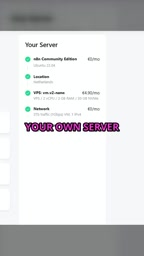
n8n officially recommends installing via Docker—a single command pulls the image and starts the container. You'll need a server with a public IP (a cloud server or a home NAS both work) and a ready Docker environment. The community edition is completely free and requires no license key.
Docker and Containerized Deployment
Docker is a lightweight containerization technology that packages an application and its dependencies into a standardized "image," which runs as a "container" on any Docker-capable server. Compared to traditional installation methods, Docker eliminates the tedious steps of manually configuring Node.js versions and system library dependencies—a single docker run command pulls the n8n image and starts the service. Containers are isolated from one another, and upgrading or rolling back simply means changing the image tag without polluting the host environment. For self-hosted n8n, Docker also makes it easy to use volumes to persist the workflow database, and to use Docker Compose to combine n8n with a reverse proxy, database, and other services—making it the most recommended deployment method in the community.
Reverse Proxy and HTTPS Certificates
Self-hosted n8n serves over HTTP on a port (such as 5678) by default, but to make OAuth callbacks from third-party apps like Gmail and Google Sheets work properly—and to secure data transmission—you typically need to configure a domain, a reverse proxy, and HTTPS. A reverse proxy (such as Nginx, Caddy, or Traefik) forwards requests from public port 443 to the internal n8n container and handles SSL termination. HTTPS certificates can be obtained free via Let's Encrypt, and Caddy or Traefik can automatically request and renew them, greatly reducing the operational burden. This step is where many non-technical users get stuck, and it's the part that must be completed beyond the "single Docker command."
Step 2: Drag Nodes to Connect Apps
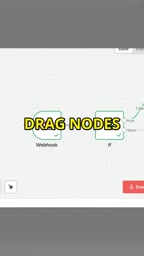
Once started, access the n8n web interface through your browser and you'll see a visual canvas. Drag a trigger (such as a new Gmail email) and an action node (such as writing to Google Sheets or sending a Telegram message) from the node library on the left, then connect them with lines to define the data flow. n8n comes with over 400 app integrations covering mainstream SaaS tools.
Node configuration uses forms, so most automation can be completed without writing code. For complex logic, you can insert a Function node to execute JavaScript.
Trigger and Action Nodes
An n8n workflow is made up of "nodes," which fall into two categories: trigger nodes and action nodes. Trigger nodes determine when a workflow starts—for example, "a new email arrives in Gmail," "a timer fires every 5 minutes," or "a Webhook receives a request." Action nodes perform specific operations, such as "write a row to Google Sheets," "send a Telegram message," or "call an HTTP API." A workflow contains at least one trigger, and subsequent action nodes execute in the order defined by the connections, with data passed between nodes in JSON format. Understanding trigger types (polling vs. Webhook) is key to designing efficient workflows: polling checks for changes at fixed intervals, while Webhooks are pushed in real time by external events—the latter is usually more timely and resource-efficient.
Step 3: Activate and Run Automatically
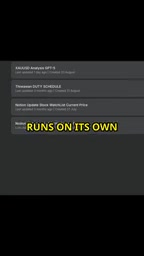
Once your workflow is configured, click the activation toggle and n8n will execute automatically based on trigger conditions. You can view detailed logs and output data for each run in the execution history, making debugging and auditing easy.
Execution History and Debugging
n8n keeps an execution record for every workflow run, including the trigger time, input and output data for each node, duration, and success/failure status. When a node errors, the execution history highlights the failing node and displays the error message—you can directly inspect the raw data that node received to determine whether it's a data format mismatch or expired credentials. For debugging complex workflows, you can also use "manual execution" mode to run nodes step by step, or "pin" mock data on a single node to avoid repeatedly triggering real external services. Execution history is stored in n8n's database by default, so after long-term operation you'll want to clean up or archive it to avoid consuming excessive disk space.
Capability Boundaries and Caveats of the Community Edition
The n8n community edition has no execution limit, but it isn't entirely unrestricted. The official documentation makes clear that enterprise features such as single sign-on (SSO) and team collaboration still require a paid subscription. Additionally, self-hosting means you're responsible for server maintenance, backups, and security updates.
Another practical hurdle is technical skill. Although Docker installation has greatly simplified things, domain configuration, HTTPS certificates, and reverse proxies still require some operational experience. For non-technical users, the initial learning curve is steep.
Who Should Self-Host n8n
If you run more than 100 automation tasks per month and have basic server management skills, the n8n community edition is a strong alternative to Zapier's free plan. It converts costs from variable expenses to fixed expenses while preserving data autonomy—all workflow data stays on your own server.
But if you need an out-of-the-box experience or team permission management, a paid SaaS solution may be less hassle. The core value of self-hosted n8n is trading technical investment for long-term cost advantages and full control.
Related articles

Gemini 4 Argon Hands-On: AI Builds Board Games, Constructs Temples, and Trains Robots Autonomously
Gemini 4 Argon hands-on roundup: AI autonomously builds a desk racetrack and temple in Blender, writes a ray tracing engine, trains a humanoid robot to sink 7 shots, plus API pricing and developer access.

The Magic Octagonal Coin: Why Only 9% of People Can Predict Its Flip?
Only 9% of people can correctly predict the Magic Octagon coin flip. This article explains its spatial rotation mechanism, common cognitive pitfalls, and a new hypothesis based on Relevance Theory, exploring the limits of human spatial reasoning.

Sam Altman: AI Is Entering the Era of Scientific Discovery — Math Breakthroughs Will Replicate in Biology and Energy
Sam Altman says AI is entering the era of scientific discovery — math breakthroughs will replicate in biology, materials science, and energy to help develop new drugs and energy sources.