Fujifilm Instax Mini Evo 2 Review: Touchscreen and Video Take the Hybrid Instant Camera Further

Fujifilm Instax Mini Evo 2 keeps its hybrid instant positioning while adding a touchscreen and video recording, moving toward a practical digital camera.
Fujifilm has released the Instax Mini Evo 2, continuing the hybrid instant camera concept as "a digital camera with a built-in printer" rather than a retro toy. Its biggest upgrades are a larger touchscreen for more modern menu interaction and photo review, plus video recording that expands use cases and allows still frames to be printed. The article argues these are practicality-focused additions, but competitiveness depends on touchscreen vs. battery balance, a video-to-print closed loop, and pricing.
Fujifilm is seeking the balance between fun and photography with its hybrid instant cameras. The newly announced Instax Mini Evo 2 continues the design philosophy of its predecessor: it feels less like a retro gimmick and more like a digital camera that happens to have a built-in printer. At the same time, the new model brings some key upgrades — a larger touchscreen and video recording capability.
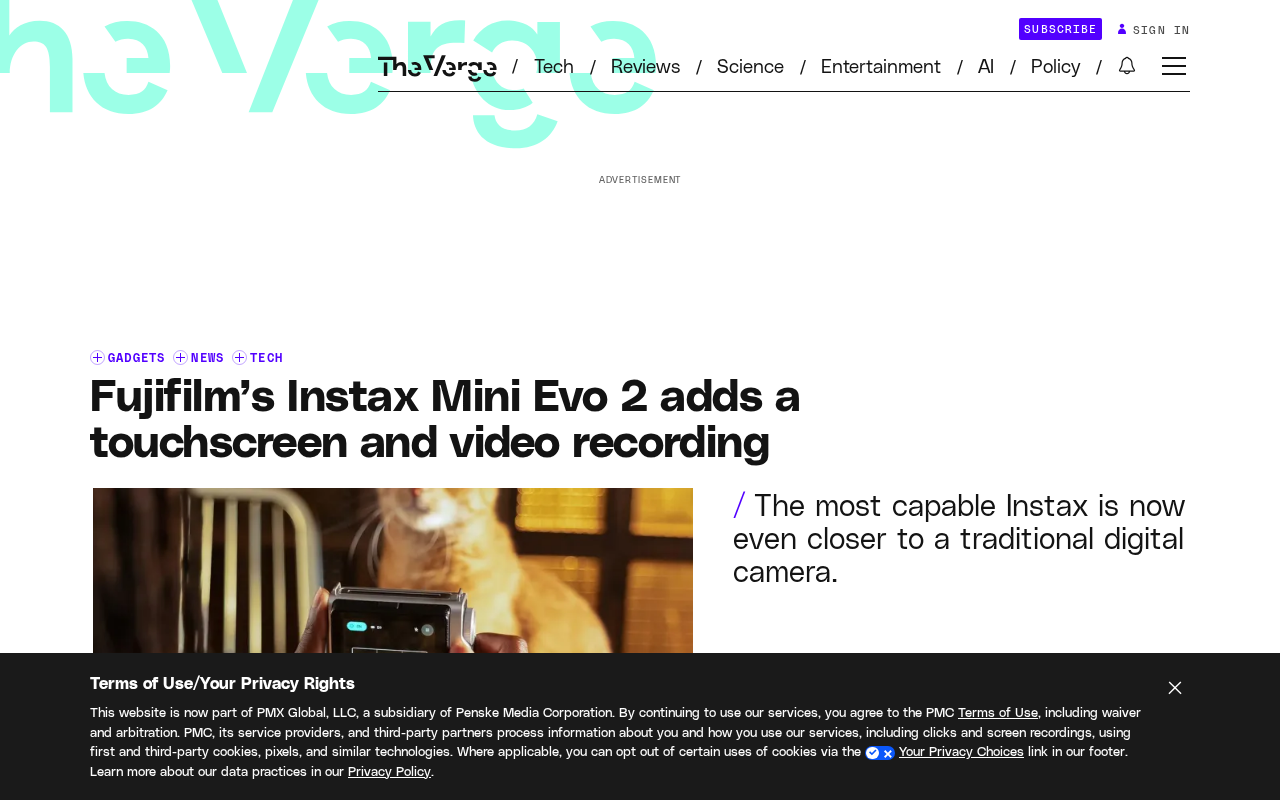
From Retro Toy to Practical Digital Camera
The original Instax Mini Evo became popular because it combined the controllability of a digital camera with the instant-print joy of an instant camera. Users could frame and shoot just like with an ordinary digital camera, then choose whether to print the photo. This hybrid form made the instant camera no longer a one-off social prop, but a shooting tool that could be carried every day.
The Mini Evo 2 clearly aims to reinforce this product positioning. Based on the information disclosed so far, Fujifilm has not turned it into a flashier toy, but continues to polish it in the direction of a "basic digital camera." For users who want both the ritual of instant photos and the convenience of digital shooting, this approach is more pragmatic.
Hybrid instant camera refers to a camera category that combines digital shooting with instant printing. Unlike traditional instant cameras (such as the Fujifilm Instax Mini series), which use film directly exposed to form an image, hybrid instant cameras first capture and store images with a digital sensor, then output physical photos through a built-in dye-sublimation or inkjet printing module. This structure allows users to preview, filter, and even edit photos before printing, avoiding film waste while preserving the ritual of physical photos. The Fujifilm Instax Mini Evo series is a representative of this category, with its core selling point being "the controllability of a digital camera + the instant output of an instant camera."
Touchscreen Brings Changes in Interaction Logic
The most visible change in the Mini Evo 2 is the addition of a larger touchscreen. The previous generation relied mainly on physical buttons and a smaller display for operation, while the introduction of a touchscreen means menu interaction, parameter adjustment, and photo review will all be closer to the experience of modern digital cameras.
For a hybrid instant camera, the significance of this screen goes beyond "looking more modern." Framing and review are high-frequency steps for instant camera users, and touch operation can lower the learning curve and make the pre-print selection process more intuitive. Of course, whether the touchscreen remains readable in bright light and whether it affects battery life still need real-world testing to verify.
The application of touchscreens in digital cameras is not simply a replacement for physical buttons; it changes menu hierarchy and the way parameters are adjusted. Traditional cameras rely on buttons + dials + small displays, with fixed operation paths but a higher learning curve; touchscreens allow direct tapping, swiping, and dragging, making the interface closer to a smartphone. For hybrid instant cameras, touchscreens are especially suitable for photo review and print selection — users can swipe through photos directly on the screen, pinch to zoom and confirm details, then decide whether to print. However, the readability of touchscreens in bright outdoor light, response speed in low temperatures, and additional power consumption are all factors that need to be weighed in actual use.
Video Recording: A New Scenario for Instant Cameras
Another upgrade worth noting is video recording. The core of an instant camera is still photo printing, and the addition of video seems somewhat跨界, but it actually expands the camera's usage scenarios. Users can record moving clips with the same device, then extract or select still frames from the video for printing — this offers more possibilities for content creation and social sharing.
However, the actual value of video recording on a hybrid instant camera depends on image quality, stabilization, and file processing speed. If the video feature is merely "present" and cannot connect smoothly with the printing workflow, it may become just a spec-sheet decoration. Fujifilm needs to make the link between video and printing natural enough to truly convince users.
Extracting still frames from video for printing technically involves frame extraction and resolution matching. Photos printed by hybrid instant cameras are usually small (for example, Instax Mini film is 54×86 mm), so when extracting a frame from a video, even if the video resolution is not high, the printed result may still be acceptable. But the key lies in whether the camera provides a convenient frame-selection interface, and whether the extracted frame can automatically adapt to the print aspect ratio and color optimization. If this process requires exporting to a phone or computer to complete, the linkage between video and printing will be greatly diminished. Fujifilm needs to make "shoot video — select frame — print" an in-camera closed loop to truly realize the scenario value of this feature.
The Market Logic of Hybrid Instant Cameras
From an industry perspective, the Instax series has long been an important growth driver for Fujifilm's imaging business. The emergence of hybrid instant cameras essentially opens up a middle ground between traditional instant imaging and digital photography. It retains the appeal of physical instant photos while absorbing the editability and repeatable shooting capability of digital cameras.
The upgrade direction of the Mini Evo 2 shows Fujifilm's judgment about this category: users are no longer satisfied with a "toy that can print," but want a camera that is genuinely usable. The touchscreen and video recording are both additions centered on "practicality," rather than simply stacking fun features.
Trade-offs Worth Watching
Information about the Mini Evo 2 is still limited, and key details such as price, battery life, print speed, and sensor specifications have not been fully disclosed. From a product logic standpoint, its competitiveness will depend on several balancing points: whether the convenience brought by the touchscreen can offset battery pressure; whether the video feature forms a closed loop with the printing workflow; and whether the overall pricing can keep the hybrid instant camera within the "acceptable fun purchase" range.
For ordinary users, the Mini Evo 2 is more like a lightweight digital camera with printing capability; for instant camera enthusiasts, it is a modernization of the operating experience. Whether Fujifilm can take care of both types of needs at the same time will determine whether this product continues the popularity of its predecessor or merely stays at the level of spec upgrades.
One-line Summary
Fujifilm Instax Mini Evo 2 continues the hybrid instant camera positioning, adding a touchscreen and video recording while upgrading toward a practical digital camera.
Paragraph Summary
Fujifilm has released the Instax Mini Evo 2, continuing the hybrid instant camera design philosophy and positioning it as "a digital camera with a built-in printer" rather than a retro toy. The biggest upgrades are a larger touchscreen, which makes menu interaction, parameter adjustment, and photo review closer to modern digital cameras and lowers the learning curve, and new video recording capability, which expands usage scenarios and allows still frames to be extracted from videos for printing. The article argues that these upgrades add "practicality," but the product's competitiveness still depends on the balance between the touchscreen and battery life, a closed loop between video and printing, and overall pricing. Key details such as price, battery life, and print speed have not yet been fully disclosed.
Related articles

WorkBuddy Agent Runs the Entire GEO Database Mining Pipeline with a Single Prompt
WorkBuddy agent automates GEO database mining: from data search and curation to batch correction, differential analysis, co-expression networks, feature gene screening, and immune infiltration—a single prompt generates a complete bioinformatics report, greatly lowering the barrier to bioinformatics analysis.

PC Memory Wasted? Hacker News Debates Centralized Data Centers
Hacker News users argue that personal computer memory is wasted and should be centralized in data centers, sparking debate on centralized vs. distributed computing resource allocation. This article analyzes the logic behind the claim, the costs of centralization, and new tensions in memory resource allocation in the AI era.

Why Fair Use Benefits Everyone: OpenAI Publishes Multi-Party Case Brief Analysis
OpenAI publishes excerpts from multiple court briefs featuring creators, scholars, accessibility advocates, and legal experts, explaining how fair use supports AI training and innovation, and analyzing its practical impact on developers and content professionals.