FunOS Lightweight Linux Review: JWM Window Manager and Blazing-Fast Installation

FunOS is a lightweight Ubuntu LTS-based distro using JWM and minimal components for older hardware, but its Rust toolchain replacement is controversial.
FunOS is a lightweight GNU/Linux distribution based on Ubuntu LTS, focused on minimal design and support for older hardware. It uses the JWM window manager, removes heavy components like Snap, and has extremely low resource usage (about 382MB of memory). Installation is done via Calamares and takes about two minutes, with the Ext4 file system by default and fast boot. Preinstalled software is minimal, including LXTerminal, PCManFM, Firefox ESR, and more. The system partially replaces GNU tools with Rust implementations (uutils coreutils), but the officially claimed "performance and security" advantages are questioned, and Htop is not preinstalled. Overall the evaluation is positive, suitable for low-spec machines, but the compatibility risks of the Rust toolchain still need verification.
FunOS is a lightweight GNU/Linux distribution based on Ubuntu LTS, focused on minimal design and support for older hardware. It uses JWM (Joe's Window Manager) as its default window manager and removes heavy components like Snap. This article, based on DistroTube's installation and first-look video, outlines its core features, installation process, and real-world performance.
Lightweight Design: JWM and Minimal Components
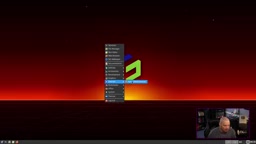
The core selling point of FunOS is "lightweight." JWM is an old-school floating X11 window manager, similar to Openbox, known for its extremely low resource usage. Puppy Linux also uses JWM, which indirectly confirms its reliability on older hardware. Right-clicking the desktop brings up a menu, and there are quick launchers on the panel—the interaction logic is simple and direct.
The system removes Ubuntu's default Snap package management, since the Snap containerized format is relatively demanding on storage and memory. For older machines with limited storage, this trade-off is reasonable. However, the video author also points out that regular users install only a limited number of Snap applications, so the necessity of removing Snap is debatable—users can simply install snapd themselves as needed.
JWM (Joe's Window Manager) is a lightweight stacking window manager designed specifically for X11, developed by Joe Wingbermuehle in C and depending only on basic libraries such as Xlib. It is known for its extremely low memory footprint and fast startup. Its configuration file is in plain-text XML format (~/.jwmrc) and supports virtual desktops, a taskbar, a system tray, and keyboard shortcuts. Like Openbox, JWM does not provide desktop-environment-level integration (such as a file manager or panel) but leaves the choice to the user or distribution. For this reason, it is often used on older hardware or in embedded scenarios, and distributions such as Puppy Linux and Damn Small Linux have adopted it. FunOS chose JWM over a more modern Wayland compositor to ensure compatibility and responsiveness on low-spec machines.
Snap is a containerized software packaging and distribution format developed by Canonical, where each Snap application bundles its dependencies and runs in a sandbox. This design improves security and cross-distribution compatibility, but at the cost of more disk space and memory (since each application carries its runtime) and slower first launches. Ubuntu integrates Snap by default, and many system applications (such as Firefox) are provided as Snaps. FunOS removes Snap to reduce system size and resource consumption, which is especially important for older machines with limited storage. However, as the video author notes, regular users typically install only a few Snap applications, so the benefits of removing Snap are limited, and users can still manually install snapd to gain Snap support.
Installation Experience: Calamares and Two-Minute Completion
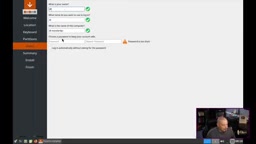
FunOS uses the Calamares installer with a standard flow: select time zone (auto-located), keyboard layout, disk partitioning (default Erase Disk, Ext4 file system, Swap as a file), and create a user. Installation is extremely fast—about two minutes on a virtual machine with 6GB of memory and 2 threads. After rebooting, it goes directly to the LightDM login manager with no GRUB menu, and the Plymouth boot splash flashes by as the system starts quickly.
The default resolution is 1280x800 and can be adjusted to 1920x1080 via "Monitor Settings." The wallpaper setting tool is Nitrogen, a long-standing X11 wallpaper tool that includes a large collection of high-quality wallpapers, including FunOS-branded ones.
Calamares is a distribution-independent system installer framework used by many distributions, including Manjaro, KDE Neon, and Garuda Linux. It has a modular design, supports custom partitioning, encryption, bootloader configuration, and more, and its interface is based on Qt. Calamares' default flow includes a welcome page, location, keyboard, partitioning, user settings, and summary, and installation speed depends on the hardware and selected modules. FunOS uses Calamares with the default "Erase Disk" mode, the Ext4 file system, and Swap as a file (rather than a separate partition), which simplifies partitioning and improves flexibility. A two-minute installation is normal in a virtual machine environment, thanks to Calamares' lightweight nature and FunOS's small system image.
Preinstalled Software and System Resources
The preinstalled software stays minimal: LXTerminal terminal, PCManFM file manager, Mousepad text editor, and Firefox ESR browser. For multimedia there are LX Music and SMPlayer (which relies on MPV), and for graphics there are Evince PDF reader and GPicView image viewer. An office suite is missing—only a PDF viewer is included. The system menu also includes lightweight applications such as LXTask task manager, Galculator calculator, and Xarchiver archive tool.
In terms of resource usage, on a virtual machine with 6GB of memory, the system used only about 382MB of memory after running for a while, clearly demonstrating JWM's lightweight nature. However, Htop is not preinstalled, which the author regrets, believing Htop should be included as a standard tool.
The Rust Toolchain Controversy: Trade-offs Between Performance and Security
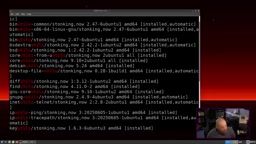
In its release announcement, FunOS claimed that replacing GNU core utilities with Rust implementations (uutils coreutils) was for "stability, performance, and security." An actual check reveals that both GNU coreutils and rust-coreutils are present in the system. Taking the cat command as an example, its man page shows uutils coreutils 0.12.0 and integrates tldr pages.
The video author criticizes this: Rust-rewritten tools are not yet fully compatible with GNU tools and may be disruptive. A distribution has the right to choose its tech stack, but it should not mislead users by claiming "better performance and more security." This point is worth developers' consideration—transparent communication matters more than the technical choice itself.
uutils coreutils is a Rust rewrite of GNU coreutils, aiming to provide memory-safe and cross-platform command-line tool implementations. GNU coreutils is the most fundamental toolset in Linux systems (such as ls, cp, mv, cat, etc.); it has a long history but is written in C and carries memory-safety risks. The uutils project uses Rust's ownership model to reduce vulnerabilities such as buffer overflows while maintaining compatibility with GNU tools. However, as of version 0.12.0, uutils has not yet fully implemented all GNU options and edge-case behaviors, and the output or error handling of some commands may differ slightly from GNU versions. FunOS retains both GNU coreutils and rust-coreutils, which may cause command resolution conflicts or inconsistent behavior. The video author criticizes the official claim of "better performance and more security" as unfounded, because uutils' performance is generally on par with GNU tools, and its security advantages only manifest in specific scenarios.
Conclusion: A Lightweight Choice for Older Hardware
FunOS performs solidly among lightweight distributions: JWM delivers fast responsiveness, the installation process is smooth, and the preinstalled software is sufficient without being bloated. For low-spec machines or users seeking minimalism, it is an option worth trying. However, the compatibility risks of the Rust toolchain and the accuracy of the official statements still need to be verified in future releases. If you have an idle old computer on hand, you might want to give FunOS a chance.
One-line Summary
FunOS is a lightweight Ubuntu LTS-based distribution using JWM and minimal components to support older hardware, but its Rust toolchain replacement has sparked controversy.
Paragraph Summary
FunOS is a lightweight GNU/Linux distribution based on Ubuntu LTS, focused on minimal design and support for older hardware. It uses the JWM window manager, removes heavy components like Snap, and has extremely low resource usage (about 382MB of memory). Installation is done via Calamares and takes about two minutes, with the Ext4 file system by default and fast boot. Preinstalled software is minimal, including LXTerminal, PCManFM, Firefox ESR, and more. The system partially replaces GNU tools with Rust implementations (uutils coreutils), but the officially claimed "performance and security" advantages are questioned, and Htop is not preinstalled. Overall the evaluation is positive, suitable for low-spec machines, but the compatibility risks of the Rust toolchain still need verification.
Related articles

Gemini 4 Argon Hands-On: AI Builds Board Games, Constructs Temples, and Trains Robots Autonomously
Gemini 4 Argon hands-on roundup: AI autonomously builds a desk racetrack and temple in Blender, writes a ray tracing engine, trains a humanoid robot to sink 7 shots, plus API pricing and developer access.

The Magic Octagonal Coin: Why Only 9% of People Can Predict Its Flip?
Only 9% of people can correctly predict the Magic Octagon coin flip. This article explains its spatial rotation mechanism, common cognitive pitfalls, and a new hypothesis based on Relevance Theory, exploring the limits of human spatial reasoning.

Sam Altman: AI Is Entering the Era of Scientific Discovery — Math Breakthroughs Will Replicate in Biology and Energy
Sam Altman says AI is entering the era of scientific discovery — math breakthroughs will replicate in biology, materials science, and energy to help develop new drugs and energy sources.