Getting Started with Claude Code: A Beginner's Guide to AI-Powered Programming

A beginner's guide to Claude Code — Anthropic's agentic AI coding assistant that outperforms Copilot, Cursor, and Trae.
Claude Code is Anthropic's command-line AI programming assistant that goes beyond code suggestions — it reads your entire codebase, understands module dependencies, and autonomously fixes errors. This guide compares it with Copilot, Cursor, Trae, and Codex, explaining why Claude Code leads on code accuracy and project-level automation, and how beginners can get started quickly.
What Is Claude Code
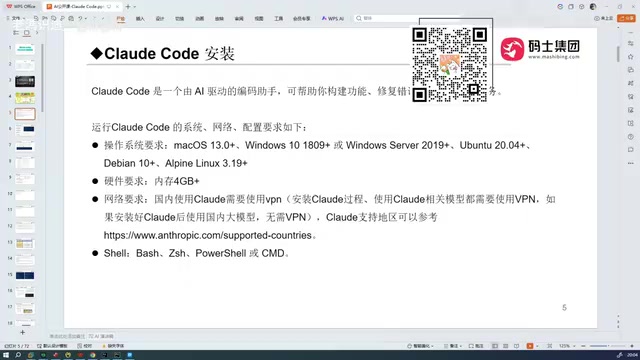
Claude Code is a command-line AI programming assistant developed by Anthropic, and it works quite differently from the conversational AI coding tools most developers are used to. There's no website to log into — you install it locally and call it directly from your development environment to work on real projects.
It's worth noting that Claude Code uses a command-line interface (CLI) rather than a graphical UI, and there's solid engineering logic behind that choice. Command-line tools integrate naturally into a developer's workflow — they can access the file system directly, execute shell commands, and invoke build toolchains without constant context-switching between windows. Anthropic designed Claude Code as an agentic coding tool, meaning it doesn't just generate code — it takes action: reading and writing files, running tests, executing terminal commands, and forming a complete "perceive → plan → execute" loop.
Many people assume Claude Code is complex and out of reach for the average developer. The reality is the opposite — it's one of the most beginner-friendly AI programming tools available today. You don't need to understand the underlying mechanics; once it's installed, you can start using it immediately. That's the core reason it's gained traction so quickly: low barrier to entry, high capability, fast onboarding.
How It Differs from Conversational AI Coding
Many developers have used DeepSeekAd or ChatGPT to help write code, but this approach has clear limitations. Conversational AI can only return a code snippet at a time — you copy it back into your project, run it manually, and when something breaks, you go back and forth in the chat to fix it. It often takes multiple rounds just to get something that actually works.
The more fundamental limitation is this: conversational AI can't read your entire project context. This comes down to the "context window" constraint in large language models — the maximum amount of text a model can process in a single interaction. Early models had context windows of just a few thousand tokens; even modern models typically cap out around 128K tokens. A mid-sized project with dozens of files can easily exceed that limit. When a project spans tens or even hundreds of code files, a conversational AI has no way to understand how those files relate to each other — you have to manually describe your project structure and modules every single time.
Claude Code's core breakthrough is a retrieval-augmented approach — using code indexing, semantic search, and intelligent truncation to dynamically inject the most relevant parts of your codebase into the context, rather than naively stuffing every file in. It can:
- Read your entire project codebase, using it as full context for the model
- Generate production code based on that complete context, with a real understanding of module dependencies, function call chains, and data flow
- Automatically locate and fix errors, iterating until it produces a working, accurate result
In short, Claude Code is an automation-capable programming tool — not just a "code suggester." That's the real reason it's making some experienced developers take notice.
The Evolution of AI Programming Tools
To understand where Claude Code fits in, it helps to look at how AI coding assistants have developed over the years. At its core, this has been a journey from "assistive tools" to autonomous agents — early tools operated on the model of "you lead, AI suggests"; modern tools are moving toward "you give instructions, AI executes." The technical enabler behind this shift is tool use (also called function calling): LLMs no longer just output text — they can invoke file system APIs, terminal commands, test frameworks, and other external tools to form self-directed execution loops.
From Copilot to Cursor
The first widely adopted tool was GitHub Copilot, which exists as an IDE plugin. Developed jointly by GitHub and OpenAI, it's powered by the Codex model (a code-specialized variant of the GPT series) fine-tuned for code generation. It works by analyzing the current file's code context and cursor position to trigger real-time autocomplete suggestions. Copilot is essentially a "next line / next block" predictor — a passive, reactive tool. The developer types; it suggests. The developer accepts or rejects; it learns. When it first appeared, it felt genuinely disruptive — the first time many developers experienced what AI-assisted coding could actually feel like. But for tasks requiring cross-file collaboration, architectural refactoring, or debugging complex bugs, its limitations become obvious quickly.

Cursor came next and took a fundamentally different approach — rather than a plugin, it's a deeply modified, AI-native IDE built on top of VS Code. Its core innovation was the "Composer" mode, which lets users describe a development task in natural language, then has the AI automatically plan the steps, modify code across multiple files, create new files, and validate results in a sandboxed environment. Cursor also supports multiple LLM backends (including Claude and GPT-4), letting users choose the best model for each task type. Its capabilities are genuinely comparable to Claude Code today, and it attracted considerable attention. That said, Cursor uses a subscription pricing model, and its automation can sometimes over-modify code, occasionally introducing new bugs in complex projects.
Trae and Its Localization Advantage
Trae comes in both an international version and a China-specific version — for developers in China, the domestic version is more practical, since the international version is paid, just like Cursor. Trae's core strength is its accuracy in understanding Chinese-language semantics — it grasps the intent behind Chinese requirement descriptions with notable precision. Combined with being free to use, it was widely regarded as an impressively capable localized coding tool.
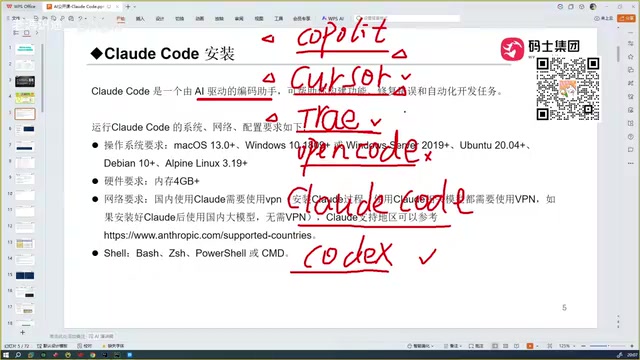
OpenCode is also an AI programming tool, but its real-world experience is noticeably weaker, making it less suitable for everyday development. Codex, powered by OpenAI's latest models, is genuinely strong on coding ability and is widely considered Claude Code's closest competitor.
Why Claude Code Comes Out on Top
After comparing Copilot, Cursor, Trae, Codex, and other leading tools head to head, one conclusion keeps holding up: Claude Code delivers the best overall experience among AI programming assistants today.
Its competitive edge comes down to two dimensions:
A Stronger Underlying Model
The ceiling of any AI coding tool is ultimately determined by the capability of its underlying model. The Claude Sonnet series that powers Claude Code performs exceptionally well in code generation. On major programming benchmarks — including HumanEval (Python function generation), SWE-bench (real-world software engineering task repair), and LiveCodeBench (dynamic competitive programming) — the Claude Sonnet series consistently ranks near the top. Particularly on SWE-bench, which most closely mirrors real development scenarios, the series has demonstrated strong adaptability to codebase-level repair tasks. Anthropic also offers higher-tier models for more demanding use cases. By comparison, while Trae is free and Chinese-friendly, its accuracy noticeably degrades when handling complex tech stacks, and it's less reliable than Claude Code overall.
Code Accuracy Is the Decisive Advantage
If there's one area where Claude Code most visibly outperforms Cursor and Trae, it's code accuracy. All three tools offer automated programming capabilities, but Claude Code's generated code is measurably more reliable — fewer errors, less rework. The reason lies in Anthropic's training emphasis on "reliability" and "instruction-following accuracy": the model has a stronger awareness of edge cases and error handling, rather than simply producing syntactically correct code. In real development workflows, this translates into tangible efficiency gains.
Getting Started: Advice for New Developers
For developers who are new to coding or just starting to explore AI programming tools, here are a few things worth keeping in mind:
- Don't be intimidated by the terminology. Claude Code is far more accessible than it sounds. Install it and you can start using it right away — no need to understand the underlying mechanics.
- Pay attention to environment requirements. Claude Code has some system dependencies, but all major operating systems are supported.
- Understand the value of "project-level context." The ability to read an entire project and automatically fix errors is what sets Claude Code apart from conversational AI — and it's the foundation of the efficiency leap it enables.
- Choose tools based on your actual needs. Developers in China who want a free, Chinese-friendly experience can start with Trae. If you need higher code accuracy and deeper automation, Claude Code and Codex are the stronger choices.
AI programming tools are iterating at a remarkable pace: from Copilot's intelligent autocomplete, to Cursor and Trae's automated coding, to Claude Code's project-level automated development — the capability boundary keeps getting redefined. The industry calls this the "Agentic AI" trend — AI is gradually evolving from "co-pilot" to something closer to a "junior engineer" that can independently complete certain subtasks. For developers, actually getting hands-on experience and integrating these tools into your real workflow matters far more than agonizing over which one is theoretically best.
Key Takeaways
Related articles

Apple Finally Launches a Touchscreen MacBook, But Touch Isn't the Point
Apple launches its first touchscreen MacBook Pro, but touch isn't the core selling point. The Vergecast digs into why Apple did it now, what macOS interaction changes were made, how touch-optimized apps actually feel, and the real challenges around pricing and the product line.

Agentic Engineering with Claude Code and Android CLI
Google's Android team shares how to do agentic engineering with Claude Code and Android CLI: build the right environment, keep context around 150K tokens, inject info precisely via hooks and skills, and use layered verification loops to raise benchmark pass rates from 22% to 90%.

XR Accessibility Design in Practice: Alchemy Labs' Rules for Inclusive Spatial Experiences
Alchemy Labs UX lead Jasmine Cano shares practical XR accessibility design lessons: strategies for four disability types, small-body mode, snap turning, environmental read-aloud, beam stabilization, and more.