Getting Started with Claude Code: Complete Guide to Terminal AI Coding Tool Installation and Selection

A comprehensive guide to installing Claude Code and choosing between Terminal and Device AI Agents.
This guide covers Claude Code, Anthropic's command-line AI coding tool, explaining its core features, sandbox-based project management, and installation via Node.js. It compares Terminal Agents (safe, project-scoped) with Device Agents (full machine control, higher risk), surveys mainstream tools like Codex and Gemini CLI, and recommends a Claude Code + DeepSeek combination for cost-effective AI-assisted development.
Why Developers Need to Know About Claude Code
As AI applications expand from chat assistants into professional development, AI coding tools are becoming an essential topic for developers. Compared to well-known conversational AI tools like DeepSeekAd and Doubao, Claude Code is still relatively unfamiliar to many — because it's fundamentally a specialized tool designed for the development domain.
Based on analysis of relevant technical tutorials on Bilibili, Claude Code is a command-line coding tool released by Anthropic, with its defining feature being that it runs directly in the terminal. Anthropic was founded in 2021 by former OpenAI core members Dario Amodei and Daniela Amodei, with AI safety research as its core mission. The company's Claude series of models has consistently ranked at the top of coding benchmarks (such as SWE-bench, HumanEval, etc.). Widely adopted technical concepts like MCP (Model Context Protocol) and Skills were also originally proposed and promoted by Anthropic. MCP is an open standard introduced by Anthropic in late 2024, designed to provide AI models with a unified way to access external tools and data sources — similar to a "USB port" for the AI world. Any service that conforms to the MCP specification can be directly called by AI, dramatically reducing the complexity of tool integration. Skills is a mechanism within Claude Code that allows users to encapsulate commonly used workflows, coding standards, and project conventions into reusable skill description files. The AI automatically references these skills when executing tasks, enabling more precise understanding of project context and team conventions.
Backed by such a strong technical team, Claude Code has quickly become one of the mainstream solutions in the AI coding space since its inception.
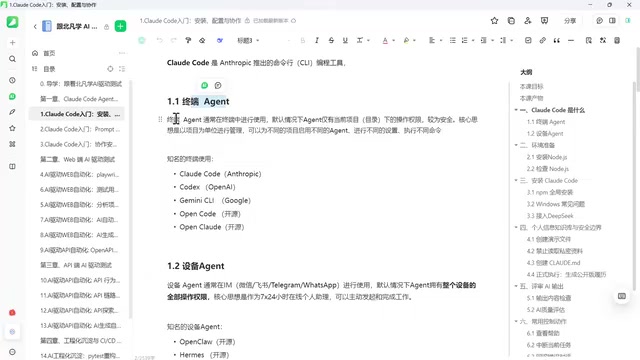
Two Types of AI Agents Compared: Terminal Agents vs. Device Agents
To truly understand Claude Code's positioning, you first need to understand the two major categories of AI Agents. An Agent (intelligent agent) is an entity that lets AI think autonomously and drive tasks forward until they're fully completed. Unlike traditional "question-and-answer" style AI, Agents possess the ability to plan autonomously, invoke tools, and execute iteratively. A typical Agent work loop includes: receiving a task → breaking it into sub-goals → selecting appropriate tools → executing operations → observing results → adjusting strategy based on feedback → continuing execution until the task is complete. This loop is known as the ReAct (Reasoning + Acting) paradigm. The industry currently classifies Agent autonomy into multiple levels: from L1 (simple tool invocation) to L5 (fully autonomous). When choosing an Agent, we primarily face two directions.
Terminal Agents: Project-Scoped, Safe and Controllable
The first category is Terminal Agents, and Claude Code belongs to this type. It has two core characteristics:
First, it's used in the terminal (command line). The command line (CLI, Command Line Interface) is a way of interacting with computers through text commands, as opposed to the graphical user interface (GUI) we use daily. The Terminal is the application that runs the command line. For developers, the command line is the core work environment — code compilation, version control (Git), package management (npm/pip), service deployment, and more are almost all done through the command line. Claude Code's choice to run in the terminal rather than providing a standalone graphical interface is fundamentally about seamlessly integrating with developers' existing workflows: it can directly read project files, execute shell commands, and invoke Git operations without switching back and forth between an IDE and a separate tool. This design philosophy follows the Unix tradition of "do one thing and do it well," making AI a native part of the development toolchain. In the past, such tools were favored more by coding experts and tech enthusiasts, with less exposure among general users.
Second, and more critically — it manages work on a per-project or per-directory basis. This means you're not handing your entire computer over to the AI. You remain the ultimate decision-maker, only authorizing the AI to handle a specific directory or project. This is essentially a Sandbox security mechanism — in computer security, a sandbox refers to restricting a program's runtime environment to an isolated scope, preventing it from accessing system resources outside that scope. Claude Code's implementation works like this: when you launch it in a project directory, the AI's file read/write and command execution operations are restricted by default to that directory and its subdirectories. It cannot freely access your personal files, system configurations, or other projects' code. If the AI needs to perform potentially risky operations (such as installing dependency packages or running scripts), it will first request explicit authorization from the user. This "Principle of Least Privilege" is a cornerstone of enterprise security architecture and a key reason why Claude Code has been widely adopted by enterprises.
As a result, Terminal Agents have become the most mainstream, most trusted, and most widely adopted solution in enterprise applications. You can set different configurations and execute different commands for different projects on the same computer, while always maintaining control over the entire device. As a Terminal Agent, Claude Code operates at roughly the L3-L4 autonomy level — capable of independently completing complex multi-step programming tasks, but still requiring human confirmation for critical decisions.
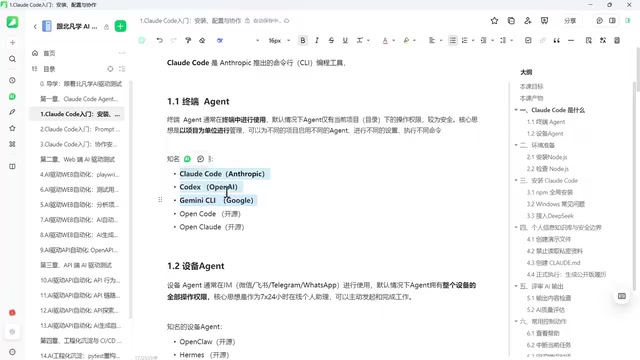
Device Agents: Full Machine Delegation, Low Barrier but High Risk
The second category is Device Agents, which work completely differently from Terminal Agents. They're typically used through IM tools (WeChat, Feishu, DingTalk, etc.) — you send commands via chat, which are forwarded to a backend gateway, and the AI operates your computer on your behalf.
From a technical implementation perspective, Device Agents typically rely on remote desktop control (RDP/VNC), system-level API calls, or screen recognition (Computer Use) technologies. Through these channels, the AI gains control over the entire computer, including mouse clicks, keyboard input, file system access, and application operations. The biggest advantage of this approach is its low barrier to entry — you don't even need to be at your computer; you can control AI to complete complex work using familiar chat tools. But the trade-off is that the AI often has full permissions over the entire device, essentially delegating complete control of the computer to the AI.
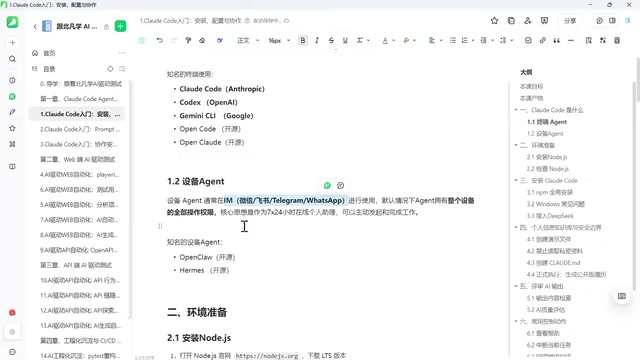
The upside is that it can do a tremendous amount of things, but risks come along with it. These risks exist on multiple levels: first, excessive permissions — the AI might accidentally modify critical system files (such as deleting registry entries or modifying system environment variables); second, data leakage risk — the AI might send sensitive information displayed on screen (passwords, keys, business documents) to cloud models for analysis during task execution; third, supply chain risk — if the intermediary gateway service is compromised, attackers could potentially gain control of the user's entire device. There are already many painful real-world cases: some AI instances have deleted system files causing system crashes, and some have even leaked confidential information. Since 2024, security organizations both domestically and internationally have issued security warnings about such tools multiple times.
Overview of Mainstream AI Coding Tools and Technical Selection
With the two categories clear, let's look at the specific representative tools available.
Notable Terminal Agent Tools
- Claude Code: Released by Anthropic, the main subject of this article
- Codex: OpenAI's command-line coding Agent, which ships with GPT series models by default (primarily GPT-4o and the o3 series). Its design philosophy is similar to Claude Code, also emphasizing terminal-based operation and project-scoped management. A notable feature of Codex is that it executes code in a fully sandboxed environment by default, offering extremely high security but relatively limited flexibility.
- Gemini CLI: Google's command-line tool based on the Gemini series of models, backed by Google's massive code training data (including internal code repositories), giving it unique advantages in code understanding and generation.
All three are released by commercial companies, forming a "three kingdoms" landscape in the Terminal Agent space. They're characterized by being free or accessible tools, but they default to binding with their respective models. However, we're not locked into any single company — the open-source space also offers excellent alternatives, such as OpenCode and OpenClaude, both clearly referencing and benchmarking against Claude Code as the gold standard, as their names suggest. These open-source tools provide model-agnostic choices, allowing developers to freely connect any compatible API-based large language model, breaking the model-binding limitations of commercial tools.
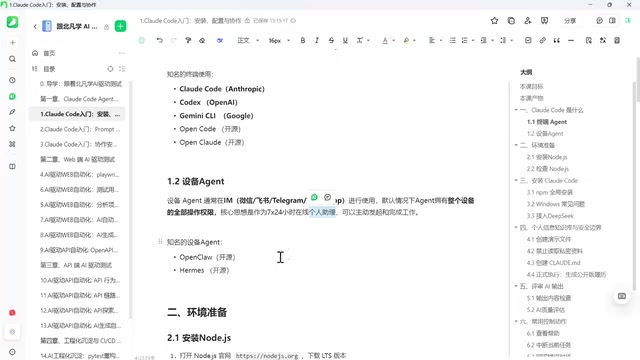
Notable Device Agent Tools
On the Device Agent side, representative tools include OpenClaude-type products and subsequently released newer solutions — a standout feature being their ability to self-evolve, resulting in higher token consumption but also greater potential. However, precisely because the AI is autonomously evolving and making fundamental changes, the uncertainty and risk are also higher.
How to Make Your Choice
Overall, the selection logic is quite clear:
- Personal use scenarios: If you're just setting up an AI assistant for yourself, feel free to try Device Agents by dedicating a computer for it to manage.
- Enterprise/project scenarios: You should choose the more controllable Terminal Agent, ensuring security while maintaining excellent capabilities, and avoiding the embarrassment of "discovering your computer has been wrecked the next morning."
The technical solution recommended in this tutorial is: using Claude Code as the Agent, paired with DeepSeek as the AI model. This combination leverages Claude Code's support for custom API endpoints — Claude Code itself is an Agent framework whose core capabilities include task planning, tool invocation orchestration, and context management, all of which can be decoupled from the underlying large language model. By configuring environment variables or using API proxy services, developers can forward Claude Code's model requests to DeepSeek's API endpoint. DeepSeek is a large language model from the company DeepSeek, whose V3 and R1 series demonstrate excellent coding capabilities, with API pricing far below Claude's official rates (typically one-tenth or even lower), plus the advantage of easier network access for users in China. This "tool layer + model layer separation" architectural approach enables developers to flexibly choose the most cost-effective model service without sacrificing the engineering experience, making it particularly suitable for developers in China.
Claude Code Environment Setup: Starting with Node.js
With the technical direction decided, the next step is environment setup. Claude Code installation depends on a Node.js environment. Node.js is a JavaScript runtime environment based on the Chrome V8 engine that enables JavaScript to run on the server side outside of browsers. Claude Code chose Node.js as its runtime because its installation package is distributed through npm (Node Package Manager) — npm is the world's largest software package registry, hosting over 2 million open-source packages. The standard command to install Claude Code is npm install -g @anthropic-ai/claude-code, where -g indicates global installation. After installation, you can launch it from any directory using the claude command. Node.js 18.x or higher is recommended to ensure compatibility. If your computer already has Node.js installed, you can skip this step; otherwise, you'll need to complete the Node installation and configuration first.
For users in China, additional attention to network configuration is needed during installation to ensure the tool can connect and run properly. Users in China may encounter slow npm download speeds, which can be resolved by configuring a domestic mirror source (such as npmmirror). Additionally, ensuring your terminal environment can properly access the API service endpoints required by Claude Code typically requires configuring proxy environment variables (such as HTTP_PROXY/HTTPS_PROXY) or using dedicated network tools. This is usually the critical step for successfully using Claude Code in a Chinese network environment.
Conclusion
Claude Code represents an important direction for AI coding tools toward professionalization and controllability. Its project-scoped sandbox design philosophy strikes a balance between AI capability and security boundaries, making it the top choice for enterprise applications. For engineers looking to boost development efficiency, understanding the fundamental differences between Terminal Agents and Device Agents, and mastering Claude Code's installation and configuration, is a skill investment well worth making.
For users in China, the Claude Code + DeepSeek combination offers both the engineering experience of a top-tier tool and the benefits of cost-effectiveness and compliance — a pragmatic and viable path for getting started.
Related articles

Salesforce Acquires Rune for $375M: AI Logistics Tech Bolsters Defense Business
Salesforce reportedly acquires defense tech startup Rune for $375M. Rune's AI logistics tech will strengthen Salesforce's Missionforce defense platform, continuing its M&A spree.

Why Fair Use Benefits Everyone in the AI Era
Starting from a Hacker News discussion, this article analyzes the legal logic and controversies of the fair use principle in AI training and content creation, and its dual impact on creators and the tech ecosystem.

Mistral Large 4 Open-Sources a Trillion Parameters, Microsoft Offers Voluntary Severance to 60,000 Employees
Mistral Large 4 open-sources a trillion-parameter multimodal model with a coding agent score of 48; SanDisk earnings show AI inference reshaping NAND demand; Google Gemini adds in-app file editing, OpenAI raises Codex quotas, and Microsoft offers voluntary severance to 60,000 employees.