Getting Started with Codex and Claude Code: A Beginner's Guide to AI Coding Agents

A zero-to-one guide clarifying AI agent tools, comparing Codex and Claude Code, and lowering the barrier to entry for beginners.
This article systematically breaks down the essentials of AI agent coding tools for beginners. It first clarifies the key distinction between large language models and AI agent tools — the former only generates output, while the latter can interact with environments and execute actions. It then focuses on Codex and Claude Code, the two highest-adoption tools in this space, noting that their target audience has expanded well beyond professional developers. The real barrier to entry, the article argues, isn't coding ability — it's the setup process of account registration, installation, and API configuration. On tool selection, a pragmatic view is offered: the capability gap between international and domestic models is narrowing, and cost will eventually become the deciding factor.
What Are AI Agent Coding Tools
If you've been following AI-assisted programming lately, you've probably come across terms like Codex and Claude Code. These are collectively known as AI coding tools — or more precisely, "AI Agent" tools, as opposed to traditional large language models.
This distinction matters. As one content creator put it: a large language model is essentially a "brain" — it can think and give you answers, but it can't actually do things on your behalf. Tools like Codex, Claude Code, and Trae, on the other hand, are like giving that brain "hands, feet, and tools" — they can interact with environments, read and write files, execute commands, and turn thinking into actual code output.
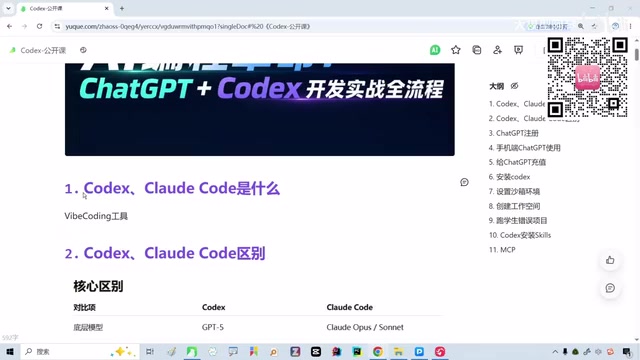
In other words, when you're simply chatting back and forth with a language model in a text box, you're using the "brain." But when a tool starts autonomously completing an entire coding task for you, that's when you're using an agent. Understanding this distinction is the first step to getting started with these tools.
From a technical standpoint, the core difference between an AI Agent and a plain large language model (LLM) lies in the ability to take action. An LLM is fundamentally a text input/output system — it receives prompts and generates responses, but cannot actively interact with the outside world. Agent frameworks layer a "Tool Use" mechanism on top of the base model: they can read and write local files, execute terminal commands, call external APIs, and even interact with web pages in a browser. The reason Codex and Claude Code can "write an entire project for you" is precisely because they're capable of continuously executing multi-step tasks — analyzing requirements, breaking them into steps, executing each one, and verifying results — forming an autonomous "perceive-decide-act" loop. This is fundamentally more efficient than asking ChatGPT to write a snippet of code in a chat window and then copy-pasting it yourself.
Why Codex and Claude Code
There are plenty of AI coding tools out there, so why focus this guide on Codex and Claude Code specifically? The answer is straightforward: among developers and technical users, these two tools currently have the highest adoption rates — they're in the first tier.
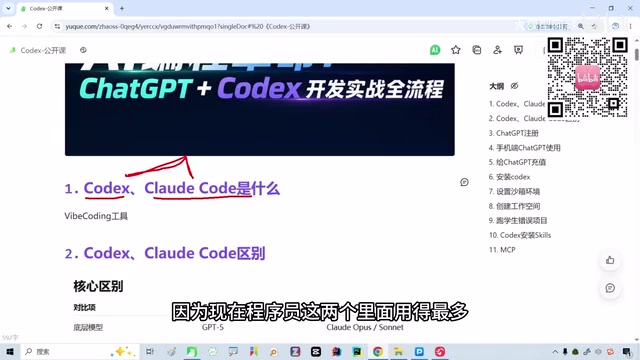
The argument is that if you interact with AI on a regular basis — whether you're a professional developer or someone with zero coding background — tools like these are essentially becoming must-have skills. There's an interesting logic behind this: the value of these tools no longer depends on whether you know Java or Python, but on whether you can clearly communicate your requirements to an agent and let it do the work.
For non-programmers, even just pairing one of these tools with GPT for everyday research or work assistance offers a payoff that's well worth the learning curve. This is part of why this category of content is increasingly being aimed at beginners.
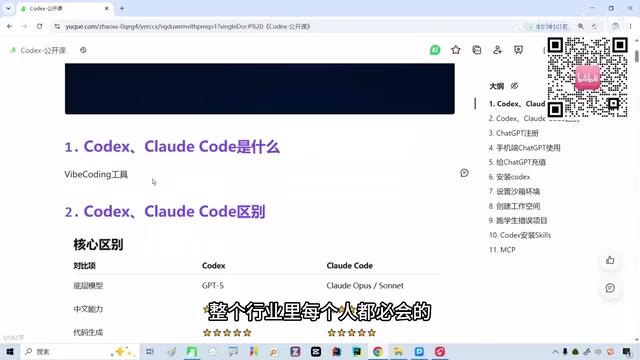
Codex is OpenAI's code agent product, integrated directly into the ChatGPT ecosystem, and supports autonomous coding tasks in a cloud-based sandbox environment. Claude Code is Anthropic's command-line agent tool built on the Claude model — it runs in a local terminal and operates directly on the user's project directory. The key difference between the two is their runtime environment and interaction model: Codex leans toward cloud-based and GUI-driven; Claude Code leans toward local and command-line. For non-developers, Codex has a gentler learning curve; for users with some technical background or those looking to deeply integrate a tool into their workflow, Claude Code offers more flexibility. Understanding this context helps you make a more informed choice based on your own situation.
Where the Real Barrier to Entry Lies for Beginners
Many people want to try Claude Code but keep putting it off — and what stops them usually isn't a lack of programming knowledge. It's the setup steps that come before:
- Account login: Registration and identity verification
- Tool download and installation: Deploying the client or environment
- GPT/model configuration: Connecting to an API or model
These seemingly minor steps are the main reason beginners give up. The point is that this kind of content is specifically aimed at people starting from zero — even if you've never touched any of this before, once you understand the configuration logic, working through it on your own isn't that hard. This is a good reminder for anyone thinking about getting started: don't be intimidated by the word "programming." What you actually need to overcome is the information gap around the setup process, not technical expertise itself.
The "model configuration" step specifically refers to obtaining and connecting an API key. When using tools like Claude Code, you'll typically need to register an account on the Anthropic website, enable API access, generate a key, and then configure that key in your local environment variables before the tool can call the underlying model. This process involves command-line operations and environment variable settings, which can trip up people without a technical background. Some tools also require a proxy or VPN setup to connect to overseas services. These "infrastructure" preparations represent a one-time barrier — but once you've worked through them, day-to-day use is actually quite smooth.
A Realistic Assessment of the Gap Between Domestic and International Models
On the topic of tool selection, one honest take worth sharing is this: at the moment, some international models do have a capability edge over their Chinese domestic counterparts — but it's a modest gap, not an insurmountable one.
More importantly, the trend suggests this gap will eventually close. When that happens, the primary factor in choosing a tool won't be performance — it'll be price. That's a pragmatic consumer perspective: once tools reach feature parity, cost becomes the deciding factor.
It's worth noting this is a personal opinion, and one offered with the caveat that it may reflect a limited viewpoint. For readers, treat it as a reference point rather than a definitive verdict: don't blindly favor international tools, but also don't ignore the real differences that exist at this stage.
Getting Started: Practical Tips
Based on this overview, here are a few practical tips for beginners looking to get started with AI coding agents:
- Get the concepts straight first: Understand the difference between a "large language model" and an "AI agent tool," and know which one you're actually using.
- Focus your energy on the setup: Account creation, installation, and model configuration are the real entry hurdles — prepare for them in advance.
- Don't worry about coding fundamentals: Whether or not you can write code doesn't affect your ability to use these tools. What matters is being able to clearly express what you want.
- Use cost as your selection anchor: When tool capabilities are roughly equivalent, prioritize value for money.
For anyone who doesn't want to get left behind in the AI wave, tools like Codex and Claude Code have already shifted from being "developer-only" to being general-purpose skills. Taking that first step usually just comes down to working through the setup process once.
Related articles

A Single Prompt Triggers a Global PHP Security Storm: Is AI a Savior or a Hidden Risk?
A single AI prompt triggered a global PHP security crisis affecting Wikipedia and the Internet Archive. This article reviews the incident, analyzes the OpenAI-Amazon controversy, and explores the security paradox of lowered vulnerability discovery barriers in the AI era and developer response strategies.

When AI Is Taken Away: How Reliance on Shortcuts Undermines Your Problem-Solving Resilience
A study of 1,222 people found that after using AI to answer questions, once AI was removed, people gave up on more problems than a control group that never used AI. The article analyzes the impact of AI reliance on learning resilience and metacognition, and explores design implications for AI learning tools.

Carta and NewView Partner to Let Startup Employees Cash Out Equity Early
Carta and NewView Capital partner to simplify startup tender offers, helping employees sell equity early. Analysis of the mechanism, liquidity pain points, and impact.