Getting Started with Local AI Art: Configuring a Realistic-Style Workflow on an RTX 3060
How RTX 3060 12GB users can pick SDXL realistic models and tune ComfyUI settings for the best speed-quality balance.
Using a Reddit user's RTX 3060 12GB setup as a case study, this article outlines a practical approach to local AI image generation on consumer hardware. It recommends SDXL-based community checkpoints and LoRAs from Civitai for realistic output, a two-stage workflow of base-resolution generation followed by upscaling, and DPM++ sampling at 25–35 steps with a CFG of 4–7. Three core principles are distilled: VRAM sets the ceiling, community models define the style, and parameters find the balance.
Starting from a Real Question
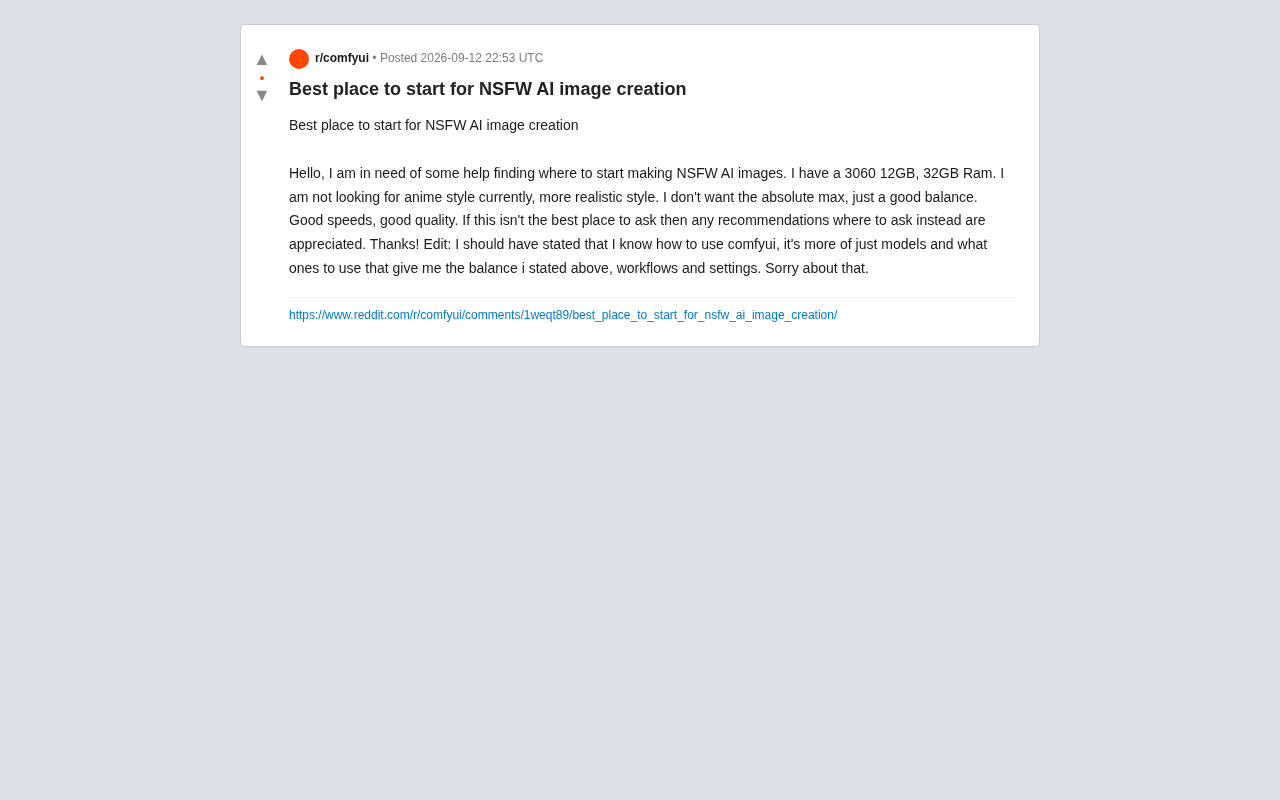
In a Reddit AI art community, a user posed a question that many beginners run into: they had an RTX 3060 12GB GPU and 32GB of RAM, wanted to generate realistic (non-anime) images locally, and weren't chasing the absolute best quality — just a good balance between speed and output quality.
This question captures a very common need among consumer-hardware users. They don't want to invest in high-end GPUs, but they're also not satisfied with the limitations of cloud-based services. Instead, they want to run a stable, controllable, and reasonably good-looking workflow on their own machine. The original poster added that they already knew the basics of ComfyUI — their real confusion was around which models to pick, and what workflow and parameter settings to use.
This article uses that case as a starting point to walk through the fundamentals of local AI image generation on consumer-grade hardware, helping users with similar needs avoid common pitfalls.
Hardware Context: What Can a 3060 12GB Actually Do?
The RTX 3060 12GB has long been a community favorite in AI art circles for one key reason: its 12GB of VRAM. VRAM often matters more than raw compute when it comes to which models you can run and what output resolutions you can achieve.
For today's mainstream image generation models:
- SD 1.5 series: 512×512 base resolution, very low VRAM usage, fast generation speeds — the most beginner-friendly starting point.
- SDXL series: 1024×1024 native resolution, noticeably better quality and detail. 12GB VRAM handles it comfortably, making it the sweet spot for the "balanced" approach.
- Newer large-parameter models (e.g., Flux): Higher VRAM demands. The 3060 12GB can run quantized versions, but with speed trade-offs.
For the original poster's goal of "good speed, good quality, nothing extreme," SDXL and its derivative models are the best fit. 32GB of system RAM is more than sufficient and won't be a bottleneck.
Model Selection: The Foundation of a Realistic Look
The user explicitly wanted realistic output, not anime-style. This shapes the entire model selection strategy.
Base Models vs. Community Fine-Tuned Models
Official base models tend to be "generalist" and rarely produce convincing realistic portraits out of the box. What truly makes realistic output shine are the fine-tuned checkpoints and LoRAs shared by the community on platforms like Civitai. These models are trained on large amounts of real photographic styles, producing more natural skin texture, lighting, and overall character quality.
Key things to look for when choosing a model:
- Base architecture: Check whether it's fine-tuned on SD 1.5 or SDXL. SDXL-based realistic models offer richer detail.
- Community reputation: Download counts, ratings, and sample images are strong indicators of quality.
- Style tags: Models explicitly labeled as photorealistic are the most relevant for this use case.
The Role of LoRAs
Beyond the main model, LoRAs can layer on specific styles, lighting, or detail enhancements. For realistic output, skin-detail enhancement LoRAs can further improve authenticity — just keep the weight values moderate. Setting them too high can break overall image coherence.
Workflow and Parameters: Where Balance Is Made
Since the user already knows ComfyUI, the focus shifts to workflow design and parameter tuning.
Sampler and Step Count
Sampling steps are the most direct lever for balancing speed and quality:
- Steps: For SDXL, 25–35 steps typically yields solid results. Pushing steps higher yields diminishing returns while slowing things down.
- Sampler: The DPM++ family of samplers offers a reliable balance of quality and speed, and is widely recommended.
- CFG scale: For realistic styles, keeping CFG between 4–7 is advised. Too high leads to oversaturation and distortion.
Resolution and Upscaling
Generating at very high resolutions directly is both slow and prone to structural artifacts. A more reliable approach is to generate at a base resolution first, then refine with a high-resolution upscaling step (Hires fix / Upscale). This two-stage process — low-res generation followed by upscale refinement — delivers both speed and high-quality final output, making it a natural fit for the "balanced" goal.
Negative Prompts
For realistic styles, well-crafted negative prompts effectively suppress common artifacts like extra limbs, blurriness, and distortion. This typically requires some trial and error depending on the specific model. Model pages on community platforms usually include recommended negative prompt configurations — these are worth using as a starting point.
Where to Find Resources
For beginners, finding reliable resource channels matters more than obsessing over parameter tweaks:
- Civitai: The largest platform for sharing models and LoRAs. Nearly every realistic-style model can be found here, along with sample parameters.
- Community forums: Relevant Reddit communities and Discord servers are great places to find workflow files and real-world experience. The original poster was already on the right track by asking on Reddit.
A quick reminder: regardless of what content you generate, always comply with the terms of service of the platforms you use, respect local laws and regulations, and honor others' portrait rights and copyrights.
A Recommended Path for Beginners
Putting it all together, here's a clear starting path for someone in the original poster's situation — RTX 3060 12GB, wants realistic output, values speed and quality:
- Use ComfyUI as the main interface (already covered);
- Choose an SDXL-based realistic fine-tuned checkpoint as your primary model;
- Use a two-stage workflow: generate at base resolution, then upscale;
- Keep sampling steps between 25–35, use a moderate CFG value, and go with a DPM++ sampler;
- When downloading models from Civitai, start with the recommended parameters on the model page, then fine-tune based on your results.
This setup delivers a solid balance of speed and image quality on consumer hardware, without the pressure of chasing extreme results. For anyone getting into local AI image generation, understanding three core principles — VRAM sets the ceiling, community models define the style, and parameters find the balance — will serve you far better in the long run than memorizing any specific configuration.
Related articles
VCP V-Project Hands-On: 95% Token Cache Hit Rate, AI-Controlling-AI Spiral Programming
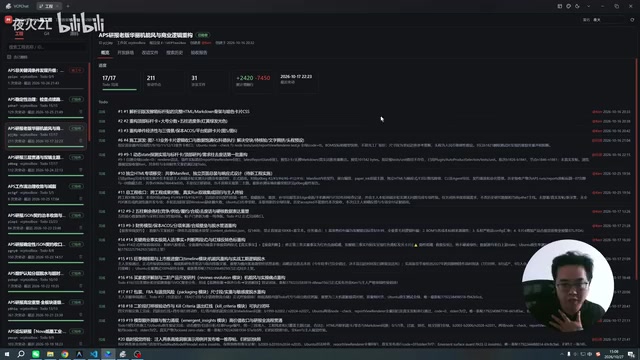
VCP V-Project hands-on: over 95% token cache hit rate in single-turn chats, AI-controlling-AI spiral programming with a master Agent planning and a worker Agent coding—fully hands-off once planned. Full setup steps and limitations included.
Agentic RAG in Practice: From Principles to Code, Building an Intelligent Retrieval System Step by Step
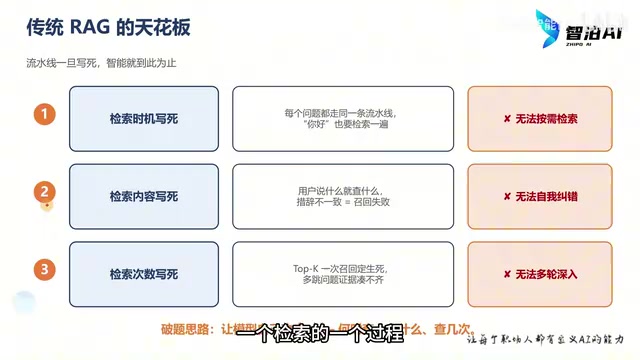
Traditional RAG hard-codes retrieval timing, content, and count, causing irrelevant answers. This article, based on a Bilibili tutorial, breaks down Agentic RAG principles: wrapping retrieval as tools for LLM autonomous decision-making, with four-tool design and complete code implementation to build a self-correcting, multi-hop intelligent retrieval system step by step.
Understand Agentic AI in 1 Hour: Architecture, Design Patterns, and Hands-On Building
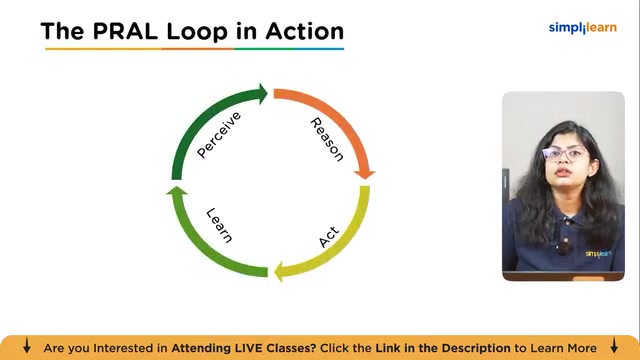
A breakdown of Simplilearn's Agentic AI crash course: the three-layer agent architecture (perception, cognition, action), single-agent vs. multi-agent comparison, the perceive-reason-act-learn loop, three design patterns, and hands-on demos of research agents, app building, and feedback repair loops.