Glisio Review: Auto-Zoom Mac Screen Recording That Eliminates Tedious Post-Production Editing

Glisio auto-zooms during Mac screen recording, eliminating tedious post-production editing.
Glisio is a native Mac screen recording app designed for product demos. Its standout Smart Auto-Zoom feature automatically follows mouse clicks to zoom in during recording, completely removing the need for manual timeline editing in post-production. It also offers flexible recording modes, a Snap screenshot editor, multi-aspect-ratio MP4 export, and a local-first privacy approach. Priced with a free watermarked tier and a $79 lifetime Pro option, it's ideal for creators who frequently produce demo videos and tutorials.
What Is Glisio: A Mac Screen Recording App Built for Product Demos
For product managers, developers, and content creators, producing a clear, professional product demo video often means hours of post-production work — manual zooming, timeline editing, and adding annotations. Glisio, a Mac app that reached #10 on Product Hunt, is solving this pain point with a much lighter approach.
Glisio is a native Mac screen recording app purpose-built for product demos, with two core use cases: "recording cinematic clips" and "capturing stylized screenshots." Since launch, it has received 114 upvotes and is categorized under Mac, Productivity, and Video.
Core Features: Smart Zoom Replaces Tedious Timeline Editing
Flexible Recording Modes
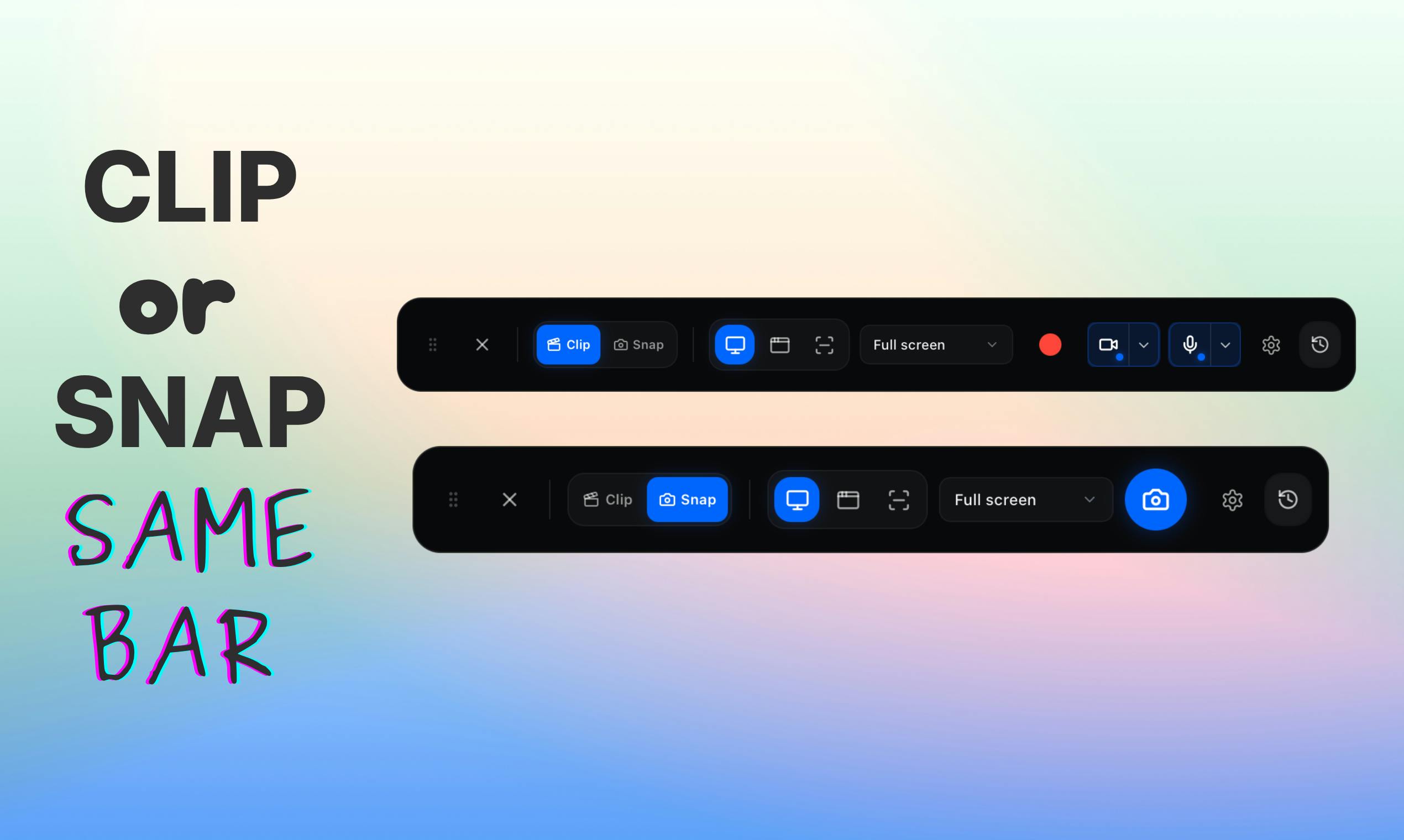
Glisio supports multiple recording scopes: full display, specific window, or custom area. On the audio side, it can capture both system audio and microphone input simultaneously, with support for webcam overlay. This setup covers virtually every screen recording need, from software tutorials to product walkthroughs.
Auto-Zoom: Glisio's Biggest Differentiator
Glisio's standout feature is Smart Auto-Zoom. During recording, it automatically follows your mouse clicks to zoom into the relevant area, keeping the viewer's attention focused on key interaction points.
The real value here is that it lets creators completely skip the painstaking timeline editing process. Even traditional screen recording tools that offer zoom capabilities require you to manually set zoom keyframes frame by frame in post-production. Glisio automates this by moving the process to the recording stage itself, dramatically lowering the barrier to creating professional demo videos.
If you've used similar products like Screen Studio, you'll notice Glisio follows the same philosophy — using smart automation to minimize post-production work. This is the core logic behind why tools like these are gaining popularity.
Snap Mode: A Screenshot Editing Powerhouse Beyond Screen Recording
Beyond video recording, Glisio also offers a screenshot editing feature called Snap. After capturing a screenshot, the built-in editor opens immediately, supporting background customization, cropping, annotations, and more. Once edited, you can copy or export with a single click.
This all-in-one "capture and edit" experience is incredibly useful for users who frequently need to share annotated screenshots in documents, Slack, or social media — eliminating the hassle of switching between multiple tools.
Export & Privacy: A Local-First File Strategy
For exports, Glisio supports local MP4 output and offers three common aspect ratios:
- 16:9 (Landscape): Ideal for YouTube and other video platforms
- 9:16 (Portrait): Ideal for TikTok and other short-video platforms
- 1:1 (Square): Ideal for Instagram and other social media
Notably, Glisio emphasizes that files stay on your Mac. As more and more screen recording tools move toward cloud-based processing, this local-first privacy approach is a clear advantage for enterprise users handling sensitive product information.
Glisio Pricing Analysis: Free Tier, Lifetime Purchase & Monthly Subscription
Glisio offers a flexible business model:
| Plan | Price | Details |
|---|---|---|
| Free | $0 | Full features, small watermark on exports |
| Pro Lifetime | $79 (one-time) | Permanent access, no watermark |
| Monthly Subscription | $9.99/month | Pay monthly, no watermark |
This "free with watermark + lifetime purchase" combination is quite appealing. The $79 lifetime price equals roughly 8 months of subscription fees, making it clearly more cost-effective for frequent users. This also reflects a differentiated pricing strategy that indie developers use to compete against big companies' subscription models.
Additionally, the team has already opened a waitlist for a Windows version, signaling plans to expand to a broader desktop audience.
Summary: Who Is Glisio Best Suited For?
Glisio isn't a disruptor in the screen recording space, but it precisely targets the core pain point of the "product demo" vertical: using automation to lower production barriers. Smart auto-zoom, multi-aspect-ratio export, local storage, and integrated screenshot editing — together, these features give it a clear product positioning among the many Mac screen recording tools available.
If you frequently need to create demo videos, software tutorials, or product screenshots, Glisio's free version is sufficient for basic needs, and the $79 lifetime price keeps the upgrade decision easy. As the Windows version progresses, this currently Mac-only screen recording tool is poised to reach a much larger user base.
Related articles

Why Does the Tesla Roadster Need to Fly? A Deep Dive into Musk's Wild Demo
Tesla's Roadster launch showed wall-climbing, upside-down driving, and flying stunts—but The Vergecast notes the demo car may lack a battery, the Rocket version is invite-only and not street-legal, and the website terms don't guarantee delivery. After nine years of delays, why does this car still need to exist?

AI Is Not a Replacement: Human-AI Collaboration Through the Lens of Factory Root Cause Analysis
Starting from factory root cause analysis, this article explains how AI accelerates evidence chain construction rather than replacing human experts, exploring the pragmatic implementation logic and business value of 'AI supporting people rather than replacing them.'

AI Agent Decision Auditing: Building an Evidence Chain in Regulated Workflows
Starting from a Reddit discussion, this article analyzes three core issues in AI agent decision auditing within regulated workflows: what fields audit records should contain, how to handle feedback latency for erroneous decisions, and how to continuously calibrate LLM judge consistency with human judgment.