Google's AI Triple Launch: A Complete Breakdown of AI Studio, Gemini Desktop, and Colab MCP

Google simultaneously advances AI Studio coding upgrades, Gemini on macOS, and Colab MCP protocol.
Google recently released three major AI updates: AI Studio has been restructured around the Anti-Gravity coding agent with built-in Firebase support for building real-time multiplayer full-stack apps; Gemini is getting a native macOS desktop application backed by the Apple-Google AI partnership, upgrading from a browser tab to a desktop-grade productivity assistant; and Colab MCP Server lets AI agents directly create, edit, and execute Python code in Colab, eliminating the manual copy-paste workflow. Together, these form Google's strategic shift from model capability to ecosystem capability.
Google recently dropped multiple major AI updates in quick succession, spanning AI Studio's coding capability upgrades, Gemini's upcoming arrival on the macOS desktop, and Colab's introduction of the MCP protocol to let AI agents directly control code execution environments. This isn't a routine product iteration—it's a strategic push across three dimensions simultaneously: AI development tools, the desktop ecosystem, and data science workflows.
AI Studio's Major Upgrade: From Prototype Toy to Real Application Builder
Anti-Gravity Coding Agent: A New Starting Point for AI Full-Stack Development
Google AI Studio has been restructured around a brand-new coding agent called Anti-Gravity. The core concept is simple: you describe the application you want, and the AI no longer just gives you a prototype that looks decent but falls apart under scrutiny—it generates an application you can actually continue to iterate on.
The most noteworthy capability in this upgrade is support for building real-time multiplayer applications. Once you're dealing with multiplayer games, shared workspaces, or tools with multiple users online simultaneously, complexity skyrockets—you need real-time synchronization, a shared data layer, and a backend that runs reliably. This is precisely where past AI application builders were most prone to failure.

Google's solution is built-in Firebase support. The agent can automatically detect whether an application needs a database or login system, and upon user confirmation, it can automatically configure Cloud Firestore as the storage layer and Firebase Authentication for Google Sign-In. Additionally, the agent can automatically pull in Framer Motion (animation library) or ShadCN (UI component library) as needed, so AI-generated applications no longer remain at the "it runs but looks rough" stage.
Key Improvements to the AI Studio Development Experience
Beyond the leap in backend capabilities, AI Studio has made several improvements to the development workflow:
- API Key Management: When an application needs to connect to external services like payments or maps, the agent can automatically detect this and store keys in the built-in Secrets Manager, solving one of the most commonly overlooked security issues when AI builds applications.
- Cross-Session Persistence: Project progress can be saved across browser sessions and devices. Close the browser and come back—your application and complete conversation history are still there. The agent doesn't "lose its memory."
- Next.js Framework Support: In addition to React and Angular, out-of-the-box support for Next.js has been added—crucial for building modern web applications with near-production-grade structure.
Google showcased a rather compelling demo: a retro-style large-scale multiplayer first-person laser tag game, generated entirely from prompts, where players can compete against real humans or AI bots. While this is obviously a showcase-style demo, it clearly communicates Google's positioning for AI Studio—not a simple single-page prototyping tool, but one capable of building complete applications with real-time interaction, backend support, and considerable depth.
According to Google, this upgraded system has been used internally over the past few months to build hundreds of thousands of applications. Future integrations will include Google Workspace (Drive, Sheets, etc.), along with a one-click path to migrate projects from AI Studio to Anti-Gravity.
Gemini Comes to macOS: From Browser Tab to Desktop-Grade AI Assistant
Why a Native Desktop App Is a Must-Win for Gemini
Beyond the AI Studio upgrade, another move with even deeper strategic implications: Google is developing a standalone Gemini desktop application for macOS.
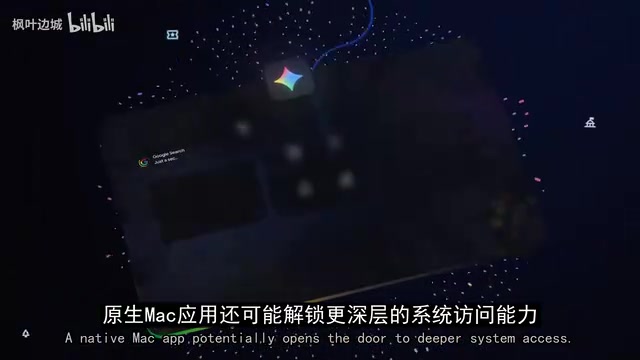
Until now, using Gemini on Mac has essentially meant opening a browser tab. While functional, this puts Gemini at a clear disadvantage compared to competitors like ChatGPT and Claude that already have native desktop clients. A true macOS native application means faster access, smoother performance, and tighter integration with daily workflows. Gemini will transform from "a website you occasionally visit" into "a desktop tool you can keep open all day."
More critically, a native desktop application opens up the possibility of deeper system-level access. If Google grants Gemini file access permissions or a degree of system-level control, it stops being just a chat window and begins transforming into a genuine productivity assistant—processing documents, searching files via natural language, managing tasks across applications, automating repetitive operations. From "answering questions" to "participating in workflows"—this is the key inflection point for AI product value.
The Apple–Google AI Partnership Takes Tangible Shape
Behind this desktop application is the AI partnership that Apple and Google officially announced roughly a month ago. The information at the time was that Google's Gemini models and cloud infrastructure would power Apple's next-generation AI systems, including Siri upgrades and broader Apple Intelligence features.

Now, with the native Gemini Mac app reportedly entering internal testing, this partnership is shifting from abstract "backend collaboration" into a product users can directly interact with. There are even reports suggesting Apple may be considering using Google infrastructure more extensively to power future AI services. If true, this means Apple—known for "full-stack self-control"—is willing to meaningfully rely on Google for its AI roadmap, which would represent a fairly significant strategic shift.
Of course, there's no official release date yet, and the exact feature scope of the Mac app and the depth of Apple integration haven't been publicly confirmed. Whether Gemini exists as a standalone application or can be more deeply embedded into Siri, Apple Intelligence, and Apple's native apps will determine the true impact of this partnership.
Colab MCP Server: Letting AI Agents Actually "Get Hands-On" with Code Execution
From Copy-Paste to Automated Execution
The third update, while less high-profile than the first two, may be the most practical for developers and data scientists: Google has released the Colab MCP Server.

Previously, the workflow for AI-assisted programming was highly manual: have the AI write code → copy it to Colab → run it manually → hit an error → go back and fix it → repeat the cycle. Colab MCP Server fundamentally changes this flow—AI agents can now directly create, edit, and execute Python code within Colab notebooks.
MCP (Model Context Protocol) is a protocol that helps AI connect to external tools in a standardized way. Typically, the AI is on one end and the tools are on the other, and making them work together requires extensive additional configuration. MCP provides a unified interface standard that allows AI to interact more naturally with software, data sources, and runtime environments.
Colab MCP's Architecture Design and Core Capabilities
The architecture design of this system is quite clever: the AI agent runs on the local machine as the "control center," while actual code executes in Google Colab's cloud environment. Users simply give a prompt like "analyze this CSV file and generate a regression plot," and the agent can automatically handle most of the process—opening or creating a notebook, sending code for execution, retrieving results, and self-correcting if errors occur.
The agent's capabilities go well beyond basic code execution:
- Build notebooks from scratch, adding Markdown and code cells
- Install additional Python packages on demand
- Maintain the notebook's context state (variables created earlier remain usable later)
- Support launching via UVX or NPX, connectable to multiple AI clients like Claude Code, Gemini CLI, and more
This makes the entire interaction experience feel more like a real working environment rather than a one-off AI Q&A session.
The Full Picture of Google's AI Tool Matrix: Strategic Logic Behind the Three Updates
These three updates may appear independent, but together they form a clear strategic picture: AI Studio + Anti-Gravity targets application building, enabling non-professional developers to create complex full-stack applications; Gemini Desktop captures the entry point of users' daily workflows, especially establishing presence within the Apple ecosystem; Colab MCP Server goes deep into the developer and data scientist community, transforming AI from "advisor" to "executor."
Google is upgrading AI from a collection of point solutions into a complete toolchain spanning development, productivity, and data science. This isn't merely product-level iteration—it's a critical step in Google's transformation from "model capability" to "ecosystem capability" in the AI platform competition.
Related articles
 Tech Frontiers
A Rare Quiet Day in AI: Recursive Self-Improvement Stirs Beneath the Surface
A rare quiet day in AI sees multiple sources go silent simultaneously. Behind the calm, Recursive Self-Improvement (RSI) research continues. What this means for the industry.
 Tech Frontiers
Reve 2 vs. Ideogram 4: A Deep Dive into Layout Control in AI Image Generation
A deep comparison of Reve 2 and Ideogram 4's layout control capabilities, covering technical approaches, real-world use cases, and industry trends for designers and creators.
 Tech Frontiers
In the Weights: Check Your Influence Score in the AI World
In the Weights is an AI influence search engine that quantifies your presence in the AI world with a score. Explore how it evaluates practitioners and what it means for digital identity.