Google's New Laptop Hands-On: Scan a QR Code to Migrate Phone Data in 10 Minutes, Password-Free Setup

Google's new Google Book laptop can be set up by scanning a QR code on your phone in about 10 minutes—slick, but not all-powerful.
According to a YouTube video demo, Google's new Google Book laptop can be set up by simply scanning a QR code with a phone to automatically sync accounts, Wi-Fi passwords, and other data—no password entry required—in about 10 minutes, most of which is spent choosing apps to copy, and the process was called "pretty slick." The resulting Google Book OS desktop closely resembles Android desktop mode on Pixel phones, adopts the Material 3 Expressive design language, and extracts a color theme from the wallpaper; as Chrome OS's successor, it retains desktop Chrome and extension support. Android apps mostly adapt their layouts on the large screen, but the video also notes issues in other areas, positioning the device more as a companion to Android phones.
Password-Free Setup: Complete Migration by Scanning a QR Code with Your Phone
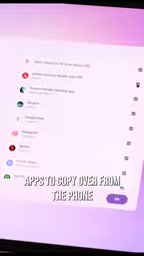
According to a YouTube video demo, when setting up Google's new laptop (Google Book) for the first time, users only need to scan a QR code with their phone, and the device will automatically sync accounts, Wi-Fi passwords, and other data. The entire process takes about 10 minutes, most of which is spent selecting the apps to copy from the phone to the laptop. The video's creator described the process as "pretty slick."
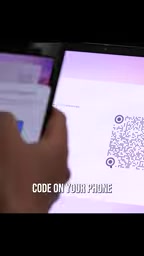
This design clearly targets users who rely heavily on their phones. Traditional laptop setup often requires manually entering account passwords, connecting to Wi-Fi, and downloading apps, whereas Google Book uses the phone as the hub for identity and data, greatly reducing migration friction. For ordinary users, this means a significantly lower barrier to switching devices.
QR code pairing (QR code device pairing) is a cross-device authentication method that requires no manual entry of credentials. Its basic principle: the new device generates a QR code containing a temporary session identifier; after the phone scans it, an authentication request is sent to the cloud, where the already signed-in account confirms the new device's identity; then Wi-Fi credentials, account tokens, and the app list are delivered over an encrypted channel. Compared with traditional password entry, QR code pairing shortens the authentication chain and reduces the risks of weak passwords and repeated input, but it also depends on the availability of the phone and the cloud account. Google has accumulated similar experience with Android's "Fast Pair" and Chromebook's "Quick Start," and Google Book's setup flow is a further extension of this approach.
Desktop Experience: An Extension of Android and an Heir to Chrome OS
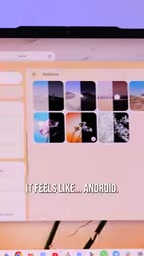
After setup, users enter the Google Book OS desktop. Visually, the system closely resembles the Android desktop mode on recent Pixel phones. The interface adopts the Material 3 Expressive design language, full of animated details, and extracts a subtle color theme from the wallpaper the user selects.
For Pixel users, this interface is almost seamlessly familiar—it "feels like Android." But on the other hand, Google Book OS is also the successor to Chrome OS, so the desktop version of Chrome is retained, along with support for features such as extensions that the mobile version lacks. The video notes that Chrome runs smoothly on the device.
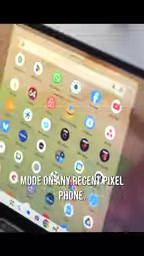
Material 3 Expressive is an expressive design language Google introduced on top of Material Design 3, emphasizing stronger color contrast, bolder rounded corners and shapes, richer motion, and wallpaper-based dynamic color. While maintaining consistency in component specifications, it allows the system to generate a coordinated color scheme from the user's wallpaper, making the interface more personalized. For Google Book OS, adopting this design language means its visual language stays in sync with Pixel phones, reducing the cognitive cost for users switching across devices and making it easier for developers to reuse Android's component and theme system.
Chrome OS is the operating system Google previously offered for laptops and tablets, centered on the Chrome browser and emphasizing fast startup, automatic updates, and cloud management, with a certain share in the education market and light office scenarios. Its app ecosystem has long relied on web apps and Android apps (running through the ARC compatibility layer). Google Book OS is seen as the successor to Chrome OS, retaining the desktop Chrome browser and extension support while more deeply integrating the Android runtime and phone collaboration capabilities—understandable as a convergence of Chrome OS's browser DNA and Android's mobile ecosystem.
Android App Adaptation: Adaptive Layouts on the Big Screen
Google Book can naturally run Android apps. The video's creator mentioned that most of their commonly used apps perform well on the large screen, adaptively switching between tablet and phone layouts based on window size and screen dimensions.
However, this adaptation is not perfect. The video also notes that Google Book has problems in other areas, but emphasizes that the first few minutes of setup really deliver on the promise of "a laptop built around an Android phone." This assessment implies that the device's core selling point is deep collaboration with the phone, rather than being an all-around productivity tool.
Adaptive layout refers to an app automatically switching its interface structure based on window size, screen orientation, and fold state, rather than simply stretching the image. Through mechanisms such as Window Size Class, Android lets developers define layout breakpoints for phones, tablets, and desktop windows—for example, using bottom navigation in narrow windows and switching to a sidebar plus multi-column content in wide windows. For devices running Android apps on large-screen laptops, adaptation quality directly determines usability: well-adapted apps can approach a desktop experience, while poorly adapted apps may suffer from oversized UI elements, wasted whitespace, or misplaced interactions.
Initial Assessment: Collaboration First, But Not All-Powerful
Overall, Google Book's first-time setup experience is its highlight: QR code migration, zero password entry, and completion in 10 minutes—these features let Android users quickly extend their phone ecosystem to a laptop. The desktop Chrome browser and Android app compatibility ensure basic usability.
But the video also explicitly states that the device has problems in other areas, without elaborating in the clip. For potential users, this means Google Book may be better suited as a companion device for an Android phone rather than a universal replacement for a traditional laptop. Its success will depend on the maturity of the software ecosystem and the depth of cross-device collaboration.
Related articles

On-Device LLM + ESP32: Build a DIY Calorie Reminder
A Bilibili creator open-sourced a calorie intake reminder: a phone app uses the open-source miniCPM model to locally recognize food photos and estimate calories, while an ESP32 mini screen syncs data and shows intake status with green/yellow/red rings — magnetically attachable to the fridge door for constant reminders.

Running 125B MoE on a 12GB GPU? Inside Strata's Three-Tier Cooperative Engine
Open-source C++ engine Strata runs 125B MoE models locally on 12-16GB consumer GPUs at 40-95 tokens/s. Here's how its VRAM/memory/SSD three-tier pipeline works.

Running Audio and Vision Locally with a 2B Model: LFM3 Hands-On Revealed
A blogger tests Liquid AI's LFM3 Audio 2B and Omni 2B on a MacBook Air: 2B parameters run speech and vision offline, tool calling exceeds expectations, but noise transcription and hallucination issues are evident.