Googlebook In-Depth Review: Can Google's New Laptop Replace the Chromebook?

Google's new Googlebook impresses with Pixel integration but struggles with app gaps and high pricing.
Google and partners Asus, Acer, Dell, HP, and Lenovo have launched Googlebook — a new premium ultrabook category running Google Book OS on Android 17, starting at $900. Its highlights are deep Pixel ecosystem integration and Gemini-native features like semantic file search and Rambler voice-to-text. Hardware quality is strong, but the biggest weakness is a sparse desktop app ecosystem: most Play Store apps aren't optimized for large screens, leaving a significant gap versus Windows and Mac. Priced near MacBook Air levels with far fewer capable apps, and undercut on value by $750 Chromebooks, Googlebook's audience is narrow — best suited for Pixel power users and developers, and still an immature first-gen experiment for most buyers.
Google has officially launched an entirely new product category — the Googlebook. This isn't just another Chromebook; it's a premium ultrabook running the new Google Book OS. At a time when Windows keeps reinventing itself and manufacturers are hunting for the next big thing, Google has chosen an interesting entry point. But the question remains: is a Googlebook starting at $900 actually worth it?
What Exactly Is a Googlebook
Rather than building the hardware itself, Google handed manufacturing duties to five partners: Asus, Acer, Dell, HP, and Lenovo — launching five Googlebook models simultaneously. These machines share several traits: all positioned as premium ultrabooks, starting at 16GB RAM (up to 32GB), 2K+ touchscreens, and a colorful LED "glow bar" on the lid.
The glow bar's functionality is actually quite limited: it turns red when the battery is low, displays charging progress, and glows purple during Gemini conversations — that's about it. The more significant difference lies in the OS — these machines no longer run Chrome OS, but the new Google Book OS. Frankly, the naming is pretty terrible, since Google already has a product called "Google Books," which makes it easy to confuse the two.
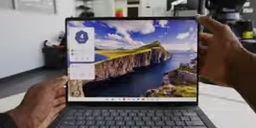
The core positioning of this OS is to give Android phone users — especially Pixel users — a laptop that delivers the kind of seamless ecosystem experience Apple is known for, with a layer of Gemini sprinkled on top.
Like Android, But More Than Android
After a week of using the Asus Googlebook, the ecosystem integration is clearly its standout feature. Google Book OS can sync Pixel notifications to the laptop, supports sending and receiving texts from your computer, and lets the phone share its network connection so the laptop stays connected anywhere. Files on your phone can be dragged directly to the computer (as long as individual files don't exceed 200MB). If you start booking flights on your phone and decide you need a bigger screen, one tap hands it off to the Googlebook seamlessly.
The rest of the system is essentially Android — home screen, folders, widgets, app drawer, quick settings, all present and accounted for. The quick settings panel even retains an auto-rotate toggle that makes absolutely no sense on a laptop, which is a bit comical. Digging into "About this device" reveals it's running Android 17, adapted for touch and keyboard-mouse use.

Because it runs Android, it ships with the Play Store, letting you install apps to internal storage; if you'd rather not install new apps, you can mirror apps already installed on your phone directly.
There's a deeper logic behind choosing Android 17 as the foundation. Google previously attempted to merge Chrome OS and Android (codenamed "Andromeda"), but the effort stalled multiple times. Google Book OS is essentially a restart of that vision — using Android as its core and rebuilding the system for large-screen, keyboard-and-mouse use at the OS level, rather than running Android apps through a virtual machine like Chromebook does. This means app compatibility is architecturally better than Chromebook's, but it also means the system inherits Android's historical baggage from being designed for touchscreen phones — the auto-rotate toggle sitting in quick settings is a textbook example. Compared to Microsoft's push to bring Android apps to Windows 11 (via the Amazon Appstore, an effort that has since been discontinued), Google's approach is more thorough. But the fundamental tension of a "desktop app desert" remains: developers need sufficient incentive to specifically optimize apps for large screens, and that requires a user base that first reaches critical mass.
A Few Genuinely Useful Gemini Features
Compared to Chrome OS, Googlebook adds several Gemini-powered features. The headliner is the magic pointer — off by default, activated by shaking your mouse once enabled — which lets you select on-screen content for Gemini to identify or act on, like reverse image searching or asking questions about what's on screen.
Personally, my favorite feature is semantic file search. This machine has half a terabyte of local storage and a real file system. When you can't remember a file's name, you can describe what you remember about its contents and the file app will find it. This is genuinely useful AI.
There's also Rambler — Google's new, smarter voice-to-text that strips out filler words like "um" and "uh" and works fast, with a dedicated key on the keyboard. And there's "create my widget," which lets you describe a widget in natural language and have it generated automatically. The results aren't exactly beautiful, but functional is good enough.
The Biggest Weakness: A Desert of Desktop-Grade Apps
The problem, predictably, is apps. Despite having the Play Store and theoretically access to millions of apps, Google Book OS is a brand-new platform, and compatibility varies wildly. When browsing the store, each app carries a label: "made for desktop," "optimized for desktop," "compatible with desktop," "better on the website," or "built for mobile."
The reality is that the vast majority of Play Store apps are not built for Googlebook. The gold standard "made for desktop" experience is reserved for a handful of curated apps; most are stretched phone UIs or barely-there adaptations. This is a problem that simply doesn't exist on Windows, Mac, or even Linux. In other words, if you have one or two essential apps that perform poorly on Googlebook, this machine hasn't actually solved your problems compared to a Chromebook.
This dilemma has clear historical precedents. Microsoft's Surface RT (2012) also ran on ARM and could only install apps from its app store — it failed catastrophically due to app scarcity, forcing Microsoft to take a $900 million impairment charge. iPadOS, despite a rich app ecosystem, has been criticized for years over developers' reluctance to properly optimize for large screens. Google's move to add a five-tier labeling system ("made for desktop" through "built for mobile") in the Play Store is an attempt to manage user expectations through transparency — more candid than what Microsoft or Apple have done, but also an implicit admission of the current ecosystem gap. Whether Googlebook can break the cold-start catch-22 of "need users to get apps, need apps to get users" will hinge on whether Google can convince top productivity apps like Notion and Adobe Express to prioritize desktop-grade adaptation first.
Great Hardware, Awkward Pricing
To be fair, the Asus Googlebook itself is impressive hardware: the chassis weighs just over two pounds and is remarkably thin; battery life is excellent, with standby lasting several days; connectivity is solid with two USB-C ports, a USB-A port, and HDMI; the 1,000-nit OLED display looks great with anti-glare coating; it opens with one finger, the keyboard is solid, the trackpad is large with haptic feedback, and there's a fingerprint reader plus a physical camera shutter.

But it's priced at MacBook Air territory. The cheapest Googlebooks start at $900 and climb into four digits. The Dell model runs on a two-year-old Snapdragon X Elite chip, starting at $1,000 and going up to $1,800. ARM chips offer the benefit of running optimized desktop apps more natively, while Intel versions require a translation layer — though real-world performance differences are minimal.
Here's the crux: an ultrabook thinner and lighter than a MacBook Air is genuinely appealing, but once the prices are comparable and you can run far fewer apps, users will gravitate toward cheaper Chromebooks or simply choose a MacBook Air. Google has confirmed some Chromebooks — particularly newer models — will be upgradeable to Google Book OS, but hasn't specified which models or when. For context, a premium AMOLED ultrabook like the Samsung Galaxy Chromebook Plus costs just $750.
Who Should Buy One? A Per-Audience Scorecard
Following the same scoring framework used in previous MacBook reviews, here are recommendations by user type:
- Pixel fans (A): This was built for you. The ecosystem integration is as complete as it gets — worth trying.
- K-12 students (not recommended): It's essentially a Chromebook with extras you won't use at school. Just buy a cheaper Chromebook.
- College students (B-): Gemini is genuinely helpful for note-taking, reading, and studying, but if your must-have major-specific app isn't in the Play Store, that's a dealbreaker.
- Writers (solid choice): Word processing, browsing, and email all work fine. This review was written on the Asus Googlebook.
- Photographers (B-): Light editing tools like Lightroom and Snapseed are available, the screen is bright but color accuracy is average — don't expect professional-grade results.
- Developers (surprisingly good): Google's agentic coding tools like Antigravity run well on these machines, and the RAM headroom is sufficient.
- Video editors (not recommended): No Premiere, no Final Cut, no Resolve — just CapCut and LumaFusion, plus that 200MB file transfer cap. Not the right tool.

First-Gen Product: Should You Jump In?
Google could eventually bring Googlebook's app support and offline capabilities up to par with Windows and Mac, but it's nowhere near that point today. The consistent recommendation stands: buy a product for what it is right now, not for the software updates it might receive.
This is a first-generation Google product, and everyone knows the stories on killedbygoogle.com. But it could also get meaningfully better over time. For die-hard Pixel fans, this might be the laptop they've been waiting for. For most people, Googlebook currently feels like an interesting but unfinished experiment — hardware that deserves praise, ecosystem integration that genuinely impresses, but a steep price and a sparse desktop app landscape that makes it a hard sell as a rational purchase for quite some time to come.
The graveyard at killedbygoogle.com had catalogued over 300 terminated products and services as of 2024, including well-funded projects like Stadia (cloud gaming), Inbox (email client), and Google+ (social network). This history has made consumers broadly skeptical of Google's long-term support commitments for hardware and platform products. That said, Google does have recent counterexamples: the Pixel phone line achieved profitability and a stable user base after years of losses, and Chromebook has remained a staple in education for over a decade. Googlebook's fate may ultimately depend on whether Google is willing to give it the sustained, multi-year investment it gave Pixel — or whether this is just another exploratory experiment.
Related articles

AI + SRC Automated Vulnerability Hunting: Rebuilding the Three-Step Method with AI Agents
A complete guide to AI+SRC automated vulnerability hunting — comparing traditional methods with AI Agent-powered workflows covering asset recon, false positive filtering, and report generation.

Testing DeepSeek Desktop Agent: Auto-Generate a Full Video for Just $0.35
A blogger tested DeepSeek Harness desktop Agent: auto-generated a full video for $0.35, built a daily briefing, and an app from plain English — all for $0.59 total.

Antigravity 2.0 Complete Guide: MCP, Skills, and Automation Explained
A complete guide to Antigravity 2.0 covering Projects/Conversations/Agents, MCP with Figma, Skills, automation, and 6 real-world use cases including design-to-code and Android app generation.