Grok 4.5 Feels Weaker in Cursor? A Deep Dive into AI Coding Tool Integration Differences

Why the same AI model can feel weaker in third-party coding tools vs. its official environment.
A Reddit user noticed Grok 4.5 performs far worse in Cursor than in the official Grok terminal. This article examines the root causes — including system prompt differences, context truncation, parameter settings, and function calling adaptation — that make the same model feel weaker in third-party tools, and offers practical troubleshooting tips for developers.
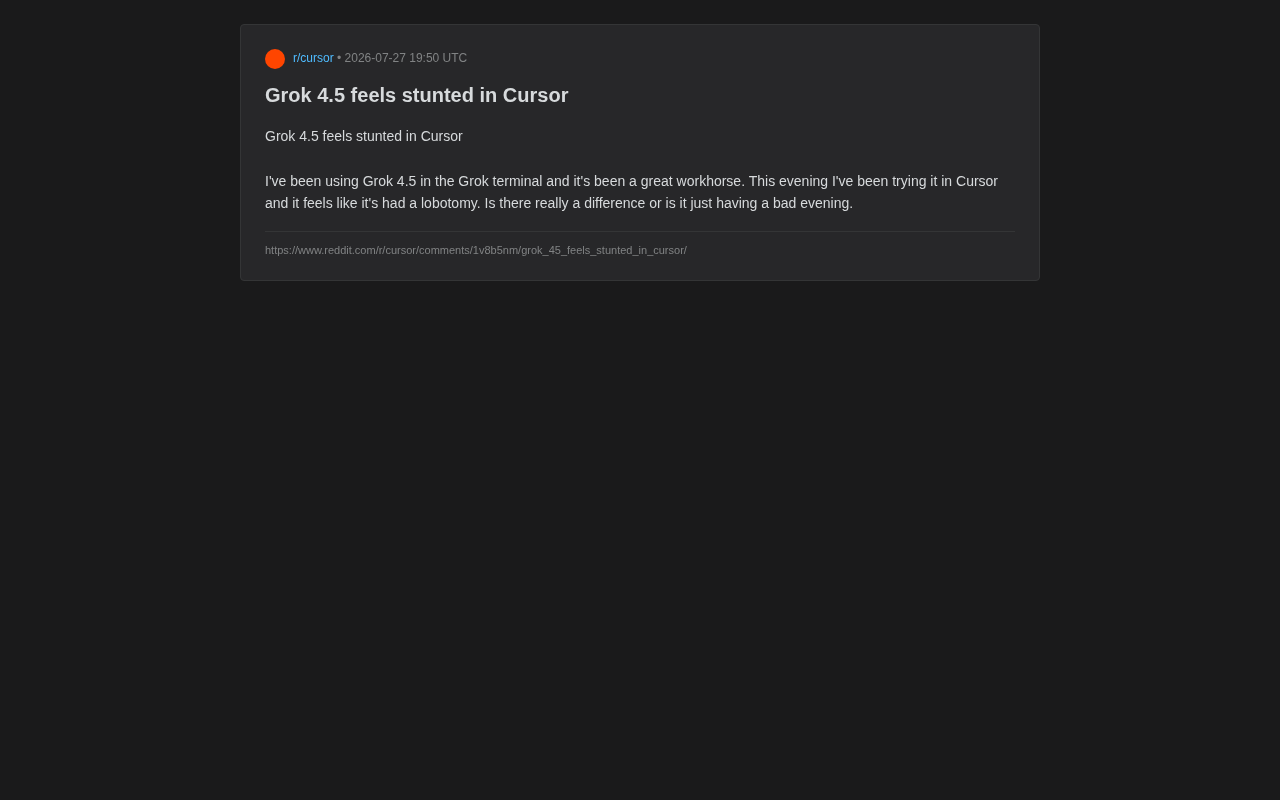
Recently, a Reddit user raised a question that struck a chord with many developers: the same Grok 4.5 model performs like a reliable "workhorse" in the official Grok terminal, but once moved into the Cursor editor, it feels like it's had a "lobotomy" — with significantly diminished capabilities. Is this a problem with the model itself, or a gap introduced by the integration environment?
What seems like a simple user complaint actually touches on a critically important yet often overlooked issue in today's AI coding tool ecosystem: the same large language model can exhibit drastically different capabilities depending on its host environment.
Recreating the Phenomenon: Why One Model, Two Experiences?
According to the user's description, they considered Grok 4.5 a reliable "workhorse" when using it in the official Grok terminal, handling tasks with ease. However, that same evening, when calling the same model through Cursor, it felt "sluggish and limited." The user themselves was puzzled: "Is this a real difference, or is it just having an off night?"
This confusion over "same model, different experience" is far from an isolated case in the AI coding community. Many developers have had a similar gut feeling after switching tools: why does a model that seems smart on Platform A suddenly seem "dumb" on Platform B?
Why Your Instinct Might Not Be Wrong
It's worth emphasizing that users' perceptions are often not purely psychological. In most cases, the underlying model weights are completely identical — what actually causes the difference is the engineering integration layer outside the model. To understand this, we need to break down the full pipeline of how an AI coding assistant actually works.
When a user hits Tab or types a command in Cursor, what happens is far more complex than simply "sending a question to the model and displaying the answer." The process involves context collection, prompt assembly, API calls, response parsing, result rendering, and many other steps. Each step can introduce information loss or behavioral deviation, which ultimately compound into the user's perception that "the model got dumber."
Root Causes: Key Variables Affecting Model Performance
The final performance of an AI coding tool is never determined by the underlying model alone — it's shaped by multiple factors working together. When we say "Grok 4.5 feels weaker in Cursor," the problem likely lies in the following areas.
Differences in System Prompts
Official terminals typically configure carefully tuned system prompts for their own models, maximizing the model's potential. Third-party tools like Cursor, on the other hand, need to use a universal prompt framework to accommodate multiple models such as GPT, Claude, Gemini, and Grok. This "one-template-fits-all" approach may fail to optimize for Grok 4.5's specific strengths, preventing the model from reaching its best state.
A system prompt is a hidden instruction injected by the platform before the user's conversation begins. It defines the model's role, behavioral boundaries, output format preferences, and other core behavioral guidelines. For code generation scenarios, a well-designed system prompt might instruct the model to prioritize code maintainability, follow specific coding conventions, and proactively ask questions rather than guess when uncertain. The xAI team, when designing the Grok terminal, can perform fine-grained prompt engineering tailored to Grok 4.5's training data distribution and capability profile (such as its strengths in reasoning chains or performance in specific programming languages). Cursor, as a multi-model aggregation platform, needs its prompts to accommodate over a dozen models with different architectures and characteristics — making it nearly impossible to optimize for each one individually. It's like using the same lesson plan to teach students with different learning styles: results will inevitably vary.
Context Management and Truncation Strategies
Editors like Cursor need to decide what context to "feed" to the model when handling large codebases. To control costs and latency, tools often clip, compress, or summarize context. If critical information gets trimmed in this process, the model naturally "can't cook without ingredients" and appears "sluggish." Official terminals, by contrast, may retain more complete conversation history and context windows.
The Context Window refers to the maximum number of tokens a large language model can process in a single request, but there's often a huge gap between the context length a model supports and the context length that's actually utilized effectively. When Cursor handles large projects, it uses RAG (Retrieval-Augmented Generation) technology to retrieve relevant snippets from the codebase, then combines them with the current file being edited, cursor position, recent conversation history, and other information to compose the final prompt. This process involves embedding retrieval precision, code chunk splitting strategies, relevance ranking algorithms, and many other steps — information loss at any point degrades the quality of context the model receives. In contrast, users in official terminals typically provide complete context manually, resulting in higher information fidelity and enabling the model to reason from a more complete foundation.
Parameter Configuration and Temperature Settings
Different platforms have different default settings for inference parameters like temperature, max_tokens, and top_p. A conservative parameter configuration can make the model's output seem rigid and uncreative, giving users the impression of "reduced capability."
Specifically, temperature controls output randomness — lower values make the model favor the highest-probability next token, producing more deterministic but potentially mediocre output; higher values yield more diverse but less controllable output. max_tokens limits the maximum length of a single response — if set too low, the model may be forcibly cut off during complex reasoning or long code generation, resulting in incomplete output. top_p (nucleus sampling) determines the range of candidate tokens the model considers during generation. Different task scenarios (such as code completion vs. architecture design discussion) require different optimal values for these parameters, and a platform's default configuration may not suit all scenarios.
Agent Workflows and Tool Calling Adaptation
Modern AI coding tools rely heavily on Agent frameworks — models need to invoke tools like file reading, terminal execution, and code search to complete tasks. If Cursor's function calling adaptation for Grok 4.5 is not yet mature, the model may fail to use these capabilities correctly, causing the task chain to break and overall performance to fall far short of the official environment.
Function Calling is the key mechanism that enables large language models to interact with external tools. The model outputs structured JSON instructions to invoke predefined functions such as reading file contents, executing shell commands, or searching code symbols. Different models implement function calling in significantly different ways — OpenAI uses the tools parameter format, Anthropic uses the tool_use format, and Grok may have its own optimized calling protocol. When Cursor uses a unified tool calling protocol to adapt to all models, subtle incompatibilities between Grok 4.5's function calling format and Cursor's adaptation layer (such as parameter passing order, nested call logic, or error handling mechanisms) can lead to increased tool call failure rates. In such cases, the model is forced to fall back to pure text reasoning mode, losing the ability to actually interact with the codebase — like a surgeon being asked to operate while wearing boxing gloves. No amount of skill can compensate.
Broader Implications: Model Capability ≠ Product Experience
Behind this individual case lies a core proposition for the entire AI application industry: a model with high benchmark scores doesn't necessarily deliver the best product experience.
Integration Quality as the New Competitive Moat
As foundation models from different providers converge in capability, the real differentiator increasingly lies in "last-mile" engineering integration. Whoever can maximize a model's capabilities in a specific scenario delivers a better user experience. This also explains why tools with deep official integration (like the Grok terminal for Grok) often perform better with their own models.
This phenomenon has a classic analogy in the software industry: the same engine installed in different manufacturers' cars can produce vastly different driving experiences, because transmission tuning, chassis matching, and electronic control system coordination all affect the final result. The AI field is undergoing a similar evolution — from a "model arms race" to an "integration engineering race." This is the strategic logic behind Anthropic launching Claude Code, Google deeply integrating Gemini into Android Studio, and xAI building its own Grok terminal: when you control both the model layer and the application layer, you can achieve end-to-end optimization, eliminating information loss and adaptation friction in the middle layers. For third-party integration platforms, this means they must invest more engineering resources in adaptation depth, or they will continue to lag behind vertically integrated official solutions in user experience.
Practical Troubleshooting Tips for Developers
For developers encountering similar confusion, here are several angles to investigate:
- Comparative Testing: Run the exact same prompt in both environments and observe whether the output differences are consistently reproducible, ruling out the possibility of a "one-off bad state." It's recommended to repeat the same test at least 3-5 times, since model outputs are inherently stochastic and a single comparison can be misleading.
- Verify Model Version: Confirm that the third-party tool is actually calling the full Grok 4.5 model, not some stripped-down or downgraded version. Some platforms may automatically downgrade to smaller model variants during peak hours to control costs, or use quantized lightweight versions.
- Monitor Context Completeness: Pay attention to whether the tool is over-trimming code context. You can check by reviewing the tool's debug logs (if available) or comparing the actual prompt length sent to the API.
- Adjust Controllable Parameters: If the tool allows it, try manually adjusting parameters like temperature. For code generation tasks, a
temperaturesetting between 0.2-0.4 typically strikes a good balance between accuracy and flexibility.
Conclusion
The question "Grok 4.5 feels stunted in Cursor" might seem like a casual complaint, but it precisely identifies a reality of the AI tool ecosystem: the model is just the starting point; integration is the endgame. The same brain, placed in different bodies, can deliver vastly different results.
For users, when choosing an AI coding tool, you shouldn't just look at which star models it supports — you should also evaluate how deeply the tool has adapted to and engineered around each specific model. For third-party platforms like Cursor, continuously optimizing support for each model will directly determine their success in an increasingly competitive landscape. This battle over the "last mile" has only just begun.
Related articles

Transformer²: Achieving Co-Design of Robot Morphology and Control with a Unified Architecture
Deep dive into how Transformer² uses a unified Transformer architecture to integrate robot morphology design and motion control into one model, enabling task-driven end-to-end co-design for embodied AI.

Tutorial: Installing Tailscale on a Jailbroken Kindle to Create a Private Network Node
Learn how to deploy Tailscale on a jailbroken Kindle, turning an idle e-reader into a private network node. Covers cross-compilation, power optimization, and risk considerations.
Tutorial: Installing Tailscale on a Jailbroken Kindle to Create a Private Network Node
Learn how to deploy Tailscale on a jailbroken Kindle to turn an idle e-reader into a private network node. Covers cross-compilation, power optimization, and risk considerations.