HarmonySync: Free Local Playlist Migration Tool Supporting Spotify/Apple Music/YouTube Music
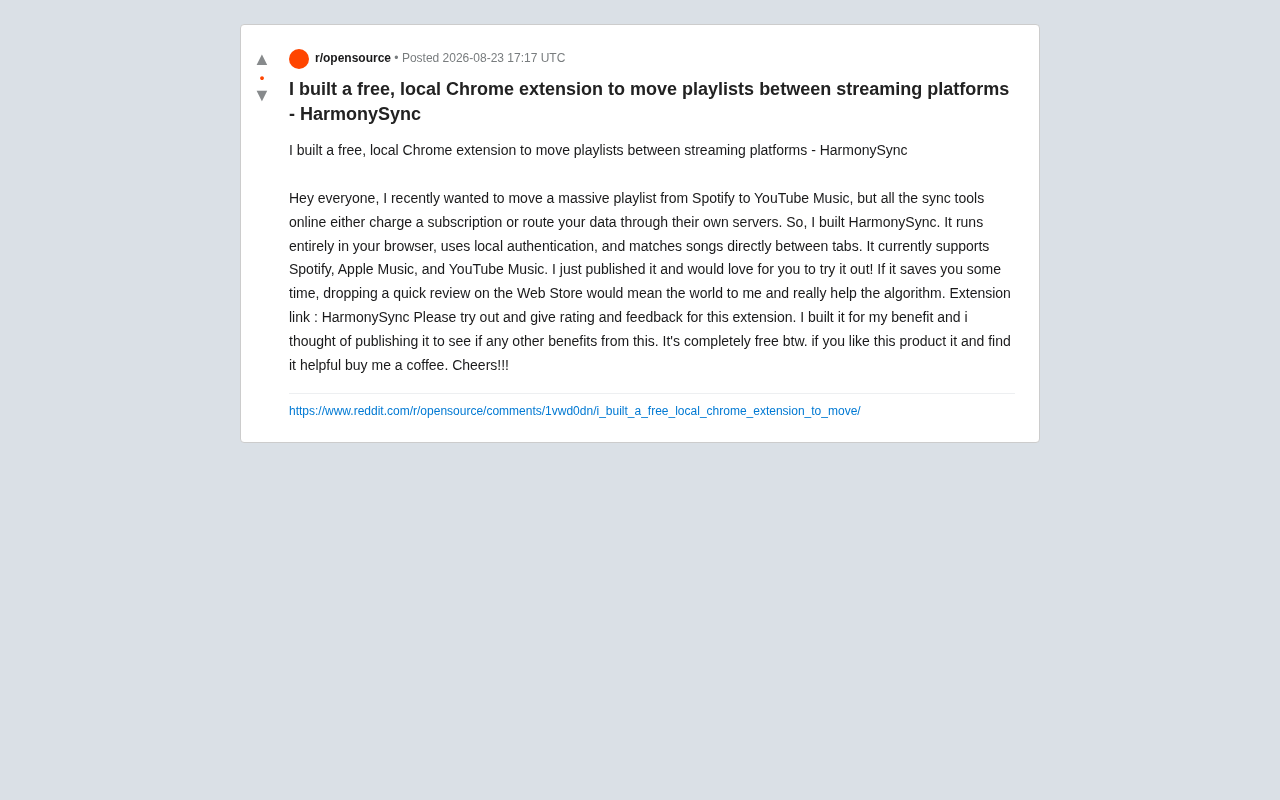
HarmonySync is a free, privacy-first Chrome extension for migrating playlists across major music platforms.
HarmonySync is a free Chrome extension that lets you migrate playlists between Spotify, Apple Music, and YouTube Music. Unlike paid cloud services, it runs entirely in your browser — no data passes through third-party servers, keeping your account credentials and playlist data private. Built by an indie developer to solve his own migration needs, it uses cross-tab matching to map songs between platforms.
Why You Need a Cross-Platform Playlist Migration Tool
In today's highly fragmented streaming music landscape, many users face the same frustrating problem: wanting to switch from Spotify to YouTube Music, or migrate from Apple Music to another service, only to discover that playlists they've carefully curated over the years can't be easily transferred.
The global streaming music market is currently divided among Spotify, Apple Music, YouTube Music, Amazon Music, Tidal, and several other platforms. According to industry data, Spotify holds the largest market share with over 600 million users (approximately 220 million of whom are paid subscribers), followed by Apple Music and YouTube Music. These platforms compete on catalog size, audio quality options, recommendation algorithms, and pricing strategies. User demand to switch platforms — driven by price changes, exclusive content, or ecosystem preferences — is growing. However, there are virtually no interoperability standards between music platforms. Playlist data is essentially locked within each platform's closed ecosystem — this "walled garden" effect makes the cost of user migration extremely high.
There are some playlist sync tools on the market, but most of them have two dealbreakers — they either charge a monthly subscription or require your account data to pass through third-party servers.
One developer wanted to transfer a massive Spotify playlist to YouTube Music but was frustrated by the costs and privacy concerns of existing solutions. So he built a Chrome extension called HarmonySync. In his own words: "I originally made this for myself. After finishing it, I thought I'd publish it to see if it could help others."
What Is HarmonySync
HarmonySync is a completely free Chrome extension whose core purpose is migrating playlists between different streaming platforms. It currently supports three major platforms:
- Spotify
- Apple Music
- YouTube Music
Its approach is fundamentally different from typical cloud-based sync services — all operations are completed locally in your browser.
Three Key Features
1. Fully Local Execution (Local-first)
The extension runs directly within the browser and doesn't upload user data to the developer's own servers. This means your account information and playlist contents never pass through any third-party intermediary. From a privacy standpoint, this is its biggest differentiator compared to paid cloud services.
Chrome browser extensions run on the Manifest V3 architecture, consisting of components like Service Workers (background scripts), Content Scripts (scripts injected into web pages), and Popup/Side Panels (user interfaces). Extensions gain access to specific websites through a declarative permissions model — for example, HarmonySync needs to declare access permissions for Spotify, Apple Music, and YouTube Music domains to read and manipulate page content in corresponding tabs. Chrome's sandbox mechanism ensures extensions run in a relatively isolated environment, making this architecture naturally suited for cross-tab data extraction and manipulation scenarios.
2. Local Authentication Mechanism for Account Security
HarmonySync uses a local authorization mechanism, keeping login credentials on your own device. For users sensitive about account security, this reduces the risk of credential leakage or misuse.
3. Direct Song Matching Between Tabs
The tool performs song matching and migration directly between tabs on different platforms, mapping tracks from the source playlist to the target platform one by one. Communication between different tabs is handled through Chrome's messaging API (such as chrome.runtime.sendMessage) — extracting source playlist data in one tab and passing it via the extension's internal messaging to the target platform tab for search and matching.
Why Local Execution Is the Core Advantage
Playlist migration may seem like a minor need, but it involves a series of steps including OAuth authorization, API calls, and track matching.
OAuth (Open Authorization) is an open-standard authorization protocol that allows third-party applications to obtain limited access to a user's resources on a service without obtaining their password. When you use a playlist migration tool, you typically go through an OAuth flow to authorize with platforms like Spotify or YouTube Music, generating a temporary Access Token. Traditional cloud-based migration services hold this token on their backend servers and call each platform's REST API on your behalf to read playlist data and create new playlists. This inevitably means your data flows through their servers, creating potential risks of token interception, misuse, or data leakage.
HarmonySync compresses this entire logic into the browser extension, confining the entire OAuth authorization flow and API calls within the user's own browser environment, with tokens stored only locally. This is essentially a "privacy-first" architectural approach. For everyday users, the benefits are straightforward:
- No need to trust a stranger as an intermediary to safeguard your music accounts;
- No subscription fees — install once and use repeatedly;
- Greater transparency in data processing, since everything happens in your visible browser.
Of course, the local approach comes with its own technical trade-offs. Browser extensions are limited by each platform's frontend accessibility and anti-scraping strategies, and cross-tab matching stability may not be as mature as backend services. Frequent updates to platforms' frontend page structures can also cause the extension's content scripts to break, requiring the developer to promptly adapt. But for the typical scenario of "migrating a playlist once in a while," this lightweight, free, and private approach is practical enough.
The Accuracy Challenge of Cross-Platform Song Matching
Every cross-platform playlist migration tool faces one core challenge: track matching accuracy. The same song may have different versions, naming formats, artist attribution methods across Spotify, Apple Music, and YouTube Music, and may even be missing due to licensing restrictions.
This is a classic problem in the music metadata domain. Each platform uses different unique identifier systems — Spotify uses its own Track URI, Apple Music uses ISRC (International Standard Recording Code) and Apple internal IDs, while YouTube Music is based on the YouTube video ID system. Even for the same song, metadata (song name, artist name, album name) can differ subtly across platforms: for example, "feat." vs. "ft." spelling differences, different artist ordering, distinctions between Remastered versions and originals, and romanization differences for Japanese or Korean song titles.
Common matching strategies include: exact matching based on ISRC codes (highest accuracy but limited coverage, since not all platforms expose ISRC information), fuzzy string matching based on song name + artist name (typically using Levenshtein edit distance or cosine similarity algorithms), and multi-dimensional weighted matching incorporating song duration information. In practice, a playlist containing several hundred songs can typically achieve an 85%-95% automatic match rate, with the remainder usually being tracks affected by regional licensing restrictions or significant metadata differences.
The developer mentions that the tool "directly matches songs" but hasn't publicly shared specific matching algorithm details or accuracy data. This is a common information blind spot for tools of this type — users migrating large playlists typically need to manually check afterward for missed or incorrectly matched tracks. Therefore, it's recommended to do a spot-check on important playlists after migration is complete.
Pricing and Developer Philosophy
HarmonySync is currently completely free with no subscription barrier. The developer has adopted the typical indie developer model of "passion project + voluntary donations":
- The tool is provided for free, with hopes that users will leave reviews and feedback on the Chrome Web Store;
- If you find it useful, you can voluntarily support the developer through "Buy me a coffee."
In the open-source and indie developer community, this "passion project" + voluntary sponsorship model has developed into a mature ecosystem. Platforms like Buy Me a Coffee, Ko-fi, GitHub Sponsors, and Open Collective provide low-barrier monetization channels for individual developers. The core logic of this model is: developers first solve their own real needs (what the community often calls "scratch your own itch"), then open the results for free, attract users through community feedback and word-of-mouth, and let satisfied users voluntarily provide financial support.
This candid distribution approach is quite common in the indie developer community — solve your own problem first, then open the results to others with the same need, letting genuine word-of-mouth rather than marketing drive growth. However, it's important to be objective: the lack of a stable revenue source means long-term maintenance carries uncertainty. If the developer's personal interests shift or life priorities change, the project may stagnate.
Is HarmonySync Worth Trying
If you're facing the need to migrate playlists across platforms and don't want to pay a subscription for a one-time operation, or have concerns about your account data passing through third-party servers, then HarmonySync is a lightweight option worth trying. Its three major advantages — free, locally run, supporting three major platforms — directly address the pain points of existing paid solutions.
It's worth noting that as a newly released indie extension, its long-term maintenance, matching accuracy, and platform compatibility still need the test of time. It's recommended to start with a small-scale test before migration, and only process large playlists after confirming satisfactory results. For indie developers, genuine user feedback is exactly the key driving force behind continuous improvement of tools like this.
Key Takeaways
Related articles

Gemini 4 Argon Hands-On: AI Builds Board Games, Constructs Temples, and Trains Robots Autonomously
Gemini 4 Argon hands-on roundup: AI autonomously builds a desk racetrack and temple in Blender, writes a ray tracing engine, trains a humanoid robot to sink 7 shots, plus API pricing and developer access.

The Magic Octagonal Coin: Why Only 9% of People Can Predict Its Flip?
Only 9% of people can correctly predict the Magic Octagon coin flip. This article explains its spatial rotation mechanism, common cognitive pitfalls, and a new hypothesis based on Relevance Theory, exploring the limits of human spatial reasoning.

Sam Altman: AI Is Entering the Era of Scientific Discovery — Math Breakthroughs Will Replicate in Biology and Energy
Sam Altman says AI is entering the era of scientific discovery — math breakthroughs will replicate in biology, materials science, and energy to help develop new drugs and energy sources.