HTML dl Element Explained: Usage, Scenarios, and Best Practices

The HTML dl element is an underrated semantic tag ideal for displaying key-value pair content.
HTML's <dl> (Description List) element consists of paired <dt> terms and <dd> descriptions, making it ideal for glossaries, metadata, FAQ pages, and other key-value pair scenarios. It's underestimated due to the old "Definition List" naming causing misconceptions, unattractive default styling, and lack of framework support. However, <dl> provides irreplaceable accessibility support for screen readers and can achieve polished layouts through CSS Grid.
Introduction
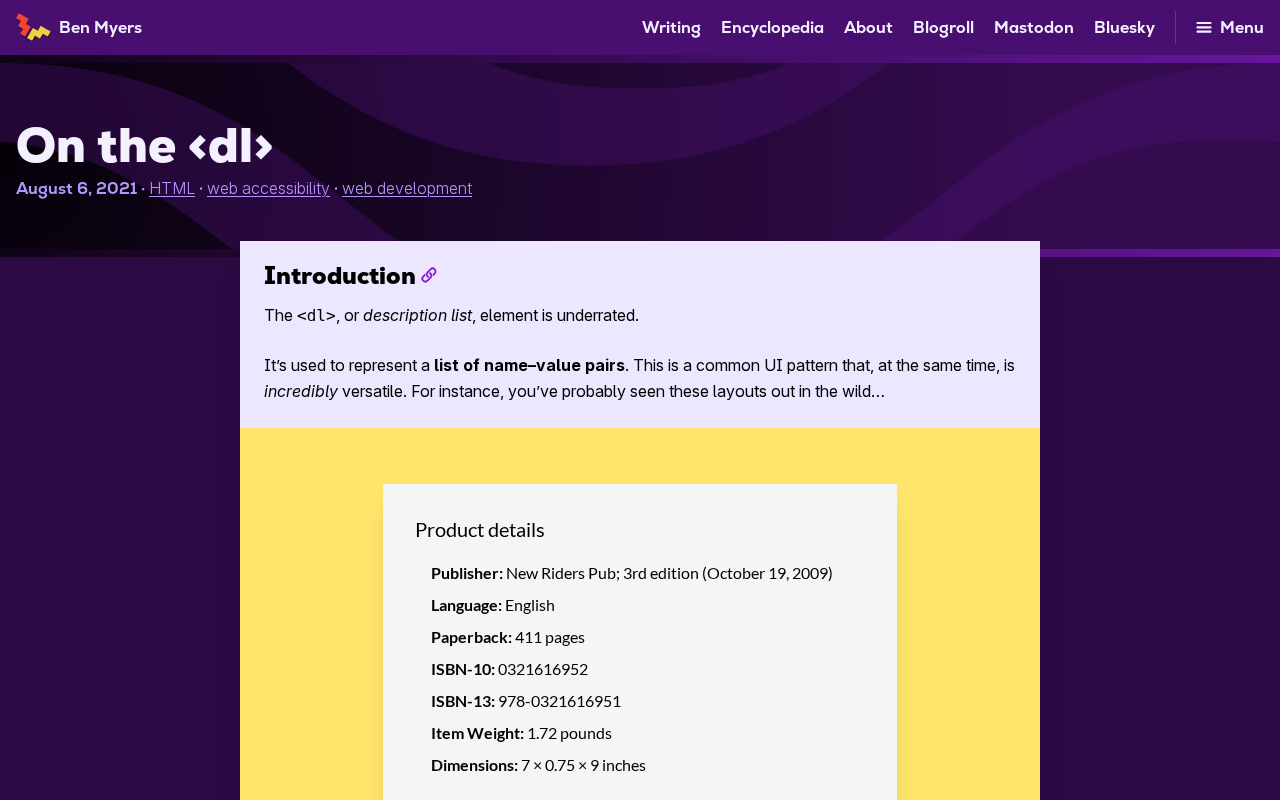
In web development, we often use <ul> and <ol> to organize list content, but HTML has another severely underestimated list element — <dl> (Description List). This 2021 article by Ben Myers recently resurfaced on Hacker News, sparking renewed discussion with 399 upvotes and 114 comments, demonstrating that the developer community's interest in semantic HTML has never faded.
It's worth noting that HTML semantics isn't a new topic — it's a core achievement built over decades of web standardization efforts. Throughout the evolution from HTML4 to HTML5, W3C and WHATWG continuously promoted the principle of "separation of structure and presentation" — HTML describes the meaning of content, while CSS controls visual presentation. The renaming of the <dl> element itself (from Definition List to Description List) is a microcosm of this deepening philosophy, occurring around the time the HTML5 specification was officially established in 2014. This rename wasn't merely a wording adjustment but an official expansion of the element's applicable scope, marking the specification authors' proactive response to developers' actual usage patterns.
What Is the HTML dl Element
The <dl> element is HTML's Description List, composed of paired terms (<dt>, Description Term) and descriptions (<dd>, Description Details). Unlike unordered lists <ul> and ordered lists <ol>, <dl> is specifically designed for content with key-value pair relationships.
Basic Syntax Structure of dl, dt, and dd
<dl>
  <dt>Term or name</dt>
  <dd>Corresponding description or definition</dd>

  <dt>Another term</dt>
  <dd>Another description</dd>
</dl>
This structure is naturally suited for expressing "name-value" correspondences, offering greater semantic accuracy than traditional tables or plain lists. From the browser's internal perspective, <dl>, <dt>, and <dd> together form a complete semantic unit — when building the DOM tree, browsers recognize them as an inherently related content group rather than isolated block-level elements.
Typical Use Cases for the dl Element
Glossaries and Term Definitions
This is the most classic use of <dl>. When you need to display a series of terms and their definitions, <dl> is the most semantically correct choice:
<dl>
  <dt>HTML</dt>
  <dd>HyperText Markup Language, used to build webpage structure</dd>

  <dt>CSS</dt>
  <dd>Cascading Style Sheets, used to control webpage appearance</dd>
</dl>
Product Metadata and Specification Display
Product specifications, article metadata, personal profiles, and other key-value pair data are all excellent candidates for <dl>:
<dl>
  <dt>Author</dt>
  <dd>Ben Myers</dd>

  <dt>Publication Date</dt>
  <dd>2021</dd>

  <dt>Category</dt>
  <dd>Web Accessibility</dd>
</dl>
These metadata scenarios are extremely common in practice, yet developers often handle them hastily with <div> + <span> combinations. Using <dl> is not only more semantically accurate but also makes it easier for search engine crawlers to understand the key-value pair structure on the page, potentially providing a positive SEO impact.
FAQ Pages
Q&A-format content can also be marked up with <dl>, where questions serve as <dt> and answers as <dd>. This approach is more semantically compliant than nesting multiple <div> elements. For FAQ pages, this markup can also work in conjunction with Schema.org structured data annotations, helping search engines identify page content as FAQ Rich Snippets, thereby gaining more prominent placement in search results.
Why the dl Element Is Underestimated by Developers
Developers Have Misconceptions About dl
Many front-end developers only know <dl> by its old name "Definition List" from when they first learned HTML (it was indeed called Definition List before HTML5). This leads developers to mistakenly believe it can only be used for dictionary-style definition scenarios, overlooking its broader "description" semantics. This cognitive bias largely stems from the lag in early web tutorials — many introductory materials continued using outdated descriptions long after the HTML5 specification was updated, creating a knowledge gap that persisted for years.
Unattractive Default Styling
Browsers render <dl> rather plainly by default — <dd> elements have a default left margin indent (typically 40px), but the overall visual effect isn't as polished as carefully designed cards or tables. This leads many developers to use <div> with CSS to achieve similar effects, sacrificing the benefits of semantic markup.
However, modern CSS has completely solved this pain point. CSS Grid provides powerful layout support for <dl>: by setting display: grid; grid-template-columns: auto 1fr on the <dl>, <dt> and <dd> elements automatically align into a two-column layout with visual results comparable to tables, while preserving the complete semantic structure. This technique spread widely after 2019 as Grid browser compatibility fully matured, and it was one of the most popular practical tips shared in the Hacker News discussion.
dl's Important Value for Accessibility
Using semantically correct <dl> elements allows screen readers to properly identify the association between terms and descriptions, providing visually impaired users with a better navigation experience. This is something that cannot be achieved by simulating the layout with <div> + CSS.
To understand this, you need to know how screen readers (such as NVDA, JAWS, VoiceOver) work: they rely on the browser's exposed "Accessibility Tree" to understand page structure — a semantic subset of the DOM. When <dl> is used, the accessibility tree can clearly record the pairing relationship between terms and descriptions, and screen readers will read content in a "term: description" format, allowing users to quickly jump between different terms using keyboard shortcuts. Visual effects simulated with <div> appear in the accessibility tree as a bunch of undifferentiated text nodes, making it impossible for assistive technologies to distinguish their semantic roles. For projects that prioritize web accessibility (a11y), <dl> is irreplaceable.
While the WAI-ARIA specification provides role attributes to supplement semantics, native HTML element semantics always take precedence over ARIA patches — this is the origin of the accessibility golden rule: "prefer native semantic elements over ARIA."
Key Discussion Points from the Community
The 114 comments on Hacker News covered multiple aspects:
- Actual usage frequency: Many developers admitted they had almost never used
<dl>in production environments - Boundaries with table and ul: There were differing opinions on when to use
<dl>versus<table>or<ul> - Insufficient framework support: Component libraries in modern front-end frameworks rarely include preset components based on
<dl>— mainstream UI libraries for React, Vue, and Angular (such as Material UI, Ant Design) almost never encapsulate<dl>as a base component, objectively exacerbating its "invisibility" - CSS Grid techniques: Some developers shared practical solutions for beautifying
<dl>layouts with CSS Grid
Regarding the boundary between <dl> and <table>, the community's mainstream consensus is: if data needs to be compared across rows and columns (e.g., comparing multiple specifications across multiple products), use <table>; if it's simply describing attributes of a single entity (e.g., an article's metadata), then <dl> is more appropriate. The logic behind this distinction is: table semantics imply horizontal comparability between data, while description lists emphasize multi-dimensional characterization of a single subject.
Practical Recommendations for the dl Element
- Follow the semantics-first principle: When content is inherently a "name-description" correspondence, prefer
<dl>over<div>or<table> - One dt can correspond to multiple dd elements: A single term can have multiple descriptions, and vice versa — this is completely valid according to the specification
- Use div to wrap dt/dd groups: HTML5 allows using
<div>inside<dl>to group each dt/dd pair for easier styling — this is an explicitly supported usage in the spec and doesn't break semantics - Combine with CSS Grid or Flexbox layouts: Modern CSS layouts can give
<dl>rich visual effects, freeing it from default style limitations. Recommended Grid approach:dl { display: grid; grid-template-columns: max-content 1fr; gap: 0.5rem 1rem; }for a clean two-column alignment - Combine with structured data: In scenarios requiring SEO optimization,
<dl>can be used alongside Schema.org annotations in JSON-LD or Microdata format to strengthen search engines' understanding of key-value pair content
Conclusion
The <dl> element is an important but often overlooked tag in the HTML semantic toolbox. In today's pursuit of accessibility and semantic correctness, rediscovering and properly using <dl> is not only a technical best practice but also demonstrates respect for all users — regardless of whether they use visual browsers, screen readers, or any other form of user agent.
From a broader perspective, the neglect of <dl> reflects a universal phenomenon in the web development ecosystem: the rapid iteration of frameworks and toolchains can sometimes obscure thoughtfully designed foundational specifications. Revisiting the HTML specification itself often reveals more elegant solutions than introducing new dependencies. As this 2021 article's ability to spark widespread discussion in 2025 proves — solid web fundamentals never go out of style.
Key Takeaways
- dl (Description List) is a severely underestimated semantic element in HTML, suitable for displaying content in key-value pair format
- dl's applicable scenarios include glossaries, metadata display, FAQ pages, and other content with name-description correspondences
- Using semantically correct dl elements significantly improves screen reader accessibility, thanks to semantic recognition in the accessibility tree
- HTML5 renamed it from Definition List to Description List, expanding its semantic scope, around the time the 2014 specification was established
- CSS Grid's
grid-template-columns: auto 1frapproach completely solves the issue of dl's unattractive default styling - This 2021 article received 399 upvotes and 114 comments on HN, reflecting the community's ongoing interest in HTML fundamentals
Related articles
 Tutorials
ChatGPT Plus Subscription Guide: Are GPT-5.5, image-2, and Codex Worth the Upgrade?
A detailed look at ChatGPT Plus features — GPT-5.5, image-2, and Codex — with a Plus vs Pro comparison and a complete step-by-step subscription guide for users outside the US.
 Tutorials
Harness AI Engineering in Practice: Using Claude Code to Master Enterprise-Level E-Commerce Development
Deep dive into Harness AI Engineering: master enterprise e-commerce development with Claude Code using the Rules, Skills, Wiki, and Changes framework.
 Tutorials
Cursor + Codex Dual-IDE Collaboration: A Practical Methodology for Open-Source Project Customization
A complete methodology for open-source project customization based on real-world experience, detailing the Cursor+Codex dual-IDE workflow, seven-stage process, MVP validation, and AI source code reading techniques.