Hugging Face Jobs in Practice: Training NanoGPT in One Hour
Hugging Face Jobs mounts a bucket to move small LLM training to cloud GPUs—zero code changes, half an hour, one dollar.
The article introduces a middle path from an official Hugging Face tutorial: using Hugging Face Jobs to submit small LLM training to cloud GPUs. Using a ~50M parameter GPT-2-style model and TinyStories, the author notes a local MacBook would need 12 hours and occupy the whole machine, while traditional cloud GPU workflows involve SSH and manual transfers—too much overhead. Jobs works in three steps: create a bucket and sync code, mount it to a GPU machine and run the original command with UV, and auto-sync results to the persistent bucket. The generic script takes just two parameters, defaults to a 2-hour timeout, and bills per minute. Measured on A100: half an hour, slightly over one dollar.
Training a small language model often gets stuck at the hardware barrier: a local laptop can run it but takes far too long, while renting a cloud server means dealing with SSH, uploading code, and pulling results—a cumbersome process. A tutorial from the official Hugging Face channel shows a middle path—using Hugging Face Jobs to submit training tasks directly to cloud GPUs, with zero code changes, completing a small LLM training run in about half an hour for roughly one dollar.
The Problem: It Runs Locally, But It's Not Worth Running
The video's author chose a ~50M parameter GPT-2-style model, following an approach similar to Andrej Karpathy's nanoGPT, trained on the TinyStories dataset. The model configuration is lightweight: 8 layers, embedding dimension 512, using the GPT-2 tokenizer.
On the author's well-equipped MacBook, this training would take about 12 hours. Technically entirely feasible, but the cost is that the entire computer is occupied, fans blasting, and in the author's own words "I can't sleep for less than 12 hours"—and the machine can't be used normally during training.
Turning to cloud GPUs is the common solution, but the traditional workflow means configuring a VM, managing SSH connections, manually transferring code and data, and ensuring results are retrieved before the task ends. This overhead is too heavy for one-off experiments.
The TinyStories dataset was released by Microsoft Research in 2023, specifically designed to study the capability boundaries of small language models. It consists of short children's stories generated by GPT-3.5 and GPT-4, with extremely simple vocabulary and grammar but complete narrative structure. The design goal is: with minimal data and model scale, the model can learn coherent English generation. The original paper shows that models with only about 10M parameters, after training on TinyStories, generate text that is already quite fluent in grammar and logic. Because of this, it's an ideal test set for verifying whether a training pipeline works—if you can't get decent results on this, the problem is most likely in your code or configuration, not that the data is too hard.
nanoGPT is a minimalist GPT training implementation open-sourced by Andrej Karpathy, with code kept within a few hundred lines, stripping away engineering wrappers and retaining only the core logic needed to train GPT. Its value lies in readability: researchers can read through data loading, forward pass, loss computation, and backpropagation line by line without getting lost in framework abstractions. The model configuration in this article (8 layers, embedding dimension 512) is a common scaling tier for nanoGPT, making it easy for readers to follow along.
How Hugging Face Jobs Works
The core mechanism can be summarized in three steps:
- Create a Bucket: The script first creates a bucket (storage space) under your Hugging Face account, named after the project folder, and syncs the project code to it, excluding directories like
outthat don't need uploading. - Mount and Run: Request a machine with the specified GPU (A100 in the example), mount the bucket to the machine so the code is visible, then use UV to execute the exact same command as locally.
- Results Synced Back: The
outfolder is bound to the bucket, so models and intermediate checkpoints produced by training are automatically saved to the bucket. Even if the machine shuts down, the bucket persists—results are permanent.
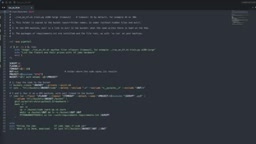
The entire workflow is wrapped in a generic shell script. The script has only two required parameters: the name of the Python script to launch, and the GPU model to request. The author emphasizes that this script is "worth reading once" and can be reused for almost any similar task.
Bucket here refers to the persistent storage space provided by Hugging Face Hub, essentially a cloud directory bound to your account that supports file syncing and version management. Its difference from traditional object storage is that buckets can be mounted directly onto Jobs compute instances, appearing as a regular filesystem path, so code reading and writing files doesn't need to be aware of remote storage. Checkpoints written to the out directory during training are synced back to the bucket in real time, so even if the GPU instance is reclaimed due to timeout or failure, saved content is not lost. This "storage-compute separation" design is key to Jobs' low-friction experience—users don't need to manually download results before the task ends; the bucket itself is where results live.
UV is a Python package management and runtime tool written in Rust by Astral, positioned as a replacement for pip and virtualenv, installing dependencies and resolving versions an order of magnitude faster than traditional tools. The script uses UV to execute training commands, meaning dependency installation is also compressed to seconds, further reducing idle time on cloud machines. For tasks billed by the minute, this directly translates to cost savings.
A Few Easily Overlooked Details in the Script
There are only two prerequisites: a Hugging Face account, and installing the HF CLI tool and logging in (via brew or install script, only needs to be done once).
Timeout settings are a key parameter in the script. The author specifically points out that if a task errors out, you don't want the machine running indefinitely burning money, so the script defaults to a 2-hour timeout, extendable as needed. Since billing is per minute, the machine shuts down when the task ends—no overpaying.
A commonly worried point is result loss. Since the bucket is persistent and checkpoints are written to disk in real time, content saved after the task ends or times out remains in the bucket—no need to manually rescue results before the GPU machine goes offline.
The author also mentions you can close your laptop: the task continues running in the cloud, and you can check status and code output via a dedicated hub page. When the task finishes, simply sync the out folder from the bucket back to your local machine.
Cost and Applicability
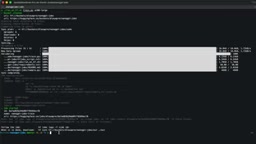
Based on the author's measurements, training this 50M parameter model on an A100 takes about half an hour, costing slightly over one dollar. At this scale, the trial-and-error cost for small experiments is driven very low.
Applicability is not limited to nanoGPT. The author notes the same script can be used for other training or fine-tuning tasks, provided two conventions are followed: dependencies written in requirements.txt, results output to the out folder, and data fetched from the Hub. Meet these three points and the script needs no modification; if not, you can customize it yourself.
The recommended workflow is: run a few steps locally to confirm the code works, then use the script to send the full training run to the cloud.
Regarding accounts, Pro accounts come with a certain quota; free accounts need to purchase credits first. Use the hf jobs hardware command to list available machine types and prices.
A100 is NVIDIA's data-center-grade GPU released in 2020, equipped with 40GB or 80GB HBM2 memory, with tensor core throughput reaching 312 TFLOPS in FP16. Its significance for this article's scenario: a 50M parameter model has very small memory footprint, and the A100's compute is enough to complete in half an hour training that would otherwise take 12 hours—a speedup far beyond linear. This is because small model training is often limited by single-card throughput rather than memory, and the A100's high bandwidth and massive parallelism match perfectly. Market rental prices for A100s typically range from $1 to $3 per hour, which is the source of the "slightly over one dollar" cost. For smaller experiments, entry-level GPUs like T4 or L4 have lower unit prices, but training time increases accordingly.
Where the Value of This Path Lies
What Hugging Face Jobs truly changes is not compute itself, but the friction cost of "going from local to cloud." The complexity of traditional cloud GPU solutions is concentrated in operations—Jobs tucks bucket, mounting, and dependency installation into a reusable script, letting researchers and independent developers keep their attention on models and code.
For training tasks with modest parameter counts but painful to run locally, this is a practical option between "pull an all-nighter" and "set up a whole cloud environment"—especially when you want to run multiple rounds of small experiments repeatedly, the iteration speed boost from low friction is more meaningful than the time saved on any single run.
One-line Summary
Hugging Face Jobs uses bucket mounting to move small LLM training to cloud GPUs—zero code changes, half an hour, one dollar.
Paragraph Summary
The article introduces a middle path from an official Hugging Face tutorial: using Hugging Face Jobs to submit small LLM training tasks to cloud GPUs. Using a ~50M parameter GPT-2-style model and the TinyStories dataset as an example, the author notes that a local MacBook would need 12 hours and occupy the entire machine, while the traditional cloud GPU workflow involves SSH and manual file transfers—too much overhead. Jobs' core mechanism is three steps: create a bucket and sync code, mount the bucket to a specified GPU machine and run the original command with UV, and automatically sync training results back to the persistent bucket. The generic shell script requires only two parameters—Python script name and GPU model—with a default 2-hour timeout protection and per-minute billing. Measured on an A100: half an hour, cost slightly over one dollar, applicable to various training and fine-tuning tasks that follow the three conventions of requirements.txt, an out directory, and Hub data.
Related articles

The Real Danger of AI Is Power Imbalance, Not Value Differences
AI safety debates often focus on value differences, but the real risk is power imbalance. Drawing on Cortés and the Virginia Company, this article argues that checks on power matter more than value alignment.

My Frame TV Died on Black Friday, So I Bought a Hisense Instead
When my Samsung Frame TV suddenly died on Black Friday, I skipped the repair and bought a Hisense. Reflections on art TV premiums, reliability trade-offs, and the return to pragmatism in consumer decisions.

War Forges a Military-Industrial Power: How Ukraine Became a Leading Global Weapons Producer
How Russia's war forced Ukraine's defense industry transformation: from aid recipient to arms producer, drone-driven asymmetric breakthroughs, combat validation spillovers, and funding and supply chain constraints.