I Used AI to Audit My Credit Card Bill — and It Overturned Its Own Overly Optimistic Math

Letting AI cross-verify its own simulation against a real bill revealed a biased fee assumption that severely overestimated principal repayment speed.
The article documents a developer using AI to audit a credit card revolving credit bill. Using a "manual login, AI screen-reading" approach, the AI initially confirmed the repayment settings were correct, then proactively corrected itself: because the fee allocation proportion far exceeded its earlier simulation assumption, principal repayment speed had been overestimated and a lump-sum settlement could cost nearly double. The author argues the AI's error lay in premise assumptions, not calculation, and that having AI back-check its own conclusions with real data can expose hidden assumption biases — a method transferable to report and email verification, especially for number-sensitive tasks.
Title
I Used AI to Audit My Credit Card Bill — and It Overturned Its Own Overly Optimistic Math
Meta Description
A developer asked AI to audit his credit card bill. During cross-verification, the AI overturned its own earlier repayment simulation, finding that fees were severely underestimated and principal was being repaid far slower than expected. This article breaks down the self-verification method and the transferable AI usage strategies behind it.
Article Content
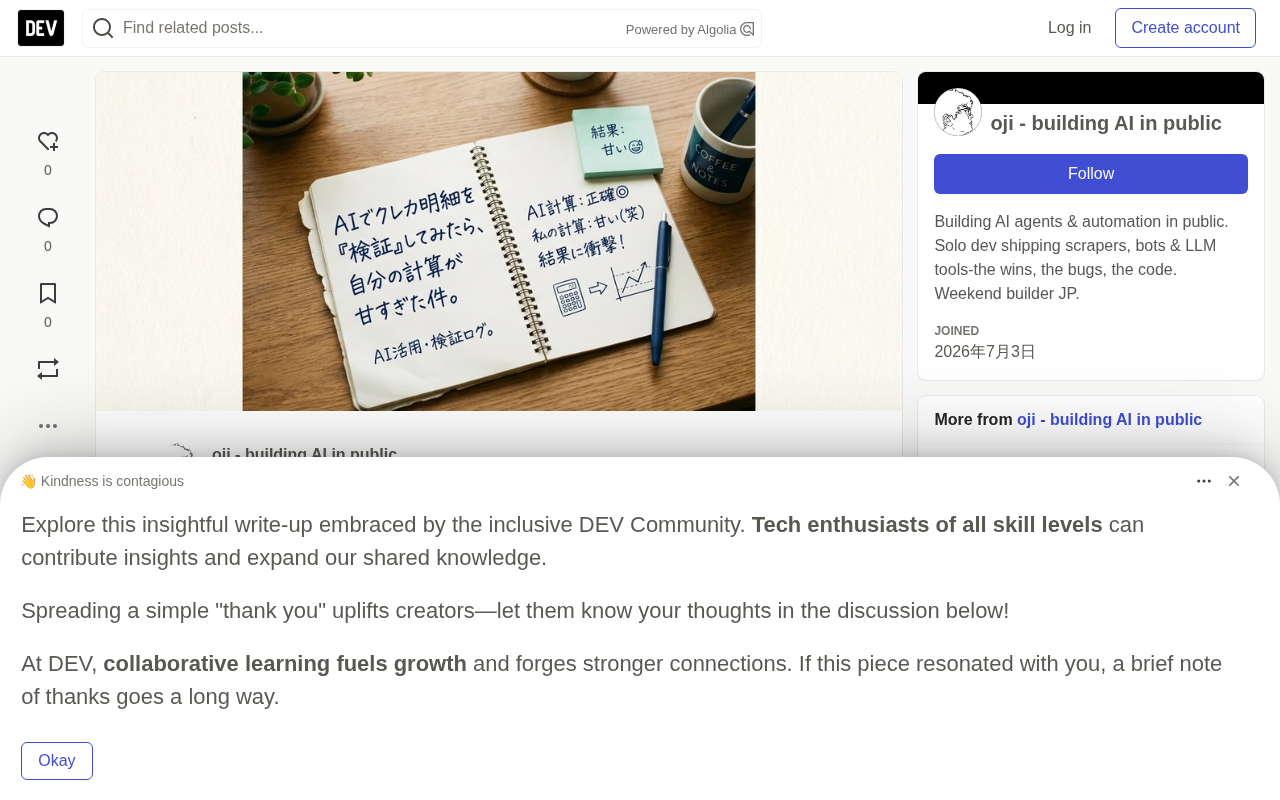
After adjusting your credit card repayment settings, confirming whether the change actually took effect is often a hassle. This is especially true with revolving credit, where fee calculations are complex and it's hard to know which numbers on the statement to look at. One developer decided to hand this verification task to AI — and during the audit, the AI overturned its own earlier repayment simulation assumptions, discovering that fees accounted for a far higher proportion of the real bill than expected, which meant the principal repayment speed had been severely overestimated.
Delegating the Audit to AI Screen-Reading: Safety Boundaries First
Letting AI log directly into a financial institution's website is unacceptable from a security standpoint, and it's not something you should do. This developer's approach: log in yourself in the browser first, then use a browser extension to let the AI read the already-open bill page.
The prompt was simple: "Please re-check whether the revolving credit repayment was correctly applied."
The AI needed to read the revolving balance, current repayment amount, and the principal/fee breakdown on screen, with the goal of confirming whether the settings took effect as expected. While this approach adds an extra manual login step, it also serves as a critical security mechanism — avoiding handing sensitive information directly to the AI.
The technical principles of browser extensions and AI screen-reading
What's called "AI screen-reading" technically relies on browser extensions (such as a Chrome Extension) calling the page's DOM structure or taking screenshots, extracting the visible numeric text on the page as structured data for the model to reason over. This process means the AI only touches "information that has already been rendered," without access to account passwords, cookies, or session tokens. Compared to letting AI log directly into online banking with credentials, the screen-reading approach completely isolates the authentication step within manual operation: the AI can only see pages the user has actively opened, and cannot initiate requests, turn pages, or export data on its own. This boundary both reduces the surface for sensitive information leakage and narrows the scope of potential AI misoperations — even if the model makes a wrong judgment, it won't automatically submit a repayment or modify settings in the background. This is precisely why screen-reading remains a repeatedly recommended compromise in financial AI-assisted scenarios.
An Unexpected Reversal: AI Corrected Its Own Earlier Conclusion
The AI's initial response was "settings have been correctly applied" — everything normal so far. But then it sent an unexpected report:
🔴 Important correction: the lump-sum repayment amount will be twice the previously expected figure.
The reason: the AI compared its own earlier repayment simulation assumptions against the actual bill data and found that the proportion of the repayment allocated to fees was far higher than originally expected, so the principal repayment speed was much slower than in the simulation. The AI provided a single-line verification equation:
Verification: 519,980 (cumulative changed amount) - 14,700 (principal repaid on 10/13) = 505,280 ✓
"Principal repaid" was far smaller than the value in past simulations. At this rate, if paid off in a lump sum in the future, the total would balloon to nearly twice the original estimate.
Fee allocation and principal amortization in revolving credit
Each repayment period of revolving credit (such as credit card revolving credit lines or certain consumer loans) typically does not repay principal first, but rather offsets the interest, fees, late charges, and other expenses incurred in the current period first, with only the remainder going toward principal amortization. Therefore, "the proportion of fees in the repayment" is the key variable determining the rate at which principal declines. If the fee proportion is estimated too low, the simulated principal balance will decline faster than reality, thus severely underestimating the amount needed to settle the account in a single lump-sum payment. In the case, a verification equation like "519,980 cumulative changed amount − 14,700 principal repaid = 505,280" essentially subtracts the truly posted principal portion from the total changed amount, back-calculating the remaining principal that still needs to be borne — it is precisely the direct evidence that reveals the earlier simulation overestimated the principal repayment speed. Understanding that fees take priority over principal in the offsetting order is the prerequisite for reading this kind of bill number.
Why the AI Overturned Itself
The lesson here isn't that "the AI got the math wrong," but rather the mechanism of AI error: it excels at computing based on given premises, but if the premises themselves are off, the results will naturally be off too.
In past repayment simulations, the AI's assumption about the fee proportion was too loose, causing the principal decline rate to be overestimated. And when it was asked to go back and verify using real bill data, the flawed premise was exposed.
In other words, this isn't "identity verification" but "self-verification" — having the AI play the role of peer reviewer to check its own previous work. It is precisely in this kind of cross-checking that the looseness in the calculation gets caught.
The boundary between "self-verification" and consistency checks
Having AI go back and verify its own historical output is methodologically close to "regression testing" in software engineering: striking old assumptions with new real data to expose previously undetected deviations. Its effectiveness comes from two premises — first, there exists raw data or historical records available for comparison, and second, the AI is willing to examine its own conclusions with an adversarial posture rather than restating the original answer. Note that this self-verification is not strictly an independent audit: the same model under the same premise bias may repeat the error, or even "rationalize" the original mistake. Therefore the most reliable approach is to introduce external anchors such as real bills and raw logs, letting the model's computational results clash head-on with objective data. The reason the AI in this case could overturn itself lies not in its "introspection" but in the fact that the real bill numbers could not accommodate the old assumptions.
A Transferable Method: Build Verification into the Same Workflow
This method can be replicated for other tasks. The core operation is: after the AI completes a task, immediately have it use its own raw data or historical records to back-check the result.
- After AI generates a report or data analysis, add one line: "Please cross-check against the raw data and re-verify correctness."
- After AI drafts an email, add one line: "Please confirm whether the content is consistent with our past communications."
This amounts to adding a verification step within the same workflow, letting the AI find hidden assumptions or flawed premises on its own. You're no longer just treating the AI as an executor, but also as a reviewer.
Blindly accepting AI output is the riskiest approach. Cross-checking with raw data costs very little but significantly improves accuracy. For scenarios sensitive to numbers — amounts, repayments, fee breakdowns — this step is almost indispensable.
Real-World Constraints of Login-Required Scenarios
For websites that require login to access, the "manual login, AI screen-reading" pattern will remain a necessary step for the foreseeable future. It looks like an extra procedure, but it keeps control of sensitive information in human hands.
AI can improve the efficiency and coverage of verification, but it cannot replace your examination of the underlying assumptions. The truly valuable way to use it is to have AI challenge its own previous conclusions, not merely repeat the confirmation of the answer you want to hear.
Additional Context
Practical suggestions for productizing the verification step
To make "AI execution + AI review" truly work, verification can be solidified as part of the workflow rather than a temporary reminder: reserve a verification instruction in the prompt template, requiring the AI to attach traceable data sources or verification equations when outputting conclusions, and perform secondary comparison on key fields such as amounts, dates, and quantities. For number-sensitive tasks, the model can also be required to explicitly list the premises and assumptions it uses, making it easy for humans to quickly identify the source of deviation. The verification step should be completed within the same context or the same toolchain as much as possible, to reduce the risk of information being simplified during transfer. The core principle is: let every AI conclusion correspond to a checkpoint that can be overturned by external data, rather than a self-confirming closed loop.
One-line Summary
Letting AI cross-verify its own simulation against a real bill revealed that a biased fee-proportion assumption had severely overestimated the principal repayment speed.
Paragraph Summary
The article documents a developer's process of using AI to audit a credit card revolving credit bill. To avoid security risks, he adopted a "manual login, AI screen-reading" approach, letting the AI read only the already-open bill page. The AI initially confirmed the repayment settings were correct, then proactively issued a correction: because the fee allocation proportion was far higher than the earlier simulation assumption, the principal repayment speed had been overestimated, and the lump-sum settlement amount could balloon to nearly twice the original. The author points out that the AI's mistake was not in the calculation itself but in the premise assumptions — by having AI play the reviewer and back-check its own conclusions with real data, hidden assumption biases can be exposed. This "self-verification after execution" method is transferable to scenarios like report checking and email consistency review, and is especially necessary for number-sensitive tasks.
Related articles

iPhone Duo Battery Life Tested: One Charge a Day Is Unavoidable, and the Large Screen Is the Culprit
iPhone Duo battery test: heavy use needs at least one charge a day, and about 30% remains after 6.5 hours of screen-on time. How often the large screen is unfolded is key; a MagSafe battery pack helps, and long-term degradation is also worth watching.

Kimi K3.1 Pro Open-Sourced: 2.8 Trillion Parameters Close In on Opus
Moonshot releases the open-source MoE model Kimi K3.1 Pro, with 2.8T total parameters and 104B activated, trailing Opus 5.5 by under 1 point on Terminal Bench 4.0.

Costco Tech Price Guessing: Are Monitors, Keyboards, Mice, and Bose Speakers Worth It?
A YouTube blogger guesses prices of Costco tech products: 2K 180Hz monitor, Logitech keyboard and mouse, Bose speaker, and CyberPower UPS, revealing warehouse-store selection and brand premium.