In-Depth Comparison of 4 AI Coding Tools: Cursor, Claude Code, Codex, and Opencode — Which Is Worth Buying?

A hands-on comparison of 4 AI coding subscriptions — Cursor, Claude Code, Codex, and Opencode — for $70/month.
A developer shares real experience subscribing to Cursor, Claude Code, Codex, and Opencode at $70/month. The article compares quota mechanics, model quality, and value, and reveals a multi-tool collaborative workflow to help you choose the best AI coding subscription.
A Hands-On Comparison of 4 AI Coding Subscriptions: What Does $70/Month Get You?
In today's era of exploding AI coding assistants, more and more developers are no longer satisfied with a single tool. Instead, they build their own development pipelines by combining multiple subscriptions. A Reddit developer recently shared their in-depth experience subscribing to four AI coding tools simultaneously — Cursor, Claude Code, Codex, and Opencode — at a total cost of around $70 per month. Drawing on this real-world feedback, this article systematically breaks down how these four tools differ in usage mechanics, model capability, and actual productivity, and reconstructs a genuine multi-tool collaborative workflow.
Industry background: The rise of AI coding assistants stems from breakthroughs in large language models (LLMs) in code understanding and generation. Frontier models like GPT-4 and the Claude 3 series have surpassed most human programmers on code benchmarks (such as HumanEval and SWE-bench), driving the emergence of a wave of tools focused on developer experience. Essentially, these tools build engineering capabilities — context management, codebase indexing, IDE integration, and more — on top of raw LLM APIs, creating differentiated competition. The four tools are not simply competitors; they cover different development stages, from code planning and bulk generation to quick patches.
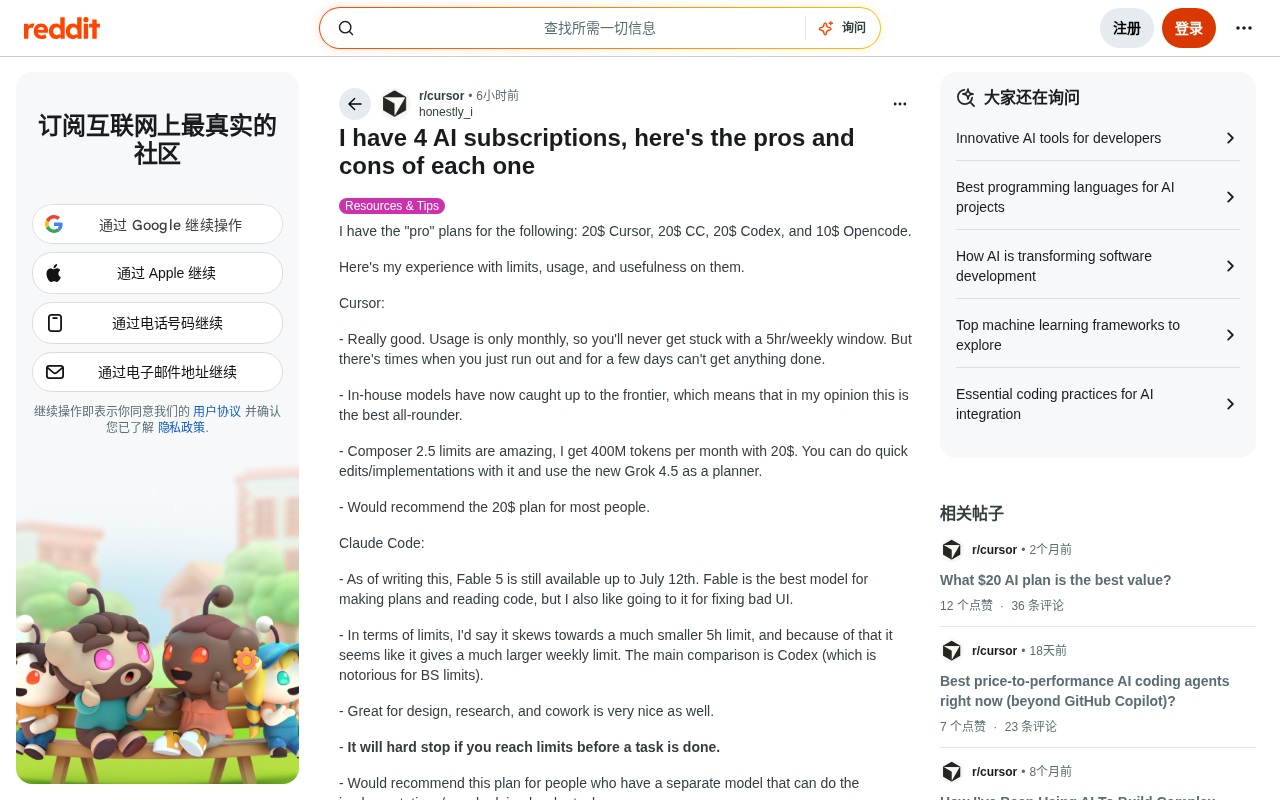
The Core Positioning of the 4 AI Coding Tools
The developer purchased the Pro-tier subscription for each: Cursor ($20), Claude Code ($20), Codex ($20), and Opencode ($10). You might not have noticed, but these four tools aren't simply interchangeable substitutes — each excels in a different development stage. The key to understanding their differences lies in three dimensions: usage mechanics, model quality, and ease of use.
In practical use, usage limits often shape the experience more than the model itself. Many tools employ complex mechanisms like a "5-hour rolling window" or "weekly quota," and once you exceed them, you may be forced to stop working for hours or even days.
Technical explainer: Rolling window limits: A 5-hour rolling window limit is a common technique SaaS products use to control server costs. The system continuously tracks token consumption over the past 5 hours, triggering rate limiting once a threshold is exceeded. Compared to a simple "daily/monthly cap," a rolling window better smooths out peak load, but it's more opaque to users — during intensive development sessions, you can easily hit unexpected rate limits, whereas users with sparse usage often never notice the restriction at all. Understanding this mechanism is crucial for planning a multi-tool collaboration strategy.
Model capability and ecosystem plugins, meanwhile, determine whether a tool can handle high-difficulty tasks. Let's break them down one by one.
Cursor: The Most Balanced All-Rounder
The author considers Cursor the best "all-around" AI coding tool currently available. Its core advantage is that it's billed monthly only, with no annoying 5-hour or weekly window limits, meaning short bursts of intense usage won't get you temporarily blocked. Of course, once you exhaust your monthly quota, you'll still face several days of being unable to use it.
More noteworthy is that Cursor's in-house model has caught up to the frontier. Composer 2.5's quota is astonishing — the $20 monthly fee grants roughly 400 million (400M) tokens.
The technical significance of in-house models: The Cursor Composer series is Anysphere's product, optimized specifically for code editing scenarios on top of general-purpose LLMs. Unlike directly calling the Claude or GPT-4 API, an in-house model can be specifically fine-tuned for developer scenarios like diff-based editing, multi-file context compression, and code completion latency — reducing inference cost while improving response speed. A monthly quota of 400M tokens, assuming an average of about 2,000 tokens per interaction, translates to roughly 200,000 code interactions — which explains why the author could sustain heavy daily use without hitting the quota ceiling.
The author's approach: use Composer 2.5 for quick edits and feature implementation, paired with the newly released Grok 4.5 as a planner. For most users, the $20 Cursor plan is the top recommendation.
Claude Code: A Specialized Powerhouse for Design and Planning
Claude Code (CC for short) excels at planning and code reading. The author specifically notes that its Fable model is "the best model for planning and reading code," and it also shines at fixing messy UI.
The Fable model and extended chain-of-thought: Claude Code is Anthropic's command-line-native AI coding tool for developers. Fable is a variant Anthropic optimized specifically for long-context code understanding and multi-step reasoning, built on the Claude 3.x series. Its planning capability comes from Anthropic's deep investment in "Extended Thinking" — the model performs extensive internal reasoning steps before delivering a final answer (much like a human thinking on scratch paper), which is especially effective for tasks requiring global architectural design and cross-file dependency analysis. But internal reasoning itself consumes a large number of tokens, which directly explains CC's design tendency toward shorter 5-hour session windows: a single deep planning task consumes far more tokens than ordinary code completion.
On usage mechanics, CC leans toward shorter 5-hour windows, compensated by a larger overall weekly limit. Note that when a task hits the quota ceiling mid-execution, CC hard-stops outright. Therefore, the author suggests Claude Code is better suited for users who already have another tool handling concrete implementation, or for developers tackling higher-difficulty tasks — it performs especially well in design, research, and collaborative scenarios.
The Quota Game: Codex's Controversy
Codex is the most controversial tool in this comparison. The author's assessment could be summed up as "love-hate."
On the positive side, Codex boasts an excellent model and a rich ecosystem. The author uses its plugins frequently, especially the Gmail and Calendar integrations, and is sometimes "grateful" for these features.
The technical foundation of the plugin ecosystem: Tool Use: The core technology behind Codex's plugin ecosystem is Tool Use (Function Calling) — the model can call external APIs in real time during a conversation to fetch data or perform actions, rather than being limited to static text generation. Gmail integration means the AI can read email content directly as task context, while Calendar integration lets the AI be aware of the developer's schedule and offer more practical suggestions (such as breaking down tasks based on deadlines). This evolves AI tools from mere "code completers" into "intelligent assistants" that can engage with the entire development workflow.
Its Luna model (version 5.6) is rated an "excellent programmer," and the author believes that for 90% of users, simply running Luna in its highest mode can handle nearly all work.
However, the author bluntly calls the $20 plan's quota mechanics "absurd": a single 5-hour session can consume 20% of the weekly quota, and each prompt can eat up 15% of the current 5-hour session. Fortunately, developer Tibo frequently resets quotas, which somewhat alleviates this pain point.
Unlike Claude Code, Codex has one key feature: even when it hits the quota ceiling, it won't stop until the task is complete. This becomes an advantage when handling long tasks. Overall, the author feels Codex "isn't bad, but you actually have better options" — it suits users with lower usage frequency, or those who highly value convenient plugins and a polished interface.
Opencode: The Other Side of the Value Champion
If we were to crown a value-for-money champion, Opencode would undoubtedly be the author's top pick. It costs just $10 per month, and only $5 for the first month.
Its biggest selling point is access to a massive number of open-source models (many of them Chinese models). The author mentions that DeepseekAd v4 Flash offers an "astonishing" quota.
The rise of open-source models and model routing strategies: Opencode's core value proposition is built on the rapid rise of open-source models. Chinese open-source models represented by the DeepSeek v4 series have approached or even surpassed some closed-source frontier models on code benchmarks, while their inference cost is only about one-tenth that of GPT-4o. By letting users customize model routing strategies (i.e., a layered "orchestrator + executor" architecture), Opencode uses high-intelligence models for complex reasoning and decisions, and fast, cheap models for bulk content generation, maximizing token usage within a fixed subscription cost. This "model routing" approach is essentially a product-level engineering implementation of the Mixture of Experts (MoE) concept in AI — matching different capability needs to different model sizes, rather than using the strongest model to handle all tasks across the board.
With proper configuration — for example, using oh-my-opencode-slim with M3 as the orchestrator, v4 Pro handling code tasks, and v4 Flash handling everything else — you can extract a considerable amount of usage. Its 5-hour rolling window is fairly generous, with a single session consuming about 20% of the weekly quota — a stark contrast to Codex — and the actual number of usable tokens is quite ample.
Still, Opencode's shortcomings are equally clear: it's not beginner-friendly. The desktop app still needs work, and while the config.json file is intuitive, it still presents a certain learning curve. The author frankly admits that if you have no foundation at all, it's better to wait until the app matures before adopting it. Additionally, open-source models aren't as intelligent as top-tier frontier models (smarter models consume quota faster), so it's better suited as a supplementary tool — its advantage lies in its astonishing token volume, especially with V4 Flash.
A Real Workflow: How the 4 Tools Work Together
The most valuable part of this article is the author's demonstration of a complete pipeline in a model finetuning project, which clearly validates the core philosophy of "combined use":
- Claude Code (Fable): Formulate the complete plan, planning how to synthetically generate and validate the dataset;
- Opencode: Handle generating all the synthetic data and validation. Around 13,000 sentences needed to be produced, then labeled with a teacher model. The author fired off 256 requests at once, with virtually no errors, consuming only about 20% of the monthly quota;
- Codex: Write all backend scripts and act as the "conductor" for each step — running code and dispatching tasks to Opencode;
- Cursor: As a fallback to fix the dataset when Opencode's model capabilities fell short;
- Codex (again): Assist with model training, especially when using unsloth studio for the first time, helping to understand technical jargon;
- Opencode: Benchmark the fine-tuned model, writing all evaluation scripts and scoring with an LLM judge.
Technical explainer for the multi-agent pipeline: The workflow above is actually a prototype of a manually coordinated "Multi-Agent Pipeline." Claude Code plays the Planner, Opencode serves as the large-scale parallel Executor, Codex acts as the task Orchestrator, and Cursor is the exception handler (Fallback Agent). This aligns closely with the "Agentic Workflow" currently being hotly discussed in AI engineering — the only difference being that here a human manually switches tools rather than a framework scheduling them automatically. "LLM-as-Judge" is an evaluation paradigm that uses another large model to score the quality of model outputs; because it can run automatically at scale without per-item human annotation, it has become the mainstream evaluation method in finetuning engineering.
This workflow reveals an important trend: AI-assisted development is moving toward specialized division of labor, not "one tool does it all." Planning goes to the reasoning-savvy Claude Code, large-scale low-cost tasks go to Opencode, complex tasks requiring uninterrupted execution go to Codex, and quick, precise patches go to Cursor.
Buying Recommendations for AI Coding Tools
Based on this developer's hands-on experience, here are some purchasing pointers:
- If you only want to buy one: Choose the $20 Cursor plan — balanced, with no window limits and a solid in-house model;
- If you need strong planning and design capabilities: Pair it with Claude Code, especially suitable for users who already have an implementation tool;
- If you value the plugin ecosystem and a convenient interface: Consider Codex, but be prepared to accept its rather harsh quota limits;
- If you pursue ultimate value and massive token volume: Opencode is an ideal supplementary option, but it requires some hands-on configuration skills.
For heavy developers who work with code every day, spending $70 a month to build a multi-tool collaborative pipeline may be more cost-effective and flexible than simply upgrading to a single vendor's pricier package. This genuine comparison from a frontline developer offers a highly valuable, practical perspective for anyone shopping for an AI coding subscription. As each vendor's quota mechanics and model capabilities continue to iterate, this "divide by need, combine for battle" strategy may well be the optimal approach to mastering AI coding tools right now.
Related articles

Cursor AI in Practice: Weighing Efficiency Gains Against Costs in an AI IDE
An in-depth look at Cursor AI IDE's interface layout, four modes (Agent/Plan/Debug/Ask), model selection, and Git context integration, with hands-on demos weighing subscription costs against going direct to Claude.

Free Landing Page Design Rules Library: A Practical Guide for Claude Code and Cursor
A free landing page design skill for Claude Code and Cursor: MIT licensed, nearly 9,000 stars, asks about offer/audience/action before planning 12 sections with hard font and spacing constraints.

Cursor Keeps Writing Wrong Code? The Problem May Be Context, Not Prompts
Cursor keeps writing wrong code? The problem may be context, not prompts. Learn how to supply relevant files, full error messages, and expected results, plus a plan-first, small-step, test-driven workflow to reduce AI coding errors—while remembering code review remains the developer's job.