Inside Hermes Assistant's Full-Day Workflow: Inbox, Scheduling, and Briefings

A user breaks down the Hermes personal assistant workflow, where restraint in design enables everyday usability.
The article details a Reddit user's full Hermes Agent personal assistant workflow: dual instances share an Obsidian plain-Markdown vault, unifying memory and instructions; the inbox assistant pre-filters idle wake-ups and calls the model only for genuinely new mail; email is tiered into direct, CC, and BCC permissions; dated messages go to the calendar and undated requests to tasks; client scheduling reconciles dual time zones and generates Meet links; a 5 a.m. briefing follows the user's location, with language practice and voice correction. The value comes from fifty boundary conditions thought through in advance.
What makes an AI assistant genuinely useful is often not how much it can do, but how restrained the small things it repeats every day are designed to be. A Reddit user has broken down in detail the complete workflow of the personal assistant they built with Hermes Agent, from automatic inbox processing to client meeting scheduling to a daily briefing pushed at 5 a.m. The core philosophy of this system: silence is the norm, interruption is the exception.
Dual-Instance Architecture and Shared Memory
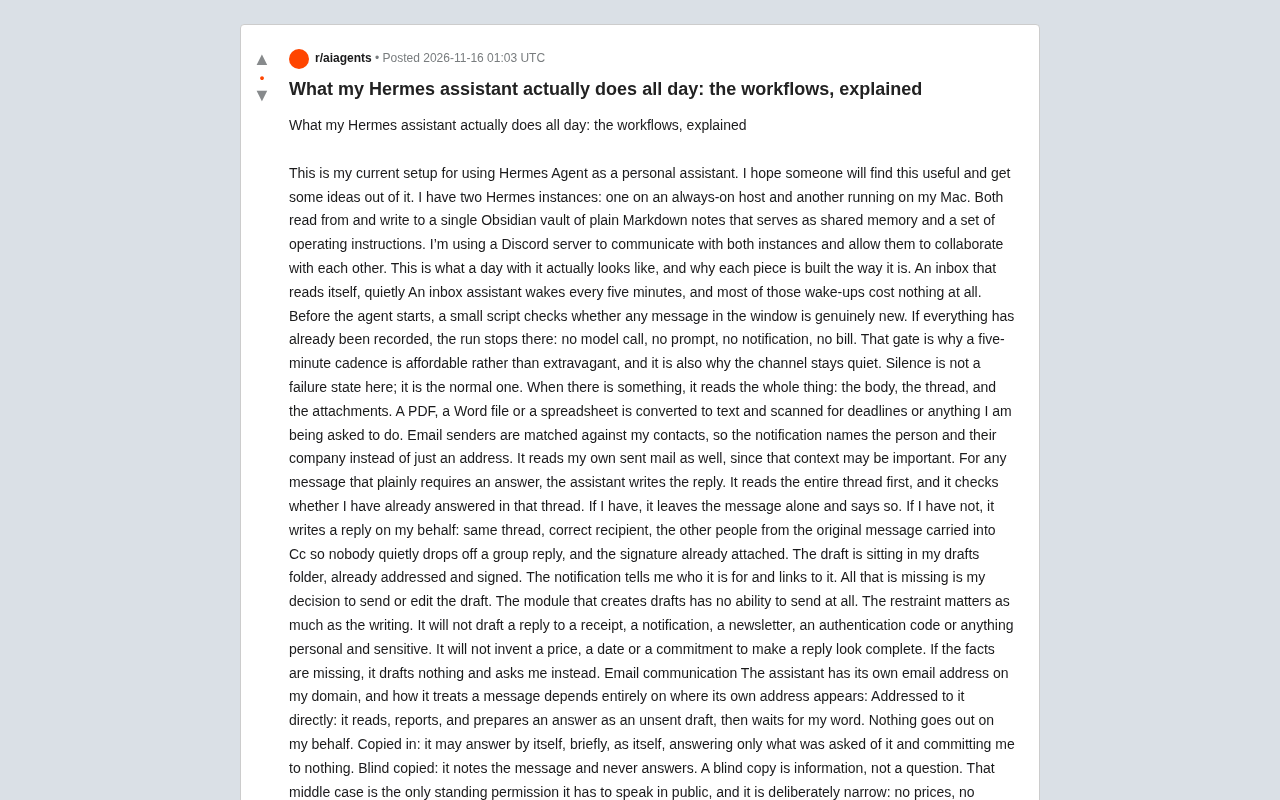
The user deployed two Hermes instances: one running on an always-on host, the other on their own Mac. Both read and write the same Obsidian plain-Markdown vault, which serves simultaneously as shared memory and as the operating instruction set. The two instances communicate through a Discord server, which is also how they collaborate.
The clever part of this design is that "memory" and "rules" are stored in the same format. Markdown is both human-readable notes and instructions the Agent can parse. The write rules are stricter than the workflow itself: routine automatic writes are limited to dated observations and clearly sourced status snapshots; biographies, decisions, and sensitive content must go through user approval, and that approval must be bound to the specific proposed content, preventing the Agent from "falling in love with its own idea" and quietly writing it into memory.
Obsidian is a note-taking app built on local plain Markdown files. Its defining characteristic is that every note is stored as plain
.mdtext in a user-specified folder (called a vault), with no proprietary database or cloud format. This means any program that can read files can parse these notes directly, and humans can view and edit them with any text editor. In recent years, the Obsidian community has often used it as a "second brain," organizing knowledge through bidirectional links and tags. In this workflow, choosing an Obsidian vault as the Agent's memory and instruction carrier exploits exactly its plain-text, version-controllable, human-auditable nature—the rules and observations the Agent writes are physically the same set of files as the user's handwritten notes, with no hidden state, so edits and rollbacks require only editing text.
An Inbox Assistant That Reads Its Own Mail
The inbox assistant wakes up every five minutes, but most wake-ups cost nothing. Before the Agent starts, a small script first checks whether there are any genuinely new messages in the window. If everything has already been recorded, the run ends there: no model call, no prompt, no notification, no bill.
This pre-gate is why a five-minute cadence is affordable and why the channel stays quiet. In this system, silence is not a failure state—it is the normal state.
When there really is a new message, it reads the whole thing: body, thread, and attachments. PDFs, Word files, or spreadsheets are converted to text and scanned for deadlines or items the user needs to handle. Senders are matched against the contact library, so notifications state who it is and which company they're from rather than just an email address. It also reads the user's own sent mail, because that context can matter.
For messages that clearly need a reply, the assistant first reads the entire thread and checks whether the user has already replied in it. If so, it leaves the message alone and explains why; if not, it writes a reply on the user's behalf: same thread, correct recipients, other people from the original message carried in CC so no one gets dropped from a group reply, signature attached. The draft sits in the drafts folder, addresses and signature complete, and the notification tells the user who it's for with a link—all that's left is for the user to decide whether to send or edit.
The module that generates drafts has no send capability at all, and this restraint matters as much as the writing ability. It won't draft replies to receipts, notifications, briefings, verification codes, or any private or sensitive content, and it won't invent prices, dates, or commitments just to make a reply look complete. When facts are missing, it writes nothing and asks the user instead.
A "pre-gate" is a lightweight script check executed before calling the LLM, usually achievable with a few lines of code or a simple API query. The logic: if this wake-up has no new information to process, exit immediately without touching the model at all. Since LLM calls are billed per token and carry latency every time, for a high-frequency scenario that wakes every five minutes, this filtering drives the cost of the vast majority of idle wake-ups to zero. The pre-script typically checks message IDs, timestamps, or processed records rather than the semantics of the email body—semantic judgment is left to the model step when there actually is a message. This "cheap check first, expensive processing second" layered pattern is a common engineering technique for building low-cost always-on Agents.
Three Ways to Receive Mail, Three Permission Levels
The assistant has its own email address under the user's domain, and how it treats a message depends entirely on where its own address appears:
- Sent directly to it: read, report, and prepare an unsent draft as a reply, then wait for the user's word. Nothing is ever sent in the user's name.
- CC'd to it: it may reply briefly on its own, in its own identity, answering only what was asked, making no commitments on the user's behalf.
- BCC'd to it: it records the message but never replies. A BCC is information, not a question.
The middle case is the only public speaking permission it has, and it is deliberately kept very narrow: no prices, no deadlines, no facts about the user or their business, and never acting on statements from anyone other than the user themselves.
From Email to Commitment: Routing Between Calendar and Tasks
Every message with a real date becomes a calendar event, placed in the calendar where it belongs. Every undated action request becomes a task, and the two never overlap, so the same thing is never recorded in two places. Automated notifications received by email never become tasks. Booking confirmations go to the calendar as usual, even when forwarded by someone else.
Scheduling meetings with clients is the workflow the user most wants to hand off, and also the one with the most rules. The user CC's the assistant into the client's email thread and tells it to find a time. It reads the thread, works out how long the meeting needs to be and whether the client specified a date range or suggested times (e.g., "next week"), then finds genuinely free slots across the user's three calendars.
What comes back is a short, friendly email to the client offering real available slots, with the user CC'd. Once the client picks one, the assistant re-checks the slot before booking, creates the event with a Google Meet link, a one-hour-before reminder, and the attendee list, then confirms to both the client and the user.
Because the user moves between time zones, available time windows must be set in both the user's time zone and the client's. The Agent reconciles these windows and takes them into account when proposing times.
A Google Meet link is the video-conferencing entry point that Google Calendar can automatically attach when creating an event; attendees click the link in the event to join without installing any client. In the scheduling workflow, the Agent creates the event through the Calendar API and generates the Meet link at the same time, so the client gets the meeting entry point directly in the confirmation email, reducing back-and-forth. The one-hour-before reminder is the event's built-in notification setting, delivered by Google Calendar to attendees at the appointed time without depending on the Agent itself being online. The value of these native features is that they hand off the connection between "scheduling" and "meeting" to the platform; the Agent only needs to ensure the event fields are correct and doesn't have to maintain its own reminder system.
The 5 a.m. Daily Briefing
A briefing arrives before 5 a.m. every day, short enough to read in a minute: today's and tomorrow's events with conflict markers, the weather at the user's actual location, a handful of emails that need the user personally, due or overdue items, and the day's language practice and word of the day.
The weather part is interesting. It doesn't assume the user is in some city; it detects location and cross-checks against confirmed travel plans, so the forecast follows the person rather than the server. The user is learning French, Italian, and Portuguese, with different languages scheduled on different days, and the Agent adds the word of the day to the briefing—and that word must be relevant to the user's work or interests.
Language Practice and Reminders
A weekly task builds a library of practice passages for French, Italian, and Portuguese and renders each one to audio. Before 5 a.m. every morning, a script pushes one practice item: the text, the recording, and a slowed-down version targeting the parts the user still struggles with. The language is chosen by whichever language task is due that day.
If the user sends a voice message reading a passage aloud, the assistant transcribes it two or three times, compares the transcripts so it doesn't mistake a transcription error for a user error, then corrects it sentence by sentence against the original text. Generating practice costs one model call per week; everything else in this flow is handled by scripts.
On reminders: the user tells the Agent in Discord, by voice or text, to be reminded of something. If a person is mentioned, it looks that person up, creates a dated task (undated tasks are invisible to the user, so it defaults to today), sets the reminder, and reports what it created. Credit card billing dates are kept visible by a daily check cross-referenced against a paid ledger, and the assistant reminds about upcoming payments.
Transcribing the same audio multiple times and comparing results is an error-correction strategy that requires no additional model: if two or three transcripts agree on a word, the recognition is credible; if they diverge, that spot is likely a recognition error rather than a user pronunciation error. The goal is to avoid mistaking ASR (automatic speech recognition) errors for learner language errors and giving wrong correction advice. After comparing, the Agent checks the transcript against the original sentence by sentence to locate the real deviations. The method is cheap and simple to implement, well suited to coarse screening of transcription quality in a personal assistant context, but it cannot replace professional pronunciation assessment—it is only good for catching obvious omissions, misreadings, or substitutions.
Design Ideas Worth Borrowing
There is nothing "clever" in this system; there are a lot of unsexy details, and those details are what make it usable. What's truly impressive is not that it can do a hundred things, but the fifty small decisions about how to do them, made before the user needed them.
For anyone wanting to build their own assistant, a few lessons can be taken directly: use pre-scripts to filter out meaningless model calls and control costs; write "what not to do" into the rules, especially the tiered permissions for drafting emails; have memory and instructions share a single plain-text file for easy auditing and editing; and bind approval of sensitive writes to specific content rather than a blanket "allow the Agent to update memory."
The value of this workflow isn't how powerful Hermes itself is, but that one user was willing to think through fifty boundary conditions. Tools will change; this design habit won't.
One-line Summary
A user breaks down the Hermes personal assistant workflow, whose core is trading restraint in design for everyday usability.
Paragraph Summary
The article details how a Reddit user built a personal assistant with Hermes Agent: dual instances share an Obsidian plain-Markdown vault, unifying memory and instructions; the inbox assistant uses a pre-script to filter idle wake-ups and only calls the model when there's genuinely new mail; email is authorized at three levels—direct, CC, and BCC—with only the CC case allowing the assistant to reply briefly in its own identity; dated messages go to the calendar and undated action requests to tasks, with no overlap; client meeting scheduling reconciles both the user's and client's time zones, re-checks before booking, and generates Meet links; a 5 a.m. briefing has weather following the user's actual location, with language practice pushed by the day's task and voice-based correction. The article stresses that the system's value comes from fifty boundary conditions thought through in advance, not from the number of features.
Related articles

Why Microsoft CEO Nadella Still Backs Nvidia After Jensen Huang's Departure
Microsoft CEO Nadella publicly expresses confidence in Nvidia interim CEO Colette Kress. This article analyzes Nvidia's power transition after Jensen Huang's departure, Microsoft's compute dependency, and the trust logic of the AI supply chain.

Nadella: Critical Infrastructure Is 'Unpatchable' as AI Cybersecurity Arms Race Escalates
Microsoft CEO Nadella addresses AI cyberattack fears, saying much critical infrastructure is unpatchable, downplaying the Outlook outage, and analyzing AI's dual role in cybersecurity.

Musk Backs Jensen Huang: Firing Him Is Like Cutting Jordan
Musk says Jensen Huang is loyal to the U.S. and likens firing him to cutting Michael Jordan—highlighting politicization anxieties in the AI chip industry and defending talent value.