Is Your Laptop Good Enough for Machine Learning? The Hardware Truth for Aspiring ML Engineers

A standard i5 laptop is plenty for ML — cloud compute and engineering skills matter far more than a local GPU.
A BTech student's hardware concerns reveal a common misconception: that learning ML requires a high-end GPU laptop. The reality is that a 14th-gen i5 with 16GB RAM is more than enough, since local machines only handle lightweight tasks like coding, debugging, Docker, and small-scale data processing. GPU-intensive model training belongs on Google Colab, Kaggle's free quota, or on-demand cloud GPUs. GPU laptops are not only expensive — their limited VRAM (typically 8GB) pales next to cloud A100s with 40–80GB. ML engineering roles prioritize deployment, data pipelines, containerization, and system design, none of which require local GPU hardware.
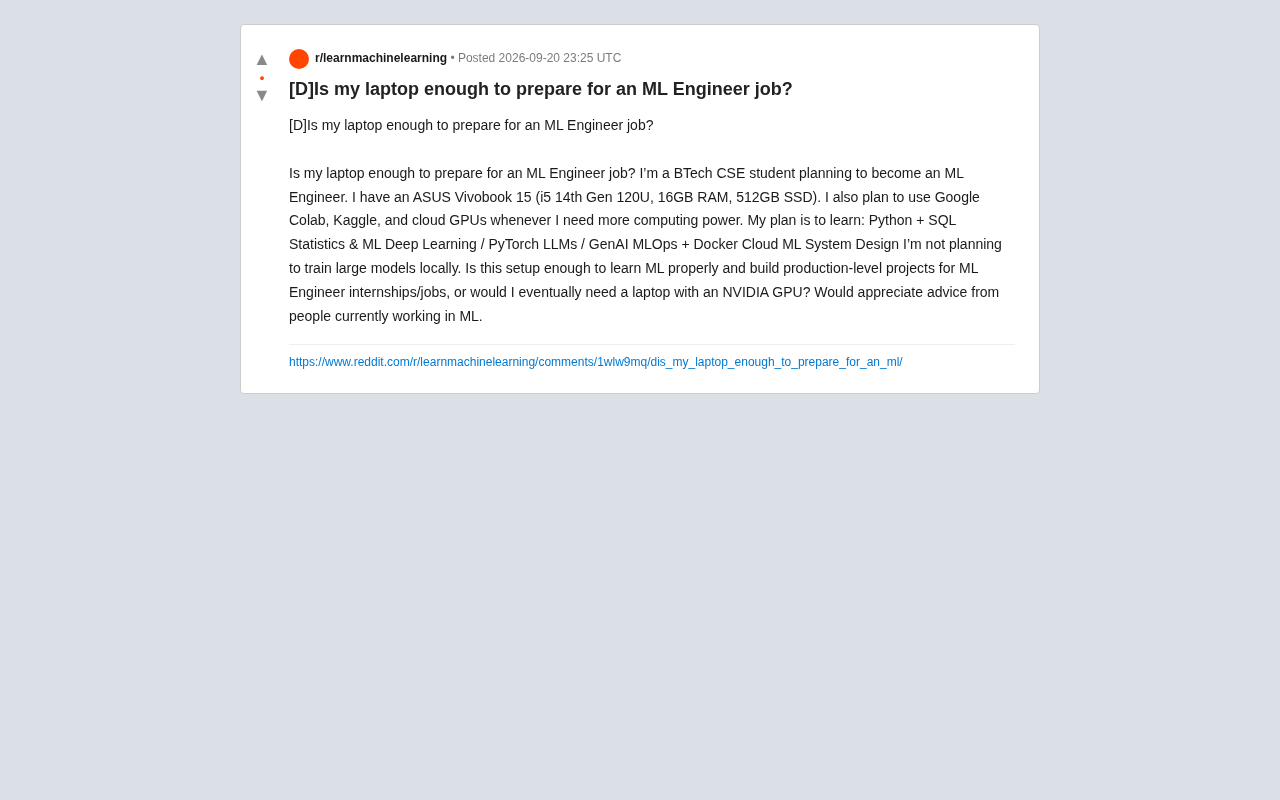
A BTech computer science student recently posted a question on Reddit that resonates with countless ML beginners: is his ASUS Vivobook 15 (Intel Core i5 14th Gen 120U, 16GB RAM, 512GB SSD) enough to launch a career in machine learning engineering? His plan includes learning Python, SQL, statistics, deep learning, PyTorch, LLMs/generative AI, MLOps, Docker, and cloud-based ML system design — with Google Colab, Kaggle, and cloud GPUs filling in the compute gaps.
The question seems simple, but it cuts to a widely misunderstood core issue in today's ML learning landscape: do you actually need a high-end laptop with a dedicated GPU to become an ML engineer?
The Answer Is Clear: This Laptop Is More Than Enough
Bottom line up front — for learning and building projects toward an ML engineering role, this setup is more than sufficient. The 14th-gen i5, 16GB of RAM, and 512GB SSD will handle code editors, Jupyter Notebooks, data preprocessing scripts, SQL databases, and Docker containers without breaking a sweat.
The key insight is that this student has already figured out the most important part: he's not planning to train large models locally. That's exactly the right mindset to sidestep hardware anxiety. Modern ML learning and engineering practice have entered an era of "outsourced compute." The local machine's role is primarily to write code, debug logic, process small-scale data, and manage workflows — while the GPU-heavy lifting (training neural networks, fine-tuning LLMs) happens entirely in the cloud.
What Your Local Machine Actually Does
In a real ML workflow, a development laptop carries a surprisingly "light" load:
- Writing and debugging Python code
- Running experiments and unit tests on small datasets
- Building and testing Docker images
- Writing SQL queries and working with local databases
- Version control, documentation, and system design sketches
These tasks have some CPU and memory requirements, but 16GB of RAM handles the vast majority of scenarios just fine. You only truly feel the pain of not having an NVIDIA GPU when you try to run deep learning training locally.
How Cloud Compute Fills the GPU Gap
The platforms this student mentioned — Google Colab, Kaggle, and cloud GPUs — are precisely the most mainstream and cost-effective options for learning deep learning today.
Google Colab provides free T4 GPUs (with paid tiers offering access to A100s and L4s), which is plenty for most deep learning course experiments and small-to-medium project training runs. Kaggle offers approximately 30 hours of free GPU/TPU quota per week, along with a rich ecosystem of datasets and competitions — an ideal environment for hands-on practice.
When projects scale up and require extended training or LLM fine-tuning, you can rent cloud GPUs on demand (AWS, GCP, Lambda Labs, RunPod, etc.) billed by the hour. This is far more flexible and cost-effective than buying a laptop with a high-end GPU upfront.
Why Buying a GPU Laptop for Learning Is Usually a Mistake
Laptops with high-end NVIDIA GPUs are expensive, run hot, have poor battery life, and laptop-grade GPUs (like the mobile RTX 4060) typically come with only around 8GB of VRAM — which still hits a memory ceiling when training moderately large models. Cloud A100s, by contrast, offer 40GB or 80GB of VRAM, with far better cost-efficiency and scalability.
Put simply, buying a GPU laptop to learn ML is often spending money in the wrong place. That budget is better saved for on-demand cloud compute or invested in higher-quality learning resources.
Beyond the mainstream platforms, a few other options are worth knowing about: Lambda Labs offers relatively affordable hourly GPU rentals focused on deep learning use cases; RunPod supports per-second billing with high flexibility, making it great for short debugging runs; Vast.ai is a compute marketplace with lower prices but slightly less stability. For learners, one often-overlooked resource is Hugging Face Spaces, which provides a free inference environment where you can deploy and test models directly — no local GPU required. Google also offers Google Cloud education credits that students can apply for, granting hundreds of dollars in free cloud resources covering ML-specific services like Vertex AI. By combining these free and low-cost options strategically, you can cover everything from beginner to advanced deep learning training at near-zero cost.
The Learning Path Matters More Than the Hardware
The curriculum this student laid out — Python + SQL, statistics and ML, deep learning/PyTorch, LLMs/GenAI, MLOps + Docker, cloud ML, system design — is actually a remarkably complete, employment-focused roadmap. It covers the full chain from fundamentals to production deployment.
It's worth emphasizing that ML engineering roles (as distinct from pure research positions) place greater value on engineering skills: deploying models as usable services, building data pipelines, containerizing environments with Docker, and orchestrating training and inference in the cloud. These skills happen to have low local hardware requirements — but they do require familiarity with cloud platforms, containerization, and system design.
Practical Advice for Learners
- Maximize free tiers: Squeeze every drop out of Colab and Kaggle's free GPU quotas. They cover the vast majority of beginner-to-intermediate deep learning experiments.
- Get on cloud platforms early: AWS and GCP both offer free trial credits, and MLOps and cloud ML should be learned in real cloud environments anyway.
- Build demonstrable projects: Hiring managers care about end-to-end projects — from data collection and model training to production deployment — not how expensive your GPU was.
- Rent GPUs only when needed: When you genuinely need serious compute, renting a few dollars per hour gives you access to professional-grade hardware.
MLOps (Machine Learning Operations) is one concept on this learning list that deserves its own explanation. Drawing from the DevOps philosophy in software engineering, MLOps focuses on the full set of engineering practices for taking models from experimentation to production and maintaining them over time — including model versioning (MLflow, DVC), automated training pipelines (Kubeflow, Airflow), model monitoring and drift detection, and CI/CD applied to ML workflows. Companies care less about "can you train a high-accuracy model" and more about "can this model be deployed reliably, iterated quickly, and traced when something goes wrong." This distinction is at the heart of what separates an MLOps engineer from a data scientist. Docker and cloud platform knowledge form the infrastructure foundation of MLOps — and all of these skills can be systematically learned and practiced on a regular laptop, with no local GPU required.
Conclusion
This ASUS Vivobook 15 isn't just adequate — it's a perfectly reasonable starting point for ML learning. Hardware has never been the barrier to an ML engineering career. A clear learning path, solid engineering skills, and real project experience are. Investing your limited budget and energy into smart use of cloud compute and skill development is far wiser than agonizing over whether to buy a laptop with a dedicated GPU.
Related articles

AgentCore in Practice: Connecting Custom Tools and MCP Servers to Agents
DebuggerCafe tutorial shows how to connect custom tools and MCP servers to Amazon Bedrock AgentCore agents, covering tool contract design, MCP reuse, and production concerns.

816B Parameters Scores Only 39? The Real Cost-Effectiveness of the Open-Source LLM Parameter Race
Meta's 816B Muse Spark Open scores just 39 on Artificial Analysis, while 180B Qwen3.8-Flash-Next scores 40. This article analyzes 11 open-weight models' parameters vs. scores, exploring the real impact of activated parameters, quantized size, and deployment cost.

Aerial Manipulators: The Next Step for Drones from 'Seeing' to 'Changing'
Starting from a Reddit discussion, this article analyzes the technical challenges, potential applications, and deployment bottlenecks of aerial manipulators, exploring the key challenges for drones moving from environmental perception to physical manipulation.