Kalender Sync: Sync Your Calendars with ChatGPT and Claude
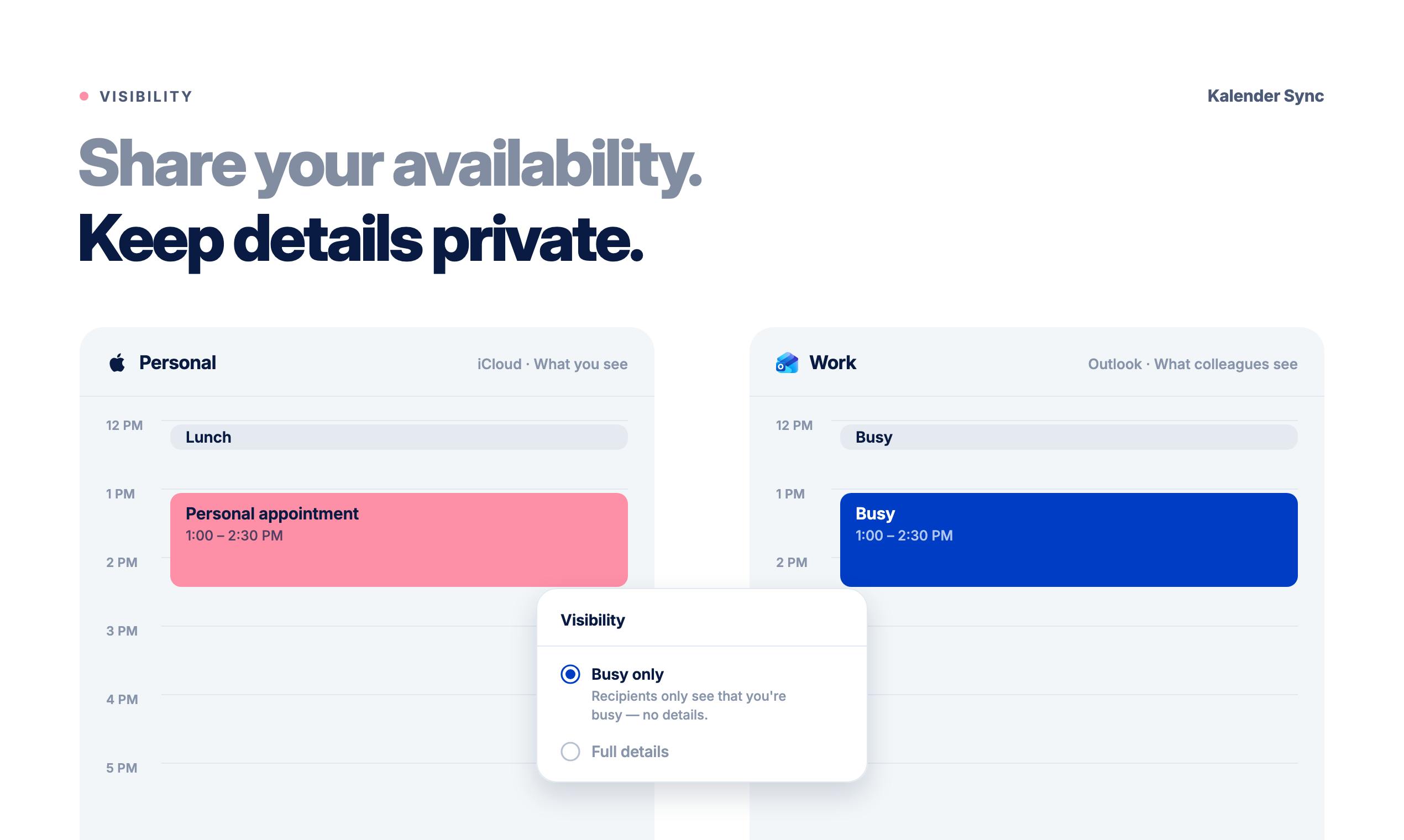
Kalender Sync supports two-way multi-calendar sync with granularity control and connects to ChatGPT/Claude for schedule management.
Kalender Sync is a productivity tool targeting multi-calendar management pain points, supporting one-way or two-way sync across Google, Outlook, iCloud, and various CalDAV calendars, with three granularity levels—busy only, title plus time, or full details—to balance sharing and privacy. Its differentiator is connecting the same calendars to ChatGPT and Claude for AI-assisted availability checks, event search, and creation, with setup doable by an AI agent. However, its conflict resolution strategy and AI integration details remain undisclosed, so users should watch data paths and permissions. Ranked #20 on Product Hunt, it suits users with complex calendar sources who already use AI assistants.
Managing multiple calendars has always been the "dirty work" of productivity tools. Google Calendar for work, iCloud for personal, Outlook shared by clients, plus a CalDAV calendar bundled with your email provider—every platform has its own login state and permission model, and copying events across platforms often means manual export and import. Kalender Sync, ranked #20 on Product Hunt, tries to solve this problem—and does something even more interesting along the way: it connects these calendars to ChatGPT and Claude.
What kind of pain point does it solve
The official positioning is blunt: "Built for people juggling work, personal, and client calendars." For these users, the calendar isn't a single account but multiple coexisting sources, each with different visibility needs—for a client calendar, you might only want the other party to see "busy" without revealing meeting titles; for a personal calendar, you might not even want to expose the times.
Kalender Sync supports Google, Outlook, iCloud, and supported CalDAV calendars, including GMX, WEB.DE, mailbox.org, and kSuite. Sync can be one-way or two-way, which is uncommon among similar tools—most products only do one-way mirroring to avoid conflicts, whereas two-way sync means it needs to handle merging logic for duplicate events and recurrence rules.
CalDAV (Calendaring Extensions to WebDAV) is an open calendar sync protocol built on WebDAV that allows clients to read and write calendar data across servers. Many email providers (such as GMX, WEB.DE, mailbox.org, and kSuite mentioned in this article) offer calendar services via CalDAV rather than using Google's or Microsoft's proprietary APIs. Supporting CalDAV means the tool can connect to these relatively niche but standards-compliant services, broadening compatibility. However, different providers vary in their CalDAV implementation and extension support, so actual sync results may differ by provider.
Granularity control is the key design of this product
When syncing, you can choose the granularity of what gets copied: only "busy" status, title and time, or full details. This design directly addresses the most realistic concerns when sharing calendars across organizations. Syncing a client meeting to your personal calendar as "busy" avoids time conflicts without leaking meeting content—something many team calendar tools fail to handle in detail.
From a product perspective, this is closer to actual workflows than "one-click sync all calendars." Calendar data has layered sensitivity, and granularity control is essentially giving users an adjustable knob between usability and privacy.
In calendar sync, one-way mirroring means copying events from one calendar to another—changes in the source calendar are reflected in the target, but not vice versa; two-way sync allows events to be copied and updated between two calendars in both directions. The hard part of two-way sync is conflict resolution: when the same event is independently modified on both ends, the system must decide which side wins or merge the changes. Common strategies include last-write-wins, creating duplicate events on both sides, or prompting the user to resolve manually. Recurrence rules (such as weekly meetings) are especially complex to merge, because the two ends may record exception dates or modifications differently. If handled poorly, this logic can easily cause duplicate or lost events.
Connecting to ChatGPT and Claude is the real differentiator
The other half of Kalender Sync's capability is connecting the same set of calendars to ChatGPT and Claude, letting AI help you check availability, find events, and create new ones. In isolation this isn't novel—every AI assistant is doing calendar integration—but combined with the sync layer, the scenario becomes concrete: the AI isn't facing a single Google account, but a multi-source calendar collection you've already organized.
There's another noteworthy detail: "Set up in minutes, or just let your agent configure it." The latter hints that the product itself offers interfaces or flows callable by AI agents, so configuration can be done through conversation. This means it's not just "a calendar for AI to use" but also "a calendar that AI can configure"—a product form closer to usage in the agent ecosystem.
MCP (Model Context Protocol) is an open protocol proposed by Anthropic, designed to let AI assistants connect to external tools and data sources in a standardized way. Through MCP, models like Claude can call interfaces provided by calendar services to perform operations such as querying availability and creating events, without developing a separate integration for each. If Kalender Sync adopts MCP or a similar protocol, users may need to configure the server address and authentication information in the AI client. Another common implementation is an API relay: the tool provides a REST API, and the AI accesses it via function calling, with data flowing through the tool's server. Which approach is used directly affects which servers the data passes through and how users need to authorize access.
Where to remain skeptical
The currently public information doesn't mention the specific conflict resolution strategy—how two-way sync handles the same event being modified on both ends, whether it overwrites, keeps both, or prompts the user—and this is where two-way sync products most often fail. Second, the specific implementation of "connecting to ChatGPT and Claude" (official integration, MCP, or API relay) isn't explained, which affects users' judgment about data flow: whose servers the calendar details pass through is something you need to confirm yourself.
The product received 78 votes and 18 comments on Product Hunt, ranking #20—typical performance for an early-stage project from a small team, with makers including Julius Hasenzahl. For users with complex calendar sources who want to query availability uniformly within an AI assistant, it offers a less laborious option than manual syncing; but before connecting your work calendar, it's worth figuring out permission granularity and data paths first.
Who should give it a try
If you manage a company Exchange, a personal iCloud, and client-shared calendars at the same time—and you're already using ChatGPT or Claude for daily tasks—the value of this kind of tool is fairly direct. Conversely, if you only have one Google account, the built-in calendar sharing and AI integration are already sufficient, and adding an extra sync layer offers limited benefit.
One-line Summary
Kalender Sync supports two-way multi-calendar sync with granularity control and connects to ChatGPT/Claude for schedule management.
Paragraph Summary
Kalender Sync is a productivity tool targeting the pain points of multi-calendar management, supporting one-way or two-way sync across Google, Outlook, iCloud, and various CalDAV calendars, and letting users control copied content at three granularities—busy only, title plus time, or full details—to balance sharing and privacy. Its differentiator is connecting the same set of calendars to ChatGPT and Claude, letting AI help query availability, find, and create events, with setup that can be completed by an AI agent. However, the conflict handling strategy for two-way sync and the specific implementation of AI integration aren't yet public, so users should pay attention to data paths and permission control. The product ranks #20 on Product Hunt and suits users with complex calendar sources who already use AI assistants.
Related articles
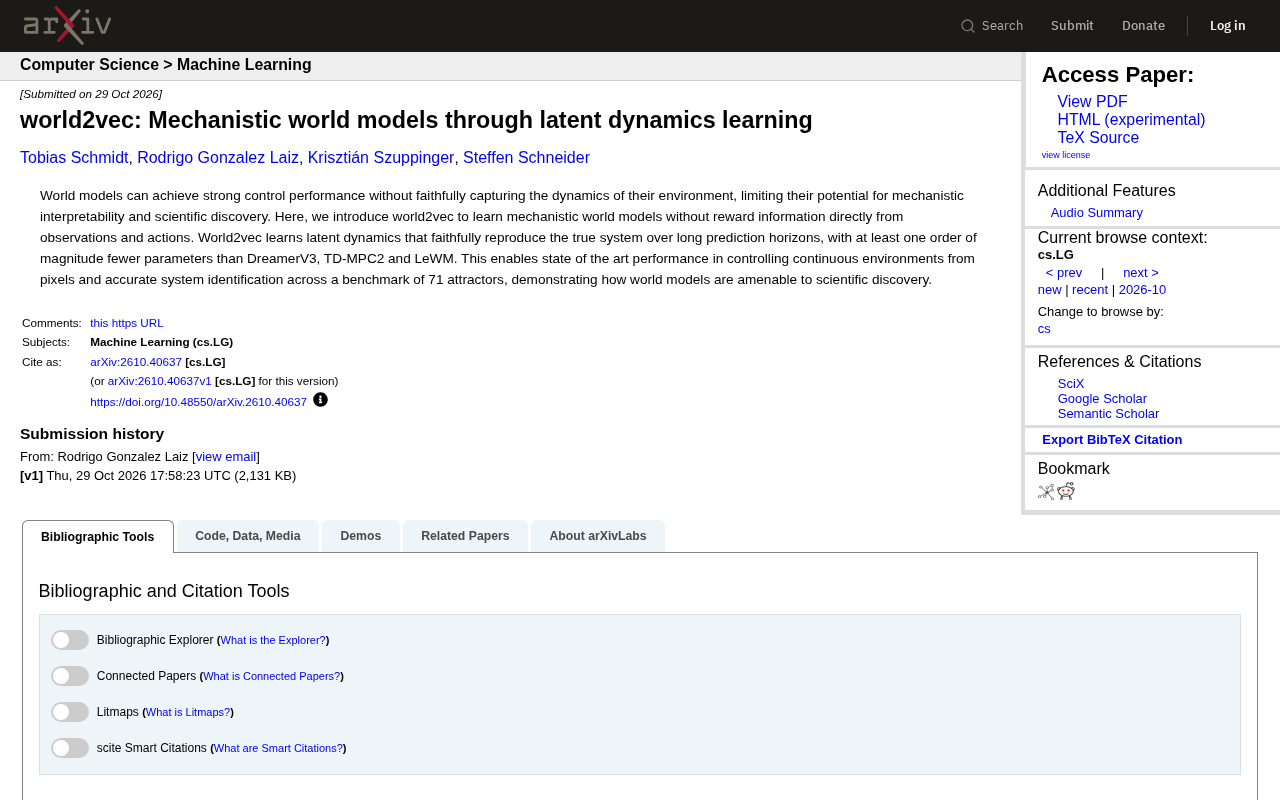
world2vec: Building Mechanistic World Models with Latent Dynamics Learning
world2vec proposes a reward-free method for learning mechanistic world models via latent dynamics, faithfully reproducing systems over long horizons with at least an order of magnitude fewer parameters than DreamerV3, TD-MPC2, and LeWM, and achieving accurate system identification on 71 attractor benchmarks.

A New KL-DRO Paradigm: Adaptive Scenario Generation Around a Learned Density Model
KL-DRO research proposes centering the KL ball on a learned density model instead of the empirical distribution, with adaptive scenario generation guiding sampling toward the worst case. Experiments show lower cost under distribution shift when records are scarce and the model can extrapolate, with comparable in-distribution cost.

ODE Samplers for Discrete Diffusion Models: Exponential Residual Flows Accelerate Generation
Discrete diffusion models lack deterministic ODE sampling? This article introduces Exponential Residual Flows (ERFs), which introduce continuous residual variables per token to construct piecewise ODEs for deterministic sampling and support consistency distillation acceleration. Superior to prior methods on code and text generation tasks.